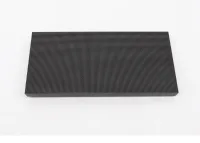
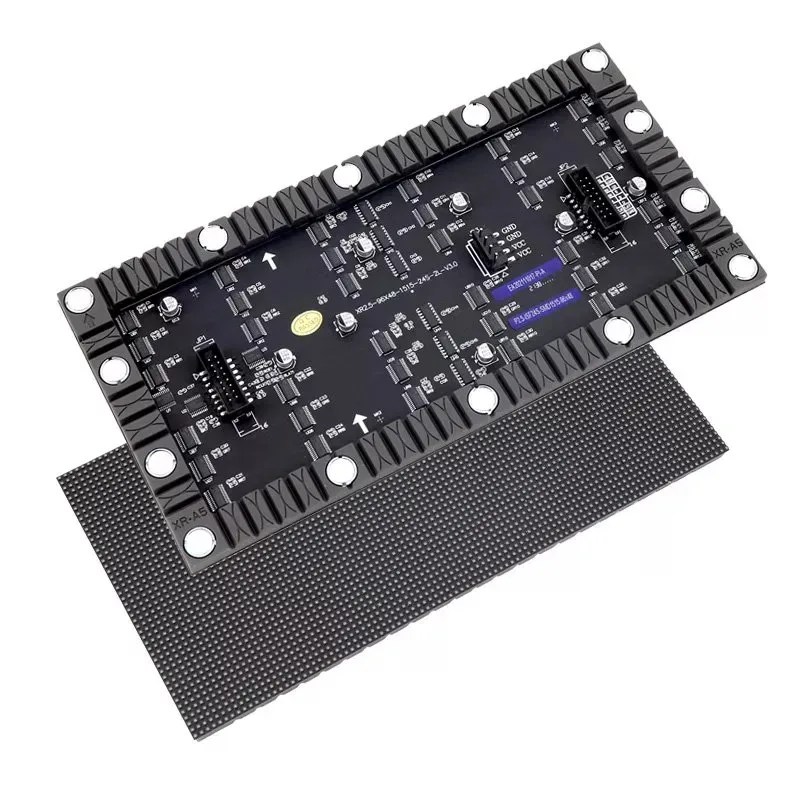
An LED display module is the smallest replaceable building block of an LED video wall: a printed circuit board with LEDs on the front, driver chips on the back and a plastic or metal housing, usually 320 × 160 mm or 250 × 250 mm. Several modules are fixed into a cabinet, and cabinets are joined to make the screen. The module decides the pixel pitch, brightness, protection level and how the screen is serviced, so it is the part to understand first when you build, repair or compare LED walls.
This guide is for AV integrators, distributors and maintenance teams who source modules for new builds or replacements. It explains what is inside an LED display module, the main types, the standard sizes and resolutions, the specifications that matter, and how to choose modules that match an existing screen.
All EagerLED module figures below come from our published module pages. Exact specifications vary by model and batch, so confirm them against the datasheet before you order.
1. What Is an LED Display Module?
An LED display module is a self-contained panel of pixels that receives power and data from the cabinet and shows its share of the picture. A typical module combines four parts, and each one affects how the finished screen looks and how long it lasts.
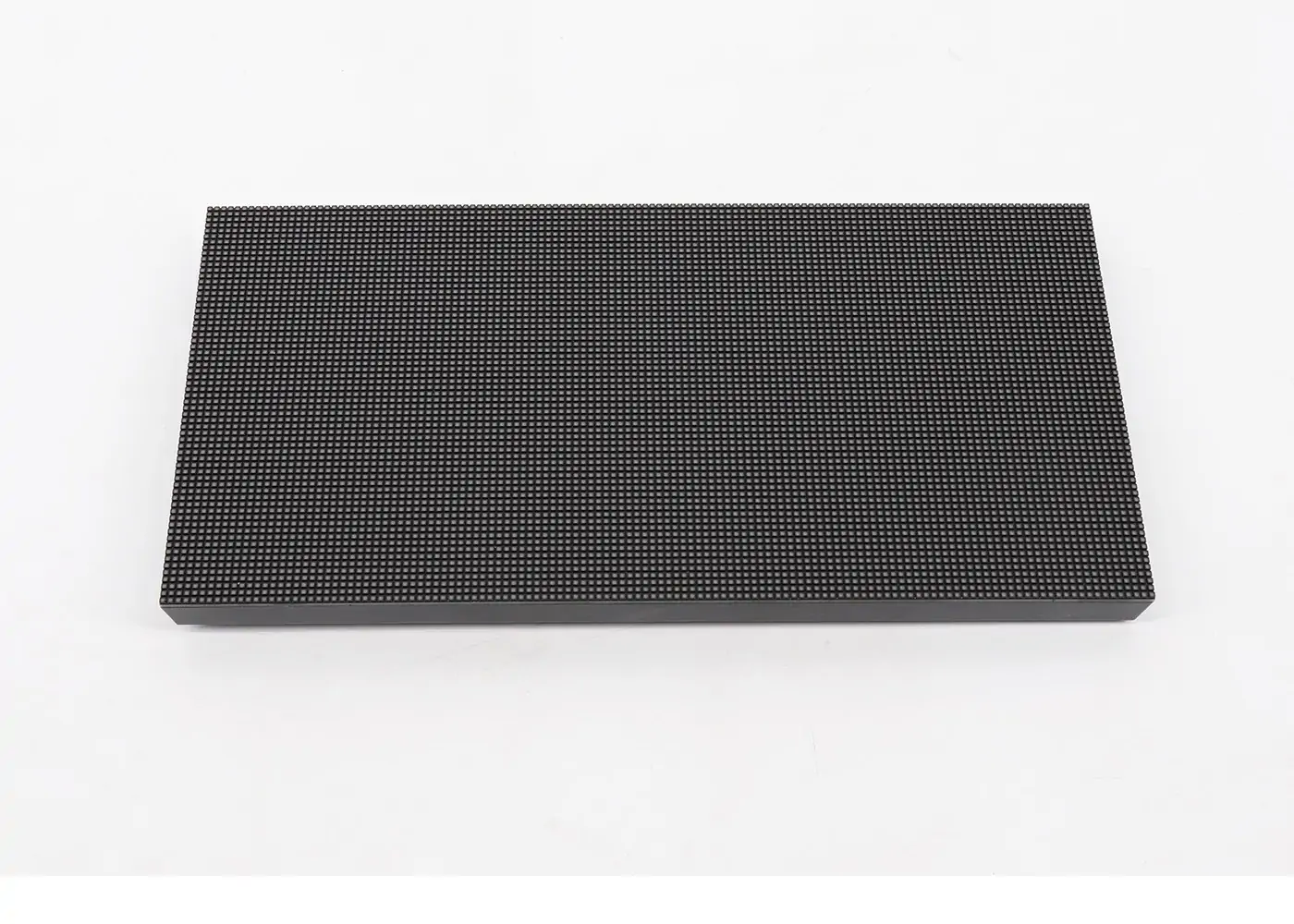
01. The LED surface
The front carries the pixels. On most modern modules each pixel is one surface-mounted package holding a red, green and blue chip, often called SMD 3-in-1. EagerLED’s module pages list LEDs from manufacturers such as Nationstar and Kinglight. The spacing between pixel centers is the pixel pitch, written as P2.5, P3.91, P10 and so on.
02. The driver board
The back of the PCB holds the constant-current driver ICs, which switch each LED on and off thousands of times a second to create grayscale and color. The driver IC and scan design largely decide the refresh rate and how smooth the picture looks on camera. EagerLED lists driver ICs such as MBI5124, MBI5153, ICN2153 and ICN2038S on its module pages.
03. Connectors
Each LED display module has a power input and a data input and output. Data arrives either through a ribbon cable from the receiving card or through a hub board that plugs into the module, which is why EagerLED groups its modules into cable connection and hub connection series. The connection type must match the cabinet you are fitting.
04. Housing and fixing
A mask or kit on the front shades the LEDs and improves contrast, and a bottom shell on the back carries screws or magnets that hold the module in the cabinet. Outdoor modules add seals and potting so the module can resist rain and dust.
2. What Are the Types of LED Display Module?
LED display modules are grouped by how the LEDs are packaged and protected, and by how the module is serviced. The packaging changes durability, viewing distance and cost far more than the outer size does.
| Type | How it is built | Typical use | Trade-off |
|---|---|---|---|
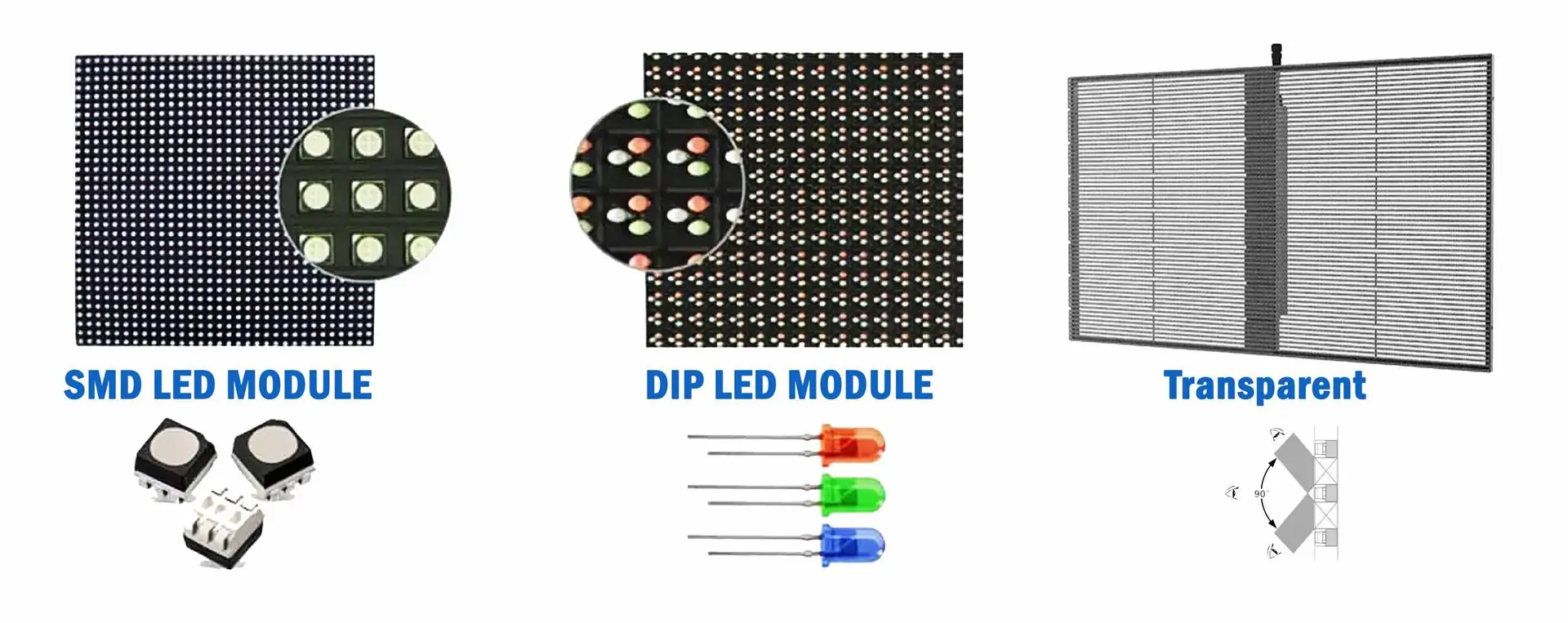
| SMD | Red, green and blue chips in one surface-mounted package per pixel | Most indoor and outdoor screens, P1.2 to P10 | Exposed LEDs can be knocked off during handling |
| DIP | Separate through-hole red, green and blue LEDs per pixel | Large outdoor screens viewed from far away, P10 to P20 | Coarse pitch, narrower viewing angle |
| GOB | SMD module covered with a clear protective glue layer | Rental, floors, low-height and touch-exposed screens | Higher cost; repairs are harder than on bare SMD |
| COB | LED chips bonded directly on the board and encapsulated | Fine-pitch control rooms and meeting rooms | Higher cost; usually bought as a complete product |
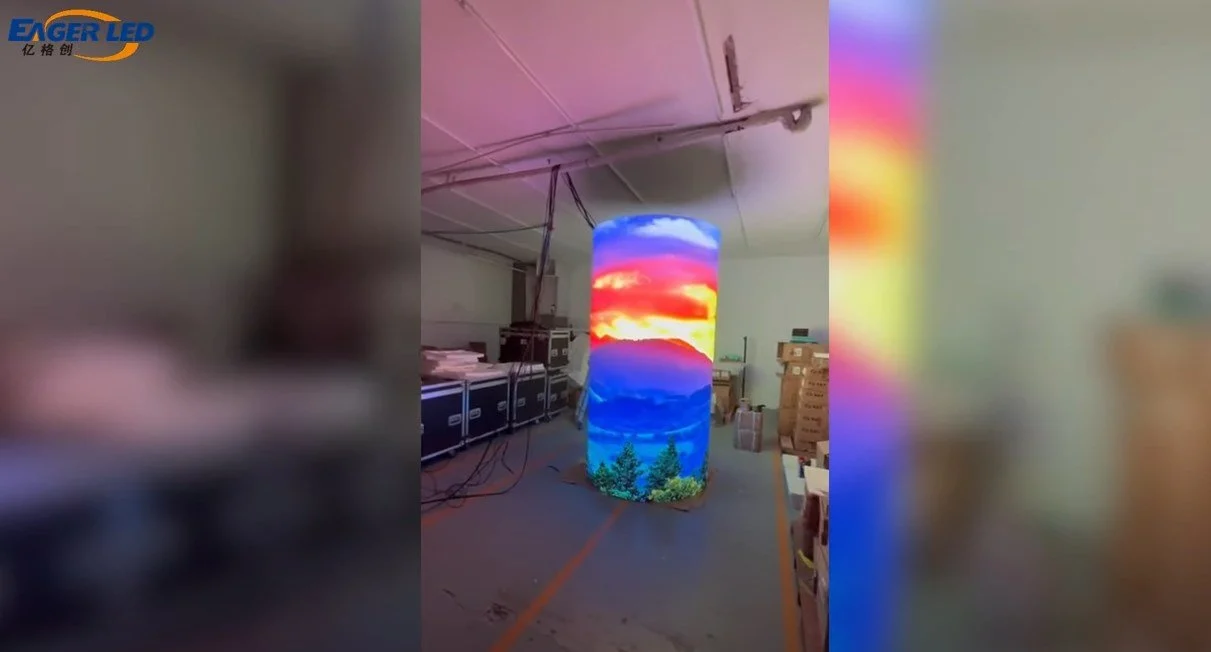
| Flexible | Soft PCB and rubber shell that bends into curves | Columns, waves and creative indoor shapes | Needs a shaped frame; mainly for indoor use |
| Dual service | Module can be removed from the front or the back | Outdoor screens with limited access | Mechanical design limited to matching cabinets |
EagerLED’s GOB page describes a clear adhesive layer over the PCB that protects the LEDs from water, dust, moisture, UV and impact, with protection rated up to IP68. The flexible range uses small SMD packages such as SMD1010 to SMD2121 on a soft PCB with magnetic mounting, so it can form convex or concave shapes.
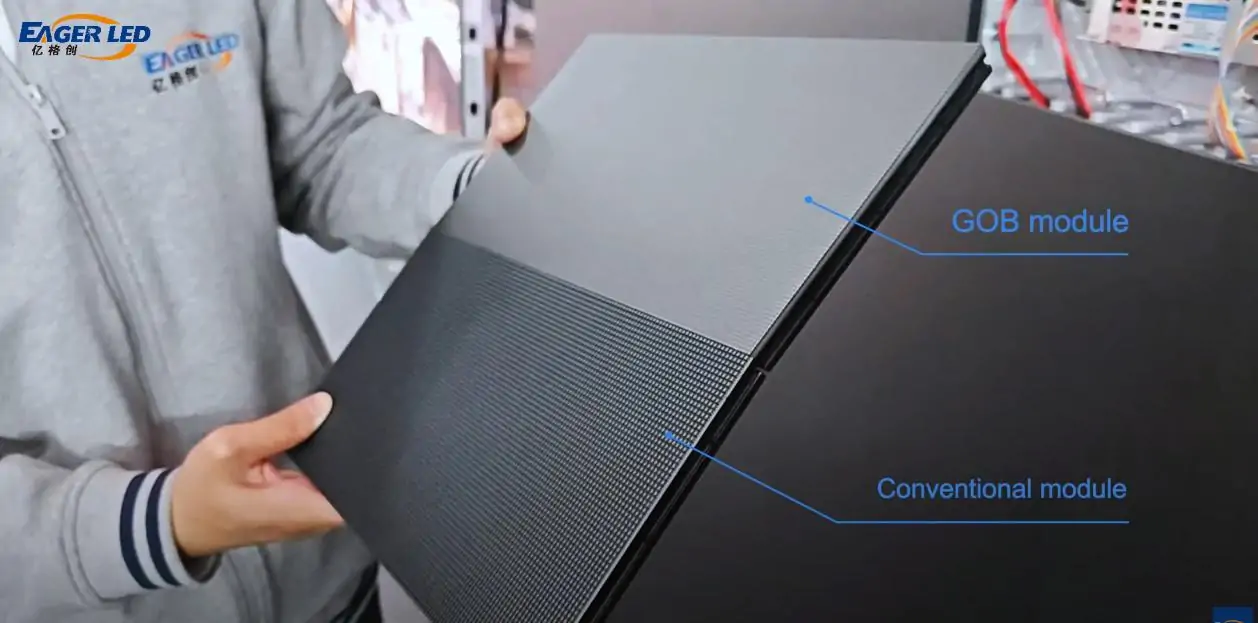
For deeper comparisons, see our guides to DIP vs SMD LED displays and COB vs GOB LED displays.
3. What Are the Standard LED Display Module Sizes?
The most common LED display module sizes are 320 × 160 mm and 250 × 250 mm, followed by 192 × 192 mm, 256 × 128 mm, 320 × 320 mm for outdoor dual-service modules and 240 × 120 mm for flexible modules. Sizes are standardized so that modules tile cleanly into cabinets such as 960 × 960 mm or 500 × 500 mm.

Module resolution is simply the module size divided by the pixel pitch. A 320 × 160 mm module at P2.5 has 128 × 64 pixels; the same size at P5 has 64 × 32. The table shows sizes and pitches from EagerLED’s indoor, outdoor and dual-service module ranges.
| Module size (mm) | Pixel pitch | Resolution (pixels) | Typical range |
|---|---|---|---|
| 320 × 160 | P2 | 160 × 80 | Indoor |
| 320 × 160 | P2.5 | 128 × 64 | Indoor and outdoor |
| 320 × 160 | P4 | 80 × 40 | Indoor and outdoor |
| 320 × 160 | P5 | 64 × 32 | Indoor and outdoor |
| 320 × 160 | P10 | 32 × 16 | Outdoor (including DIP) |
| 250 × 250 | P2.6 | 96 × 96 | Indoor rental |
| 250 × 250 | P3.91 | 64 × 64 | Indoor and outdoor rental |
| 250 × 250 | P4.81 | 52 × 52 | Outdoor rental |
| 192 × 192 | P3 | 64 × 64 | Indoor and outdoor |
| 320 × 320 | P6.67 | 48 × 48 | Outdoor dual service |
| 320 × 320 | P10 | 32 × 32 | Outdoor dual service |
| 240 × 120 | P1.875 | 128 × 64 | Flexible indoor |
Each size has a reason. The 320 × 160 mm LED display module is the default for fixed indoor and outdoor screens because it tiles into many cabinet sizes and is widely stocked. The 250 × 250 mm size suits rental, since four modules fill a 500 × 500 mm cabinet and eight fill a 500 × 1000 mm one. The 192 × 192 mm and 256 × 128 mm sizes appear in older or specialist designs, and 320 × 320 mm modules suit large outdoor dual-service cabinets. EagerLED’s outdoor module page lists 320 × 160, 160 × 160, 192 × 192, 250 × 250 and 256 × 128 mm among the sizes it keeps in stock.
Resolutions are rounded to whole pixels. Two modules with the same size and pitch are not automatically interchangeable, because the scan design, connector position and fixing holes may differ. To plan the size of the whole screen, use our guide on how to choose and calculate LED display size.
4. Indoor vs Outdoor LED Display Module: What Changes?
An outdoor LED display module is brighter, sealed against water and usually has a coarser pitch than an indoor module. The differences come from the environment and the viewing distance, not from the size of the module.
- Brightness: EagerLED lists 600 to 1,000 nits for its indoor modules and 5,000 to 10,000 nits for its outdoor modules, and 5,500 to 7,500 cd/m² for its front-and-rear service outdoor modules.
- Protection: outdoor modules are rated IP65 for rain and dust. Indoor modules have no sealing, so they must stay inside.
- Pixel pitch: EagerLED’s indoor range runs from P1.25 to P10, with fine-pitch options such as P1.538, P1.667 and P1.86. The outdoor range runs from P2.5 to P10 in SMD, plus DIP modules at P10, P16 and P20.
- Materials: outdoor modules use weather-resistant masks, potting and coatings. Our article on UV conformal coating for LED modules shows one of these protection steps.
Semi-outdoor sites need care. A screen behind a shop window, under a canopy or in an open-sided stadium concourse may never see rain, but it can face direct sun, humidity and condensation. In those places, the safer choice is usually an outdoor-rated LED display module, or at least an indoor high-brightness module with a sealed cabinet and ventilation, agreed with the supplier for the specific site.
Never put an indoor LED display module in an outdoor or semi-outdoor cabinet to save cost. Moisture and sunlight will damage it quickly, and it will not be bright enough to read in daylight. See EagerLED outdoor LED modules and indoor LED modules for the available series.
5. Which LED Display Module Specifications Should You Check?
Check the pixel pitch, LED package, brightness, refresh rate, scan mode, driver IC, connection type and power design of any LED display module before ordering. Missing one of these is the usual reason a replacement module looks different or will not light up.
- Pixel pitch and size: must match the screen exactly, including the outer dimensions and fixing holes.
- LED package and source: the LED size (for example SMD2121 or SMD1921) and LED brand affect color and brightness. Mixed brands can look slightly different side by side.
- Brightness: enough for the site, with headroom for calibration. Our guide to LED screen brightness in nits explains how to set it.
- Refresh rate: EagerLED modules are offered at 1,920 Hz or 3,840 Hz. Choose the higher figure for screens that will be filmed.
- Scan mode: the scan ratio, such as 1/8 or 1/16, must match the receiving card configuration. Our article on 1/8 vs 1/16 scan explains the trade-offs.
- Driver IC: affects grayscale, refresh and low-brightness performance. A replacement should use the same or a compatible IC so the control system can drive it the same way.
- Connection type: ribbon cable or hub connection, and the connector position on the board.
- Power design: most modules run from the cabinet’s low-voltage DC supply. Common-cathode modules power each color separately; our common cathode vs common anode guide covers the difference.
Ask for a test report as well. EagerLED states that its modules go through a 72-hour aging test, including white balance aging and video aging, before shipment. Our LED module aging workshop article shows the process.
6. How Do Modules Fit Into Cabinets and Repairs?
Modules sit in a cabinet frame that holds the receiving card, power supply and cabling. The cabinet size is a whole multiple of the module size, so a 960 × 960 mm cabinet takes 18 modules of 320 × 160 mm, and a 500 × 500 mm cabinet takes four modules of 250 × 250 mm.
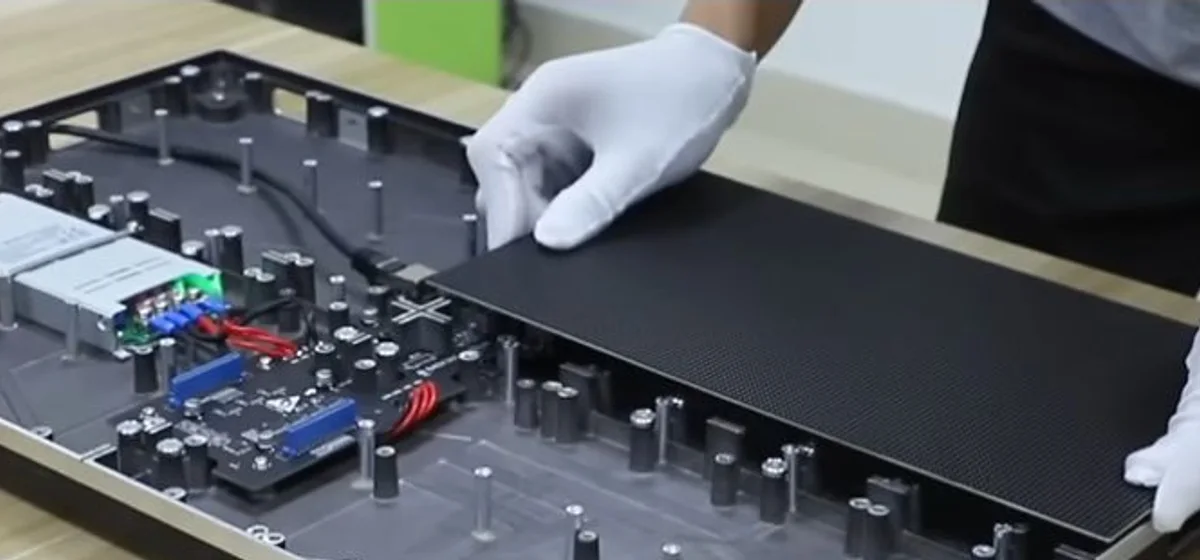
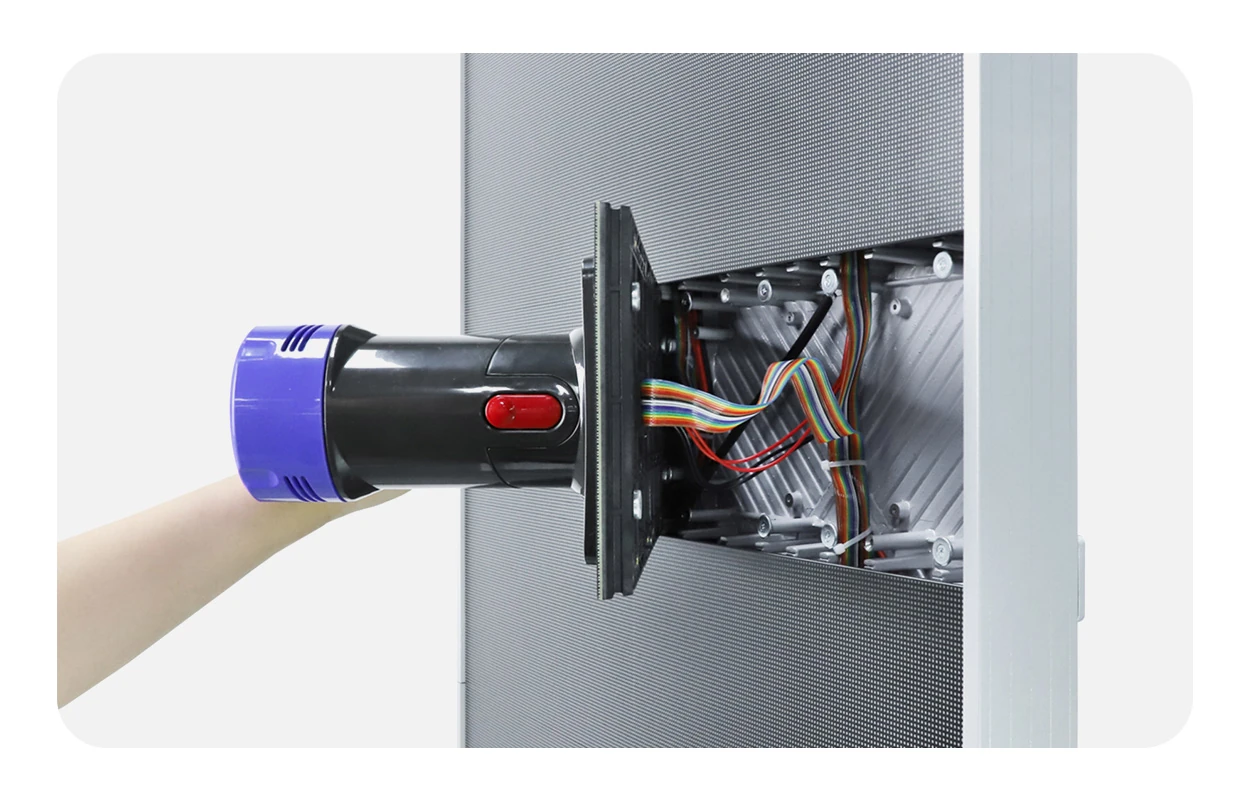
How you reach the modules depends on the service design. Rear-service screens need access behind the cabinet. Front-service modules are held by magnets and removed from the front with a vacuum tool, which suits screens mounted close to a wall. Dual-service modules allow both. EagerLED’s dual-service modules use a screwless design and, according to its product page, can be replaced from the front or back by one person.
For repairs, the most important rule is batch matching. LEDs vary slightly in color and brightness between production batches, so spare modules should come from the same batch as the screen and be stored with it. A module from a later batch may need calibration before it blends in. Keep a record of each screen’s module model, pitch, scan, IC and batch so replacements can be ordered correctly. Our sister store keeps LED display modules in stock for spare use, and our comparison of front service vs rear service LED displays explains access in more detail.
01. Common module faults and what they point to
Most screen faults show up at module level, and the pattern usually tells you where to look before you replace anything:
- A single dark or stuck pixel: one failed LED or a solder fault on that LED display module. The module is repaired or replaced.
- A dark or flickering row or column: often a driver IC or row-scan component on the module, sometimes a loose ribbon cable.
- A whole module dark: check the power cable and data cable to that module first, then swap it with a neighbor to see whether the fault moves.
- Several modules dark in a line: the data chain is broken at the first dark module, or a power supply serving that area has failed.
- One module a different color: usually a different batch or a replacement that has not been calibrated.
Swapping a suspect module with a working neighbor is the quickest test: if the fault moves with the module, the module is at fault; if it stays in place, look at the cable, receiving card or power supply. Our guide to black spots on an LED screen covers pixel-level faults in more detail.
7. How Do You Choose the Right LED Display Module?
Choose an LED display module by starting from the job it has to do: a new screen, an extension of an existing screen, or a repair. Each starting point narrows the options differently.
- New screen: set the viewing distance and site first, then pick pitch, indoor or outdoor protection, packaging and service method. Our guide to choosing the best pixel pitch helps with the first step.
- Extension: match the existing module model, cabinet, scan and driver IC, and plan calibration for the whole screen so old and new areas match.
- Repair: send a photo of the module’s front and back, the label or part number, and the receiving card model. Order from the same batch where possible.
Then check the environment. Floors, low-height retail screens and rental walls that are handled often benefit from GOB protection. Curved columns and waves need flexible modules. Fine-pitch walls in meeting rooms and control rooms often use COB. Large outdoor screens viewed from far away can still use DIP or coarse-pitch SMD.
Lead time matters too. Common sizes and pitches are often available from stock, while special shapes, custom pitches or a match to an older screen may need production. Ask the supplier whether the LED display module you need is a stock item and how long a matching batch would take.
Finally, plan the spares. A small stock of modules from the same batch, plus a spare power supply and receiving card, keeps the screen running while a replacement is shipped. Budget for it at the start of the project rather than after the first failure.
Frequently Asked Questions
What is the difference between an LED display module and an LED cabinet?
A module is the panel of pixels. A cabinet is the frame that holds several modules together with the receiving card, power supply and cables. Screens are built by joining cabinets, and repairs are usually done by replacing modules.
What is the most common LED display module size?
320 × 160 mm is the most widely used size for fixed indoor and outdoor screens, and 250 × 250 mm is common for rental cabinets of 500 × 500 mm or 500 × 1000 mm.
How do you calculate the resolution of an LED display module?
Divide the width and height in millimeters by the pixel pitch. A 250 × 250 mm module at P3.91 gives about 64 × 64 pixels, and a 320 × 160 mm module at P4 gives 80 × 40 pixels.
Can I mix LED display modules from different suppliers in one screen?
It is not recommended. Even with the same size and pitch, differences in LEDs, driver ICs, scan design and connectors can cause color mismatch or control problems. Use the original model, or replace a full cabinet or section and recalibrate.
Are GOB modules waterproof enough for outdoor use?
The glue layer adds strong protection, and EagerLED rates its GOB modules up to IP68. The module still has to be installed in a cabinet designed for outdoor use, with sealed connections and a suitable power supply.
Can a single LED module be replaced without changing the whole cabinet?
Yes. That is the main reason screens are built from modules. Replace the faulty module with one of the same model and batch, then check it against the neighboring modules and calibrate if it looks different.
Sourcing LED Display Modules for Your Project
When you request modules, send the pixel pitch, module size, indoor or outdoor use, quantity, and for replacements, photos of the existing module’s front, back and label together with the receiving card model. EagerLED can then match the right module from its LED screen module range, including indoor, outdoor, GOB, flexible and dual-service series, and confirm the specification sheet before you order. Send your module details to get a quote.
 Top 10 LED Screen Suppliers in the Netherlands (2026)
Related Posts
Fill In Your Needs In Detail
Fill in the screen usage scene and size you need in “Content”.You will get a quote.