LED screen resolution is the number of physical pixels across the width and height of an LED display. As for 2K, you should clarify this resolution: cinema 2K uses a 2048 × 1080 container, while 2560 × 1440 is QHD, often marketed as
A large screen is not automatically 4K, and accepting a 4K input does not make a display native 4K. Therefore, what exactly it is and why it is very important for LED displays? We will help you compare common LED display resolutions by charts and adopt the worked examples to calculate your screen’s native resolution and plan the correct content canvas.
1. What is LED Screen Resolution?
When it comes to LED screen resolution, you are curious about why it affects the clarity and sharpness of images. Here we will dive into what it is and core terms related to LED display resolution.
1.1 Definition of LED Screen Resolution
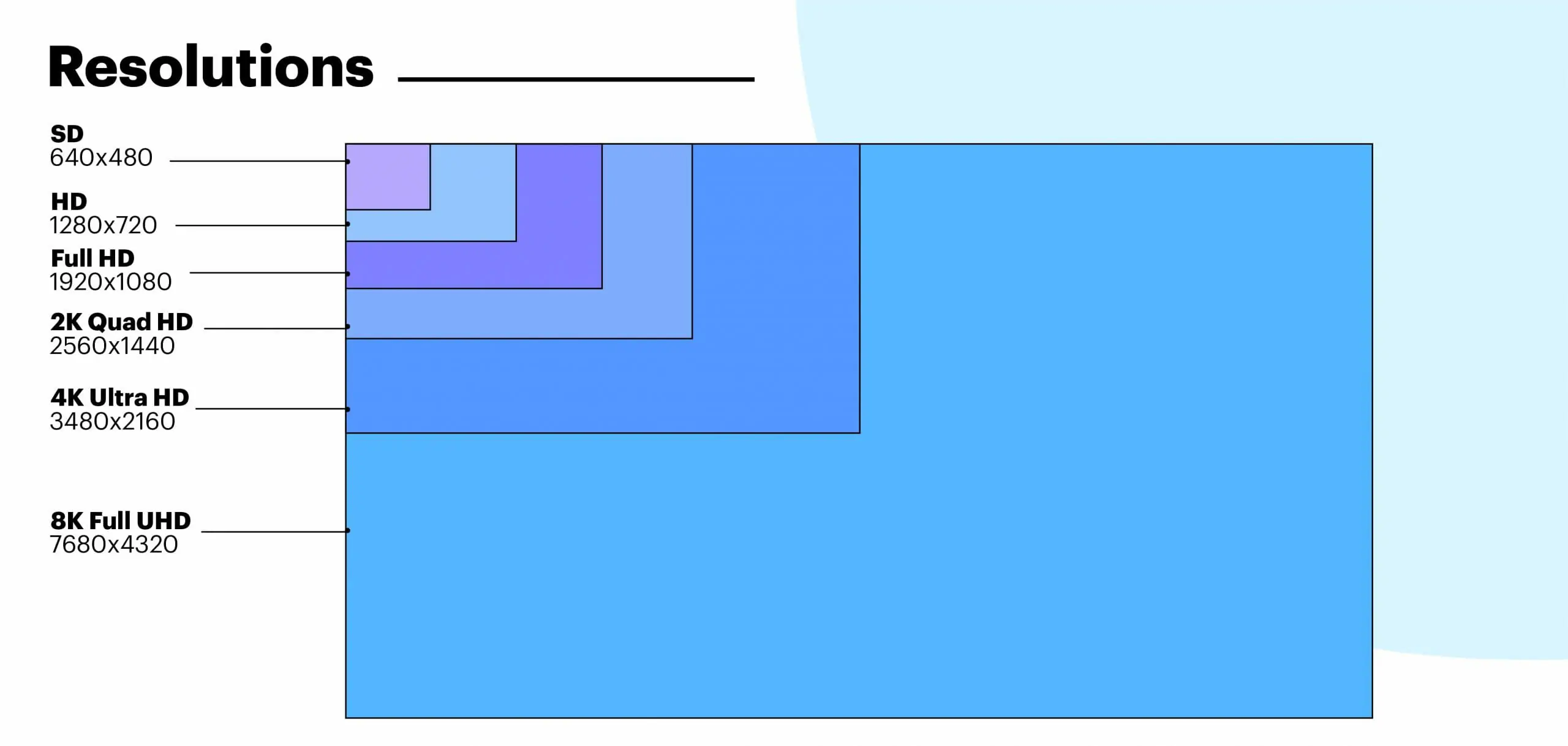
LED screen resolution defines the total number of pixels(dots of light) on a screen, calculated by width and height. For example, the LED video wall resolution of 3840×2160 means the screen contains 3,840 horizontal pixels and 2,160 vertical pixels.
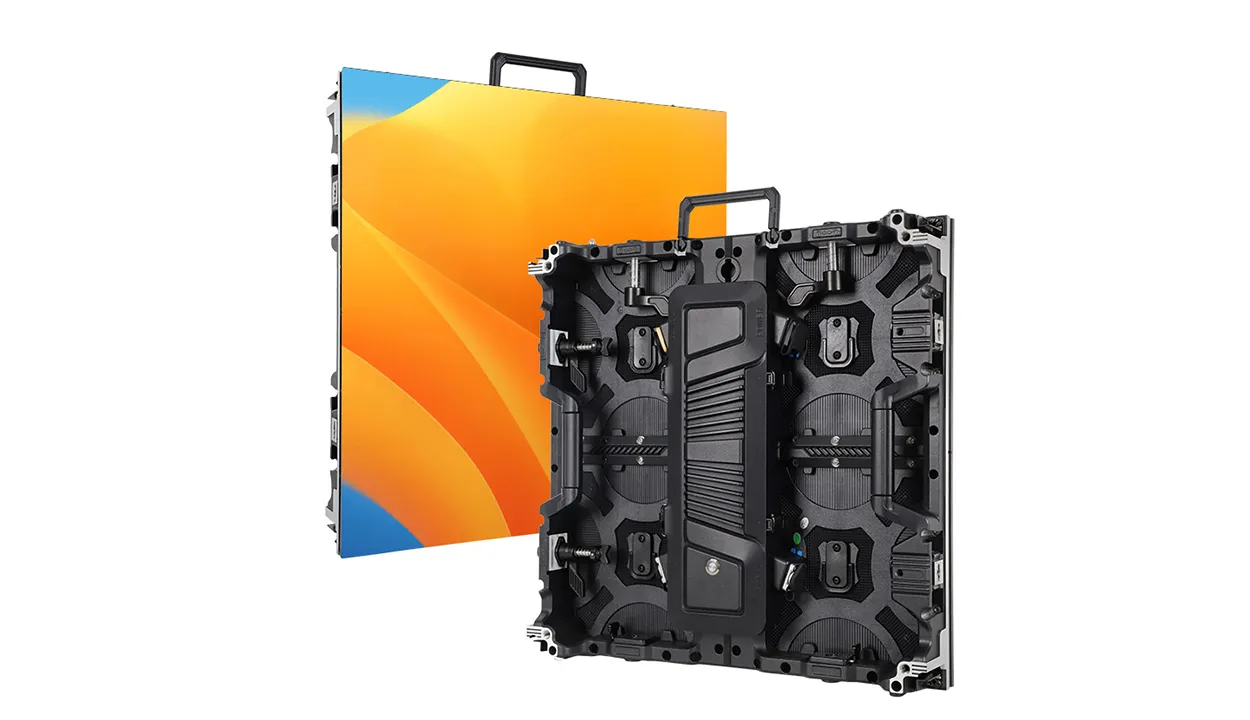
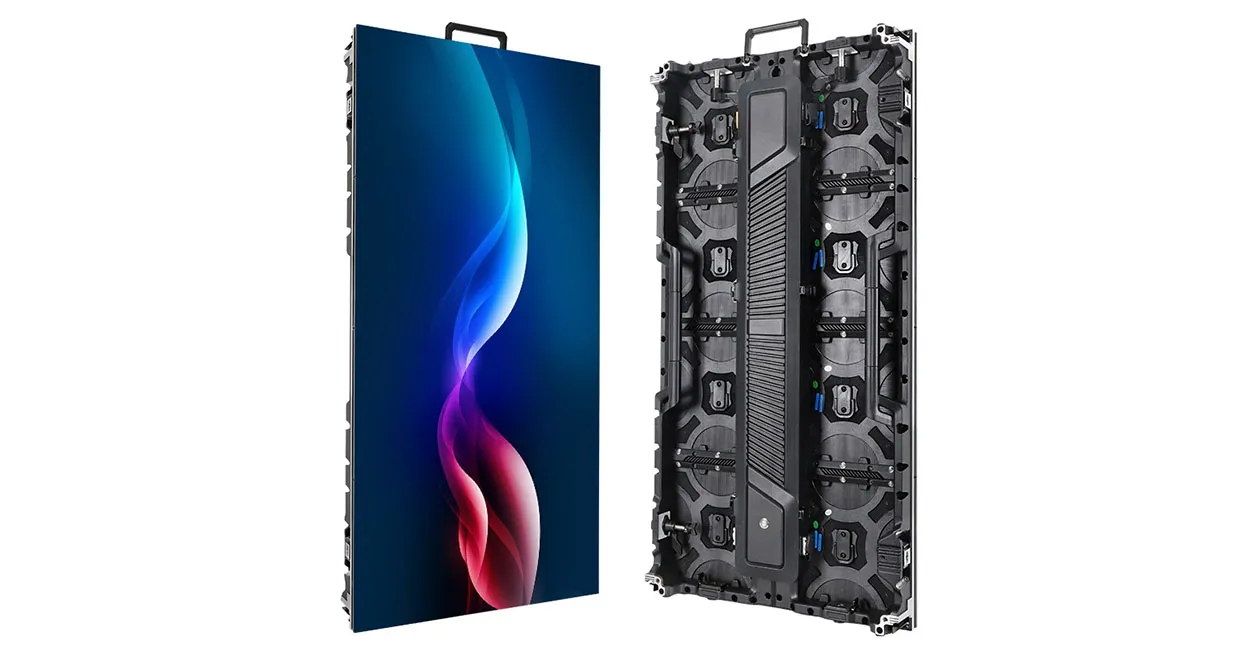
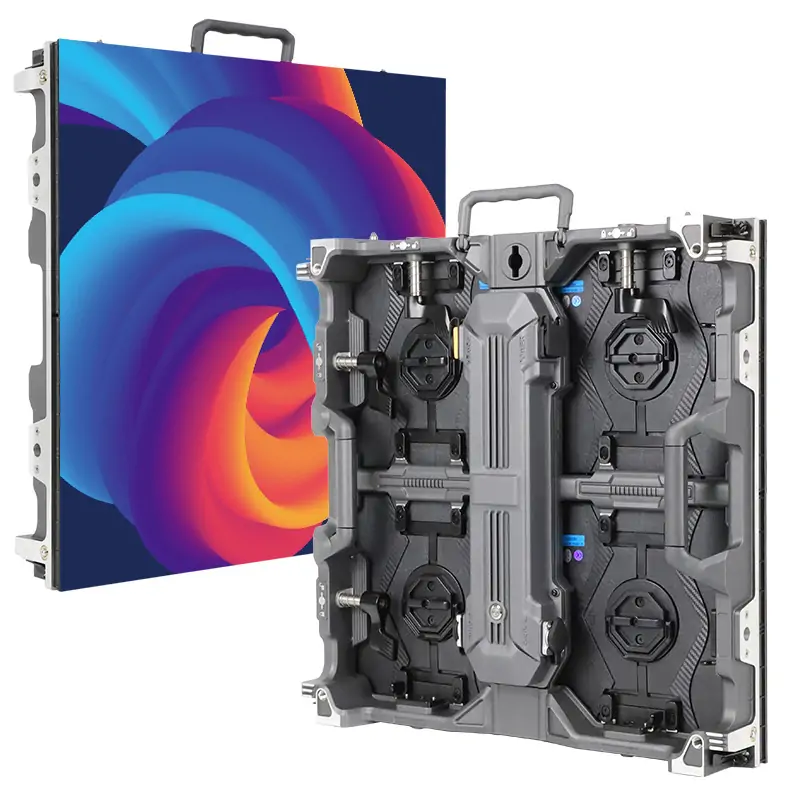
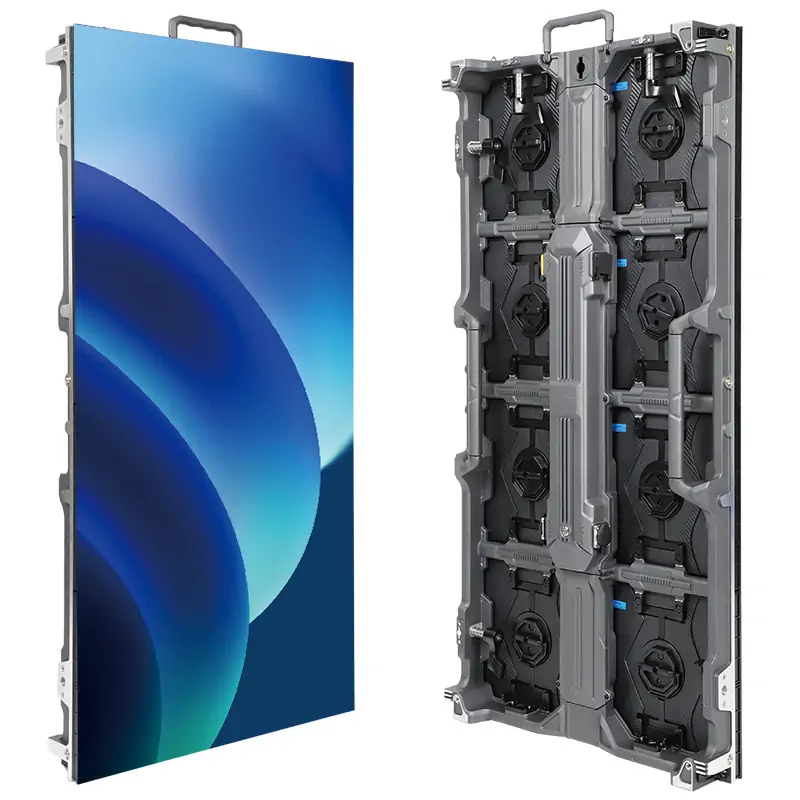
For a modular LED wall, native resolution depends on the pixel dimensions of each module or cabinet and the number installed. At the same physical screen size, smaller pixel pitches pack more pixels per meter, resulting in sharper and more vibrant picture quality. Therefore, LED screen resolution represents image clarity and content compatibility. High resolution LED display provides audiences with a stunning, crisp, and vivid visual effect.
Resolution is separate from brightness, color accuracy, bit depth and refresh rate. Evaluate these specifications together when comparing displays.
1.2 Core Terms about LED Screen Resolution
The core terms of LED display resolution include pixels, pixel density, pixel pitches, and aspect ratios, which are critical components to help you further understand LED resolution.
1. Pixels
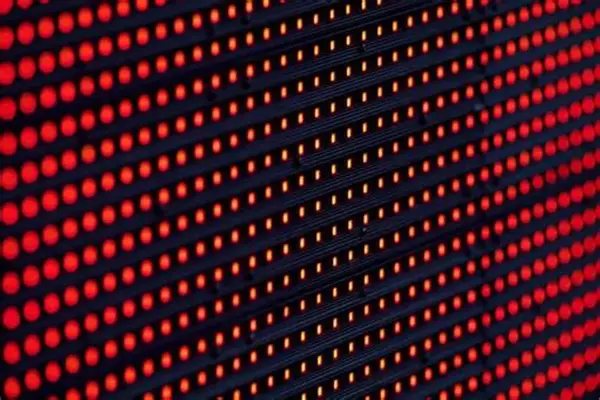
Pixels are the smallest unit of an LED screen. Think of it as a single “dot” of light that makes up images. More pixels mean higher resolution.
2. Pixel Density
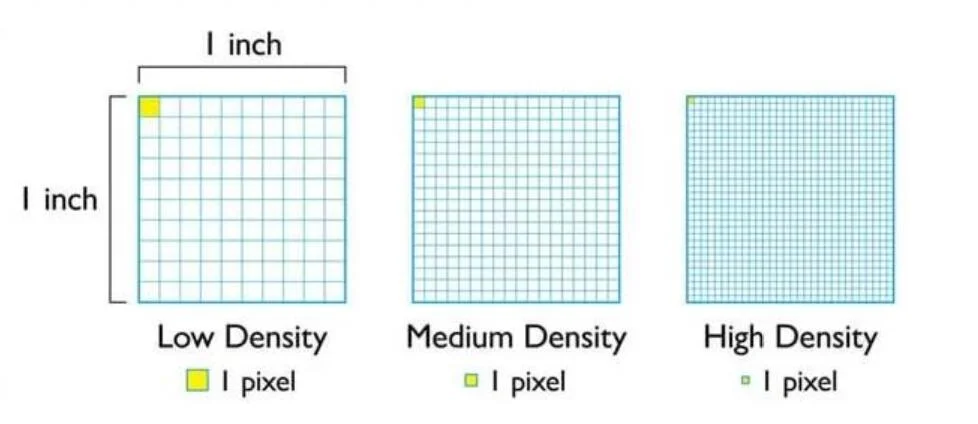
Pixel density measures the quantity of pixels in a given screen surface, expressed in pixels per inch (PPI) or pixels per meter (PPM). High pixel density means more detailed and crisp picture displays.
3. Pixel Pitch
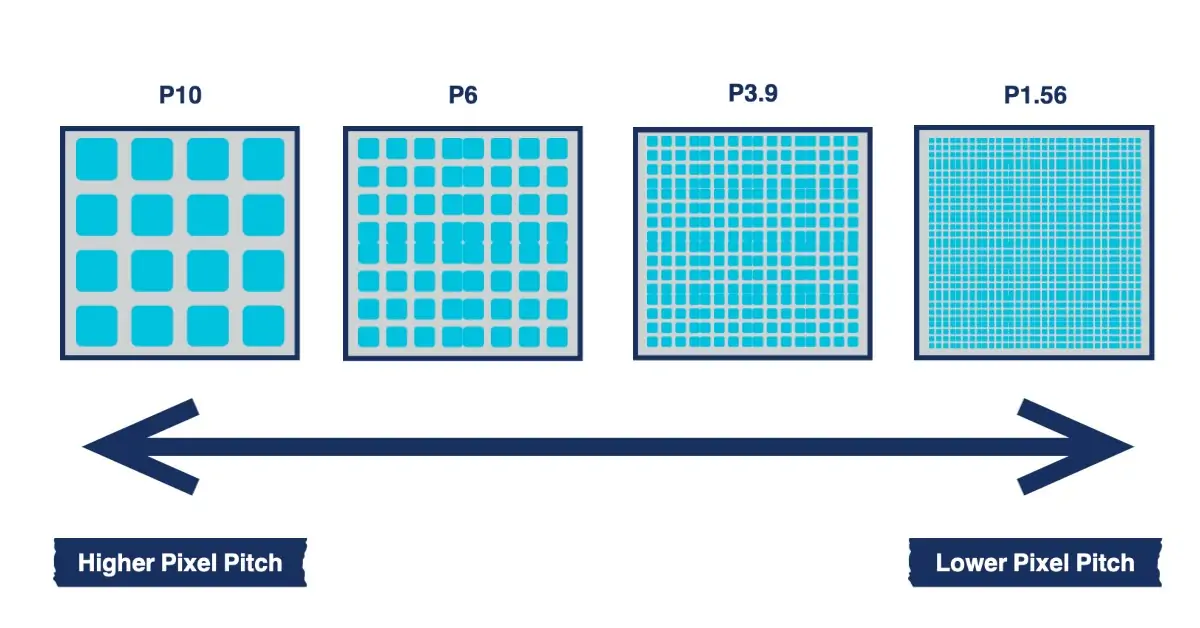
Pixel pitch is the distance from the center of one LED pixel to the center of the adjacent pixel. A smaller pixel pitch means a closer distance between pixels while indicating higher resolution. It is an important spec defining an LED screen’s clarity.
4. Aspect Ratios
Aspect ratio is the proportion of a display’s width and height, usually expressed in width:height like 4:3, or 16:9. It impacts how content is displayed and defines the shape of the viewing area.
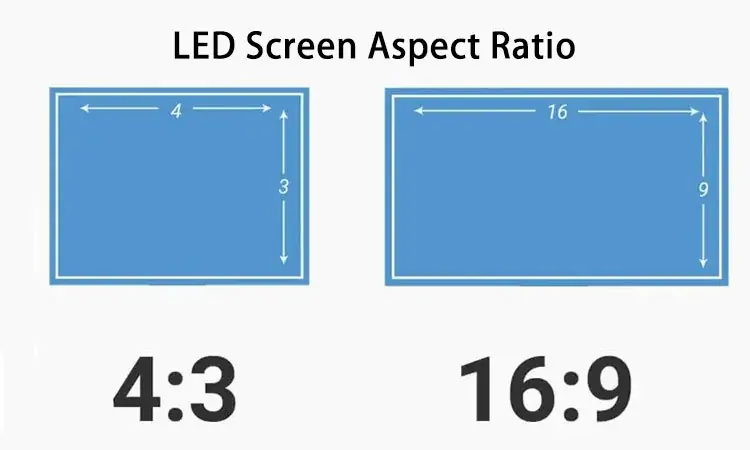
These elements work together to influence LED screen resolution. It is beneficial for you to understand how resolution determines image clarity and quality.
2. LED Screen Resolution Chart: HD, 1080p, 2K, QHD and 4K
Resolution labels describe pixel dimensions, not the physical width of an LED wall. Use the exact width × height in pixels when comparing specifications or preparing content.
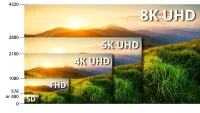
- HD(720P): The entry-level of the high definition is 1280×720 pixels. Compared with standard definition(SD), it offers better clarity. It is suitable for small screens, older TVs, and budget phones.
- Full HD(1080P): 1920×1080 pixels(FHD) offer sharper and more detailed images, which is a common standard for monitors, modern TVs, smartphones, and digital signage.
- Cinema 2K and QHD: The cinema 2K container is 2048 × 1080 pixels. QHD is 2560 × 1440 and is often marketed as “2K,” but the two formats are different. Always confirm the exact pixel dimensions.
- 4K UHD and Cinema 4K: 4K UHD is 3840 × 2160 pixels, while the cinema 4K container is 4096 × 2160. Check which format your content and display system require.
- 8K UHD: 8K UHD is 7680 × 4320 pixels—four times the pixel count of 4K UHD. Whether that additional detail is useful depends on the screen size, viewing distance and content.
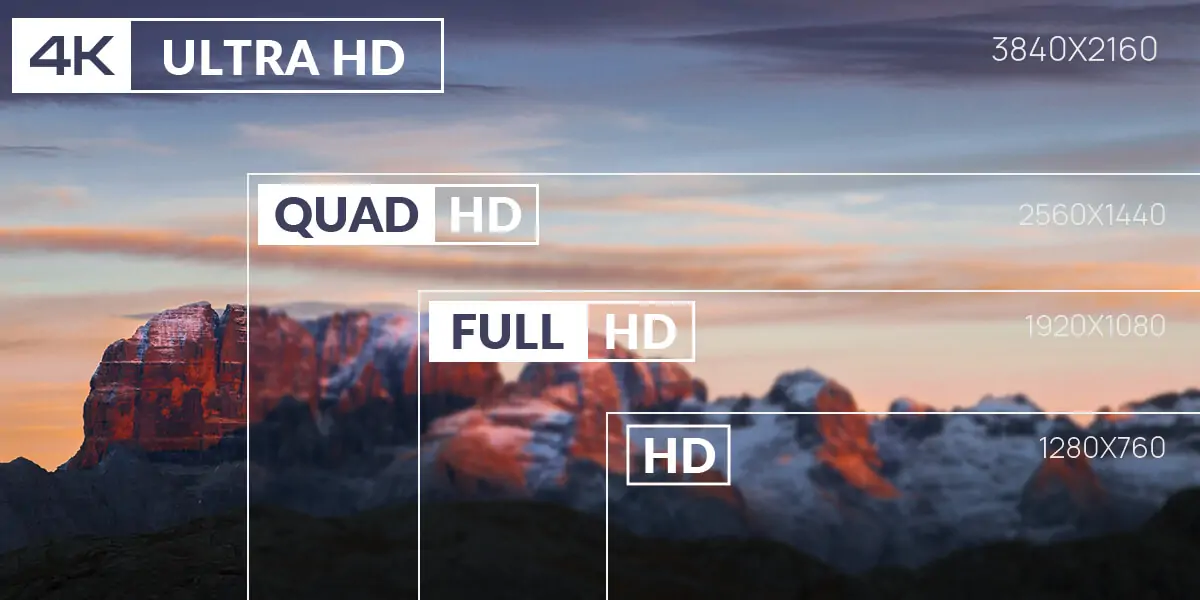
2.1 LED Screen Resolution Chart
A custom LED wall may use a resolution such as 1600 × 900 or 2048 × 1152. These are valid native pixel matrices even though they do not match a familiar label such as Full HD or 4K UHD.
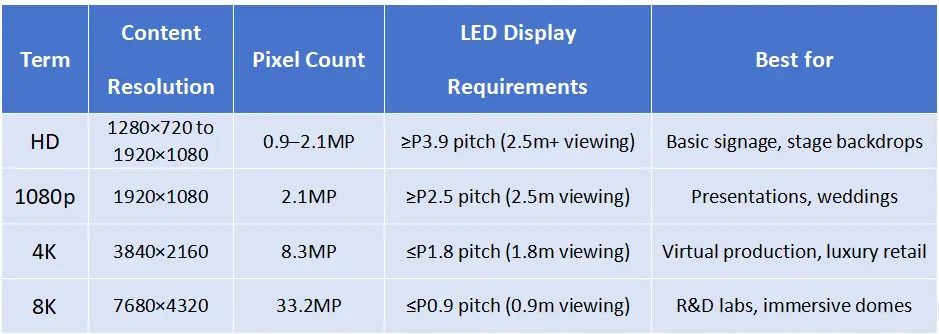
2.2 LED Display Resolution Comparison Table
Key Differences at a Glance
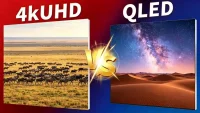
Learn more information: 4K UHD vs QLED: Key Differences & Which Is Better?
3. Native Resolution vs Input Resolution
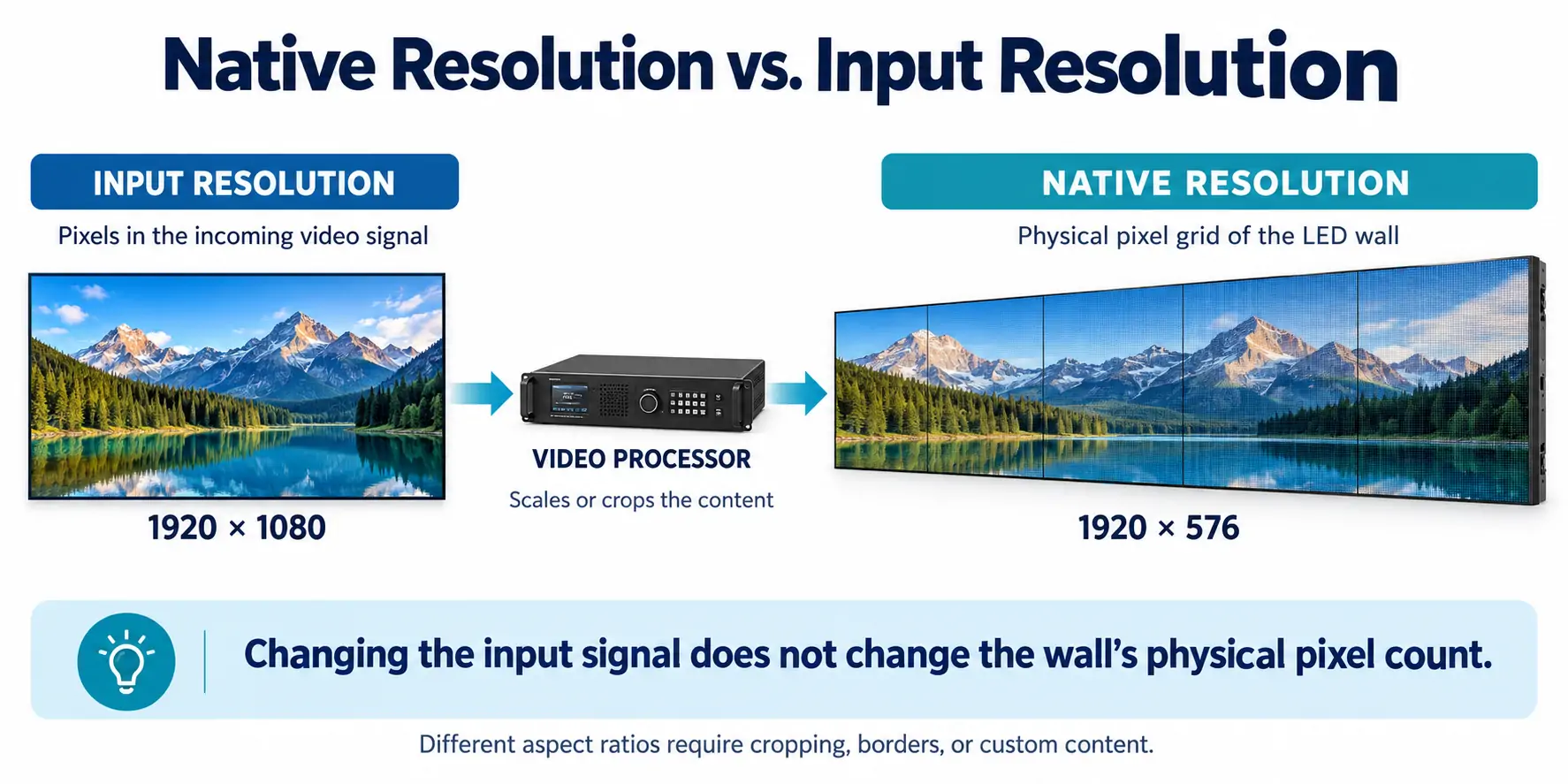
Native resolution is the physical pixel grid of the LED wall. Input resolution is the pixel size of the video signal sent to the processor.
These values can differ. For example, a processor may receive a 1920 × 1080 signal and scale it onto a 1920 × 576 wall. Because the aspect ratios differ, filling the wall without preserving proportions will distort the image. Alternatives include cropping, adding unused borders or preparing content specifically for the wall’s canvas.
For detailed text and graphics, prepare content at the native canvas size where the playback workflow supports it.
4. 2K vs 4K vs 1080p LED Screen
Resolution is an important factor that should be considered when selecting an LED screen as it determines the clarity of the image and general viewing experience. The most common resolutions are 1080p (Full HD), 2K (1440p), and 4K (Ultra HD). Although they vary in number of pixels, the actual choice would be on the usage of the screen and its location.
4.1 1080p LED Screen (1920×1080)
- Viewing Distance: Ideal viewing distance of medium to long (3m-10m+)
- Screen Size Compatibility: It can be used on medium to large screens and does not need ultra-fine pixel pitch.
- Best Uses: Outdoor advertising and conference rooms, churches, and general commercial use.
- Energy Consumption: Reducing power consumption than higher resolutions.
4.2 2K LED Screen (2560×1440)
- Viewing Distance: Ideal for medium viewing distances (2m–6m)
- Screen Size Compatibility: Excellent with medium size LED screens that require enhanced clarity over 1080p.
- Best Uses: Retail exhibits, exhibitions and in-store digital signs.
- Power: Adequate power consumption, performance and efficiency.
4.3 4K LED Screen (3840×2160)
- Viewing Distance: Best for close viewing distances (1m–4m)
- Screen Size Compatibility: Supersize screens with small pixel pitch to use high resolution to the fullest.
- Best Uses: Control rooms, broadcast studios, upscale retail, and upscale interior video walls.
- Energy Consumption: More power consumption because of the greater pixel density.
1080p is affordable and feasible, 2K is a middle ground between quality and affordability and 4K resolution provides the optimal visual quality in high-end applications. The selection depends on how far you view, what size your screen is and your available budget-an increase in resolution may not be essential but it is huge in situations where you are viewing near.
5. Why is Resolution Vital for LED Displays?
The LED screen resolution is fundamental to screen performance because it impacts how clear the content displays and the overall visual effects customers watch. Why resolution matter for LED displays? Here are the reasons.
5.1 Image Clarity
The clarity and details of an image on an LED display are directly dependent on resolution. The higher the LED screen resolution, the more packed pixel density in the display, and as such, the LED screen can show finer lines, textures, and gradients.
It is of particular importance when displaying complicated visuals, like high-definition images, complicated graphs, and video material.
5.2 Immersive Visual Effect
Resolution is critical to making the visual experience immersive, particularly when large LED screens are being employed at a concert, exhibit, virtual production or an interactive location.
With enough pixels to make it an ultra-clear display, viewers will feel immersed in the content like they are part of the screen instead of just being observers.
5.3 Viewing Distance Optimization
When the resolution is low, the closer the LED display appears to the viewer, the larger the gaps between the pixels get.
Inconsistent LED screen resolutions make the audience either uncomfortably lean towards or away, evincing less interaction.
Thus, fine-pitched LED displays are essential in getting rid of the noticeable pixelation and making images more lifelike and vibrant.
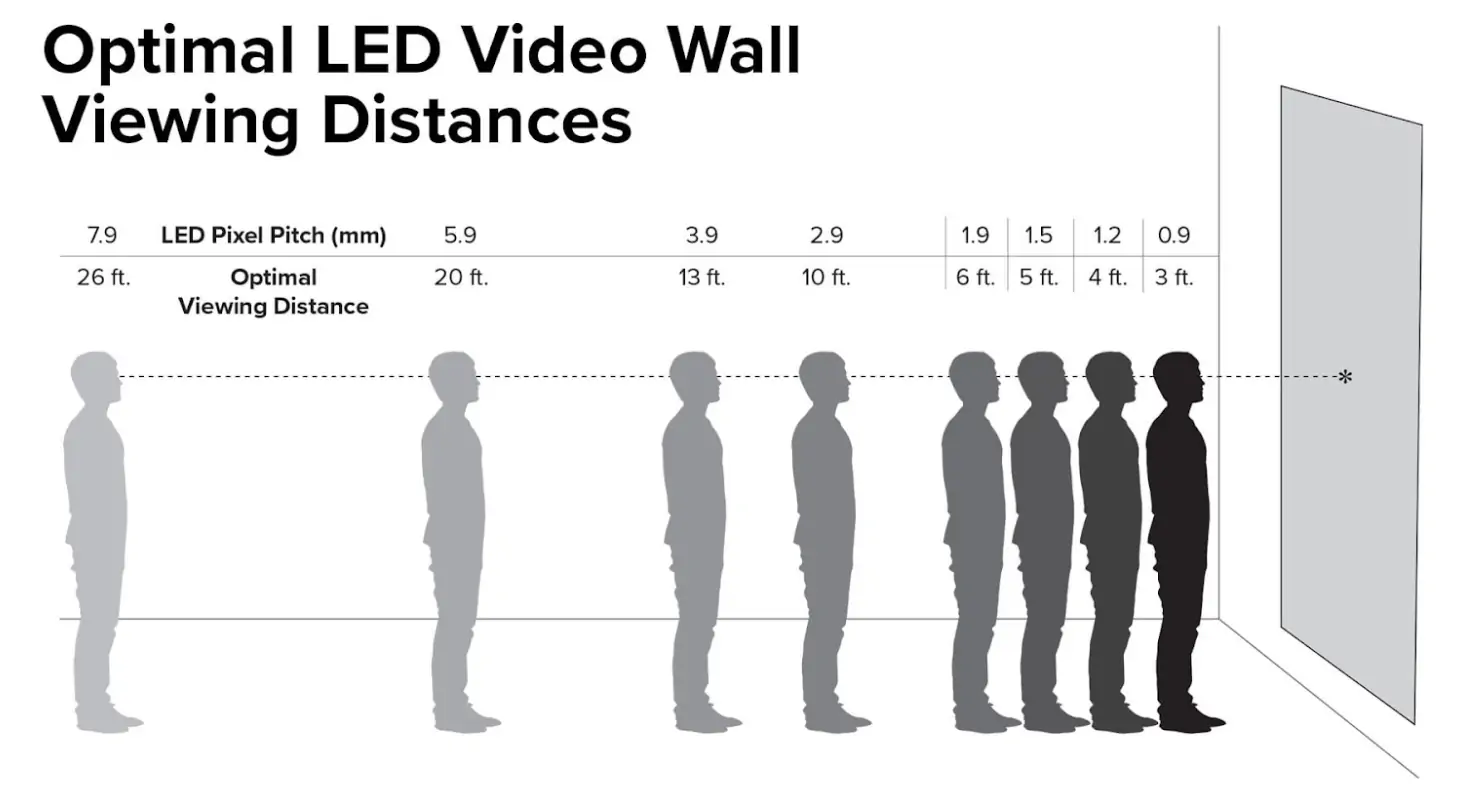
Approximate starting viewing distance (m) ≈ Pixel pitch (mm)
5.4 Improve Brand Awareness
In public places, high-resolution LED screens stand out amidst the noise, attracting attention and strengthening the brand image through sharp, high-quality visual storytelling.
In short, better resolution means better perception, and better perception can enhance brand awareness and recall. You also can custome resolution according to your needs.
5.5 Color Depth and Gradient Accuracy
High resolution would not just increase clarity, but also enhance the perception of color accuracy and gradients.
The greater the pixel count, the more accurately LED displays may depict minor variations in hues and shadows, making the image look more natural and lively.
This is especially relevant in use like an art exhibition, movie production, or product exhibition where visual realism is significant.
5.6 Forward-Compatible
Investing in high-resolution LED displays is a smart way to future-proof your visual infrastructure.
As content standards continue to evolve (from Full HD to 4K resolution and now 8K resolution), having displays capable of supporting higher resolutions ensures long-term compatibility with future media formats and playback systems.
High-resolution LED screens safeguard your investment and keep your displays relevant for years to come.
Anyway, LED screen resolution is very important as it determines how clear, vivid, and immersive the content is. It is also a vital factor to consider when your ads need high clarity and accurate color consistency.
6. 7 Critical Factors Affecting LED Wall Resolution?
What are the key factors? There are totally 7 factors affecting LED screen solutions. Among them, pixel pitch, screen size, and viewing distance are the most important elements. Let’s get together to observe the secret behind LED wall resolution.
6.1 Pixel Pitch
The pixel pitch is the distance between the two adjacent pixels, typically measured in millimeters. A finer pixel pitch implies more pixels per square meter, which directly influences how sharp and clear the image appears.
6.2 LED Display Size
The physical LED screen dimensions would determine how many pixels it can have in both the vertical and horizontal directions. Having more pixels on a large LED screen is significant in creating high resolutions like full HD or 4K.
6.3 Viewing Distance
The distance between the viewer and the LED wall will decide the needed LED screen resolution. This is the reason why fine-pitch screens are only applied to indoor displays whereas larger pixel pitches are suitable for outdoor environments or distant applications.
6.4 LED Types
The LED screen resolution is also affected by the type of LED technology adopted such as SMD, DIP, COB and GOB. As an example, SMD LEDs are suited to high-resolution displays since they are compact and densely packed compared to traditional LEDs, permitting smaller pixel pitches.
6.5 Content Source
With a high-resolution LED wall, the content still needs to at least be as high res as the wall otherwise the content will appear fuzzy on it. Using a 4K LED screen to play low resolution content (e.g. 720p) will produce blurry images.
6.6 Budget
High resolution LED displays require fine pixel pitches, which involve more LEDs per square meter and more advanced manufacturing processes that add significantly to the cost.
6.7 LED Controller and Processing Capability
The required LED display resolution should be supported by LED controllers and video processors. Entry-level systems are capable of up to 1080p, whereas more advanced systems do 4K or 8K.
When the controller doesn’t support high-resolution display content, the screen will downscale the image, thereby decreasing the clarity and quality.
All in all, LED wall resolution was mainly influenced by pixel pitches, screen sizes, viewing distances, LED types, content sources, budgets, and LED controller and processing capability. Whether you want to buy a low or high resolution LED screen for events, these factors help you make the right choice for sharp and crisp image quality.
7. How to Calculate LED Screen Size in Pixels
You can estimate an LED screen’s resolution from its physical dimensions and pixel pitch. For a final specification, calculate the pixel matrix from the actual cabinet or module layout.
Method 1: Screen dimensions ÷ pixel pitch
- Horizontal pixels = screen width in millimeters ÷ pixel pitch in millimeters
- Vertical pixels = screen height in millimeters ÷ pixel pitch in millimeters
For example, consider a screen measuring 4.0 × 2.25 m, approximately 13.1 × 7.4 ft, with a 2.5 mm pixel pitch:
- Horizontal pixels = 4000 ÷ 2.5 = 1600
- Vertical pixels = 2250 ÷ 2.5 = 900
The calculated resolution is 1600 × 900 pixels, or 1.44 million pixels. The screen has a 16:9 aspect ratio, but it is not native Full HD.
Note: This is a planning example. Available cabinet dimensions may require a different physical size.
Method 2: Cabinet pixels × cabinet layout
Suppose each cabinet has a native resolution of 256 × 192 pixels. A wall with eight cabinets across and six cabinets high has:
- Horizontal pixels = 256 × 8 = 2048
- Vertical pixels = 192 × 6 = 1152
The wall’s native resolution is 2048 × 1152 pixels. Prepare a matching content canvas, or define how other formats will be scaled and positioned.
If each cabinet measures 640 × 480 mm, the assembled wall measures 5.12 × 2.88 m, approximately 16.8 × 9.4 ft. These figures are an illustrative configuration, not a specification for every LED cabinet.
8. How to Calculate LED Screen Resolution for Specific LED Screen Sizes?
Compared with traditional LED displays with fixed resolution, LED screen resolution depends on the number of pixels within the physical size of the display because of modular designs. Before calculating the LED panel resolution, you should first be aware of the relationship between pixel pitch, screen size, and module configuration.
8.1 The Relationship Between Pixel Pitch, LED Screen Size, and Module Configuration
(1) Pixel Pitch
- Smaller pixel pitch = higher resolution per square meter
- Larger pixel pitch = lower resolution, but cheaper and brighter
(2) LED Wall Size
Larger screen=more pixels and modules=higher resolution
(3) Module Configuration
- Module configuration=how LED modules are arranged across the screen
- More modules = more pixels = higher resolution
- Module layout must be calculated to match the desired total resolution
What is the relationship between them?
- Begin with pixel pitch and find out how many pixels should be fit in a meter.
- Screen dimensions when multiplied with pixel density would give the pixel resolution.
- By the means of the module configuration, plan the number of modules required to construct the screen physically.
8.2 How to Calculate LED Panel Resolution for Specific LED Display Sizes?
How to calculate the resolution. Here are the LED Screen Resolution Calculator Steps:
1. Find out the Size and Pixel Pitch of One LED Module
Begin by measuring the physically occupied area (in mm) of one LED module and the pixel pitch of the module.
Example: A standard indoor P1.875 LED module measures 480x320mm.
2. Calculate Pixels in One Module
Pixels formula= Module Size(mm) ÷ Pixel Pitch(mm)
- Horizontal Pixels= 480÷875=256 Pixels
- Vertical Pixels=320÷1.875=170.67≈170 Pixels (Rounded Down)
So, one module contains 256×170 Pixels.
3. Suppose the Total LED Screen Dimensions
Let’s suppose the total LED display size you want is 2600mm x 960mm.
4. Compute the Number of Modules that will Fit into the Screen
Modules Horizontally=2600÷480=5.42(about 5 Modules)
Modules Vertically=960÷320=3(Totally 3 Modules)
Therefore, you will use 3 modules high and 5 modules wide.
5. Get the Actual Installed Screen Size
Actual Height=3×320=960mm
Actual Width=5×480=2400mm
The actual installed screen size is 2400mm x 960mm.
6. Calculate Total Screen Resolution
Horizontal Resolution=5 x 256=1280 Pixels
Vertical Resolution=3 x 170=510 Pixels
Total screen resolution is 1280×510 pixels.
8.3 How Pixel Pitch Changes Resolution at the Same Screen Size
At the same physical screen size, a smaller pixel pitch provides more pixels. The examples below use a theoretical 4.8 × 2.7 m screen, approximately 15.7 × 8.9 ft.
9. How to Choose the Best LED Display Resolution for Your Viewing Distance?
If you don’t know exactly how to choose better LED screen resolution, here are detailed steps to help you choose.
1. Understand Core Concepts
- Resolution: Total pixels (width × height, e.g., 1920×1080 = 1080p).
- Pixel Pitch (P): Distance between adjacent pixel centers (mm). Smaller pitch = higher pixel density/sharper image.
- Viewing Distance: The closest viewer sets the minimum pitch/resolution needed.
2. Key Selection Factors
A. Viewing Distance & Pixel Pitch (Most Critical)
| Scenario | Typical Viewing Distance | Recommended Pixel Pitch | Suggested Resolution |
|---|---|---|---|
| Indoor Close (Studio/Control Room) | 1–3m | P1.0–P1.8 | 1080p (1920×1080) or 4K (3840×2160) |
| Indoor Mid (Conference/Retail) | 3–8m | P2.0–P3.9 | 720p–1080p |
| Outdoor Far (Billboard/Street) | 10–30m | P5–P10 | 960×540 or custom |
| Outdoor Ultra-Far (Stadium) | 30+m | P10–P16 | Lower resolution, prioritize brightness |
B. Screen Size & Resolution
- Larger screens need higher resolution to avoid pixelation at close range.
- For a fixed pitch: Resolution = (screen width ÷ pitch) × (screen height ÷ pitch).
- Example: 5m × 3m screen with P5 pitch → (5000÷5) × (3000÷5) = 1000×600 resolution.
C. Content Type
- Text/Charts: Require higher resolution (1080p+) for readability.
- Video/Images: 1080p minimum; 4K for large/close screens.
- Low-res content: Upscaling to 4K/8K often causes artifacts—match resolution to source.
D. Budget
- Smaller pitch/higher resolution = higher cost.
- Balance: Choose the lowest resolution/pitch that meets viewing clarity needs.
3. Step-by-Step Selection Process
- Define closest viewing distance (critical for pitch choice).
- Select pixel pitch using the distance-pitch rule above.
- Calculate resolution based on screen size and pitch.
- Match to content (1080p/4K) and confirm processor/controller can support it.
- Validate with real content on a test panel to avoid over-specifying.
4. Common Resolution Standards
- 720p (1280×720): Basic indoor/outdoor signage.
- 1080p (1920×1080): Standard for most indoor applications.
- 4K (3840×2160): Large indoor, control rooms, high-end venues.
- 8K (7680×4320): Specialized (VR, medical, ultra-large screens).
Whether in shopping malls, concerts, retail stores, or outdoor events, this guidance can allow you to make a wise selection for LED display resolution.
10. What Can High-Resolution LED Screens Do for You?
Come on, blurry screens are all the rage in 2002. If you are trying your best to impress a crowd on pixel-based contents, it is time for you to advance your LED screen resolution.
High-resolution LED display is your new best friend, which are capable of marveling the crowds, taking events to a new level, and making your brand seem as though it belongs in the 21 st century.
So what do these high-resolution LED displays actually do for you? Let us get going.
10.1 Why You Need One: Advantages for Your Events
Here are the key advantages of high-resolution LED displays for your events, conferences, stores, or control rooms.
10.1.1 Building Trust Through Visual Excellence
When your brand epitomizes the latest trend in innovation, high quality, or luxurious experiences, the moment your display is of poor quality, your credibility will be compromised. Clear LED displays also display your sense of precision and dedication to high quality in an unspoken fashion.
Consider the contrast: you just need to hold your next trade show exhibit or you have an essential presentation to give, and that hair-crisp imagery does not only shows information – it shows how competent you are, it makes a strong statement about your professionalism.
10.1.2 Unparalleled Image Clarity
Ultra-high-definition LED screens allow reading the smallest print such as the fine print on investment graphs, complicated product descriptions, or words on a large cinema screen.
There were no longer the times when the occupants in the back seats would squint and say, “Does anyone actually read what is written?” Everyone now enjoys equally the sharp, clear view, whether it is the VIPs in the first row or the fans unwinding in the back.
In high-resolution LED displays, the audience is not only reached but is also touched with the message.
10.1.3 Improve Customer Engagement
So, in other words, let us discuss attention spans, they are short. However, a display with high-res LED will assist in combating that. Animated graphics, clear video and vivid colors are audience attractors. There is a higher chance that your audience will remain interested and take photos, and even post about it online.
10.1.4 Smooth Playback for Video and Animation
Ever watched a choppy promo video on a cheap LED wall and felt physically uncomfortable? Yeah, we too. High-resolution displays have higher refresh rates, which means buttery-smooth playback. Animations flow, transitions pop, and there’s not a flicker in sight.
10.1.5 Good First Impressions
People are visual creatures. Studies show that we process visual objects 60,000 times faster than text. When your LED screens are clear, colorful and vivid, your audience will not only see your content, they will feel it.
Whether it’s a product launch, a corporate seminar or a music festival, high-resolution screens instantly enhance the perceived quality of your event. It’s like swapping plastic cutlery for silverware – people notice.
10.2 Why It is Your Secret Weapon, Not Just Tech?
To be honest, high-resolution LED screens are not exactly cheap. However, In their case, in fact, they are one of the most intelligent tools that you can spend money on, when it comes to communicating and building meaningful experiences.
Attract Attention: In a world swamped by substandard screens and half-cooked visuals, high-res LED screen puts your message off the radar. It’s attention-grabbing.
Make it Memorable: Good visuals get stuck in your head. Whether you are showcasing a product, communicating your message or placing a digital menu, crisp images make people remember and care.
Stay Ahead of the Game: With the content becoming more sophisticated and users demanding enhanced images, a high resolution LED display helps you stay current. There will be no need to upgrade once again next year in order to keep up.
ROI that Shines: These screens do not just look good-they create outcomes. No matter if you are driving sales with engaging retail displays, filling seats at events or providing crystal-clear info in real-time in a control room, the return on investment is tangible. It makes you appear well-groomed, reliable, as well as one step ahead.
High-resolution LED displays are more than just pretty pixels. They are an effective form of communication, branding, and audience engagement. Whether it is super-high-resolution images, fluid operation and compatibility, they will make your content stand out exactly how you would have preferred.
Therefore, when you have your next event to plan, or digital display to set up, do not be satisfied with just okay. The displays with high LED screen resolution are your secret weapon to shock audiences.
Note: LED display resolution is not a single element for image quality. Display contrast ratio is also a critical factor for visual experiences.
11. FAQs
12. Conclusion
LED screen resolution matters more than you think! I think you have known why after reading this blog. It plays a critical role in providing sharp images, vibrant videos, and lifelike animations.
EagerLED offers high-quality LED displays with different resolutions for choice including HD, Full HD, 4K, or even 8K. Contact us to customize the optimal LED display resolution.
 EagerLED Holiday Notice 2025:Dragon Boat Festival
 Mobile Billboard Advertising: Benefits, Costs and How It Works
Related Posts
Fill In Your Needs In Detail
Fill in the screen usage scene and size you need in “Content”.You will get a quote.