


Catetory
2026 New LED Screen Price for You
Fill in the information and get your LED screen budget immediately!
Featured Articles
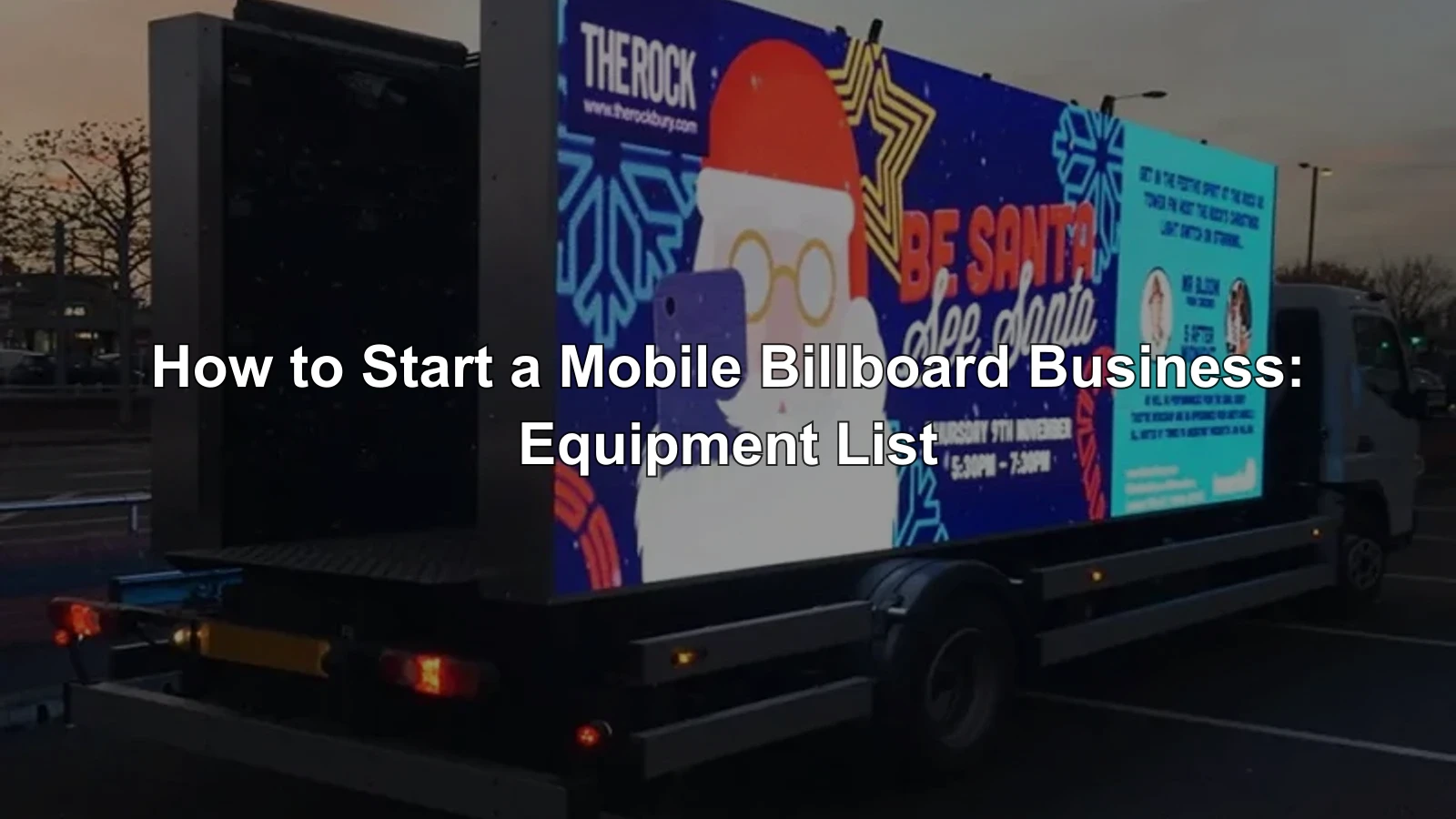
To learn how to start a mobile billboard business, begin with a route and customer problem, not a truck purchase. Confirm that local rules allow the operating model, secure two or three realistic campaign prospects, and then specify one complete system: vehicle or trailer, outdoor LED display, power, control, connectivity, safety equipment, spares, insurance, and proof-of-performance reporting.
A mobile LED billboard can sell local reach at events, retail openings, political campaigns, launches, and high-traffic routes. However, the screen is only one part of the business. Profit depends on legal routes, reliable uptime, safe vehicle weight, fast content changes, repeatable campaign reporting, and enough booked hours to cover the asset. This guide gives founders a practical equipment list, an illustrative startup budget, a 10-step launch sequence, and a maintenance plan.
1. Quick Answer: What Do You Need to Start?
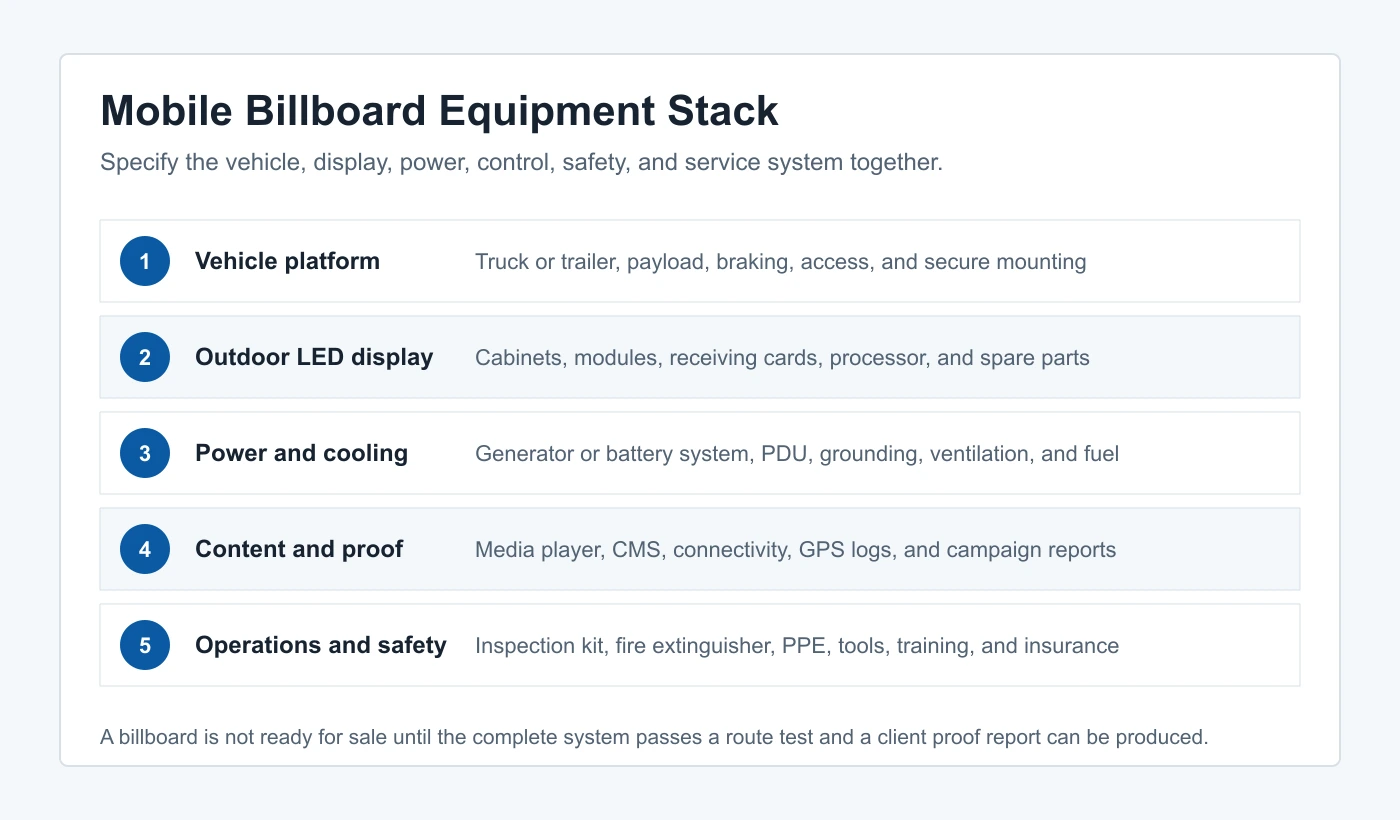
A minimum viable mobile billboard business needs six working layers: a compliant vehicle platform, a weather-rated LED screen, an engineered mounting structure, a power and cooling system, a media-control and connectivity stack, and an operating system for sales, scheduling, maintenance, safety, and campaign proof. Buying the display without the other five layers creates an expensive prototype, not a dependable advertising service.
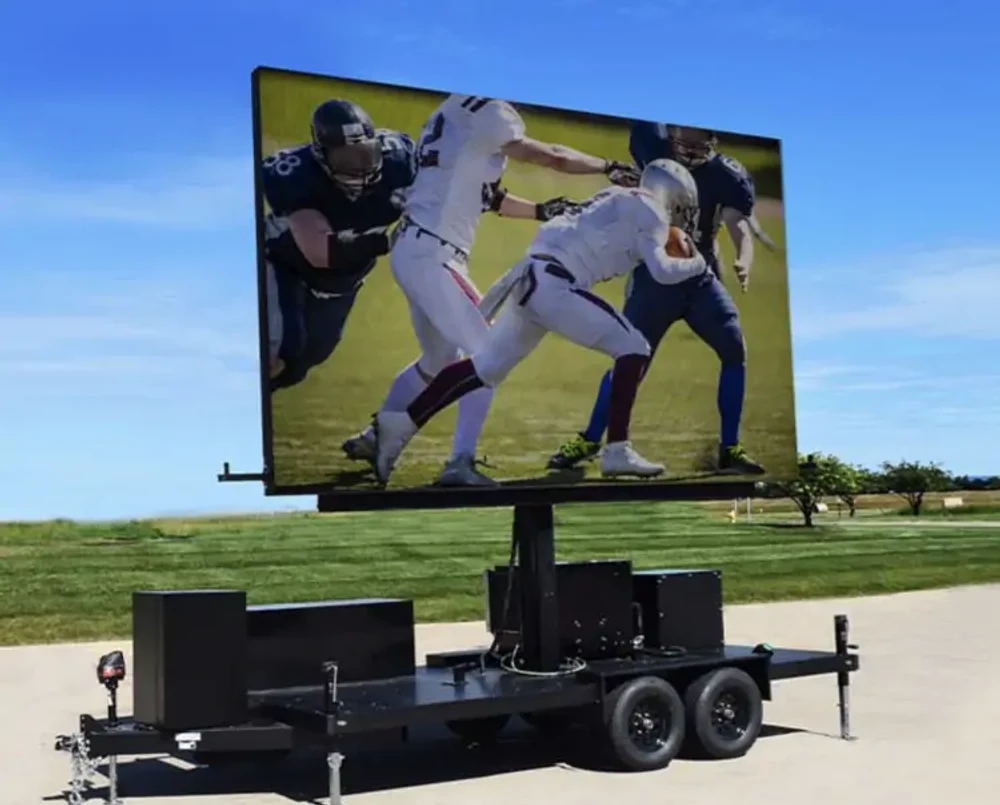
For a first unit, choose between a self-propelled digital billboard truck and a towable LED trailer. A truck is faster to deploy on scheduled routes and presents a unified commercial asset. A trailer can reduce vehicle specialization and may support a larger lifting screen or event stage, but it adds towing, stabilization, wind, setup, and site-access requirements.
2. Choose the Mobile Billboard Business Model
2.1. Route-based advertising
Route-based campaigns sell scheduled movement through defined commercial districts, commuter corridors, campuses, or event areas. The operator controls departure time, route, dwell points, creative rotation, and GPS evidence. This model needs dependable road operation, a screen that remains readable in daylight, remote content updates, and a reporting process that shows the client when and where the vehicle operated.
2.2. Event and parked-display service
Event work positions the unit at a venue for product launches, sports, concerts, community events, live feeds, or sponsor content. It may earn more per booked hour, but the unit needs stabilizers, cable management, safe viewing zones, quiet power, weather procedures, and venue coordination. Local rules may distinguish between driving, legal parking, private-property display, and operating a screen while stationary.
2.3. Hybrid campaigns
A hybrid operator combines routes, event dwell time, and selected digital out-of-home packages. This is often the strongest use of one unit because it can serve weekday local campaigns and weekend events. The EagerLED mobile billboard advertising guide explains the broader advertising formats and benefits; this article focuses on the equipment and business system required to deliver them.
3. Validate Demand Before Buying Equipment
3.1. Interview buyers and map repeatable routes
Speak with media agencies, event producers, dealerships, real-estate teams, restaurants, retailers, universities, entertainment venues, and local campaign managers. Ask what they currently buy, which dates and neighborhoods matter, how quickly creative changes, what proof their procurement team requires, and whether they want a moving route, a parked display, or both.
Create three test packages with defined operating hours, service area, creative limits, cancellation terms, and reporting. Seek written interest or small deposits before purchasing a custom unit. A founder who cannot sell a trial package with renderings and a clear operating plan is unlikely to fix the sales problem by adding more screen area.
3.2. Calculate the booked-hour threshold
Separate monthly fixed cost from variable campaign cost. Fixed cost includes financing, insurance, storage, software, salaries, registrations, and planned maintenance. Variable cost includes driver time, fuel, generator fuel or charging, route tolls, creative handling, event labor, and consumables.
Break-even booked hours per month
(Monthly fixed cost + owner salary target) / (Average revenue per booked hour – variable cost per booked hour). Use conservative utilization and exclude sales tax or pass-through fees from revenue.
4. Form the Business and Check Operating Rules
4.1. Register, insure, and separate business finances
Business requirements vary by country, state, and city. In the United States, the U.S. Small Business Administration launch guide explains that location determines applicable taxes, zoning laws, and regulations, and that license and permit requirements vary by activity, location, and government rules. Establish the entity, tax registrations, business bank account, accounting process, and insurance before accepting campaigns.
Discuss commercial auto coverage, general liability, equipment coverage, inland marine or transit coverage, workers compensation, event requirements, and advertising-content liability with a licensed broker. Provide the insurer with the real vehicle weight, structural modifications, screen value, generator or battery system, operating radius, storage location, and whether the unit will be parked at public events.
4.2. Verify vehicle, sign, parking, and route rules
Check commercial vehicle registration, driver-license class, axle and gross weight limits, inspection, parking, idling, noise, illumination, sign, distraction, and digital-content rules for every intended operating area. FMCSA states that U.S. companies operating qualifying commercial vehicles in interstate commerce must register and obtain a USDOT Number; one listed threshold is a gross vehicle or combination weight rating, or actual weight, of 10,001 pounds (4,536 kg) or more. Some states also require USDOT registration for intrastate operations.
Do not treat this section as a universal permit answer. Ask the state motor-vehicle agency, transport authority, municipality, zoning or sign department, police or traffic authority, venue, and insurer for written guidance. Rules change, and a legal route in one city may be restricted in the next. Complete this check before ordering the chassis or fixing the screen dimensions.
5. Complete Mobile Billboard Equipment List
The following list is an RFQ framework. Mark every line as included, excluded, owner-supplied, or optional so that competing quotations cover the same scope.
| System | Required equipment | Acceptance evidence |
|---|---|---|
| Vehicle or trailer | Chassis, body, brakes, tires, mirrors or cameras, locks, stabilizers where required | Weight certificate, axle loads, registration class, road test |
| Structure | Engineered frame, cabinet mounts, service access, corrosion protection, travel locks | Drawings, fastener schedule, inspection and vibration test |
| LED display | Outdoor cabinets, modules, power supplies, receiving cards, processor, light sensor | Pixel map, brightness and uniformity test, waterproofing check |
| Power | Generator, battery, alternator or shore input; PDU; breakers; cables; grounding | Maximum and typical load test, runtime, safe shutdown |
| Cooling | Ventilation, fans or HVAC, filters, temperature sensors, drainage | Thermal test at operating brightness and ambient conditions |
| Control | Media player, LED processor, CMS, router, antennas, local control and backup input | Scheduled playback, remote update, offline recovery, access control |
| Proof and security | GPS logging, operating photos, time stamps, dash cameras, alarm and asset tracking | Sample client report and data-retention policy |
| Service and safety | Spare modules, cards, power supplies, tools, PPE, cones, extinguisher, first-aid kit | Spares inventory, training record, daily inspection checklist |
6. Choose the Truck or Trailer Platform
6.1. Start with payload and axle limits
Calculate the finished unit, not the empty chassis. Include the LED cabinets, steel or aluminum structure, lifting system, generator or batteries, fuel, cabling, cooling, enclosure, tools, spare parts, driver, passengers, and campaign accessories. Ask the upfitter for predicted front and rear axle loads, then verify them on a certified scale after completion.
A unit that is technically below gross vehicle weight can still overload one axle or tire. It can also lose stability if the screen, lift, or generator raises the center of gravity. Require a qualified vehicle upfitter or engineer to approve the structure, access, travel locks, braking, wind procedure, and service configuration.
6.2. Design for routes, storage, and service
Measure route height restrictions, turning radius, loading entrances, parking length, venue gates, storage doors, wash access, and service clearance. Decide whether technicians can replace modules and power supplies from inside the body, from the rear, or with an external platform. Daily access should not expose staff to traffic or require unsafe roadside work.
7. Specify the Outdoor LED Display
7.1. Pixel pitch, brightness, and viewing distance
A mobile LED billboard usually needs outdoor brightness and a pitch selected for realistic viewing distance, not showroom proximity. P3.9-P6.67 is a practical discussion range for many truck or trailer projects, while finer or coarser options may fit different screen sizes and routes. Daylight shortlisting often begins around 5,000-7,000 nits, but the required operating brightness depends on orientation, climate, content, local limits, and automatic dimming.
Treat those values as starting points, not purchase guarantees. Ask for measured brightness, color temperature adjustment, grayscale at reduced output, refresh behavior, viewing angle, module uniformity, and a real daylight demonstration. A light sensor and scheduled night dimming protect visibility, power use, and neighborhood acceptance.
7.2. Weather resistance and vibration
Specify the enclosure side exposed to weather, not a vague whole-product rating. Ask how cabinet doors, cable entries, ventilation paths, drainage, connectors, and service panels are sealed. The LED system also experiences road vibration, shock, heat cycling, dust, rain, cleaning, and exhaust exposure, so the mounting and electrical design must be validated as a vehicle system.
7.3. Processor, refresh rate, and content canvas
Request the exact native pixel dimensions, cabinet map, processor loading, receiving-card model, redundancy method, and maximum input format. For smooth video and camera use, 3,840 Hz or higher is a useful procurement filter, but the final result depends on scan mode, brightness, processing, and camera settings. Review EagerLED car and truck LED display options when preparing the hardware discussion.
The official EagerLED video above demonstrates an outdoor advertising LED screen. A mobile installation adds vehicle-specific structure, power, vibration, cooling, weather, and service requirements, so request a complete truck or trailer design rather than applying a fixed-installation specification unchanged.
8. Build the Power, Control, and Connectivity Stack
8.1. Size power from measured loads
Obtain maximum and typical LED power per square meter, then add processor, router, cooling, lighting, outlets, lifting equipment, and auxiliary loads. Apply appropriate electrical design margins and separate starting loads from continuous loads. The supplier should provide a single-line diagram, breaker schedule, connector list, cable sizes, grounding method, power-changeover procedure, and safe shutdown sequence.
Compare generator, battery, alternator-assisted, and shore-power options by usable runtime, fuel or charging time, noise, service network, weight, ventilation, local idling rules, and event requirements. Never select a generator only from average screen consumption; test the worst approved content and cooling condition.
8.2. Keep local playback when the network fails
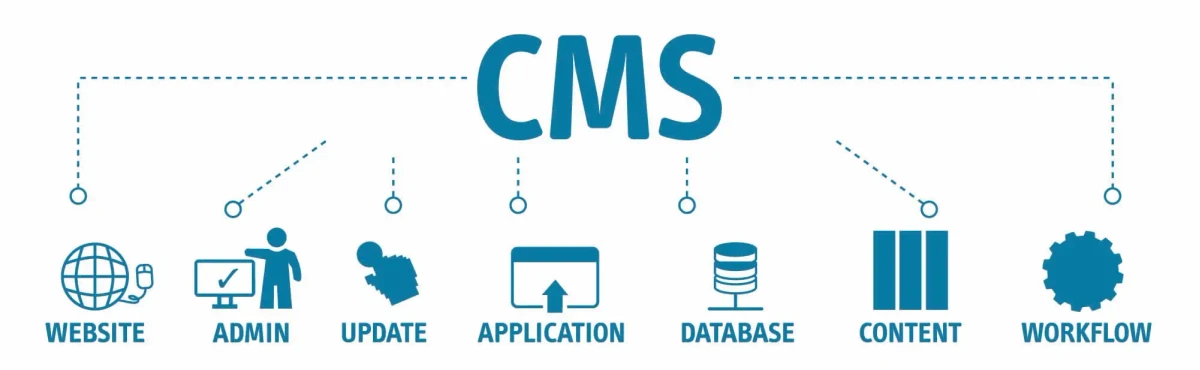
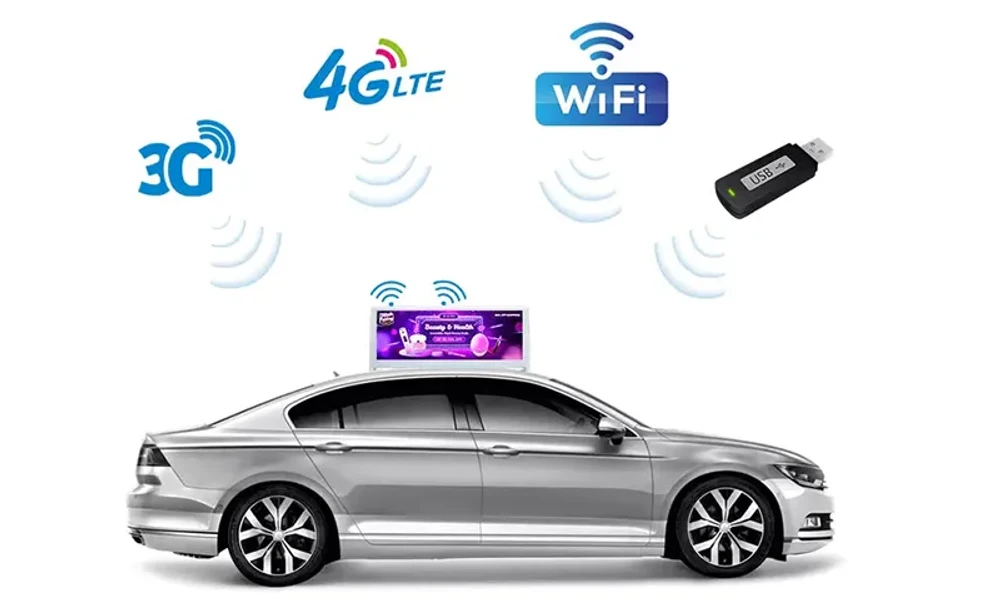
The content system should schedule playlists, accept approved files, log playback, and continue from local storage when cellular service fails. Use role-based access, unique passwords, multi-factor authentication where supported, a documented approval process, and a backup method that operators can use without exposing administrator credentials.
9. Estimate the Mobile Billboard Startup Budget
The table below is an illustrative planning model in U.S. dollars, not an EagerLED quotation or a market-price guarantee. Vehicle condition, screen area, pixel pitch, fabrication, location, freight, duties, labor, finance, and compliance can move the total substantially. Replace every line with written local quotes before committing capital.
| Budget line | Illustrative range | What changes the number |
|---|---|---|
| Used or new truck/trailer platform | $20,000-$80,000 | Age, mileage, GVWR, drivetrain, body and local market |
| LED display and processing | $35,000-$140,000 | Area, pitch, brightness, redundancy, sides and spares |
| Structure, body and installation | $15,000-$60,000 | Engineering, lift, access, finishing and labor |
| Power, cooling and electrical | $8,000-$35,000 | Generator/battery type, runtime, HVAC and changeover |
| CMS, connectivity, GPS and security | $2,000-$10,000 | Hardware, subscriptions, cameras and reporting |
| Registration, insurance, branding and launch | $5,000-$25,000 | Jurisdiction, coverage, deposits and sales materials |
| Spares and working-capital reserve | $15,000-$45,000 | Repair lead time, payroll, fuel and sales cycle |
| Illustrative total | $100,000-$395,000 | Use only as a planning envelope before quotations |
Include financing interest, taxes, import costs, storage, downtime, driver recruitment, replacement tires, generator service, software subscriptions, sales commissions, and owner salary in the operating model. Preserve a reserve for failures and slow collections; campaign revenue may arrive later than fuel, payroll, and repair bills.
10. Follow a 10-Step Launch Plan
- Define the customer and service area. Choose route, event, or hybrid work and document the cities you intend to serve.
- Validate demand. Interview at least 15 realistic buyers and test three clearly priced packages before ordering a unit.
- Confirm legal feasibility. Obtain written guidance on vehicle class, advertising, illumination, parking, routes, permits, insurance, and storage.
- Build the financial model. Calculate fixed cost, variable cost, booked-hour break-even, cash reserve, and downside utilization.
- Issue one RFQ. Give every supplier the same vehicle, screen, power, control, service, spares, documentation, and acceptance requirements.
- Approve the engineered design. Review finished weight, axle loads, structure, cooling, electrical drawings, access, travel locks, and maintenance method.
- Create the campaign workflow. Define file specifications, approval deadlines, prohibited content, playlist scheduling, remote access, proof reports, and billing.
- Test before delivery. Run maximum-load, daylight, night-dimming, rain-protection, network-loss, generator, route, vibration, braking, and emergency-stop tests.
- Soft-launch with controlled campaigns. Begin with familiar routes and a small client group while measuring fuel, labor, uptime, brightness settings, and service incidents.
- Scale from utilization data. Add a second unit only after the first has repeatable sales, documented margins, trained backup operators, and a stable maintenance process.
11. Build Daily Operations and Maintenance
11.1. Use a pre-departure checklist
- Vehicle fluids, tires, lights, mirrors or cameras, brakes, warning indicators, registration and route restrictions
- Cabinet locks, modules, fasteners, service doors, cable glands, ventilation, drainage and travel locks
- Generator or battery state, fuel, breakers, grounding, emergency stop, fire extinguisher and safe shutdown
- Playlist approval, screen map, brightness schedule, content backup, cellular connection, GPS and time synchronization
- Weather, wind limits, venue access, parking authorization, cones, PPE, contact list and incident procedure
11.2. Plan preventive maintenance and spares
Maintain the chassis to its duty cycle, not only calendar mileage. Road vibration, idling, generator hours, dust, heat, and stop-start routes can create severe service conditions. Track module, receiving-card, power-supply, fan, filter, cable, connector, tire, brake, battery, and generator history in one maintenance record.
Carry matched spare modules, receiving cards, power supplies, data cables, power cables, fasteners, cleaning materials, and approved tools. Store LED modules in protective packaging and record calibration batches. Define who can work on live electrical systems, who can access elevated areas, and when the unit must be taken out of service.
12. Sell Campaigns and Prove Delivery
12.1. Package the service clearly
Sell defined outcomes and operating scope rather than vague exposure. A package should state date, operating window, route or venue, dwell time, screen sides, creative rotation, file deadline, revision count, brightness and sound rules, weather policy, cancellation terms, reporting, and any excluded permits or venue fees.
Use a minimum booking, overtime rate, creative-handling fee, event setup fee, travel zone, and premium-date schedule. Quote taxes and pass-through costs separately. Avoid promising audience impressions unless the measurement method, data source, assumptions, and limitations are clear to the client.
12.2. Produce proof-of-performance reports
A useful report includes campaign name, approved creative, scheduled and delivered hours, route map or venue location, GPS time stamps, playback log, operating photos, downtime, substitutions, and notes. Give clients a consistent report within one or two business days, then archive the underlying files under a stated retention policy.
When a buyer is ready to specify the screen, contact EagerLED with the vehicle or trailer drawing, intended screen dimensions, operating climate, route type, closest audience distance, brightness limits, power preference, and service-access requirements. A complete brief produces a more comparable quotation than asking only for a price per square meter.
13. Common Startup Mistakes
- Buying before confirming routes and permits. A finished truck may be unusable in the neighborhoods that made the plan attractive.
- Specifying screen area without finished vehicle weight. Structure, power, cooling, fuel and spares can change axle loading and stability.
- Comparing LED price per square meter. Different quotations may exclude processor, structure, power, freight, installation, spares, training or commissioning.
- Depending on cellular streaming. Campaign playback should continue locally when the network fails.
- Selling impressions without defensible measurement. Report delivered routes, time and playback accurately; separate verified data from estimates.
- Running without downtime reserves. One vehicle cannot earn during repair, so margins must fund spares, maintenance and backup arrangements.
- Ignoring night brightness and noise. A screen or generator acceptable at noon may create complaints or violate local limits after dark.
14. FAQs
15. Conclusion
To start a mobile billboard business responsibly, validate buyers and legal routes first, then purchase a complete operating system rather than an LED screen alone. The vehicle, structure, display, power, cooling, control, connectivity, safety, spares, insurance, and reporting process must work together under real road and weather conditions.
Use the equipment and budget tables as RFQ frameworks, replace every planning figure with verified local data, and require documented acceptance tests before delivery. When your vehicle dimensions and operating plan are ready, send EagerLED the project brief to discuss a truck or trailer LED display configuration, processor, spares, service access, and power requirements.
Related articles
NovaStar VX600 Pro: Specifications, Setup & Buying Guide
The NovaStar VX600 Pro combines processing and LED sending with six outputs and a 3.9-million-pixel load. Check 4K input limits, cabinet mapping, software, setup and the complete quotation before buying.
Times Square 3D Billboard: Costs, Locations, Effectiveness & EagerLED Solutions
How Times Square 3D billboards work, where to find major screens, and how to compare ad packages, custom animation costs, and LED screen ownership.
NovaStar MCTRL600: Specs, Manual, Software, Setup & FAQs
NovaStar MCTRL600 guide covering input and port limits, official manual PDFs, NovaLCT setup, cabinet mapping, configuration backups and troubleshooting.
GET A QUOTE
Consult us for LED display solutions