The NovaStar TB20 Plus is a Taurus multimedia player and LED sending controller for screens with up to 650,000 pixels. It switches between stored-content playback and a live HDMI source. Its 4K decoding capability describes media files, not a 4K LED output. For rental LED displays or fixed signage, first check the total screen resolution and receiving-card configuration.
This specification-based review covers capacity, connections, operating modes, applications, price considerations, and TB10 Plus differences. It is not a hands-on performance test. Technical figures follow NovaStar’s TB20 Plus specifications V1.0.4, dated August 31, 2026; check the documentation and firmware supplied with your unit before commissioning.
1. What Sets the Novastar TB20 Plus Apart?
The TB20 Plus combines local media playback and LED data output in one enclosure. It suits installations that need scheduled signage and occasional live HDMI content. Plan the workflow before purchase: who publishes content, how the player reaches the network, and whether the screen must show a connected computer.
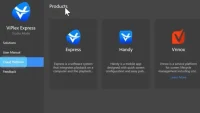
For initial setup, confirm the cabinet pixel dimensions, receiving-card parameters, and cable order with the screen supplier. Connect the control computer separately from LED OUT, configure the screen, then publish a short test playlist. Check image mapping, audio, and playback after a power cycle before scheduling a full campaign. Our NovaStar software download guide helps identify the relevant configuration and publishing tools.
2. Key Features of the Novastar TB20 Plus
2.1 Impressive Loading Capacity
The total load is limited to 650,000 pixels. Standard maximum width and height are 2048 pixels each; an ultra-long layout can reach 8192 pixels wide, but the total-pixel limit still applies. These are separate dimension limits, not permission to drive 8192 × 2048 pixels. For example, 1024 × 512 = 524,288 pixels, whereas 2048 × 1024 = 2,097,152 and exceeds the output capacity. See the manufacturer’s loading limits.
2.2 Powerful Performance
The quad-core ARM A53 processor runs at 1.4 GHz, with 2 GB RAM and 32 GB internal storage. NovaStar’s current specification lists these alternative playback limits:
- 1 × 4K video
- 2 × 1080p videos
- 4 × 720p videos
- 4 × 480p videos
- 20 × 360p videos
These are alternatives, not additive capacities. The newer figures replace older 3/8/16-stream claims. Multi-screen synchronized playback halves decoding capability. Test your actual codec, bitrate, and playlist; see playback specifications.
2.3 Versatile Input and Output Options
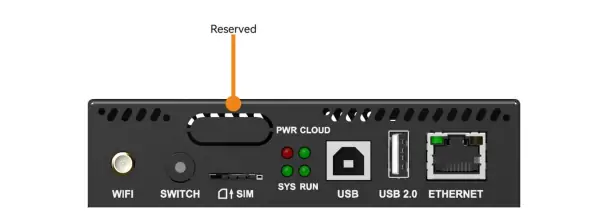
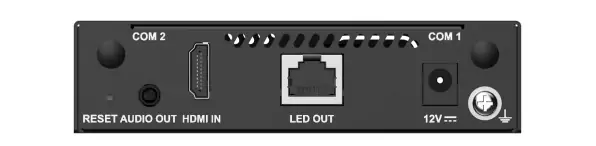
The port images below show the front control connections and rear LED/video connections:
- LED OUT: one Gigabit Ethernet output to the LED receiving-card chain.
- HDMI IN: HDMI 1.3, up to 2048 × 1024 at 60 Hz; this input resolution does not increase LED output capacity.
- AUDIO OUT: 3.5 mm output at a fixed 48 kHz sampling rate.
- USB Type-A: playback, firmware updates, and storage expansion; documented drives are 2–128 GB, FAT32/NTFS, with each file smaller than 4 GB.
- USB Type-B: computer connection for publishing and control.
The front panel also has Wi-Fi, SWITCH, SIM, status indicators, and a reserved sensor connector. Rear connections include power and optional antenna connections. Match labels to the official connector descriptions; do not confuse ETHERNET with LED OUT.
2.4 Flexible Connectivity
Choose the connection that fits the installation:
- Wi-Fi AP: connect a phone or computer to the player’s hotspot.
- Wi-Fi STA: connect the player to an existing wireless network. AP and STA can operate together; this is not a redundant LED output.
- ETHERNET: Fast Ethernet for a control computer or network.
- Optional 4G: requires a separately purchased module and suitable cellular service.
The documented network preference is wired, then Wi-Fi, then 4G. It is a priority order, not a guarantee of connection quality.
2.5 Intelligent Control Plans
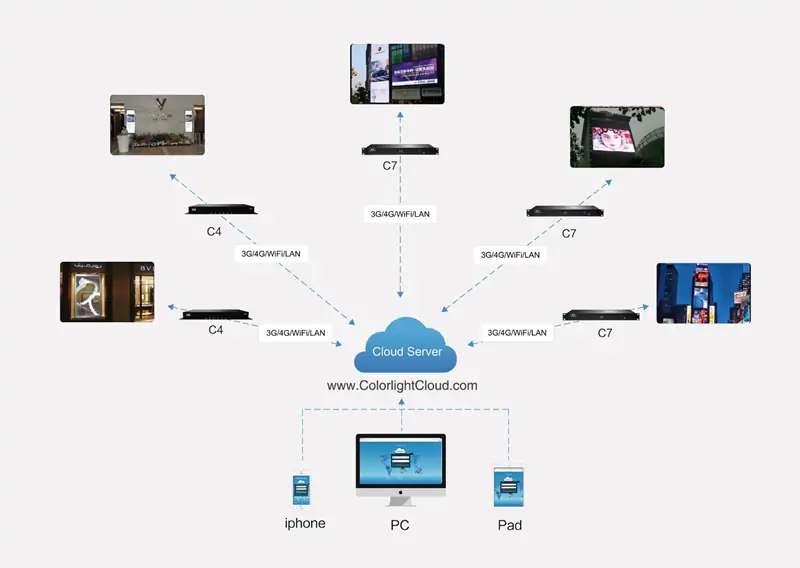
Remote publishing requires the player’s network connection and the appropriate cloud account/device binding. Check access and content delivery at the installation site before relying on unattended updates. The retained illustration below shows a generic cloud workflow using Colorlight C4/C7 devices; it is not a TB20 Plus compatibility diagram. For NovaStar, follow the supported publishing workflow and current documentation, rather than the ColorlightCloud address pictured.
2.6 Synchronous and Asynchronous Modes
The two operating modes serve different jobs:
- Synchronous: the live HDMI source supplies the picture.
- Asynchronous: locally stored content supplies scheduled playback.
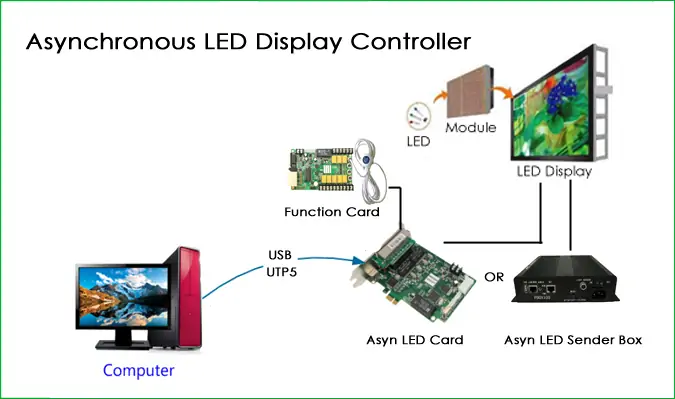
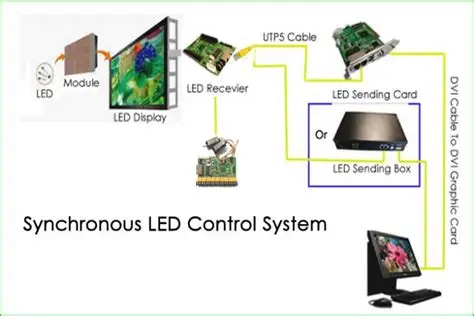
The SWITCH button changes modes; its indicator is green in synchronous mode and off in asynchronous mode. The diagrams below illustrate general signal flow: computer → player → receiving cards → LED modules. The synchronous illustration shows DVI equipment; the TB20 Plus itself uses HDMI IN. Verify the selected source and mapping if the screen is blank.
3. Applications of the Novastar TB20 Plus
These are possible applications, subject to screen size, content, connectivity, and installation conditions:
3.1 Commercial LED Displays
Retail and chain-store signs can use scheduled playlists for promotions and opening-hour information. Build content at the actual screen proportions and preview text legibility from the expected viewing distance before publishing to multiple locations.
3.2 Smart City Projects
Lamp-post and public-information displays can benefit from remote updates. Optional 4G still depends on compatible hardware, a data plan, and coverage. Protect the player from water and plan maintenance access inside the display enclosure.
3.3 Rental Events
Small event signs can alternate stored material and a live HDMI feed. Check the 650,000-pixel limit before pairing the player with rental cabinets. Rehearse source changes and cable mapping; larger stage walls require a controller sized for their total resolution.
3.4 Conference Rooms
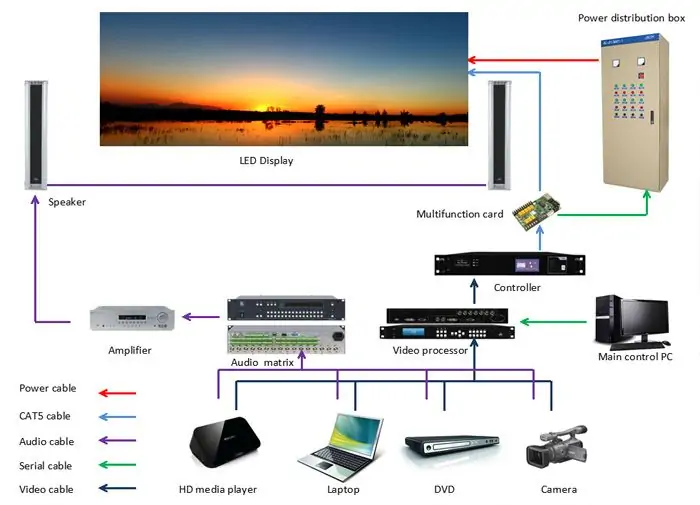
Meeting-room signage can show announcements between sessions and a connected HDMI source during a presentation. Test the laptop’s output resolution and screen proportions. The system diagram below illustrates a larger AV installation with processors, amplifiers, and other equipment; those devices are not included TB20 Plus accessories.
4. Why Choose the Novastar TB20 Plus?
Choose the TB20 Plus when both scheduled content and HDMI input are useful. Request an itemized price covering the player, optional 4G hardware, required services, shipping, and support. Compare the complete installation cost and warranty terms; this review does not claim a verified current selling price or measured reliability advantage.
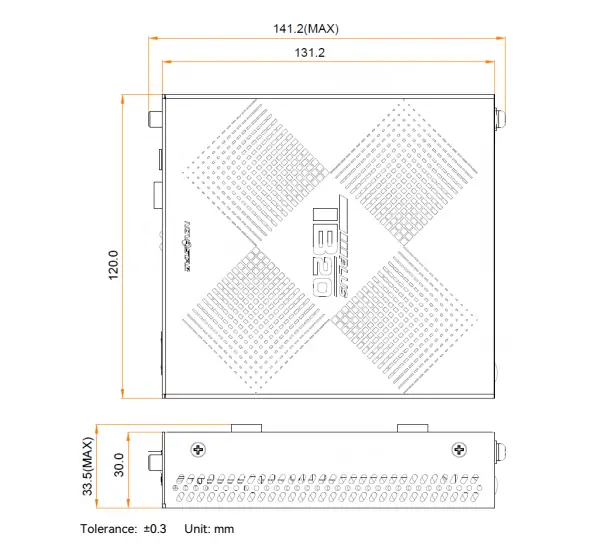
The enclosure measures 141.2 × 120.0 × 33.5 mm (L × W × H), weighs 470.3 g, accepts DC 5–12 V, and has a 15 W maximum power rating. Its IP20 rating requires protection from water. NovaStar lists CE, FCC, IC, CQC, CB, and NTRA certifications, but these do not guarantee flawless operation in every environment. Confirm the required regional documentation and enclosure conditions with the supplier. See dimensions and operating specifications.
5. FAQs About the Novastar TB20 Plus
1. What is the pixel capacity of the TB20 Plus?
Up to 650,000 pixels in total. Multiply screen width by height to check the load, then check each dimension limit. Ultra-long mode changes layout options, not the total capacity.
2. Does the NovaStar TB20 Plus support 4K hardware decoding?
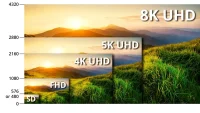
Yes, for supported media files. That does not mean a 4K HDMI input or a 4K LED output. Check the current codec and frame-rate table before exporting your video.
3. What is the price of the NovaStar TB20 Plus?
Ask for a current quote for your region and configuration. Confirm taxes, delivery, warranty, and optional cellular equipment separately so that quotations are comparable.
4. Is there a manual available for the NovaStar TB20 Plus?
Yes. Start with the official TB20 Plus specification PDF for ports and limits. Use NovaStar Downloads for current ViPlex publishing manuals and model-specific support files; select documents matching your installed software.
5. What are the key differences between the TB10 Plus and TB20 Plus?
Both have a 650,000-pixel capacity, quad-core ARM A53 processor, 2 GB RAM, and 32 GB storage. The TB20 Plus adds HDMI input and switching between live and stored-content modes. The TB10 Plus is intended for stored-content playback. Compare the TB10 Plus specification with the TB20 Plus document; the previously stated 262,144-pixel TB10 Plus limit was incorrect.
6. Can the TB20 Plus automatically scale video sources?
Yes, HDMI source scaling is supported in synchronous mode, within the documented limits. It does not remove input or screen-capacity constraints. Check NovaStar’s current HDMI scaling instructions and test the intended source resolution before installation.
6. Conclusion
The NovaStar TB20 Plus is a practical candidate for signage needing stored playback and a live HDMI source within its pixel budget. The buying decision should start with screen resolution, receiving-card configuration, content format, and network access. Use the current specification rather than assuming every older performance claim still applies.
For an advertising LED screen project, provide your supplier with pixel dimensions, cabinet layout, installation environment, and playback requirements. Ask them to confirm the controller configuration and demonstrate your intended playlist and HDMI source before deployment.
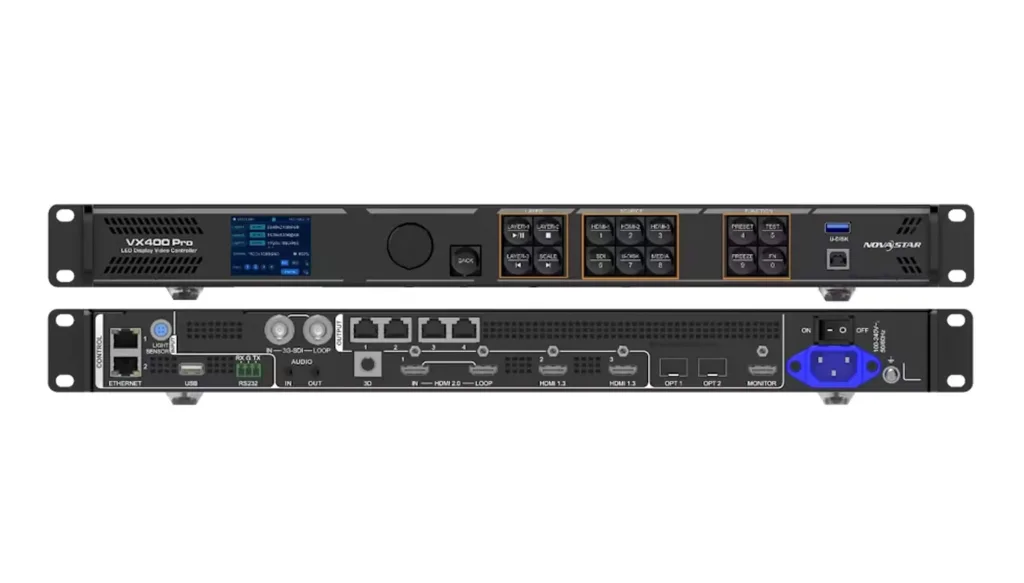 NovaStar VX400 Pro: 4K Input, Specs & Setup Guide
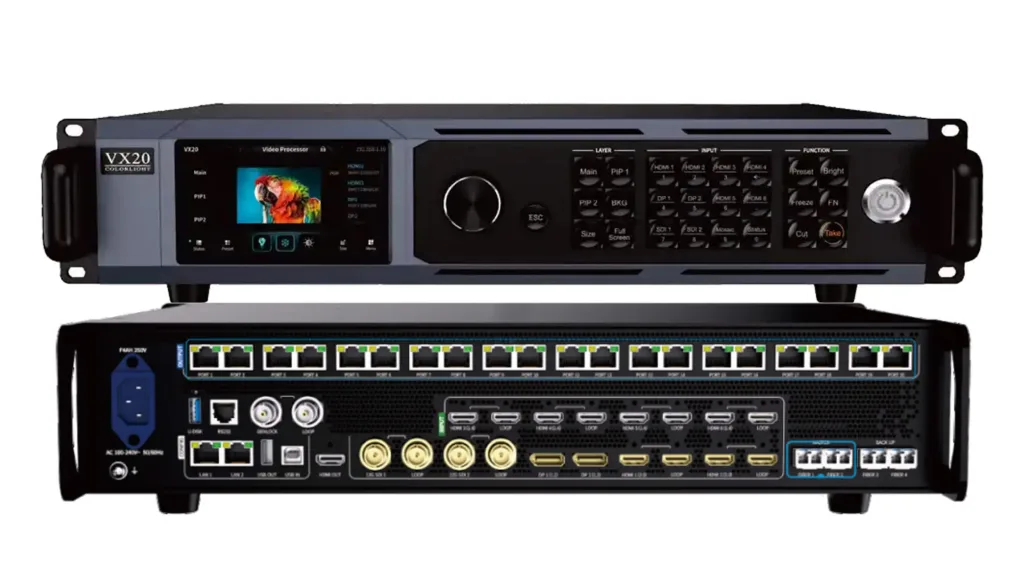 Colorlight VX20 Configuration Guide: Setup & Specs
Related Posts






Fill In Your Needs In Detail
Fill in the screen usage scene and size you need in “Content”.You will get a quote.