NovaStar, Huidu, and Colorlight can all control a professional LED display, but they fit different operating priorities. Choose NovaStar first for high-stakes live production, rental, broadcast, or complex processing. Choose Huidu first for cost-sensitive asynchronous signs and straightforward content scheduling. Choose Colorlight first when you want a balanced synchronous ecosystem, flexible processing, cloud options, and strong image-control tools without automatically moving to the highest-cost platform.
The brand name alone is not a specification. The correct decision comes from the exact sender, receiving card, processor, software version, pixel load, redundancy plan, and support route. This guide compares the current public product ecosystems and EagerLED catalog as of September 1, 2026, then gives you a repeatable way to select and test the complete system.
1. Quick Verdict: Which System Fits Which Project?
No single system wins every NovaStar vs Huidu vs Colorlight comparison. The best fit is the platform that keeps the intended content on screen, gives the operator an understandable recovery path, and has verified compatibility from source to LED module.
| Project priority | First system to evaluate | Why it belongs on the shortlist |
|---|---|---|
| Touring, rental, concert, broadcast, xR, or a show where downtime is unacceptable | NovaStar | Broad professional ecosystem, deep commissioning tools, advanced processing, and extensive controller and receiving-card choices. |
| Single storefront, price board, traffic sign, shop chain, or scheduled advertising screen | Huidu | Strong emphasis on asynchronous players, practical scheduling, mobile operation, and value-focused control cards. |
| Fixed installation, creative LED, studio, sports, or integrator-led project needing a middle path | Colorlight | Wide control and processing portfolio, cloud management, calibration, and tools that cover both standard and advanced workflows. |
| Existing cabinets already use one brand’s receiving cards and configuration files | Keep the installed ecosystem unless there is a documented reason to migrate | A brand change can create new card, firmware, mapping, calibration, spare-parts, and training work. |
Short answer: NovaStar is usually the safest starting point for demanding live systems, Huidu for economical asynchronous signage, and Colorlight for balanced control and processing. Always confirm the exact model, not just the logo on the front panel.
2. How LED Display Control Systems Differ
An LED control system converts a video or media source into data that the receiving cards distribute to modules inside the cabinets. The visible result depends on the whole chain: source timing, processor, sender, Ethernet or fiber path, receiving card, hub board, module scan design, driver IC, firmware, and configuration file.
2.1. Synchronous and asynchronous control solve different jobs
A synchronous controller displays a live source in real time. It is the normal choice for events, studios, meeting rooms, sports, cinemas, and any wall driven by a media server, camera, switcher, or computer. Input formats, scaling, frame synchronization, latency, genlock, redundancy, and color processing can matter as much as pixel capacity.
An asynchronous controller stores and plays scheduled media without a continuously connected source computer. It suits billboards, shop signs, menu boards, price displays, transport information, and remote networks. Storage, connectivity, scheduling, sensor support, user permissions, and cloud health monitoring become the important questions.
NovaStar, Huidu, and Colorlight all cover more than one control style. The practical difference is where each portfolio is deepest and which workflow your local technicians already know.
2.2. The ecosystem matters more than one headline specification
A controller rated for a large pixel load can still be the wrong choice if the receiving cards do not support the module, the software cannot import the existing configuration, or no trained technician can recover the screen at 7:00 p.m. on show day. Evaluate these six layers together:
- Input and processing: connectors, resolution, frame rate, scaling, color, HDR, and latency.
- Data distribution: Ethernet or fiber outputs, port loading, signal backup, and topology.
- Receiving: card model, driver IC support, scan type, gray performance, and redundancy.
- Operation: desktop software, mobile app, cloud platform, scheduling, and permissions.
- Service: local stock, verified configuration files, spare cards, training, and escalation.
- Lifecycle: firmware policy, software availability, migration plan, and replacement lead time.
3. NovaStar: Best for High-Stakes Live Production
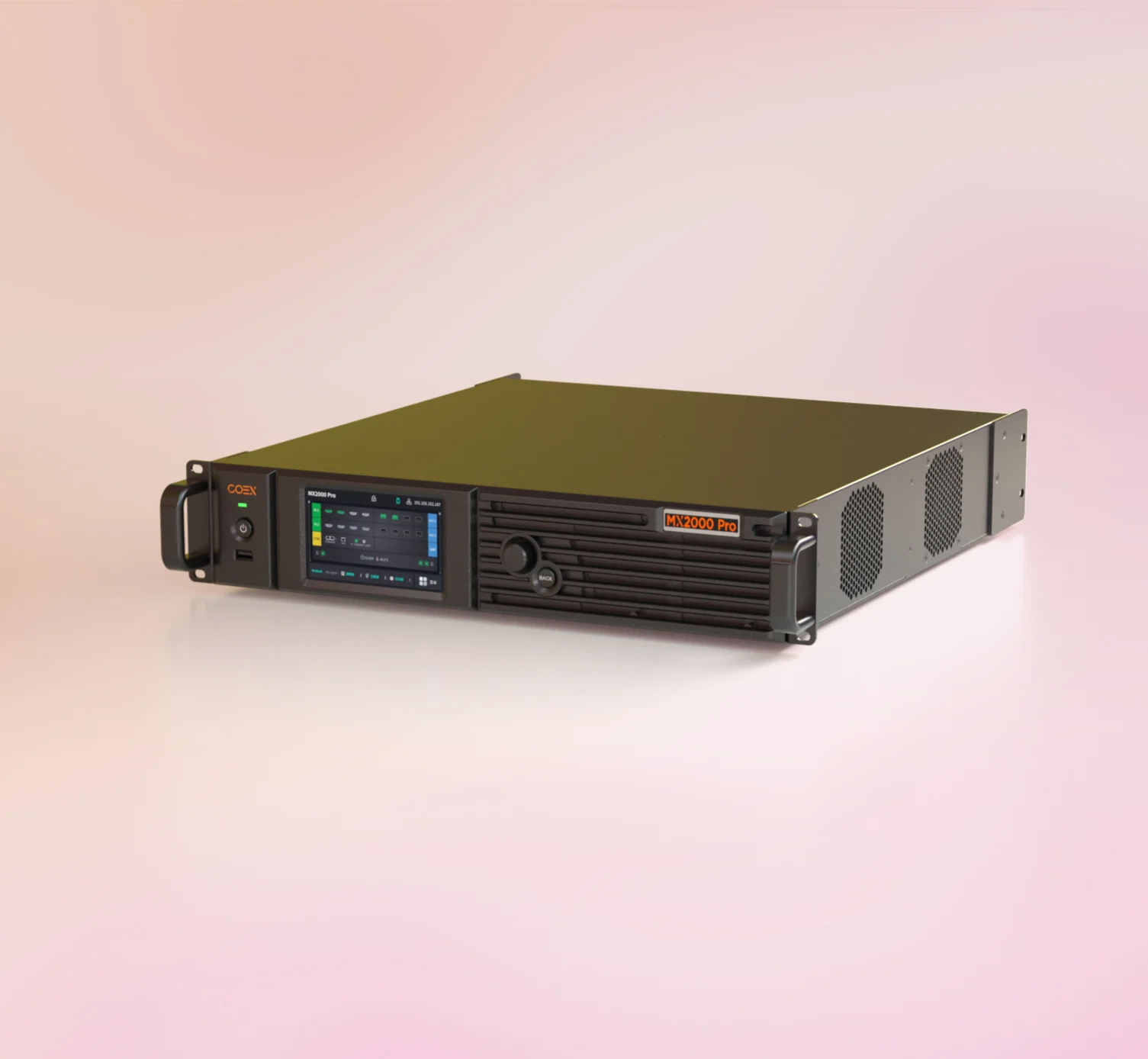
NovaStar’s official portfolio spans LED control systems, processors, Nova Cloud, and professional solutions. Its ecosystem includes conventional NovaLCT workflows, the COEX platform and VMP software for newer high-end systems, plus Taurus multimedia players and ViPlex for asynchronous applications.
3.1. Where NovaStar is strongest
NovaStar is the first platform many integrators evaluate for a concert, touring wall, broadcast set, command center, premium corporate venue, or other installation with demanding commissioning and recovery requirements. The product range gives designers room to select simple senders, all-in-one controllers, modular processing, fiber distribution, and managed playback without leaving the brand.
The ecosystem is also widely represented in EagerLED’s technical library. Buyers can follow the NovaStar VX1000 setup guide, compare workflows in the NovaStar TU4K Pro guide, check receiving-card capabilities in the NovaStar A8s-N guide, and use the NovaStar software download center without treating every product family as interchangeable.
3.2. NovaStar trade-offs to plan for
Depth creates complexity. NovaLCT, VMP, and ViPlex belong to different workflows, and a technician trained on a legacy sender is not automatically ready to commission COEX. Advanced features can also depend on a compatible chain of processor, receiving card, firmware, driver IC, and module.
Do not pay for a high-end platform when the job is a small sign that only needs scheduled images twice a week. For that project, the additional processing and commissioning depth may add cost without reducing operational risk.
4. Huidu: Best for Cost-Sensitive Signage Networks
Shenzhen Huidu Technology’s official site lists dual-mode multimedia players, full-color asynchronous controllers, poster-screen controllers, synchronous controllers, receiving cards, video processors, XiaoHui Cloud, and the LedArt mobile app. That portfolio explains why Huidu is common in practical fixed-signage and remote-publishing projects.

4.1. Where Huidu is strongest
Huidu fits projects where content is created, scheduled, and sent to one or many signs rather than performed live. A shop manager, school administrator, transport operator, or advertising network often values a clear publishing workflow more than deep live-video processing.
The brand also gives budget-sensitive buyers a broad ladder of control cards. For a closer look at the range, review the Huidu HD-B8H control card guide and the Huidu B6L poster control card guide. Select by screen type, pixel load, communication method, sensor requirements, and software support rather than by the lowest card price.
4.2. Huidu trade-offs to plan for
Huidu can support synchronous and more complex systems, but its strongest value proposition is not identical to NovaStar’s live-production ecosystem. A demanding broadcast or touring specification should be tested against the exact processor, frame synchronization, latency, backup, color, and receiving-card requirements before approval.
Support quality can also depend heavily on the distributor. Require the supplier to provide the matching software package, firmware, receiver or screen parameters, a backup copy of the working program, and a written recovery procedure. A low-cost card is expensive if nobody can restore it after a laptop replacement.
5. Colorlight: Best for Balanced Performance and Flexibility
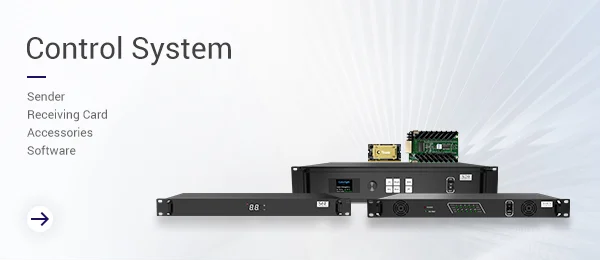
Colorlight’s official portfolio covers video processors, LED control systems, Colorlight Cloud, media servers, calibration, creative display, cluster management, in-camera VFX, and ST 2110/IPMX solutions. It is a credible middle path for integrators who need more than a basic signage card but do not want every project designed around NovaStar.
5.1. Where Colorlight is strongest
Colorlight belongs on the shortlist for fixed installations, creative geometry, studios, sports, commercial displays, and integrator-led projects that need processing, calibration, cloud management, or media-server options. Its product breadth lets a designer scale from conventional control to advanced production while keeping one manufacturer relationship.
The platform can be especially attractive when the installation team already knows LEDVISION, LEDSetting, PlayerMaster, or Colorlight Cloud. Existing skill reduces commissioning time and makes fault recovery more predictable. EagerLED buyers can compare the Colorlight VX10 guide with the Colorlight VX20 configuration guide, then obtain the matching tools from the Colorlight software download page.
5.2. Colorlight trade-offs to plan for
Do not treat “Colorlight” as one software environment. Different controller generations and applications may use different tools. Confirm the required Windows or mobile software, supported firmware, available English documentation, and whether the proposed cloud features require a separate account or service.
For a live or camera-critical screen, demonstrate the real module at the target refresh rate, bit depth, scan mode, brightness, frame rate, and shutter settings. A platform can have strong processing capabilities while a mismatched module or receiving-card setup still produces visible artifacts.
6. NovaStar vs Huidu vs Colorlight Feature Comparison
This table compares ecosystem tendencies, not every model. A specific Huidu processor can exceed a basic NovaStar sender, and a specific Colorlight media player can be a better fit than a high-end live controller. Read the model datasheet after using the table to choose a shortlist.
| Decision factor | NovaStar | Huidu | Colorlight |
|---|---|---|---|
| Best-known fit | Professional live production and demanding control | Economical asynchronous signage | Balanced fixed, creative, and professional systems |
| Synchronous control | Very broad portfolio | Available; verify model depth for demanding work | Broad portfolio |
| Asynchronous playback | Taurus and ViPlex ecosystem | Core strength across many controller families | Media players and cloud tools available |
| Typical software families | NovaLCT, VMP, ViPlex, Nova Cloud | HDPlayer/HDSet families, LedArt, XiaoHui Cloud | LEDVISION/LEDSetting, PlayerMaster, Colorlight Cloud |
| Commissioning depth | High, especially in professional ranges | Efficient for common signage workflows | Strong middle-to-high range with calibration options |
| Operator learning curve | Moderate to high for advanced systems | Low to moderate for basic scheduled content | Moderate; depends on selected tool family |
| Procurement posture | Pay for reliability, depth, and support where needed | Prioritize value and simple operations | Balance capability, integration, and budget |
| Main risk | Over-specifying a simple project | Under-specifying a live or camera-critical project | Assuming all generations share one workflow |
7. Choose the System by LED Display Application
7.1. Rental stages, concerts, and touring
For an LED stage screen, start with NovaStar when the show needs rapid mapping, professional processing, fiber, backup paths, low-latency options, multi-controller coordination, or a large freelance technician pool. Colorlight is a valid alternative when the production partner has proven hardware, show files, spares, and trained operators. Huidu should only enter the shortlist when the exact live system meets the show specification, not because an asynchronous card performed well on signage.
7.2. Storefronts, billboards, menus, and shop chains
Start with Huidu when the normal job is to schedule media and remotely update screens. Compare its workflow with NovaStar Taurus/ViPlex and Colorlight media-player/cloud options. Run a realistic test: create three users, publish a one-week playlist, interrupt the network for 30 minutes, restore it, and confirm the screen continues the approved schedule.
7.3. Broadcast, xR, and camera-critical studios
Start with the exact system that can be demonstrated with your camera, lens, shutter, frame rate, genlock plan, brightness range, and production signal chain. NovaStar COEX and Colorlight’s in-camera VFX portfolio both deserve evaluation. The same camera and synchronization discipline applies to a sports LED display. Do not approve a platform from a refresh-rate number alone; moire, scan behavior, phase, low-gray performance, and calibration remain system-level results.
7.4. Schools, churches, conference rooms, and control rooms
Choose for the operator who will use the wall every week. A volunteer or facility team may benefit from a simple all-in-one controller with stored presets, while a control room may require input redundancy, 24/7 health monitoring, and service access. Use EagerLED’s LED control system guides to compare suitable processors, receiving cards, software, and media-player workflows as one complete system.
8. Build a Compatible LED Control System
Mixing brands is possible in some signal paths, but not at every layer. A video processor may feed another brand’s sender through HDMI or SDI because the connection is a standard video interface. The sender-to-receiver configuration is more tightly coupled. Receiving cards, firmware, cabinet files, calibration data, and software should be treated as one controlled ecosystem unless the manufacturers and supplier document compatibility.
Before ordering, ask for a system schedule containing these fields:
- Processor and sender model, firmware version, input formats, output count, and backup method.
- Receiving-card model, firmware, supported module driver IC, scan ratio, and hub connection.
- Cabinet pixel dimensions, cabinet quantity, total pixels, and pixels assigned to every output port.
- Ethernet cable category and tested length, fiber module type, and signal-routing drawing.
- Configuration software version, operating-system requirement, account ownership, and offline installer.
- Working receiver configuration, screen connection file, calibration data, playlists, and preset backups.
- On-site spares: at least the agreed quantity of receiving cards, hub boards, cables, and any proprietary modules.
A replacement LED receiving card is useful only when it matches the electrical interface and can be loaded with the correct parameters. Put a labeled copy of the approved files with the spare kit and a second copy in controlled cloud storage.
9. Use This Eight-Step Procurement Checklist
- Define the content path. Write down whether the screen shows live video, stored media, or both.
- Calculate the real pixel canvas. Record width, height, total pixels, frame rate, and bit-depth target.
- Set operational priorities. Rank latency, camera quality, cloud control, redundancy, simplicity, and budget.
- Shortlist exact models. Compare model numbers and firmware, not three brand logos.
- Map every output. Show cabinet order, per-port load, cable path, fiber path, and backup behavior.
- Test representative hardware. Use the proposed module, receiver, controller, cables, source, and camera for at least a 30-minute operating test.
- Prove recovery. Restore the screen from backed-up files, replace one receiving card, and recover from a source or network interruption.
- Normalize the quotation. Include controller, cards, licenses or cloud services, fiber, spares, training, freight, warranty, and support in one scope.
The winning quotation is the one that documents a working and recoverable system. A lower hardware subtotal does not prove lower total cost if it excludes configuration, spares, cloud fees, training, or local support.
10. Avoid These Common Selection Mistakes
10.1. Choosing a brand before defining the workflow
“We always use NovaStar” and “Huidu is cheaper” are not design requirements. Start with the content source, operator, pixel canvas, network, camera, backup, and service plan. The platform should follow the workflow.
10.2. Comparing maximum pixels without port-level engineering
A total-pixel headline does not describe how pixels can be distributed across ports at the required frame rate and bit depth. Require a load map with headroom for the exact operating mode.
10.3. Mixing software, firmware, and receiver generations
An installer can lose a working configuration by upgrading one part of the chain without checking the others. Freeze the approved versions, keep installers and release notes, and test updates on spare hardware before touching the live wall.
10.4. Ignoring the person who must recover the screen
A specialist may commission the display once, but an AV technician, shop manager, volunteer, or IT team may operate it for years. Give that person a one-page startup and recovery guide, labeled cables, controlled credentials, and supervised practice.
10.5. Assuming a receiving-card swap is automatic
The replacement may require the correct firmware, receiver parameters, cabinet mapping, and calibration data. Test one real replacement before sign-off and store the proven spare with the right files.
11. FAQs
12. Final Recommendation
For most buyers, the practical recommendation is clear: choose NovaStar for demanding live production, Huidu for straightforward asynchronous signage, and Colorlight for a balanced control and processing ecosystem. Then challenge that first choice with the exact model, receiving card, module, software, operator, support, and recovery requirements.
As an established LED display manufacturer, EagerLED supplies products across all three brands, so the comparison does not need a predetermined winner. Send the screen dimensions, pixel pitch, cabinet resolution, content source, application, camera requirements, network plan, and preferred control method to EagerLED. A useful proposal should return an exact bill of materials, port-load map, compatibility statement, backup plan, and commissioning scope rather than a controller name alone.
 Top 10 LED Display Manufacturers in Brazil (2026 Guide)
 Novastar TU15 Pro, TU20 Pro or TU4K Pro: Which Should You Buy?
Related Posts




Fill In Your Needs In Detail
Fill in the screen usage scene and size you need in “Content”.You will get a quote.