
Novastar TU4K Pro stuffs a media player, video processor, and LED sending card into a single 1.5U chassis running Android 13. When NovaStar launched it in early 2025 as the TU40 Pro’s replacement, the question was whether it actually delivers on that promise in a real install. I’ve been tracking the Taurus series since the TU15, and this is the first one that feels like NovaStar stopped compromising. Here’s what it gets right, where it falls short, and who should buy one.
1. What is Novastar TU4K Pro?
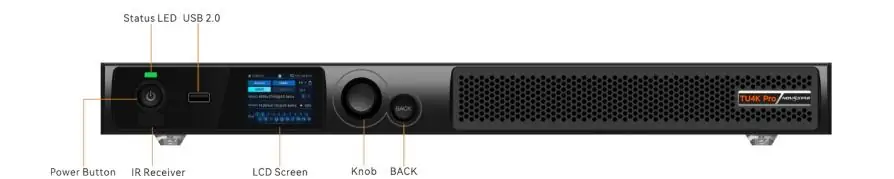
Novastar TU4K Pro is an all-in-one LED playback control processor. That mouthful means it combines three functions into one unit: a media player running Android 13, a video processor with HDMI inputs and scaling, and a 20-port LED sending card. It belongs to NovaStar’s Taurus Ultra series, which sits below the rack-mount H-Series splicers and above the entry-level Taurus units like the Novastar TU15 Pro and TU20 Pro.
Under the hood, it’s basically a capable Android box fused to an FPGA video processor. The Android side handles content playback, wireless mirroring, cloud management, and apps. The FPGA side handles real-time video scaling, color processing, HDR tone mapping, and pixel-pushing to the LED video wall with sub-frame latency. The two halves talk to each other through NovaStar’s firmware stack, and when it works, it’s seamless. When it doesn’t, you’re rebooting an Android device at the back of a rack, which is exactly as annoying as it sounds.
The core specs: quad-core A73 + quad-core A53 ARM processor at 2.2 GHz, 8 GB of RAM, 128 GB of internal storage, and a max pixel load of 13 million pixels across 20 Ethernet ports and 2 optical fiber outputs. Inputs are 2× HDMI 2.0, 1× HDMI 1.3, and 3× USB ports (one USB 3.0, two USB 2.0). Wireless is dual-band Wi-Fi with simultaneous hotspot mode plus Bluetooth 5.1. The whole thing draws about 54 watts.
2. What Novastar TU4K Pro Actually Replaces
Before Novastar TU4K Pro, if you wanted a single-box playback solution with this much pixel capacity, you were looking at the TU40 Pro. The Novastar TU40 Pro had its fans, but it also had an aging Android build, less RAM, fewer outputs, and no optical fiber option. The TU4K Pro more than doubles the pixel load (13 million vs the TU40’s 5.2 million) and adds proper HDR10/HLG processing, 8K video decode, and AI image enhancement.
If you’re coming from a two-box setup — say, a separate media player feeding into a Novastar VX series processor — the TU4K Pro eliminates the HDMI cable between those two boxes, the scaling step the VX was handling, and the separate sending card. Fewer failure points, less rack space, one power cable instead of three.
If you’re coming from a Colorlight or Linsn equivalent, the competitive gap is mostly on the software side. NovaStar’s VNNOX cloud platform and ViPlex Handy app are more polished than what Colorlight or Linsn offer for remote management. Whether that matters depends on whether you’re managing one wall or fifty.
3. TU4K Pro Technical Specs that Matter
3.1 Pixel loading and output topology
13 million pixels is the headline number, but it breaks down to 8.8 million in pixel-to-pixel mode. In practical terms, that’s a 4K wall (3840×2160 = 8.3 million pixels) with a bit of headroom, or a wider custom resolution like 8192×1080 at 60 Hz if you’re doing a ribbon or a lobby wrap. The output width can go up to 16,384 pixels, height up to 8192, with a minimum of 64 in either dimension.
The 20 Ethernet ports are split into two banks of 10, each bank tied to one of the two optical fiber ports. OPT 1 drives ports 1 through 10, OPT 2 drives ports 11 through 20. For copper-only installs, keep each port under about 650,000 pixels and the math works out fine. For long cable runs, the optical ports give you clean signal over single-mode or multi-mode fiber.

3.2 Inputs and video sources
Two HDMI 2.0 ports handle up to 4096×2160 at 60 Hz each, and there’s a forced mode that will push 8192×1080 at 60 Hz if your source and cabling cooperate. The third HDMI 1.3 port tops out at 1920×1080 but can be configured for custom resolutions up to 3840×600, which is handy for odd-shaped displays. The USB 3.0 port supports playback directly from a drive, firmware updates, and peripherals. The two USB 2.0 ports are fine for a mouse, keyboard, or a second drive.
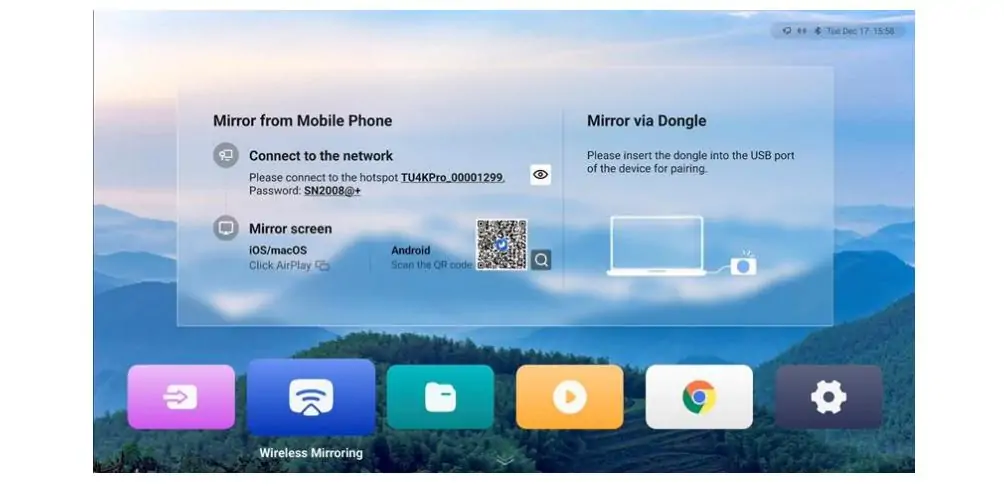
Wireless mirroring works across Windows, macOS, iOS, and Android at up to 3840×2160 at 30 Hz. In a meeting room or classroom setup where you want guests to throw content to the wall without cables, this is genuinely useful. If you’re doing live production, use the HDMI inputs. The latency on wireless mirroring is fine for slides and video playback, not for IMAG.
3.3 Video decoding horsepower
Novastar TU4K Pro can chew through a single 8K H.265 or VP9 stream at 24 to 30 fps, or up to three 4K streams simultaneously (two in firmware V1.2.0 and later), or seven 1080p streams. For a lobby display running a canned demo reel or a meeting room cycling through content, this is overkill. For a retail flagship or a museum installation where you’re running high-bitrate 4K HDR content on a loop, it’s the right amount of headroom.
3.4 Spec table
| Parameter | Novastar TU4K Pro |
|---|---|
| Max pixel load | 13 million |
| Ethernet outputs | 20× RJ45 (1 Gbps each) |
| Optical outputs | 2× 10G OPT |
| HDMI inputs | 2× HDMI 2.0 + 1× HDMI 1.3 |
| USB ports | 1× USB 3.0 + 2× USB 2.0 |
| Max decode | 8K@30fps (H.265/VP9), 4K@60fps |
| RAM / Storage | 8 GB / 128 GB |
| OS | Android 13.0 |
| HDR | HDR10, HLG, SMPTE ST 2084/2086 |
| Wireless | Dual Wi-Fi + Bluetooth 5.1 |
| Power | ~54 W |
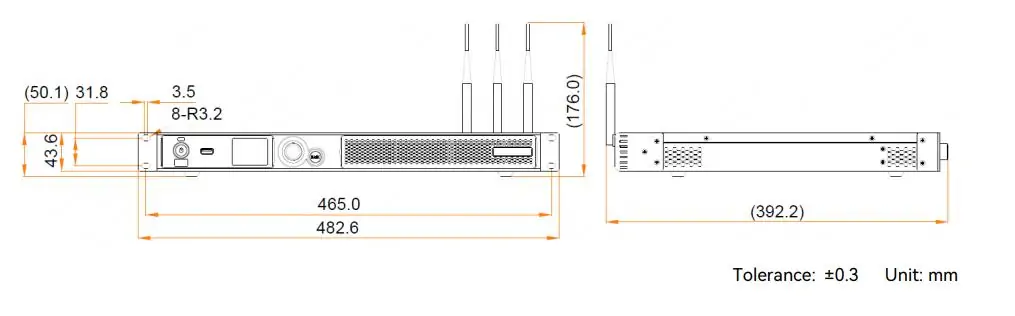
| Dimensions | 445 × 381.8 × 50.1 mm |
| Weight | 4.6 kg |
| Price | $1,800–$2,700 USD |
4. Novastar TU4K Pro Features Worth Paying Attention To
4.1 AI image enhancement
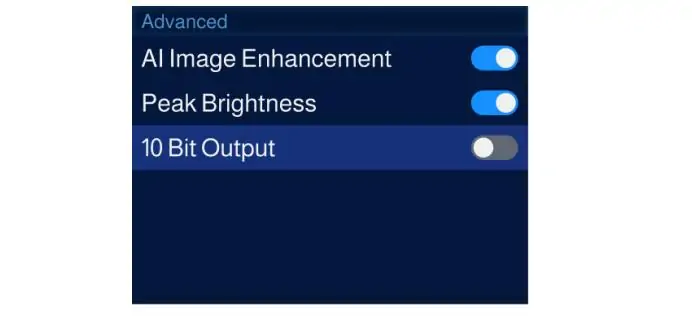
NovaStar added frame-by-frame AI processing that adjusts color, brightness, sharpness, and motion compensation in real time. In practice, this is subtle and mostly invisible, which is how it should be. It cleans up compression artifacts in streaming content, boosts perceived contrast without crushing shadows, and does a reasonable job of upscaling 1080p content to 4K LED walls. It’s not magic, and it won’t fix badly shot source material. But for corporate talking-head videos or compressed streaming feeds, it earns its place in the pipeline.
The Dynamic Engine feature requires A10s Pro or A8s Pro receiving cards, which is worth knowing before you spec the full system. If your receiving cards are older, the feature simply doesn’t activate.
4.2 Four display modes
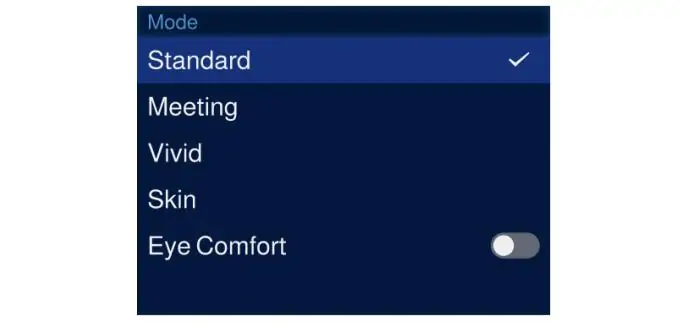
Novastar TU4K Pro ships with four preset picture modes: Standard, Meeting, Vivid, and Skin. Meeting mode flattens the gamma slightly for text readability. Vivid pushes saturation for retail and advertising content. Skin mode prioritizes natural skin tones for talking-head presentations — useful in a boardroom where the CEO is on camera and looking magenta isn’t an option.
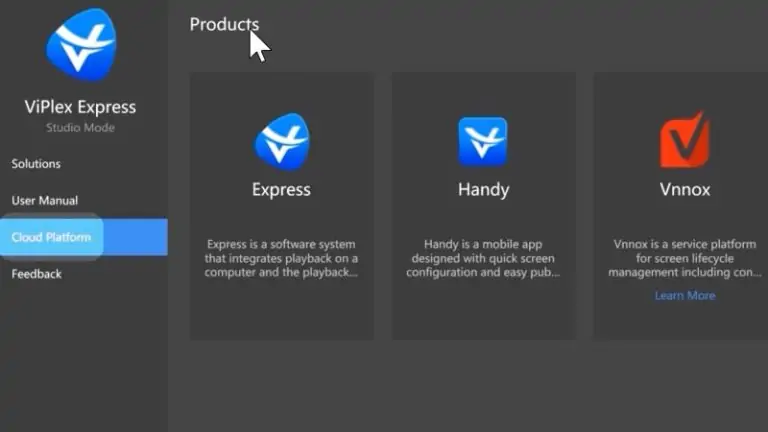
4.3 VNNOX Care and cloud management
VNNOX is NovaStar’s cloud platform for remote device management, and the TU4K Pro integrates natively. From a single dashboard, you can push content, update firmware, monitor device health, and pull diagnostics across multiple units. For an integrator managing LED walls across a chain of retail stores or a university campus, this is the feature that makes Novastar TU4K Pro worth the extra cost over a cheaper local-only processor.
5. Setup: What the First Hour Actually Looks Like
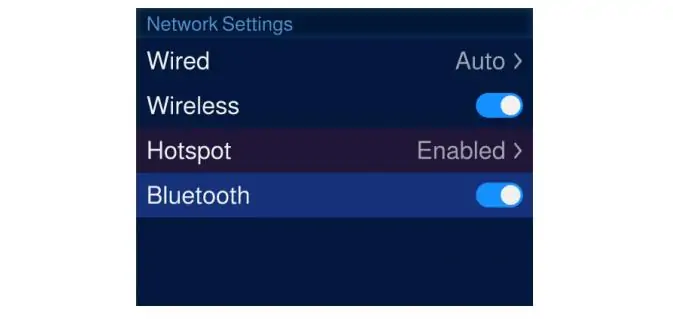
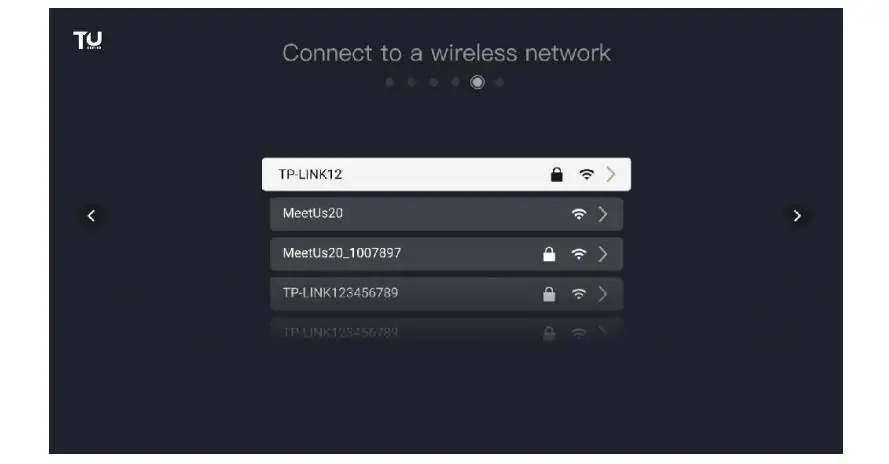
Rack or shelf-mount the unit. It’s 1.5U tall and 445 mm wide, so it fits in standard AV racks with room to spare. Connect power, plug your Ethernet cables to the LED cabinets, and connect a laptop or phone to the Novastar TU4K Pro’s Wi-Fi hotspot.
The setup wizard walks you through language selection, hotspot connection, and device naming. The remote pairs over Bluetooth — hold Menu and Home simultaneously until the pairing prompt appears. It takes about ninety seconds and it’s one of the smoother remote pairing experiences in pro AV, which admittedly is a low bar.
Screen configuration happens through the VNNOX Care app on your phone. The app scans for connected receiving cards, maps cabinet topology, and applies the configuration. For standard rectangular walls, it’s a few taps. For irregular shapes, you’ll still want NovaLCT on a laptop. The phone app can do basic topology recognition from a photo of the powered-on wall, which sounds gimmicky but actually works on walls up to a few hundred cabinets.
Content loading has four paths: USB drive (plug it in and use the built-in media player), internal storage (upload via network), wireless mirroring (good for guest presenters), or cloud publishing through VNNOX (good for scheduled content across multiple units). The media player app handles playlists, scheduling, and basic transitions. It’s not a full CMS, but it covers the basics. Click this link (TU4K Pro User Manual) to learn more detailed steps.
6. Where Novastar TU4K Pro Fits vs the Rest of the Taurus Lineup
| Model | Pixel Load | Ethernet Ports | Fiber Out | Max Decode | RAM/Storage | OS | Price (approx.) |
|---|---|---|---|---|---|---|---|
| TU15 Pro | 2.6M | 4 | No | 4K@60 | 4GB/32GB | Android 11 | $500 |
| TU20 Pro | 3.9M | 6 | No | 4K@60 | 4GB/32GB | Android 11 | $800 |
| TU4K Pro | 13M | 20 | 2× 10G | 8K@30 | 8GB/128GB | Android 13 | $1,800–$2,700 |
The TU15 Pro and TU20 Pro are fine for small meeting room displays or simple signage. The TU4K Pro is where you graduate to large 4K walls, HDR content, fiber outputs, and cloud management. If you’re installing a wall with more than 3.9 million pixels or you need optical fiber for long cable runs, the TU4K Pro is the minimum viable Taurus.
If you need more than 13 million pixels or true multi-source live switching with preview, you’re leaving the Taurus series and entering H-Series territory. Different product, different budget.
7. What’s Annoying about the TU4K Pro
The forced hotspot connection during initial setup is clumsy. You have to connect your phone or laptop to the unit’s Wi-Fi hotspot before you can do anything else, and the hotspot name is a random string until you rename the device. If you’re in a building with dozens of other Wi-Fi networks, finding the right one in the list is a small but consistent frustration.
The Android layer introduces reboot cycles that don’t exist on pure FPGA processors. If the Android side hangs, the whole unit goes down — not just the media player, but the video inputs too. In a 24/7 lobby display running a looping video from USB, this isn’t a big deal. In a live event where someone’s pulling up a presentation via HDMI, the idea that an Android app crash could take out the wall is less comfortable.
The AI features require specific receiving card models. If you’re retrofitting an existing wall with older receiving cards, you don’t get the Dynamic Engine or the full AI enhancement pipeline. The spec sheet doesn’t exactly hide this, but it’s easy to miss if you’re scanning features and not reading footnotes.
No redundant power. At 54 watts, the power supply is a small external brick, not an internal hot-swappable module. For a $2,000+ processor driving a wall that probably cost ten times that, a second PSU input would have been nice.
8. Who Should Buy Novastar TU4K Pro?
Novastar TU4K Pro makes sense when:
- You need a single-box solution for a 4K LED display screen (roughly 8 to 10 million pixels) and want to eliminate separate media players, scalers, and sending cards
- Cloud management matters — you’re managing multiple walls across locations and want centralized content pushing and monitoring
- You run content from USB or internal storage with occasional live HDMI inputs, rather than constant multi-source live switching
- The install is in a meeting room, classroom, retail space, museum, or corporate lobby where Android-based playback is a feature, not a liability
- You need wireless mirroring for guest presenters without running cables to every seat
Skip it and look at alternatives when:
- You need live multi-source switching with seamless transitions and preview — that’s H-Series territory
- The pixel count exceeds 13 million
- You need redundant power or hot-swappable input cards
- You’re doing IMAG or anything requiring deterministic sub-frame latency on live inputs
- You’re replacing a Colorlight or Linsn system and your team already knows that ecosystem
9. FAQs
10. Conclusion
Novastar TU4K Pro is the first Taurus unit that doesn’t feel like a compromise. Android 13 is snappy, 8K decode is real, and 13 million pixels covers any 4K LED wall without drama. For meeting rooms, retail, or campus lobbies where one box handling playback, scaling, and cloud management beats a rack full of separate gear, Novastar TU4K Pro is the smartest option below H-Series pricing. If you need live switching or redundant power, you’re in the wrong product line — skip to the H9.
Get the RCFGX files, spec the right receiving cards up front, and it’ll run for years.
 How to Use an LED Pixel Pitch Calculator: 5 Steps
 How to Choose and Calculate LED Display Size for Your Projects?
Related Posts
Fill In Your Needs In Detail
Fill in the screen usage scene and size you need in “Content”.You will get a quote.



