
In the evolving landscape of digital displays and professional AV solutions, Novastar TU20 Pro stands out as a revolutionary playback control processor engineered for indoor LED screens. Combining the power of an Android system with advanced sending card functionalities, this all-in-one device redefines versatility, performance, and user experience. Whether for corporate boardrooms, exhibition halls, or telemedicine setups, the TU20 Pro LED Processor delivers seamless control, stunning visuals, and effortless integration.
This article explores the key features, specifications, and applications of Novastar TU20 Pro LED Controller, offering insights into why it’s a top choice for modern display systems.
1. What Is the Novastar TU20 Pro?
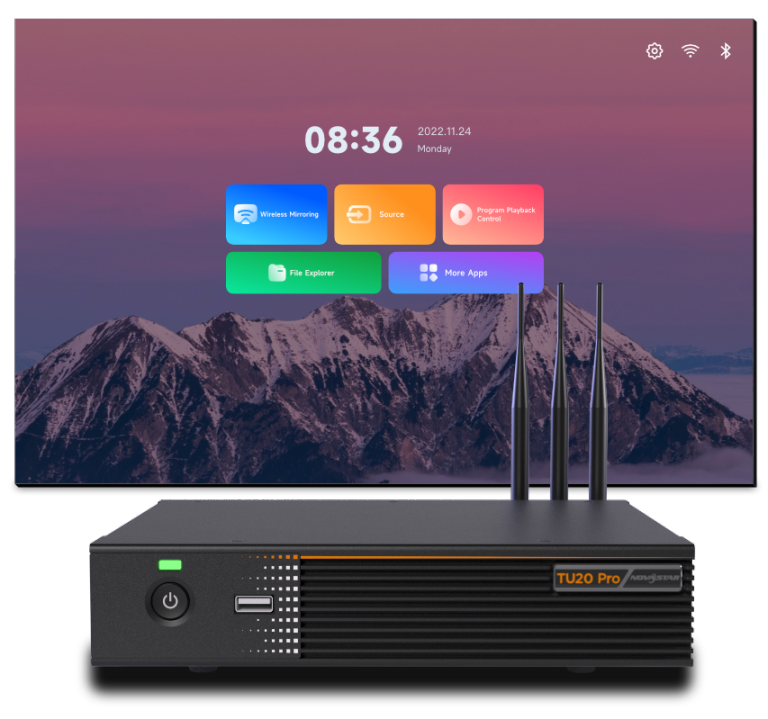
The Novastar TU20 Pro is a cutting-edge playback control processor designed specifically for indoor LED display applications. By integrating an Android 11-based operating system with sending card capabilities, it eliminates the need for external media players or complex setups. This compact yet powerful device supports third-party applications, enabling users to run popular software like Zoom, Microsoft Teams, and Tencent Meeting directly on the system.
Key highlights of the TU20 Pro LED Playback Control Processor include:
- Wireless screen mirroring from Windows, macOS, iOS, and Android devices.
- Support for up to 3.9 million pixels, ensuring crisp and vibrant visuals.
- Four customizable display modes (Standard, Meeting, Vivid, and Skin) for optimized viewing in any scenario.
- Low-latency transmission (≤80 ms for 1080p video at 60 fps), making it ideal for real-time applications.
2. Key Features of the Novastar TU20 Pro
2.1 Smart Configuration and Quick Setup
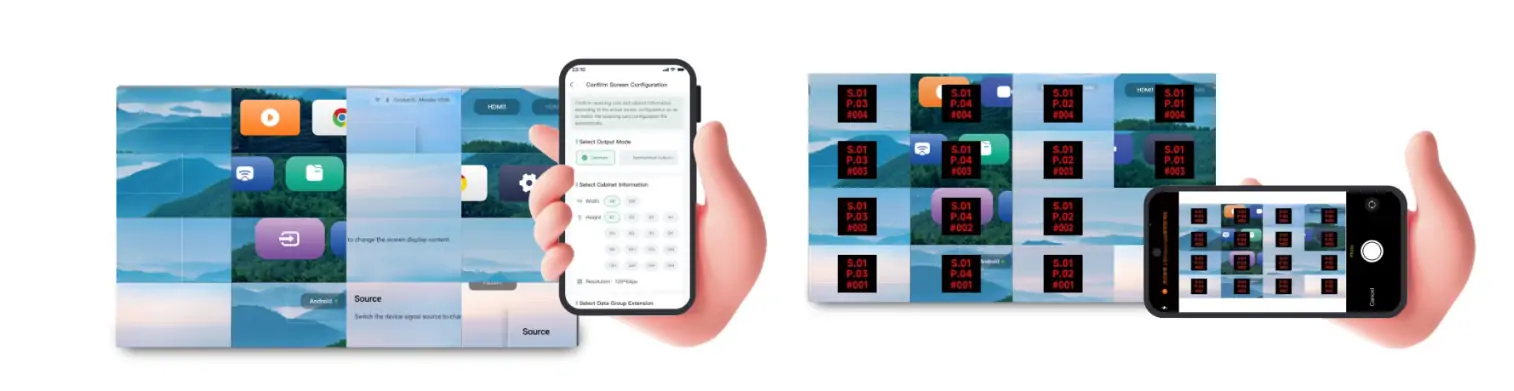
Gone are the days of tedious display configurations. With the TU20 Pro LED Processor, users can scan a QR code using the VNNOX Care app to automatically download configuration files and activate the LED screen. The innovative topology mapping feature allows screen connection in just five seconds via photo capture, while automatic brightness calibration ensures uniformity without specialized equipment.
2.2 Effortless Control and Playback
Novastar TU20 Pro offers multiple control options for unparalleled flexibility:
- Remote Control: Use the included Bluetooth voice remote for intuitive navigation and playback management.
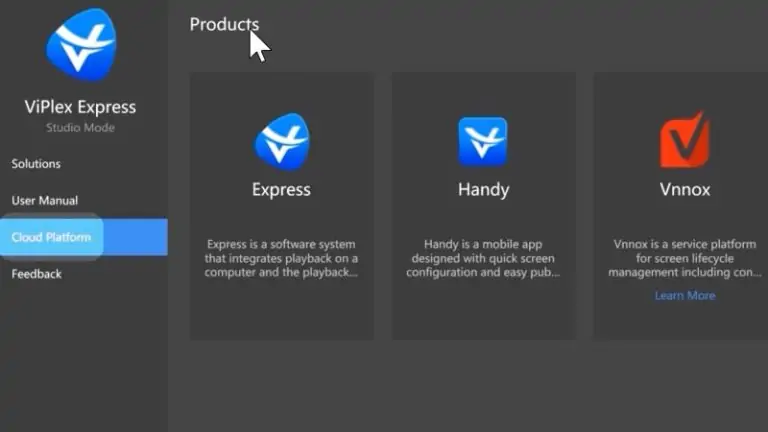
- Mobile App: The ViPlex Handy app enables program editing, publishing, and screen mirroring directly from smartphones.
- USB Playback: Plug and play supported media files from USB drives, with compatibility for 4K videos in H.265, H.264, and other standard formats.
- Cloud Management: Remotely publish programs and monitor screen status via cloud-based platforms.
2.3 Wireless Screen Mirroring
Compatible with multiple platforms, the TU20 Pro supports seamless wireless mirroring. Whether presenting documents, streaming videos, or conducting video conferences, users can cast content from their devices with minimal latency. The device also supports split-screen functionality, enabling up to nine simultaneous displays for multitasking scenarios.
2.4 Advanced Display and Audio Capabilities
Equipped with six Gigabit Ethernet outputs, the TU20 Pro LED Playback Control Processor handles resolutions ranging from 800×600 to 4096×1920 pixels. Its image enhancement technology improves contrast, detail, and color vibrancy, while the Eye Comfort Mode reduces blue light emission for prolonged viewing. On the audio front, it includes both SPDIF digital and 3.5-mm analog outputs for crystal-clear sound.
2.5 Robust Connectivity and Expandability
The Novastar TU20 Pro boasts a comprehensive I/O panel:
- Inputs: 2× HDMI 1.3, 3× USB 2.0.
- Outputs: 6× Ethernet, 1× HDMI OUT, SPDIF, and 3.5-mm audio.
- Control Ports: RS232, sensor connectors, and relay terminals for peripheral integration.
This versatility allows the device to connect to cameras, sound systems, and infrared touch frames, making it suitable for diverse environments.
3. Novastar TU20 Pro Specs at a Glance
- Processor: Quad-core 1.8 GHz ARM A55
- Memory: 4 GB RAM, 32 GB storage
- Pixel Capacity: Up to 3.9 million pixels
- Video Decoding: Supports 4K@60 fps H.265/H.264
- Operating Temperature: -20°C to +50°C
- Power Consumption: 21 W (rated)
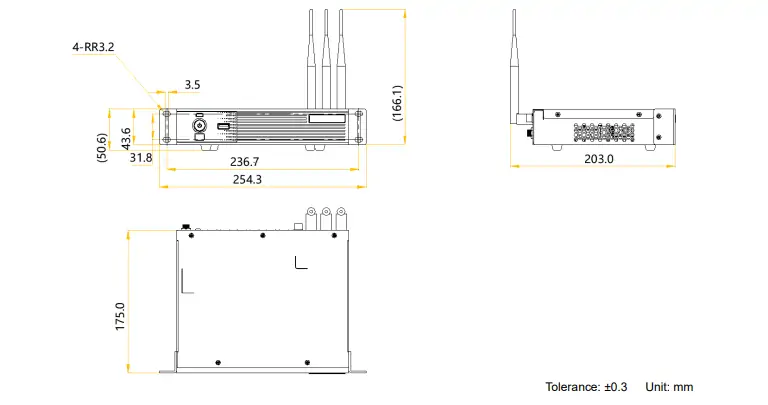
- Dimensions: 211.7 × 185.0 × 50.6 mm
For detailed Novastar TU20 Pro Specs, refer to the official specifications sheet.
4. Novastar TU20 Pro vs TU15 Pro: Which One to Choose?
While both models share core functionalities, the TU20 Pro offers enhanced capabilities:
- Ethernet Ports: The TU20 Pro includes six outputs compared to the TU15 Pro’s four, supporting higher pixel loads.
- Processing Power: With a more robust processor and expanded connectivity, the TU20 Pro is better suited for large-scale installations.
- Applications: The TU15 Pro is ideal for smaller setups, while the TU20 Pro excels in corporate and commercial environments.
5. Novastar TU20 Pro Price and Value
The Novastar TU20 Pro Price is approximately $766.7, reflecting its premium features and professional-grade performance. This investment is justified by its all-in-one design, which reduces the need for additional hardware and simplifies maintenance. For exact pricing and promotions, visit authorized distributors or the NovaStar software download portal.
6. TU20 Pro Manual Download and Resources
To get the most out of your device, access the TU20 Pro Manual Download and firmware updates from the official NovaStar website. These resources provide step-by-step guidance for installation, configuration, and troubleshooting.
7. Applications of the Novastar TU20 Pro
- Conference Rooms: Enable wireless presentations and video conferencing with optimized display modes. The TU20 Pro ensures smooth playback, clear visuals, and easy content control.
- Exhibition Halls: Showcase dynamic content with vibrant colors and seamless playback. Perfect for trade shows and events, delivering impactful visual experiences.
- Retail and Hospitality: Engage customers with high-impact digital signage. Highlight promotions, enhance brand image, and attract attention in stores, hotels, and restaurants.
- Telemedicine: Support remote consultations with clear, stable visuals and low latency. Ideal for medical training and real-time communication in telehealth applications.
8. Getting Started with the TU20 Pro
8.1 Hardware Setup
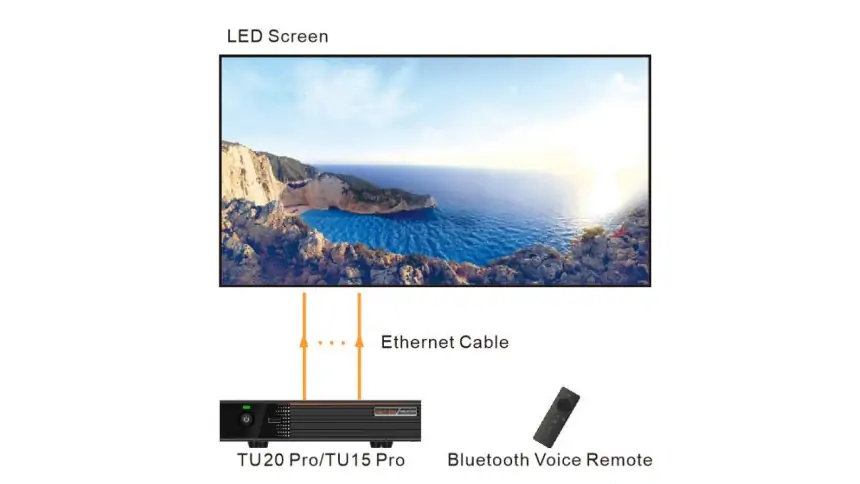
Begin by connecting Ethernet cables from your LED screen to the TU20 Pro LED Processor output ports to ensure stable data transmission. You can also attach peripherals such as cameras, microphones, and sound systems to create a complete multimedia environment for presentations or live events.
8.2 Software Installation
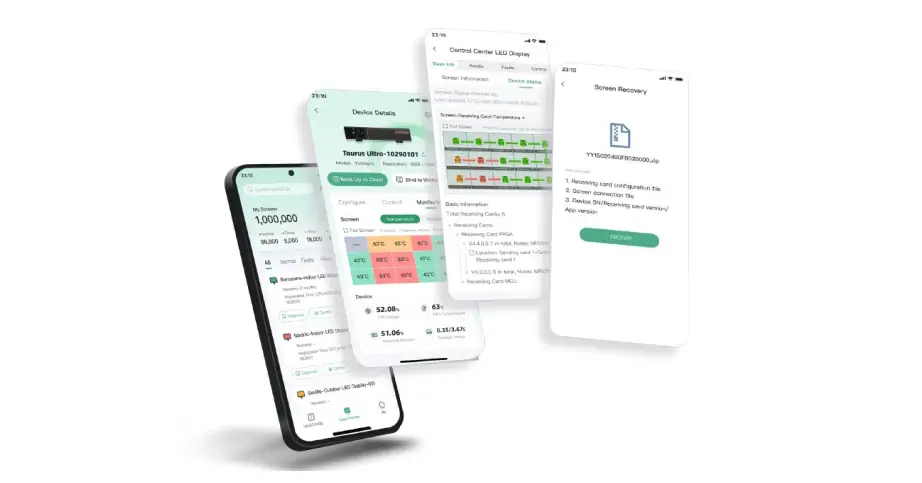
Download and install ViPlex Handy and VNNOX Care applications to unlock full wireless and cloud-based control capabilities. These tools allow you to remotely manage display content, monitor device performance, and perform real-time adjustments with ease.
8.3 Initial Configuration
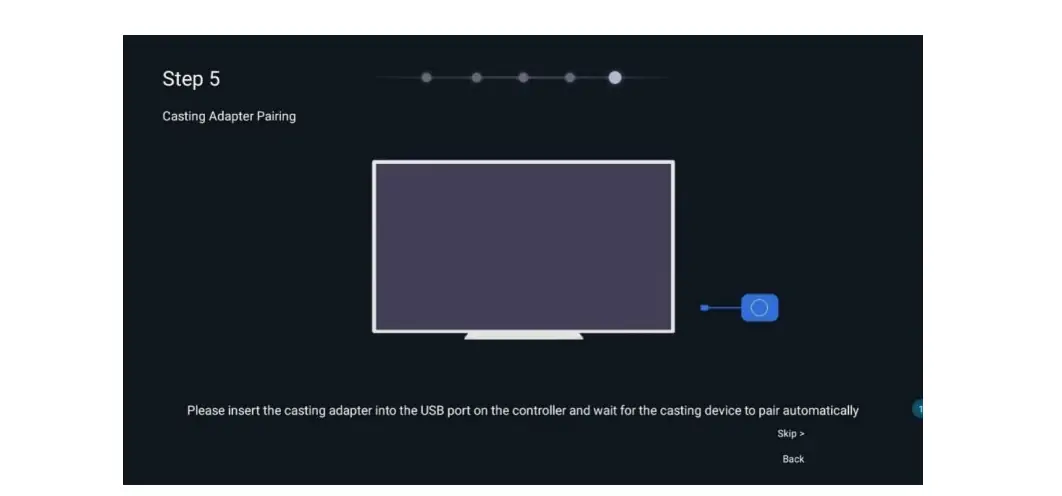
Launch the VNNOX Care app to set up screen topology, calibrate brightness, and configure resolution parameters. The Novastar TU20 Pro provides an intuitive interface, making it simple to align LED modules, manage multiple screens, and optimize visual output efficiently.
8.4 Mirroring and Playback
Once configured, you can start casting content wirelessly from your laptop or mobile device or play media directly via USB drives or internal storage. The TU20 Pro’s advanced synchronization technology ensures seamless playback, minimal latency, and high-quality visuals across all LED panels.
9. FAQs
10. Conclusion
The Novastar TU20 Pro is more than just a playback controller—it’s a comprehensive solution for modern LED display challenges. With its intelligent features, robust connectivity, and user-friendly design, it empowers businesses to deliver impactful visual experiences effortlessly. Whether you’re comparing the Novastar TU20 Pro vs TU15 Pro or exploring its specs and pricing, the TU20 Pro consistently proves to be a reliable and future-ready investment.
For manuals, firmware, and configuration files, visit the official NovaStar resource center today. Elevate your LED display management with the TU20 Pro LED Playback Control Processor.
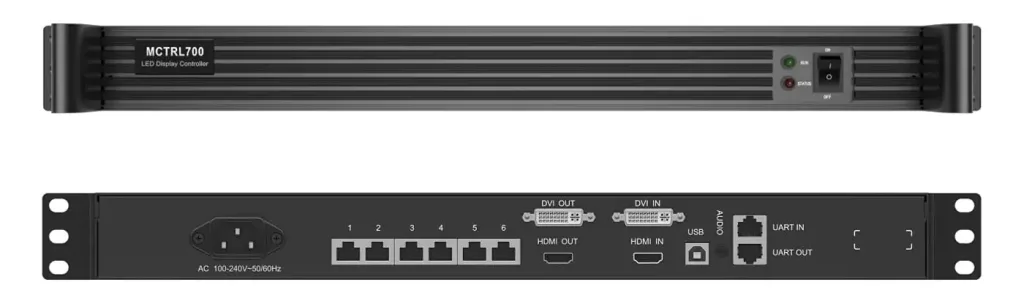 NovaStar MCTRL700 LED Controller Technical Overview
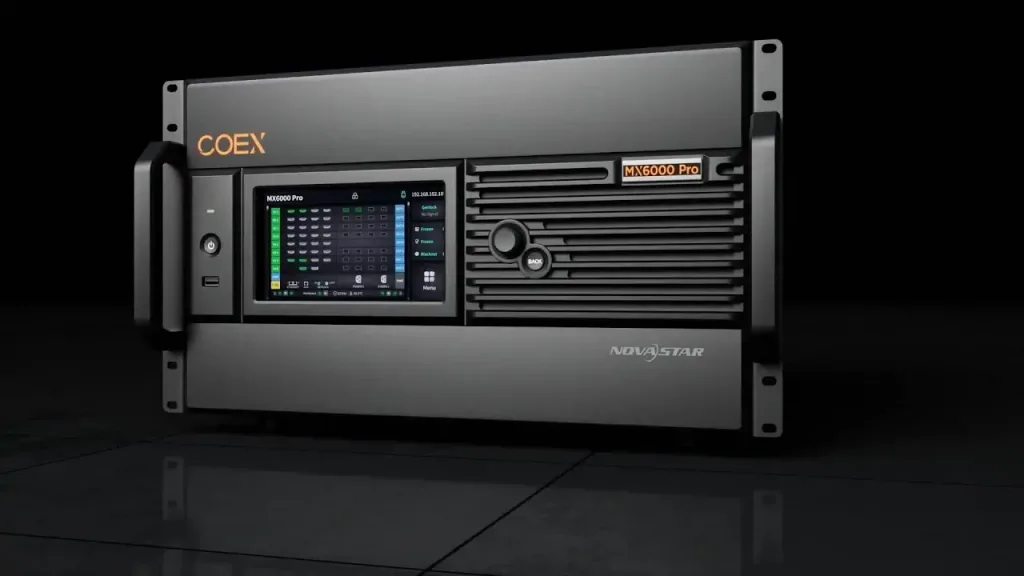 NovaStar MX6000 Pro: The 8K LED Controller Game-Changer
Related Posts
Fill In Your Needs In Detail
Fill in the screen usage scene and size you need in “Content”.You will get a quote.



