
NovaStar TU15 Pro is a cutting-edge playback control processor specifically designed for indoor LED screens, offering a powerful, all-in-one solution for display management. Combining advanced features like wireless screen mirroring, seamless playback control, and robust system integration, the TU15 Pro is perfect for a wide range of professional environments, including corporate exhibition halls, educational institutions, hotel lobbies, and telemedicine consultations.
1. What Is the Novastar TU15 Pro?
The Novastar TU15 Pro is an advanced LED playback control processor developed by Xi’an NovaStar Tech Co., Ltd. specifically for indoor LED screen applications. This innovative device integrates the Android operating system and sending card functionality into a single unit, eliminating the need for multiple components while delivering exceptional performance.
Unlike traditional LED control systems, the TU15 Pro allows third-party applications to run directly on the device, providing users with powerful interaction capabilities and versatile playback control options. The system supports wireless screen mirroring from various platforms including Windows, macOS, iOS, and Android devices, making it highly adaptable for diverse environments.
One of the standout features of the TU15 Pro NovaStar is its ability to deliver high-quality display management without requiring any complex installation or adjustments to the existing screen structure. This makes setup quick and straightforward, whether you’re mounting it on a wall or placing it on a surface. The device is widely used in corporate exhibition halls, meeting rooms, government and corporate educational halls, hotel lobbies, telemedicine consultation centers, and other single-screen LED applications.
2. Key Features of Novastar TU15 Pro LED Processor
The Novastar TU15 Pro LED Processor offers an impressive array of features that make it a top choice for professional LED display management:
2.1 Wireless Screen Mirroring
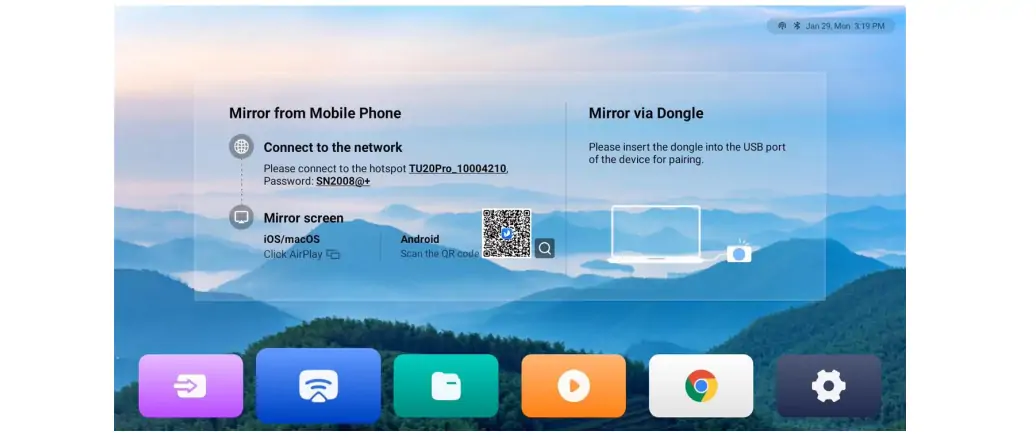
The TU15 Pro supports seamless wireless screen mirroring from multiple platforms. For standard 1080p video, the mirroring transmission reaches up to 60 fps with system latency of less than or equal to 80 ms at 8 meters. This makes it ideal for presentations, meetings, and collaborative work environments.
2.2 Four Specialized Display Modes
To optimize viewing experiences across different scenarios, the TU15 Pro offers four distinct display modes:
- Standard Mode: Ideal for general content viewing
- Meeting Mode: Optimized for document presentations with enhanced readability
- Vivid Mode: Delivers vibrant colors for video and image playback
- Skin Mode: Ensures accurate and natural skin tones for video conferencing
2.3 Android-Based Interface
Running on Android 11, the TU15 Pro provides a familiar desktop UI system that supports third-party applications. This opens up endless possibilities for customization and extended functionality tailored to specific business needs.
2.4 Advanced Control Options
The Novastar TU15 Pro LED Media Player offers multiple control methods:
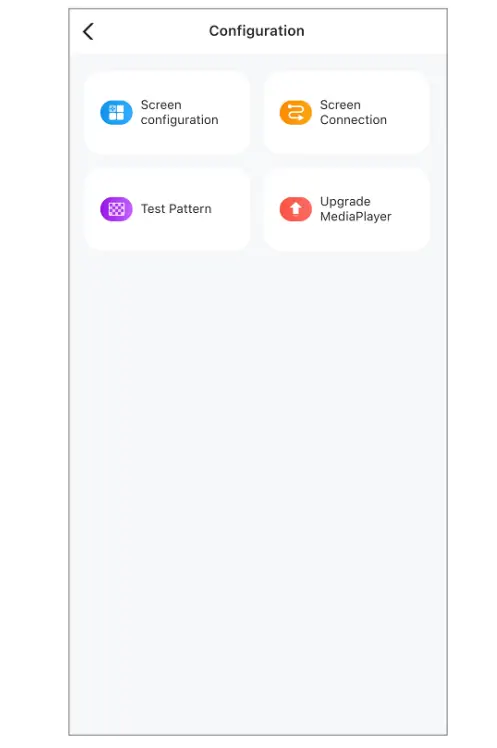
- Mobile App Control: Use ViPlex Handy or VNNOX Care apps for program editing, publishing, and screen management
- Remote Control: Included Bluetooth voice remote for convenient operation
- USB Playback: Plug-and-play functionality for local media playback
2.5 Image Quality Enhancement
The processor improves display quality through three key dimensions:
- Enhanced image contrast for richer gradation
- Sharper edge details for improved clarity
- Vibrant color reproduction for more vivid visuals
2.6 Eye Comfort Mode
An essential feature for extended viewing sessions, the Eye Comfort Mode reduces eye strain by applying a subtle yellowish tint to the display.
2.7 Screen Drawing and Commenting
The TU15 Pro allows users to draw directly on the screen and add comments, making it perfect for interactive presentations, brainstorming sessions, and collaborative work.
3. Technical Specifications of TU15 Pro
Understanding the technical capabilities of the Novastar TU15 Pro is crucial for determining if it meets your specific requirements. Below is a comprehensive specifications chart:
| Category | Parameter | Value |
|---|---|---|
| Electrical Specifications | Input Voltage | DC 12V 3A, Negative Outside Positive Inside |
| Rated Power Consumption | 21 W | |
| Storage Space | RAM | 4 GB |
| Internal Storage | 32 GB | |
| Operating Environment | Temperature | -20°C to +50°C |
| Humidity | 0% RH to 80% RH, non-condensing | |
| Storage Environment | Temperature | -20°C to +70°C |
| Humidity | 0% RH to 95% RH, non-condensing | |
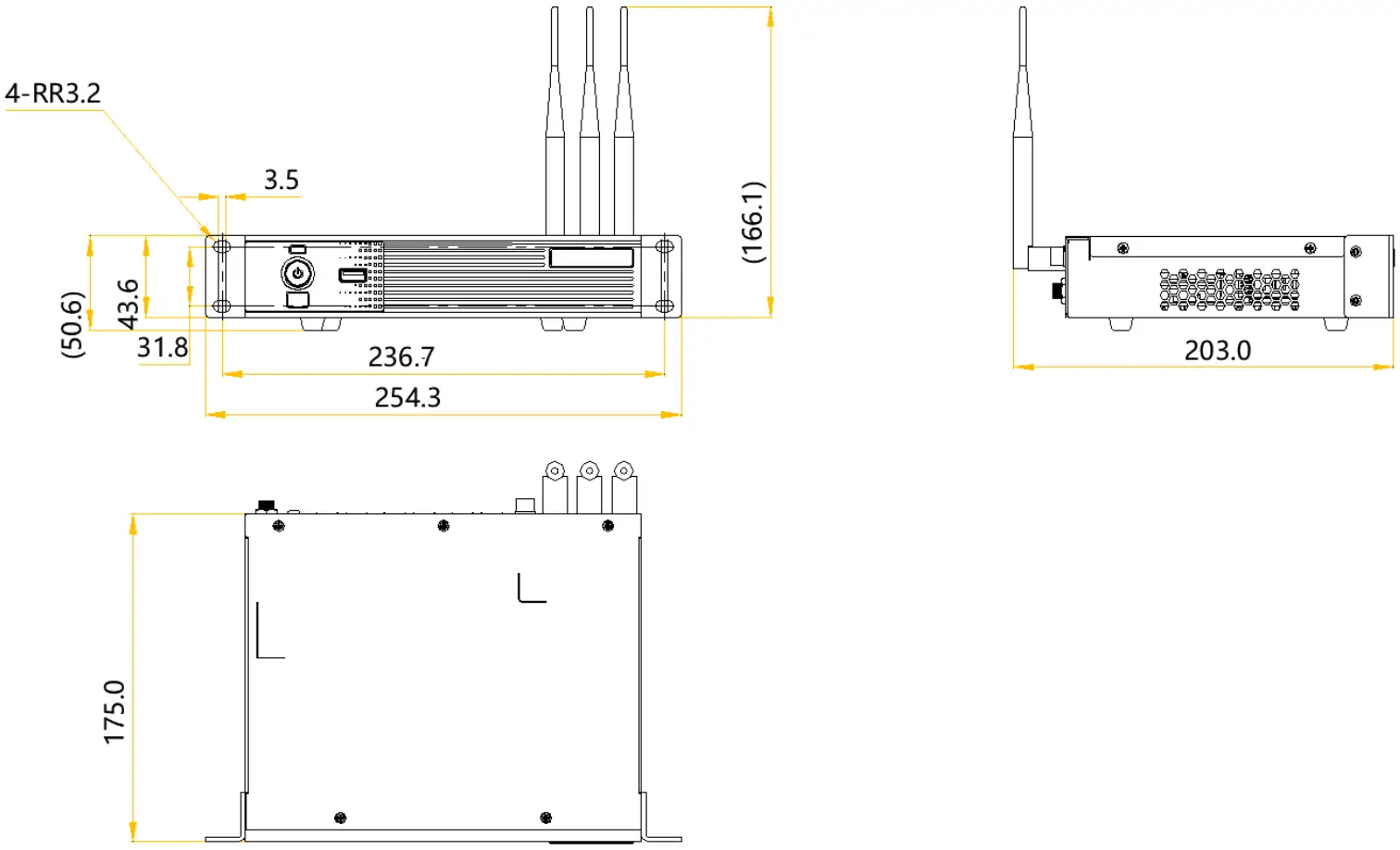
| Physical Specifications | Dimensions | 211.7 mm × 185.0 mm × 50.6 mm |
| Net Weight | 1.12 kg | |
| Gross Weight | 2.9 kg | |
| Inputs | HDMI | 2x HDMI 1.3 (Type A) |
| USB | 3x USB 2.0 | |
| Outputs | Ethernet | 4x RJ45 (1Gbps), capacity up to 2.6 million pixels |
| Audio | 1x SPDIF digital audio output, 1x 3.5-mm audio output | |
| HDMI OUT | Support output of standard 1080p videos | |
| Image Scaling | Width Range | 64 to 4096 pixels |
| Height Range | 64 to 1920 pixels | |
| Total Capacity | ≤ 2.6 million pixels | |
| Processing Power | Processor | Quad-core 1.8 GHz ARM A55 |
| Video Decoding | H.264 and H.265 at 4K@60Hz | |
| Connectivity | Wi-Fi | Dual Wi-Fi modes (2T2R and 1T1R) |
| Bluetooth | Bluetooth 5.1 | |
| Ethernet Control | Gigabit Ethernet with TCP/IP protocol support |
The TU15 Pro Specifications also include support for various media formats:
- Image Formats: JPG, JPEG, BMP, GIF, PNG, WEBP (16×16 to 4096×2160 pixels)
- Video Formats: Supports multiple codecs including H.264, H.265, MPEG-1/2/4, VP8/9 with resolutions up to 4096×2304 pixels
4. Novastar TU15 Pro vs TU20 Pro LED Media Player
When considering NovaStar products, many professionals wonder about the differences between the TU15 Pro and TU20 Pro models. Here’s a detailed comparison:
4.1 Capacity and Outputs
- TU15 Pro: Supports up to 2.6 million pixels with 4 Ethernet outputs
- TU20 Pro: Handles up to 3.9 million pixels with 6 Ethernet outputs
4.2 Physical Design
- TU15 Pro: Compact design (211.7 × 185.0 × 50.6 mm), ideal for smaller installations
- TU20 Pro: Slightly larger unit to accommodate additional ports and higher processing demands
4.3 Target Applications
- TU15 Pro: Best suited for single-screen applications in medium-sized venues like conference rooms, hotel lobbies, and educational halls
- TU20 Pro: Designed for larger installations requiring more pixel capacity, such as large exhibition halls or multi-screen setups
4.4 Price Point
- TU15 Pro: More economical option while still delivering professional-grade features
- TU20 Pro: Higher price point reflecting its increased capacity and capabilities
Both models share the same Android 11-based interface, wireless mirroring capabilities, and four display modes. The choice between them ultimately depends on your specific pixel requirements and budget considerations.
5. Novastar TU15 Pro Price
The Novastar TU15 Pro offers exceptional value for its capabilities, with a competitive price point of approximately $500. This represents a significant cost savings compared to purchasing separate components that would provide similar functionality.
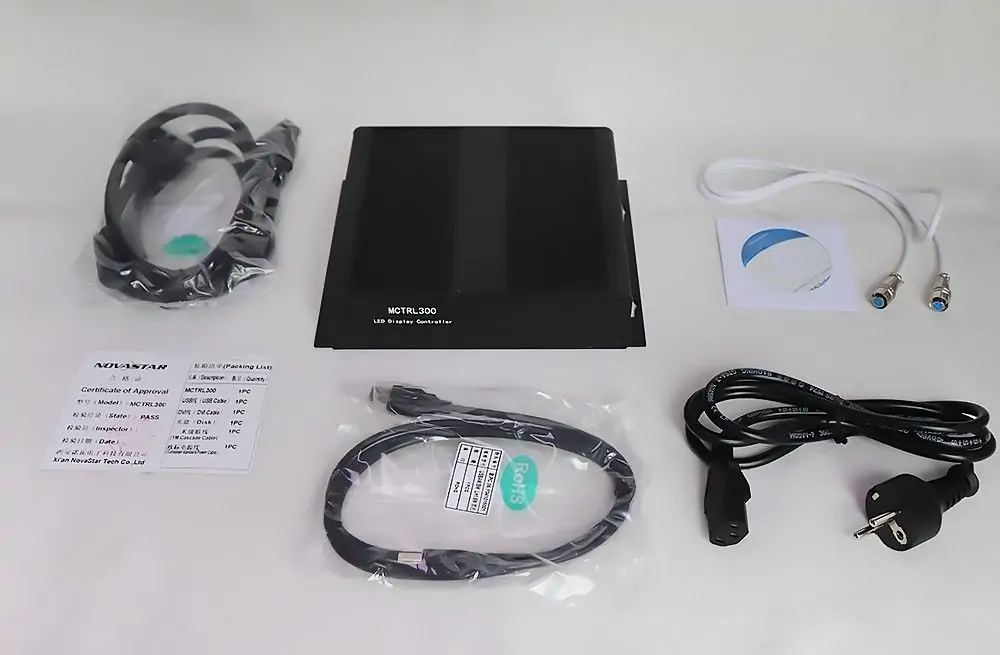
When evaluating the Novastar TU15 Pro Price, consider the comprehensive package it includes:
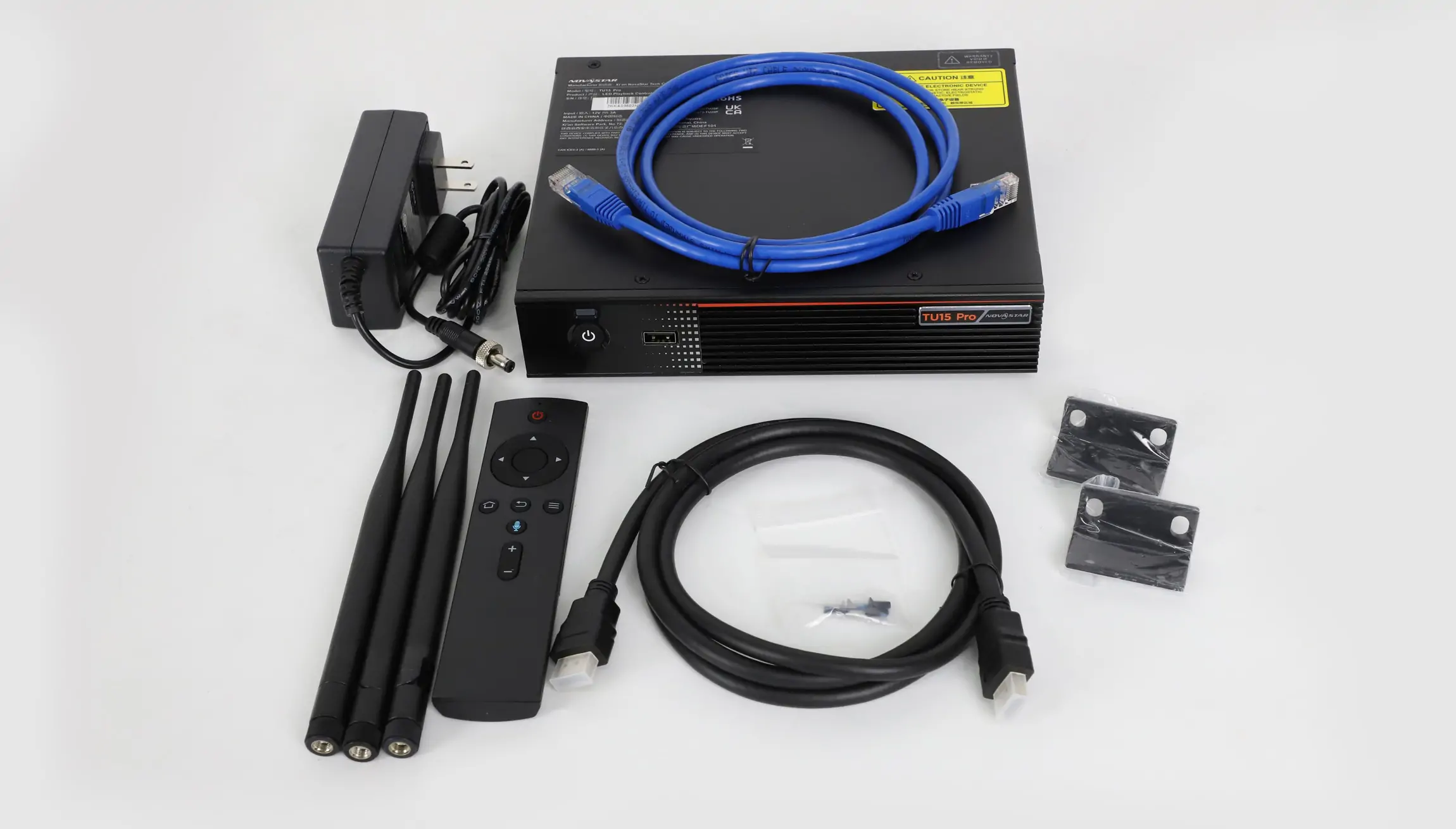
- TU15 Pro unit
- Power adapter
- Bluetooth voice remote
- Ethernet cable
- HDMI cable
- 3 antennas
- 2 hanging brackets
- Certificate of Approval
For the most accurate and up-to-date pricing information, we recommend checking with authorized NovaStar dealers or visiting the official NovaStar website. Many dealers offer volume discounts for multiple unit purchases, making the TU15 Pro an even more attractive option for organizations deploying multiple LED displays.
6. TU15 Pro Resources and Downloads
To maximize your experience with the Novastar TU15 Pro, several valuable resources are available:
- Novastar TU15 Pro User Manual: Comprehensive guide covering all aspects of setup, operation, and troubleshooting
- TU15 Pro Specifications PDF: Detailed technical documentation for system integrators and technicians
- Firmware Updates: Regular updates to enhance performance and add new features
- ViPlex Handy App: Mobile application for remote control and management
- VNNOX Care App: Advanced configuration and monitoring tool
These resources can be downloaded from the official NovaStar website or through authorized dealer portals. The Novastar TU15 Pro User Manual is particularly valuable for new users, providing step-by-step instructions for everything from initial setup to advanced customization.
7. FAQs
8. Conclusion
Novastar TU15 Pro marks a major leap in LED display control, combining Android functionality with professional-grade processing for unmatched power, versatility, and ease of use. Designed for efficient display management, it offers exceptional performance and value for indoor LED applications, from corporate presentations to digital signage and interactive learning environments.
With its wireless control, advanced image enhancement, and multiple configuration options, the TU15 Pro is a smart, future-proof investment for any LED display setup. It delivers the flexibility and reliability modern businesses need to elevate visual communication. Download the Novastar TU15 Pro User Manual today to unlock its full potential.
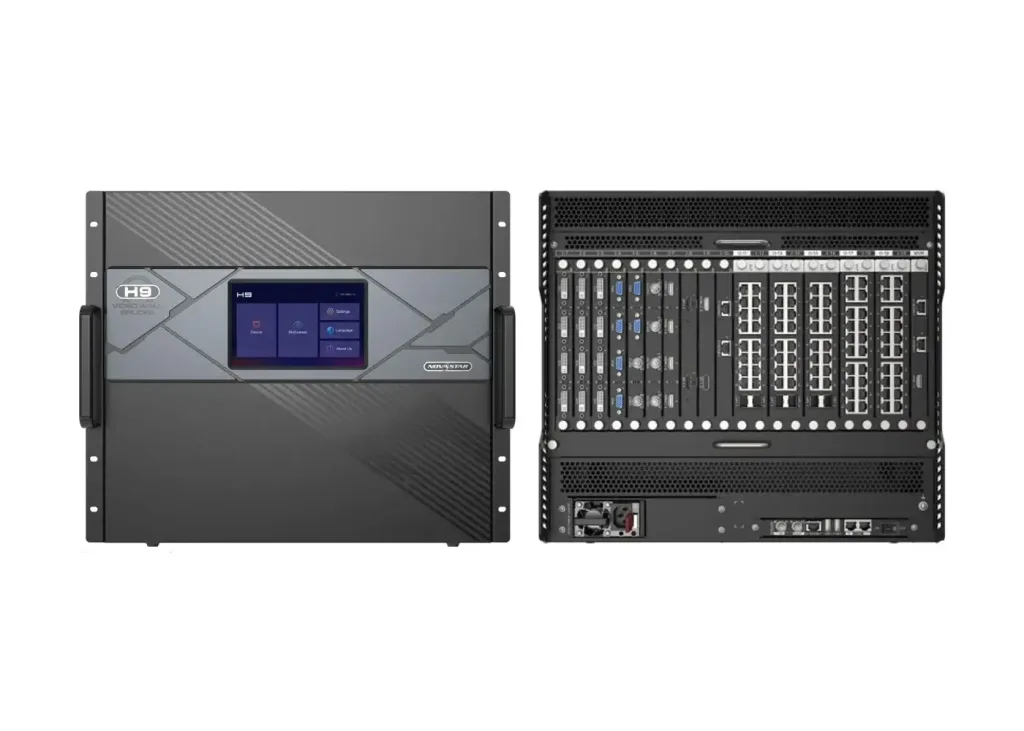 Novastar H9 LED Controller: Ultimate All-in-One Splicing Solution
 Novastar TB40 LED Controller: Smart Display Control Power
Related Posts
Fill In Your Needs In Detail
Fill in the screen usage scene and size you need in “Content”.You will get a quote.



