To clean an LED screen safely, switch it off and let it cool, remove loose dust with a soft brush or gentle air, then wipe the surface with a clean, dry microfiber cloth using light strokes. Only if the manufacturer allows it, dampen the cloth (never the screen) with an approved cleaner, keep liquid away from seams, edges and connectors, and let the face dry fully before switching back on. Never use window cleaner, acetone, strong alcohol, paper towels, abrasive pads or a pressure washer.
This guide is written for venue technicians, AV managers and rental crews who look after LED video walls between service visits. It covers what you need, the step-by-step method, how the routine changes for SMD, GOB and COB modules and for outdoor screens, how often to clean, and the mistakes that cause damage that cleaning was meant to prevent.
The method follows the cleaning guidance EagerLED gives its customers; the instructions for your specific model always take priority.
1. How Do You Clean an LED Screen Safely?
You clean an LED screen safely by working from the gentlest method to the strongest one and stopping as soon as the surface is clean. Most dust on an indoor wall comes off with a dry cloth, so liquid is the last step, not the first.

01. Power off, isolate and let it cool
Switch the screen off through its normal shutdown sequence and isolate the power before anyone touches the face. A dark screen also makes dust, fingerprints and residue easier to see in reflected light. Give the modules time to cool, because a warm surface dries cleaner too fast and leaves streaks.
02. Inspect before you wipe
Walk the wall with a torch held at a low angle. Note any loose masks, damaged LEDs, gaps between modules or areas that looked like dead pixels while the screen was running. Some of those “dead pixels” turn out to be dirt, which our guide to black spots on an LED screen explains how to tell apart from hardware faults.
03. Remove loose dust without contact
Use a soft, clean brush or gentle low-pressure air to lift loose dust before any cloth touches the surface. Wiping straight away drags grit across the LEDs and masks. Work from the top down.
04. Wipe gently with a dry microfiber cloth
Wipe the surface gently with a clean, dry microfiber cloth, using light strokes in one direction along the rows of LEDs. Do not press or scrub: on SMD modules the LEDs stand proud of the mask, and side pressure can knock them off the board. Fold the cloth to a fresh face often, and replace it when it looks grey.
05. Use a damp cloth only if the manufacturer permits it
If marks remain and the manufacturer permits a damp cloth, apply a small amount of approved cleaner to the cloth, never directly to the screen. Wring it until it is barely damp, keep liquid away from edges, seams, ports and cable entries, and follow it with a dry cloth.
06. Dry, power on and check
Let the face dry completely before restoring power. Then run a full-white and a full-black test pattern and look for dead pixels, dark modules or color patches that were not there before.
2. What Do You Need Before You Start?
You need very little to clean an LED screen, and most of the risk comes from improvised substitutes. Keep a dedicated kit with the screen so nobody reaches for the window cleaner under the sink.
| Task | Use | Avoid |
|---|---|---|
| Loose dust | Soft, clean brush; gentle low-pressure air | Stiff brushes, high-pressure air close to the face |
| Routine wipe | Clean, dry microfiber cloth | Paper towels, tissues, rags with seams or buttons |
| Stubborn marks | Barely damp microfiber cloth with a cleaner the manufacturer approves | Window cleaner, acetone, concentrated alcohol, solvents |
| Applying liquid | On the cloth only | Spraying the screen; any liquid near seams, edges or connectors |
| Access at height | Stable platform or lift and a second person | Leaning on the screen face or standing on cabinets |
| Safety | Power isolation, gloves for handling modules | Removing or replacing modules while the screen is energized |
3. Does the Module Type Change How You Clean an LED Screen?
Yes. The way the LEDs are packaged decides how much contact the surface can take, so check which type you have before you clean an LED screen for the first time.
01. SMD modules: the most delicate surface
On standard SMD modules each LED is a small package soldered on top of the board, with a plastic mask around it. This is the surface most easily damaged by pressure or a snagging cloth, so dust removal without contact and light, one-direction wiping matter most here.
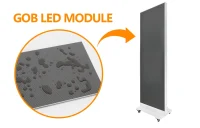
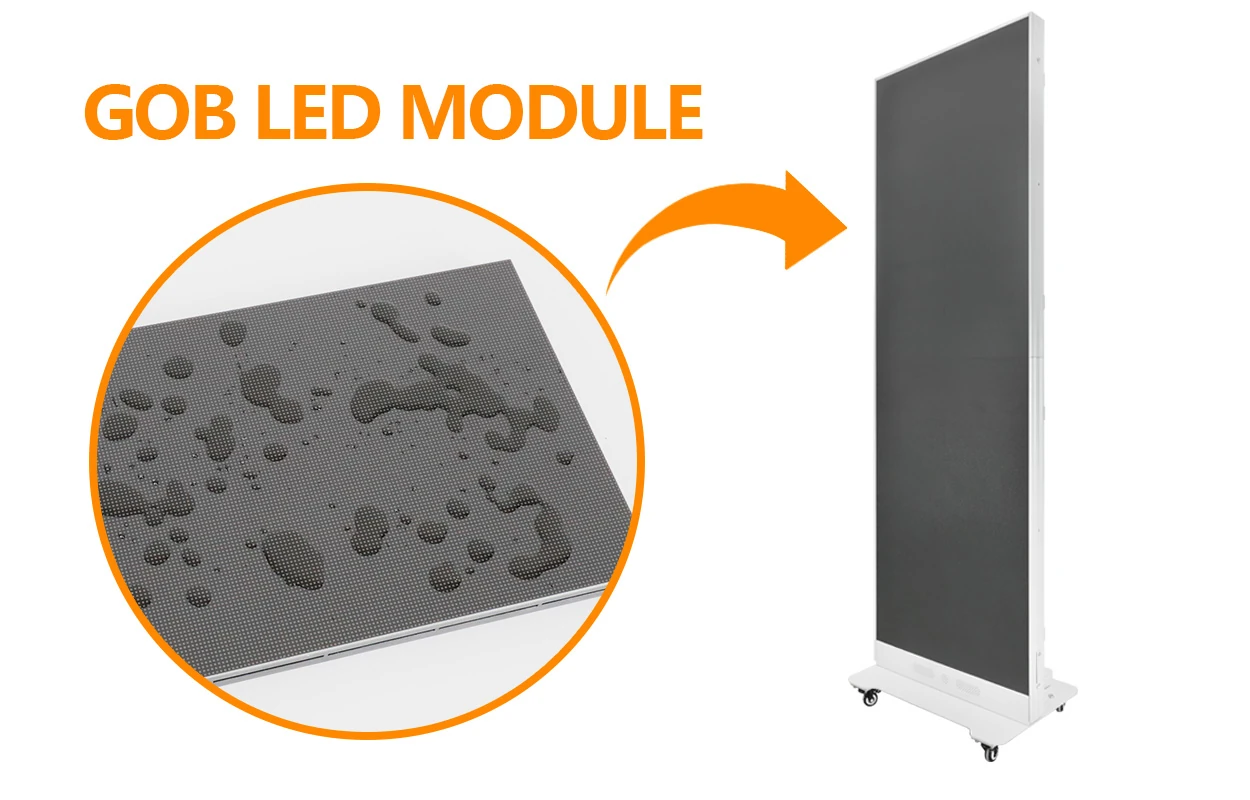
02. GOB modules: a protective layer, not armor
GOB (glue on board) modules have a clear coating over the LEDs that protects them from dust, moisture and scratches. The coating tolerates a dry wipe better than bare SMD, but it can still be marked by abrasive cloths or attacked by solvents. Treat it as a protective layer, not as permission to scrub.
03. COB modules: continuous, smoother surface
COB (chip on board) modules encapsulate the chips in one continuous surface, which reduces damage from accidental knocks and cleaning contact. The flat face is easier to wipe evenly, but the same rules on cleaners and liquid apply. Our comparison of COB vs GOB LED packaging covers how each surface behaves in use.
Whatever the type, ask your supplier to demonstrate cleaning on the actual model during handover and to train the people who will do it.
4. How Do You Clean an Outdoor LED Screen?
You clean an outdoor LED screen with the same gentle method, at a time when it is cool and dry, and never with a pressure washer. Outdoor screens collect more dust, pollen and pollution film, so they need cleaning more often, but their seals are still not designed for direct high-pressure water.
An IP rating describes how a cabinet performed in a specific test, not a cleaning method. IP65, for example, is tested with low-pressure water jets under IEC 60529; a pressure washer at close range is far harsher. A display marked “water resistant” is not automatically suitable for rain, wash-down or immersion, so read the rating as protection against weather, not as an invitation to hose the screen.
Schedule outdoor cleaning for early morning or evening, not in full sun, so the face is cool and cleaner does not dry in streaks. After any service on an outdoor screen, check that gaskets are seated and cable glands are tight before restoring power. If modules or cabinets were opened, the lockout and inspection steps in our guide to front service vs rear service LED displays apply as well.
5. How Often Should You Clean an LED Screen?
How often you clean an LED screen depends on how much dust reaches it and how close viewers stand, so set the interval by inspection rather than by a fixed calendar. As a starting point, inspect monthly and clean when dust is visible on the dark screen; then adjust.
- Indoor fixed screens in lobbies, control rooms and churches usually need only an occasional dry wipe, more often near doors, kitchens or air vents.
- Rental screens should be inspected after every show and cleaned before they go back into cases, because haze, confetti and handling marks build up quickly.
- Outdoor screens need the most frequent attention, especially near roads, construction or the coast.
- Fine-pitch screens viewed from close up show dust and fingerprints sooner, so they justify shorter intervals.
Rear dust matters as much as the face. Clogged vents and filters raise internal temperatures, which shortens the life of power supplies and LEDs, as explained in our guide to LED screen lifespan. Add vent and filter checks to the same routine.
6. Which Cleaning Mistakes Damage an LED Screen?
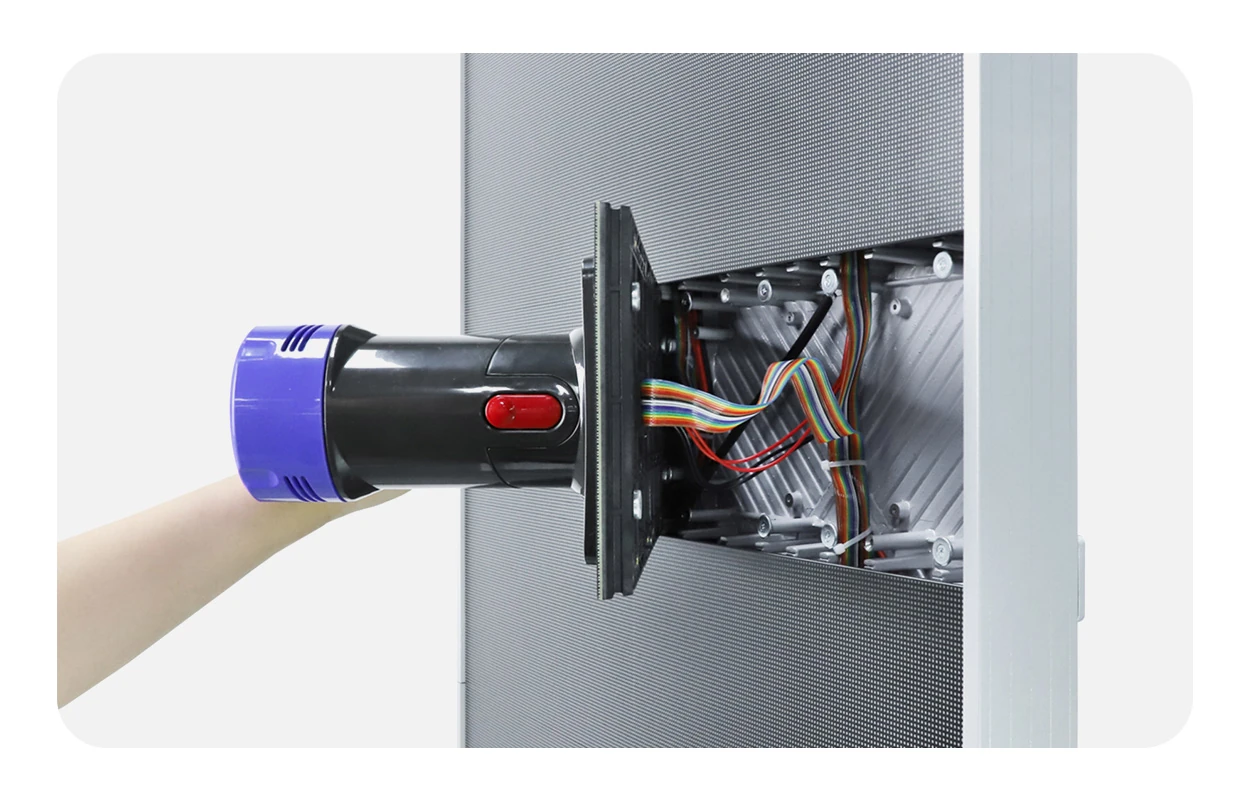
Most cleaning damage comes from a few repeated mistakes, all of which are easy to prevent with a written routine:
- Spraying liquid on the screen. It runs into seams between modules and onto connectors, causing corrosion and dark modules later.
- Using household cleaners. Window cleaner, acetone and concentrated alcohol can cloud masks, attack coatings and leave residue.
- Scrubbing or pressing. Side pressure knocks SMD LEDs off the board and shows up as dead pixels after power-on.
- Paper towels and abrasive pads. They scratch masks and coatings and leave fibers in the gaps.
- Cleaning while energized. Do not clean a live screen, and never remove or replace modules while it is energized.
- Pressure washing outdoor screens. High-pressure water can force its way past seals that were never designed for it.
Frequently Asked Questions
Can I use isopropyl alcohol to clean an LED screen?
Only if the manufacturer of your screen approves it, and then only diluted as they specify and applied to the cloth, never sprayed on the face. Concentrated alcohol can cloud plastic masks and attack some coatings, so a dry microfiber cloth is the first choice.
Should the LED screen be switched off for cleaning?
Yes. Switch it off and isolate the power before cleaning. It is safer, the cool surface does not streak, and dust and residue are easier to see on a dark screen.
Can cleaning cause dead pixels?
It can, if someone presses or scrubs SMD modules hard enough to dislodge LEDs, or lets liquid into the seams. Gentle, one-direction wiping with a dry cloth avoids this. Some apparent dead pixels are only dirt, which a careful clean removes.
Can I hose down an outdoor LED screen?
Not with a pressure washer. Outdoor cabinets are sealed against weather, not against high-pressure water at close range. Use the same gentle dry or barely damp method and check gaskets and cable glands afterwards.
Who should clean a large LED video wall?
Trained staff following the manufacturer’s instructions, with safe access equipment. For walls at height, inside venues with rigging, or when modules need to be removed, use a qualified technician or the supplier’s service team.
Plan Maintenance Before You Buy
The easiest screen to look after is one chosen with maintenance in mind. When you request a quote, tell us where the screen will be installed, how dusty or exposed the site is and who will maintain it, and ask for the cleaning instructions, service access and spare-parts list for the exact model. EagerLED can then recommend SMD, GOB or COB modules and a service layout that suit your site, and show your team how to clean an LED screen from our range during handover. Send your project details to get started.
 LED Display Manufacturing Process: How LED Screens Are Made
 Common Cathode LED Display vs Common Anode: A Buyer's Guide
Related Posts

Fill In Your Needs In Detail
Fill in the screen usage scene and size you need in “Content”.You will get a quote.