Cinema LED resolution is the number of addressable pixels across and down a direct-view LED screen. However, pixel count alone does not tell buyers how detailed a movie will look from the front row—or whether a proposed display is suitable for commercial cinema exhibition. Screen dimensions, pixel pitch, viewing distance, source content, and image processing all influence the result.
For LED display buyers, distributors, AV integrators, and project contractors, these relationships have practical consequences. A screen advertised as “4K compatible” may accept a 4K input while displaying fewer physical pixels. A finer pixel pitch may improve close-range viewing, but it also changes the display’s pixel load, processing requirements, and project cost.
The right specification starts with the auditorium and its intended use. Commercial theatrical exhibition, private screening rooms, and multipurpose entertainment venues have different content workflows and acceptance requirements. This guide explains how to calculate cinema LED resolution, evaluate seating distances, compare technologies, and prepare a more useful supplier brief.
1. What Is Cinema LED Resolution?
A direct-view cinema LED screen forms images using light-emitting pixels distributed across modules and cabinets. Unlike projection, it does not rely on a separate projector to illuminate a reflective screen.
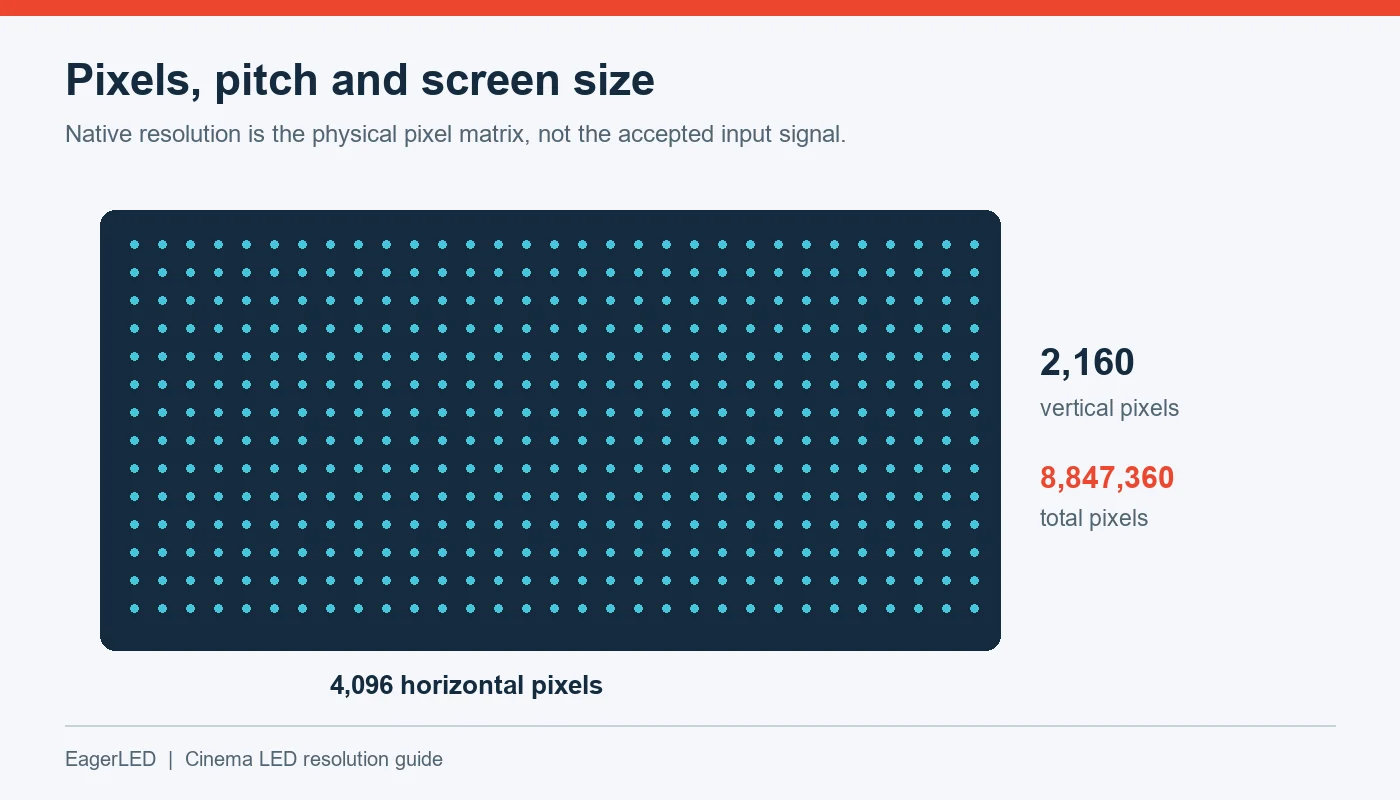
Cinema LED resolution describes the complete physical pixel matrix. A display with 4,096 horizontal pixels and 2,160 vertical pixels contains 8,847,360 pixels. Its physical width depends on the distance between those pixels.
Three specifications need to be separated when comparing proposals:
| Specification | What it describes | What buyers should request |
|---|---|---|
| Native resolution | Physical addressable pixels across the assembled screen | Exact horizontal × vertical pixel count |
| Input resolution | Signal formats accepted by the processing system | Supported formats at the required frame rates |
| Content resolution | Pixel dimensions of the original picture | Delivery format and active image dimensions |
| Pixel pitch | Center-to-center spacing between adjacent pixels | Exact spacing in millimeters |
| Active image area | Screen region used for a particular picture format | Mapping, scaling, cropping, and unused pixels |
A processor’s ability to receive a high-resolution signal does not increase the physical resolution of the LED wall. Likewise, displaying a lower-resolution movie on a higher-resolution screen does not restore detail absent from the source.
01. Native resolution and perceived detail
Cinema LED resolution establishes the available sampling grid, but perceived detail depends on the whole image chain. Poor scaling, excessive sharpening, compression artifacts, or inaccurate mapping can undermine an otherwise capable display.
Buyers should therefore ask two separate questions: “How many physical pixels are installed?” and “How is the source image mapped onto those pixels?”
An acceptance test should address both. A native-resolution test pattern can reveal mapping errors, while representative movie content shows whether the finished installation delivers natural detail.
For broader format terminology, see our LED screen resolution guide.
2. How Does Pixel Pitch Affect Cinema Screen Clarity?
Pixel pitch is the center-to-center distance between adjacent pixels, normally expressed in millimeters. P1.25 denotes a nominal 1.25 mm pitch; P2.5 denotes a nominal 2.5 mm pitch.
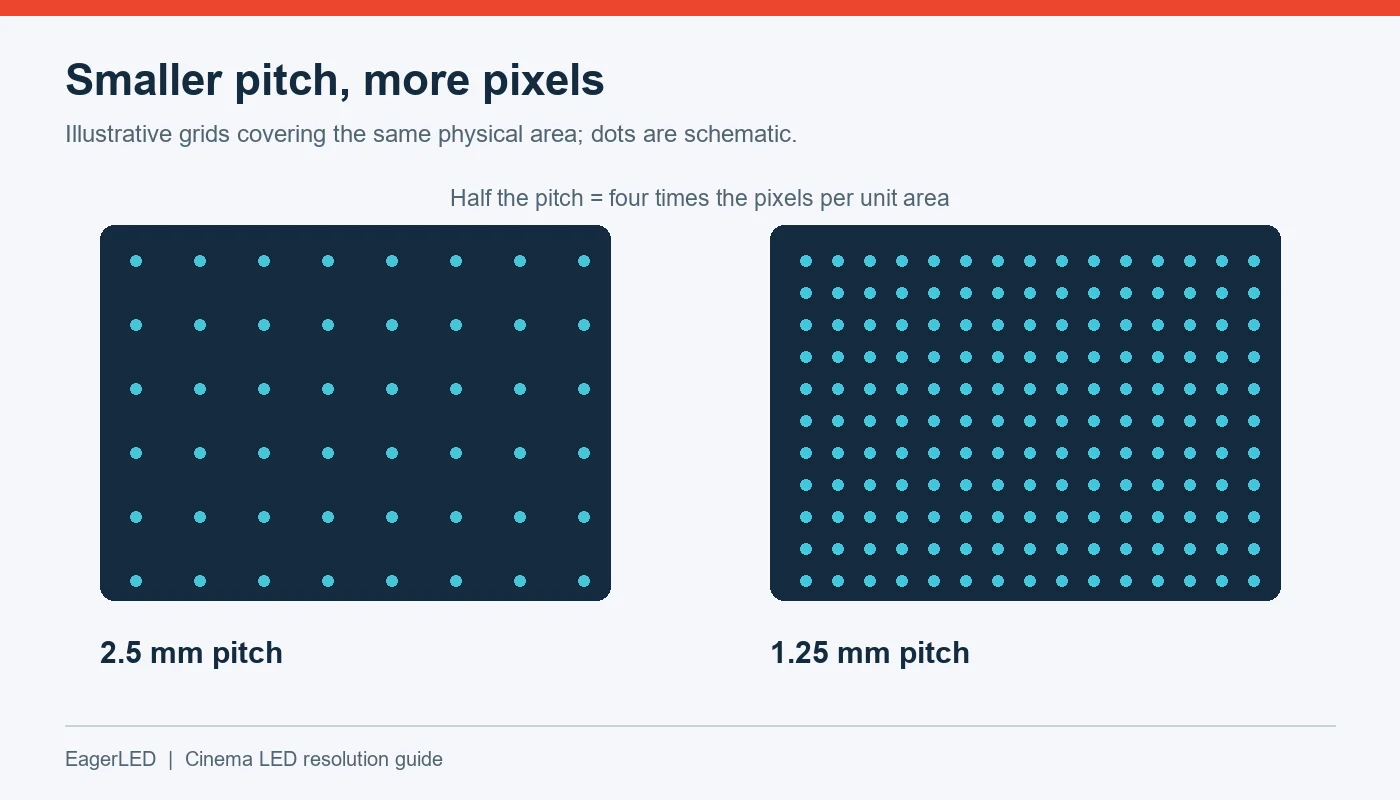
At the same screen dimensions, a smaller pixel pitch produces more pixels. At the same pixel count, a smaller pitch produces a smaller screen. This relationship is central to specifying cinema LED resolution.
01. Why smaller pitch increases pixel density
For a regular square pixel grid:
Pixel density per square meter = (1,000 ÷ pitch in mm)²
A 2.5 mm grid has 160,000 pixels per square meter. A 1.25 mm grid has 640,000 pixels per square meter. Halving the pitch doubles the pixel count in each direction and quadruples the total count over the same area.
These are geometric calculations, not product performance claims. Actual display dimensions still depend on the available module and cabinet configurations.
02. Why pitch is only part of image quality
Two displays with the same pitch can look different. Emitting area, optical treatments, surface reflections, calibration, and low-brightness behavior affect the image.
DCI’s direct-view guidance identifies pixel pitch, fill factor, emission characteristics, coatings, and diffusion as factors influencing visible pixel structure. This supports evaluating complete displays rather than selecting solely from pitch labels. See the DCI Direct View Display D-Cinema Addendum.
For buyers comparing SMD, COB, or other packaging approaches, the useful question is how the actual product performs at the intended operating brightness. Packaging terminology alone does not establish cinema suitability, contrast, or service life.
Evaluate dark gradients, skin tones, subtitles, and uniform fields. These reveal weaknesses that bright promotional footage can conceal.
3. How to Calculate LED Screen Resolution From Pixel Pitch
The basic calculation connects physical dimensions with pixel spacing:
Horizontal pixels = active width in millimeters ÷ pixel pitch
Vertical pixels = active height in millimeters ÷ pixel pitch
For an illustrative screen measuring 10,240 × 5,400 mm with a 2.5 mm pitch:
- Horizontal pixels: 10,240 ÷ 2.5 = 4,096
- Vertical pixels: 5,400 ÷ 2.5 = 2,160
- Native resolution: 4,096 × 2,160
This example describes a geometric relationship. It is not a claim that a particular manufacturer supplies that configuration.
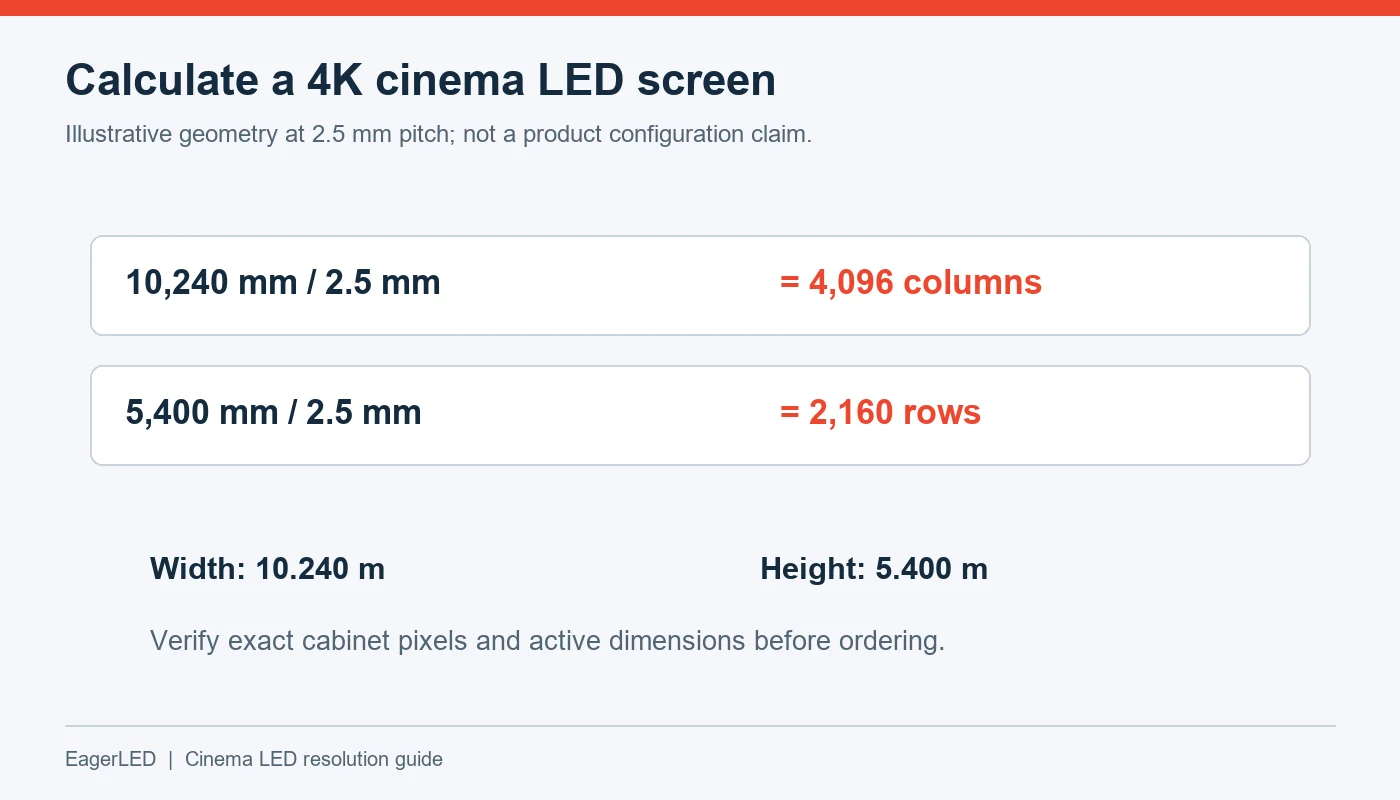
01. Calculating the size of a 4K cinema LED screen
The formula can also be reversed:
Active width = horizontal pixel count × pixel pitch
Active height = vertical pixel count × pixel pitch
The following dimensions all correspond mathematically to a 4,096 × 2,160 pixel grid.
| Illustrative pixel pitch | Calculated active width | Calculated active height | Native pixel matrix |
|---|---|---|---|
| 1.00 mm | 4.096 m | 2.160 m | 4,096 × 2,160 |
| 1.25 mm | 5.120 m | 2.700 m | 4,096 × 2,160 |
| 1.50 mm | 6.144 m | 3.240 m | 4,096 × 2,160 |
| 2.00 mm | 8.192 m | 4.320 m | 4,096 × 2,160 |
| 2.50 mm | 10.240 m | 5.400 m | 4,096 × 2,160 |
Dimensions are calculated active areas, excluding framing, structure, and service clearances. Commercial configurations depend on module and cabinet availability.
02. Check cabinet arithmetic before approving a quotation
LED walls are assembled from discrete components. A proposed width cannot always be achieved simply by choosing a pitch and rounding the result.
Request cabinet dimensions, cabinet pixel resolution, and the number of cabinets in each direction. Then verify:
Total horizontal pixels = cabinet columns × pixels per cabinet width
Total vertical pixels = cabinet rows × pixels per cabinet height
Use exact pixel counts for final approval because pitch labels may be rounded. Also distinguish active display dimensions from overall installed dimensions.
This check prevents a common procurement problem: a quotation describes a “4K cinema LED screen,” but the selected cabinet arrangement produces a different native matrix.
4. How Pixel Pitch Determines Cinema Viewing Distance
Cinema viewing distance affects whether viewers notice individual pixels and the spaces between them. As viewers move farther away, each pixel occupies a smaller angle in their field of vision.
However, three questions must remain separate:
- When does pixel structure become difficult to distinguish?
- Where does the image feel comfortably large?
- Where can viewers see the complete screen without awkward sightlines?
A pixel-pitch calculation addresses only part of the first question.
01. A transparent pixel-visibility estimate
For an illustrative angular calculation, assume a pixel spacing that subtends one arcminute. Using the small-angle approximation:
Distance in meters ≈ 3.44 × pixel pitch in millimeters
This comes from converting one arcminute to radians and dividing physical pixel spacing by that angle.
| Illustrative pitch | Distance at one arcminute per pixel spacing |
|---|---|
| 1.00 mm | 3.44 m |
| 1.25 mm | 4.30 m |
| 1.50 mm | 5.16 m |
| 2.00 mm | 6.88 m |
| 2.50 mm | 8.60 m |
These are angular estimates, not guaranteed pixel-invisibility distances, seating recommendations, or DCI compliance limits.
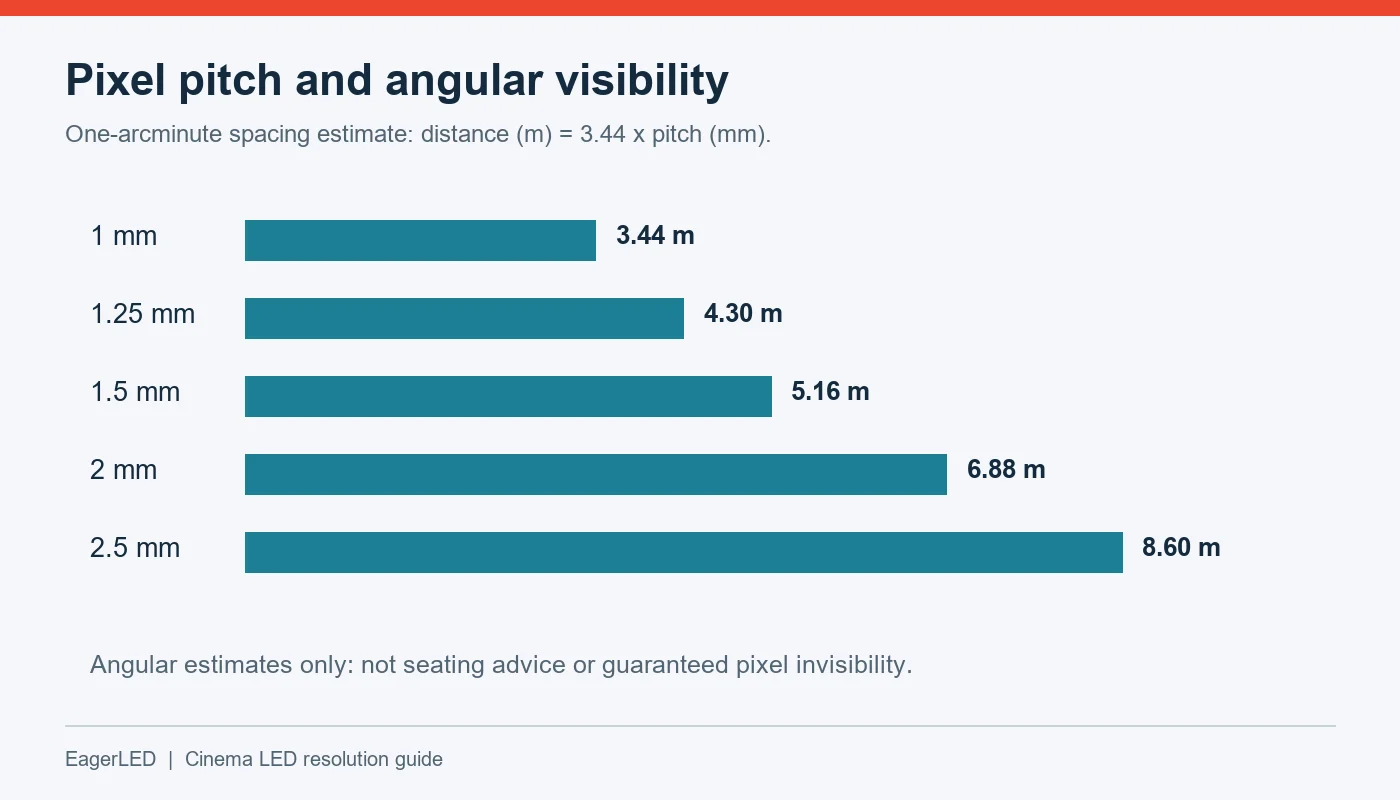
Human vision does not behave like a simple pixel detector. Contrast, brightness, eyesight, emitting area, and content all affect visibility. Fine repeating patterns may expose pixel structure differently from a natural movie scene.
02. Why viewing-distance rules differ
Manufacturers and installers use different planning conventions. Christie, for example, publishes guidance using approximately three meters of viewing distance per millimeter of pixel pitch while emphasizing application conditions. Such guidance is useful for early screening of options, but it does not replace a project demonstration. See Christie’s LED video wall guide.
For procurement, ask suppliers to explain the basis of any “minimum viewing distance” claim. A practical visibility threshold and a conservative design recommendation may produce different numbers without describing the same criterion.
03. Check viewing angle separately
For a centered viewer facing a flat screen:
Horizontal viewing angle = 2 × arctan[screen width ÷ (2 × distance)]
A 10 m wide screen viewed from 10 m subtends approximately 53 degrees horizontally. Whether that works for the project depends on seating geometry, content, and the auditorium design.
Validate cinema LED resolution and viewing comfort from the closest central seat, the closest side seat, and representative rear seats. Include vertical sightlines, not just floor-plan distances.
5. 2K vs. 4K vs. 8K: What Resolution Does a Cinema Need?
Resolution labels are useful starting points, but purchase decisions require exact dimensions and a defined use case.
| Format or label | Common full-frame dimensions | Procurement significance |
|---|---|---|
| DCI 2K container | 2,048 × 1,080 | Relevant to cinema content; not a universal direct-view hardware specification |
| DCI 4K container | 4,096 × 2,160 | Wider than UHD; verify the display and complete cinema workflow |
| UHD, often marketed as 4K | 3,840 × 2,160 | Common in AV and consumer video systems |
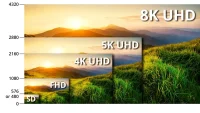
| 8K UHD | 7,680 × 4,320 | Requires justification through content, screen size, and seating |
Active movie images may occupy only part of a container because of aspect ratio. These labels do not establish system compliance.
The distinction between DCI 4K and UHD matters because both are often abbreviated to “4K.” A 3,840-pixel-wide LED wall does not provide 4,096 physical columns. Displaying the wider picture requires an agreed mapping treatment.
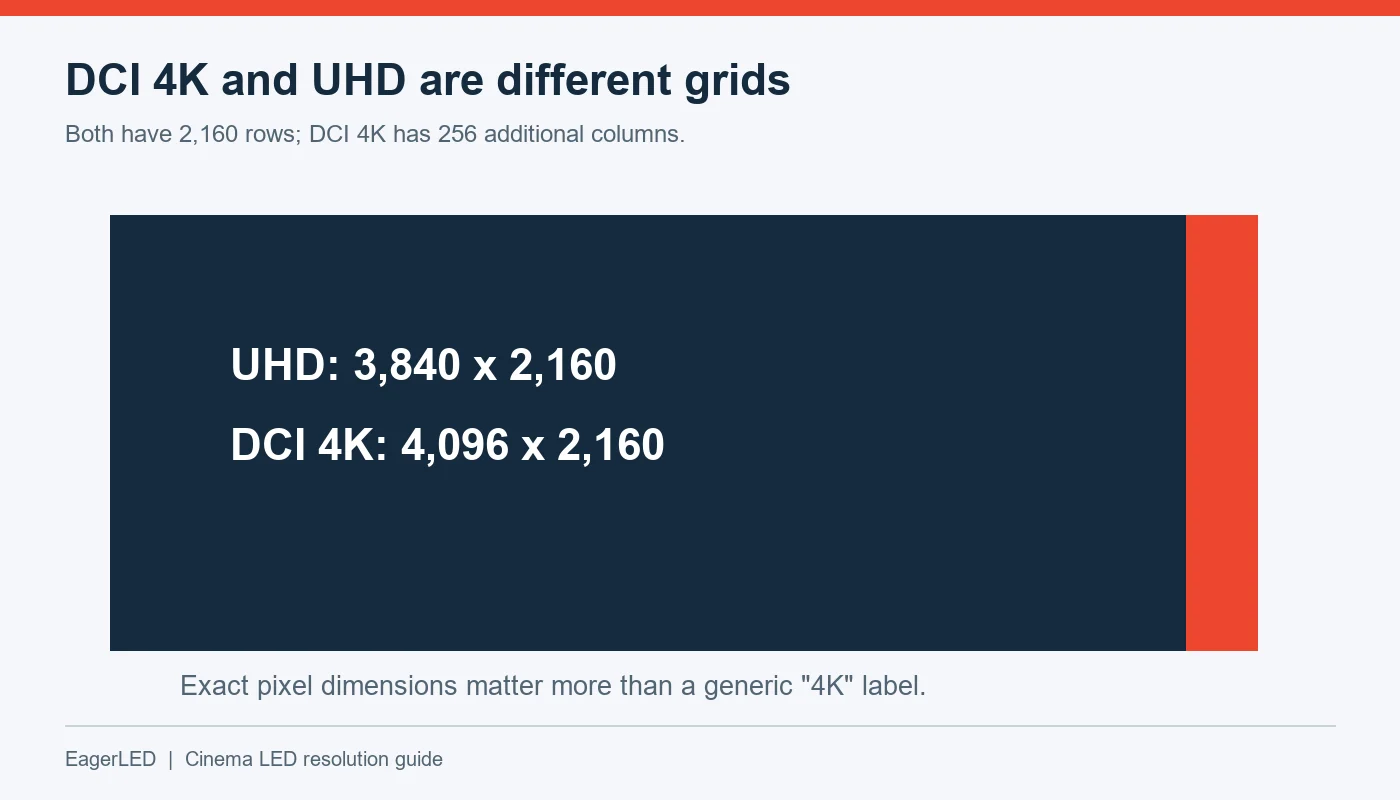
DCI publishes separate system specifications and direct-view requirements. Project teams should use the applicable current documents when specifying theatrical exhibition equipment, rather than assuming that a familiar resolution label is sufficient. Consult the DCI specification library.
01. When higher cinema LED resolution helps
More native pixels can support finer image detail when the source contains that detail and viewers sit close enough to resolve it. Higher resolution can also help a large display maintain smaller pixel spacing.
However, a higher pixel count offers limited benefit if the content is heavily compressed, the source is soft, or most viewers sit too far away to perceive the difference.
02. What scaling can and cannot do
Scaling interpolates an image onto a different pixel grid. It can produce a pleasing result, but it cannot reliably recover information that was never captured or supplied.
For mixed-use venues, test theatrical content, presentations, live video, and subtitles independently. Fine text and computer graphics may reveal scaling problems more readily than moving pictures.
An 8K proposal should therefore identify a concrete benefit: closer seating, a larger image, specialized content, or another measurable requirement. A higher number alone does not establish better project value.
6. Cinema LED vs. Projection: Image Quality and Trade-Offs
Direct-view LED and projection form images differently, so their strengths and limitations should be evaluated at system level.
For a related venue comparison, see our guide to church LED walls vs. projectors.
Cinema LED resolution remains fixed by the installed pixel matrix. In projection, the projector’s imaging system establishes the pixel count, while optics and installation affect how those pixels appear on the screen.
| Evaluation area | Direct-view cinema LED | Cinema projection | What to verify |
|---|---|---|---|
| Image formation | Pixels emit light directly | Light is projected onto a screen | Suitability for the room and content |
| Detail reproduction | Influenced by pitch, mapping, and processing | Influenced by imaging device, lens, focus, and alignment | Test patterns and movie detail |
| Dark-scene performance | Influenced by low-level drive, calibration, and reflections | Influenced by projector contrast, screen, and room light | Shadow detail under operating conditions |
| Image surface | Requires consistent module and cabinet alignment | Depends on screen material and installation | Uniformity across the complete image |
| Sound integration | Solid display structures can complicate behind-screen audio | Acoustically transparent screens can accommodate speakers | Dialogue localization and acoustic design |
| Service | May involve modules, electronics, calibration, and access | May involve projector, optics, light source, and screen | Maintenance plan and downtime |
01. Brightness should serve the picture
Maximum brightness is not the appropriate operating target for every cinema application. The display should reproduce the intended content in its required presentation mode.
Assess cinema LED resolution alongside grayscale tracking and near-black behavior. A detailed picture can still look poor if shadow information disappears, dark grays shift color, or different modules become visible in low-level scenes.
02. Include acoustic and mechanical design early
Changing from projection to LED may alter speaker placement, structural loads, ventilation, and maintenance access. These are design inputs, not finishing details.
An LED proposal should involve the AV integrator, acoustic designer, and structural team before dimensions are frozen. A display that fits the front wall may still conflict with the intended sound system or servicing method.
7. Choosing Pixel Pitch for Different Cinema Sizes
The best pixel pitch for a cinema LED screen depends on the relationship between available image size, target resolution, and the closest seats.
Start with measured room geometry. Then calculate candidate pixel matrices and confirm that available products can deliver them.
01. Small screening rooms and close seating
A compact room can require fine pixel pitch because viewers sit near the image. It can also require a smaller physical screen to maintain comfortable viewing angles.
For example, fitting 4,096 columns into approximately 5.12 m of active width requires a 1.25 mm pitch mathematically. Whether a supplier can deliver the corresponding complete display requires separate configuration verification.
Private screening rooms also need a clear content brief. Streaming, media-player playback, presentations, and commercial theatrical distribution do not necessarily use the same equipment or licensing arrangements.
02. Multiplex auditoriums and larger screens
As screen width increases, maintaining the same cinema LED resolution increases pixel spacing. Keeping pixel spacing unchanged instead increases the required horizontal pixel count.
This creates a design choice: alter resolution, alter screen size, or revise seating. It should be resolved before comparing cabinet prices.
The front row deserves particular attention, but rear-seat readability also matters where the venue uses subtitles, presentations, or alternative content.
03. Mixed-use entertainment venues
Multipurpose rooms may display films, conferences, gaming, and live events on the same LED wall. Their requirements can include low latency, multiple input formats, and computer text alongside cinematic image quality.
Prepare a content matrix showing the intended source, resolution, frame rate, aspect ratio, and operational priority for each use. This makes processor selection more reliable and helps prevent compromises from appearing only during commissioning.
Our LED control system comparison provides additional background for general AV workflows; theatrical playback requirements must still be verified separately.
8. What to Check Before Buying a Cinema LED Screen
A useful request for quotation describes the required outcome and asks for evidence. It should allow buyers to compare the assembled display and supporting systems, rather than isolated cabinet specifications.
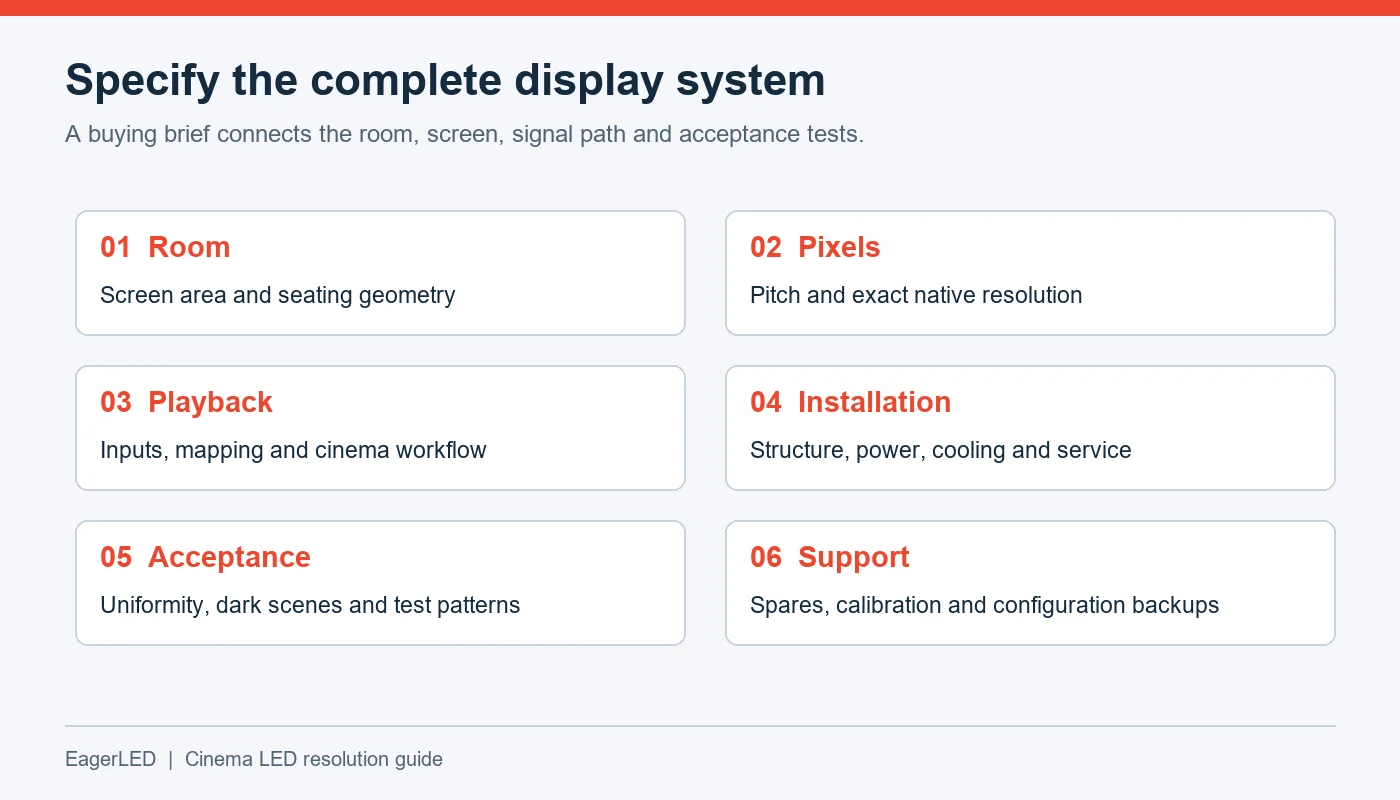
| RFQ item | Information to provide or request | Why it matters |
|---|---|---|
| Venue purpose | Theatrical exhibition, private screening, or mixed use | Establishes content and system requirements |
| Active screen dimensions | Available width, height, and aspect ratios | Defines feasible pixel matrices |
| Seating geometry | Nearest, farthest, and off-axis seats | Supports pitch and sightline evaluation |
| Native resolution | Exact assembled horizontal × vertical pixels | Removes ambiguity around “4K support” |
| Processing | Inputs, frame rates, bit depth, scaling, and latency | Verifies the complete signal path |
| Image performance | Agreed brightness modes and calibration criteria | Makes acceptance measurable |
| Cinema workflow | Required server, security, and compliance evidence | Checks suitability for intended distribution |
| Installation | Structure, power, cooling, and service access | Identifies building and labor requirements |
| Lifecycle support | Spares, calibration records, warranty, and response terms | Supports maintainability |
01. Verify compliance for the proposed system
Fine pixel pitch, high refresh rate, and a large color gamut do not independently establish DCI compliance. Where theatrical exhibition requires compliant equipment, identify the proposed models and confirm their relevant status and integration requirements.
DCI provides a public registry of compliant equipment. Use it to check supplier claims, alongside the project’s complete playback and security design. See Digital Cinema Initiatives.
02. Compare costs on an equivalent basis
There is no dependable universal price for a cinema LED screen. Quotations can differ in included processing, structural work, commissioning, spare parts, installation labor, and support.
Ask suppliers to price the same scope. Where operating costs matter, request maximum electrical load and clearly defined estimates under representative content conditions. Do not treat a maximum power rating as average consumption.
03. Evaluate EagerLED products against the application
For an EagerLED inquiry, provide the room drawing, target cinema LED resolution, content workflow, and service constraints before requesting a recommendation.
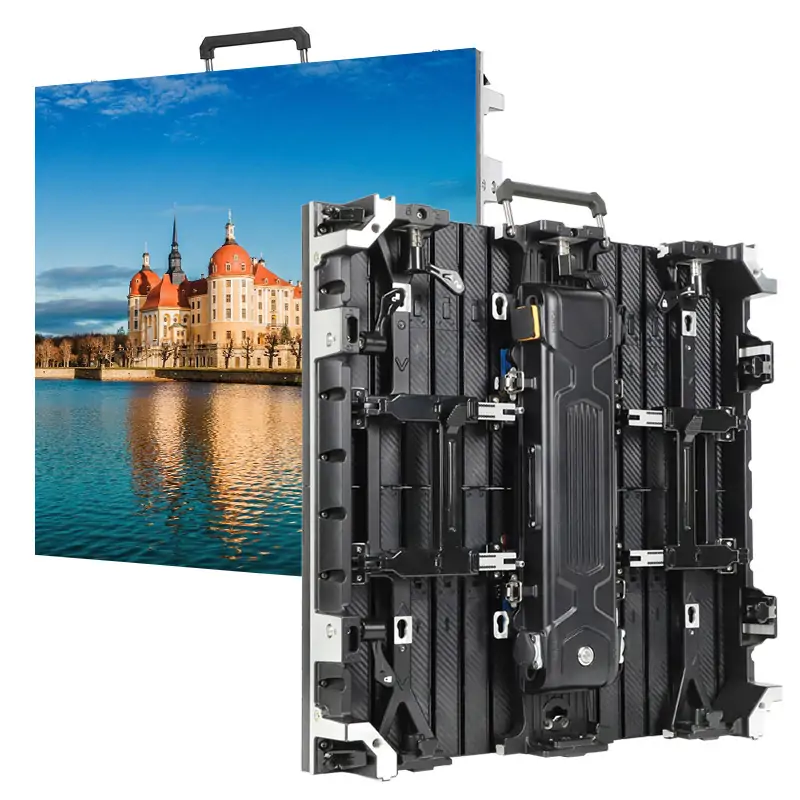
EagerLED lists front-service indoor products such as the EA640F2 indoor LED display. Those product details can inform an indoor display discussion, but they should not be treated as evidence of suitability for a specific theatrical cinema system.
Request written confirmation of the exact proposed configuration, its capabilities, and any applicable compliance documentation.
04. Define acceptance before ordering
Agree on tests for native pixel mapping, uniformity, low-gray performance, defective pixels, seams, and source switching. Include representative content from the actual playback chain.
Record viewing positions and operating conditions. Acceptance becomes much clearer when “good picture quality” is translated into agreed checks performed on the installed screen.
9. FAQ
10. Conclusion
Cinema LED resolution should be specified together with pixel pitch, active screen dimensions, viewing distance, and content requirements. The physical pixel matrix establishes what the screen can display; processing, calibration, room design, and seating determine how effectively viewers experience it.
For buyers, distributors, and integrators, the most useful starting point is an exact room drawing and a defined playback workflow. Calculate the required pixels, verify the proposed cabinet arrangement, evaluate the closest seats, and establish acceptance criteria before ordering.
When discussing a project with EagerLED, share those requirements in a structured brief. This gives the supplier a concrete basis for assessing display options and helps the project team select a configuration supported by verifiable specifications.
 Can Transparent LED Screens Show 3D Retail Content?
 Buying an LED Screen in Europe: CE and Logistics Checklist
Related Posts



Fill In Your Needs In Detail
Fill in the screen usage scene and size you need in “Content”.You will get a quote.