
The Novastar MBOX600 Pro is a game-changing solution in the world of LED display technology. Combining an industrial PC with robust sending capabilities, this device redefines how LED screens are controlled and managed. Whether you’re managing outdoor fixed displays or unattended digital signage systems, the MBOX600 Pro Industrial Controller offers unparalleled performance, flexibility, and reliability. In this article, we’ll explore its design, features, specifications, and best settings to help you maximize its potential.
1. What Is the Novastar MBOX600 Pro?
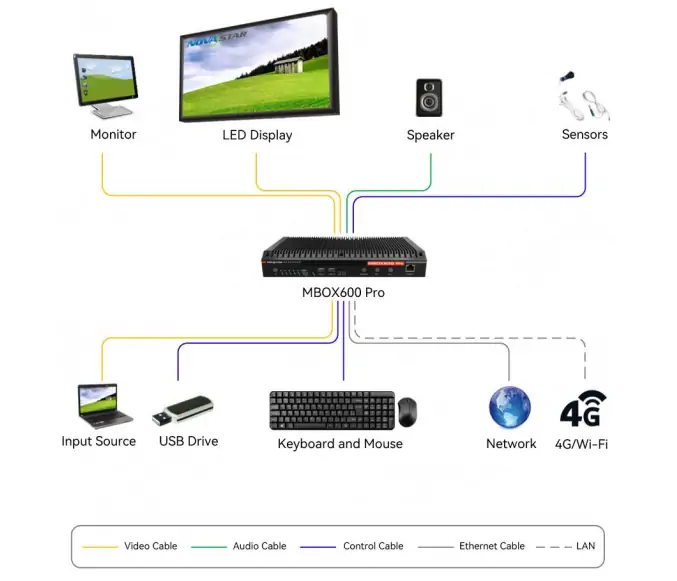
The Novastar MBOX600 Pro Media Player is an advanced LED display controller designed for professional users in the advertising media display industry. It integrates seamlessly into scenarios where traditional PCs are unnecessary, offering a compact yet powerful solution for controlling LED screens. The MBOX600 Pro LED Display Controller supports SNMP system monitoring, enabling real-time management of screen operations. With its web-based application interface, users can configure and control their LED displays effortlessly, ensuring smooth operation in both attended and unattended environments.
This MBOX600 Pro LED Control Box is particularly suited for outdoor fixed screens, making it ideal for applications such as billboards, stadiums, and public information displays. Its ability to handle high pixel capacities and support various resolutions ensures that it meets the demands of modern LED installations.
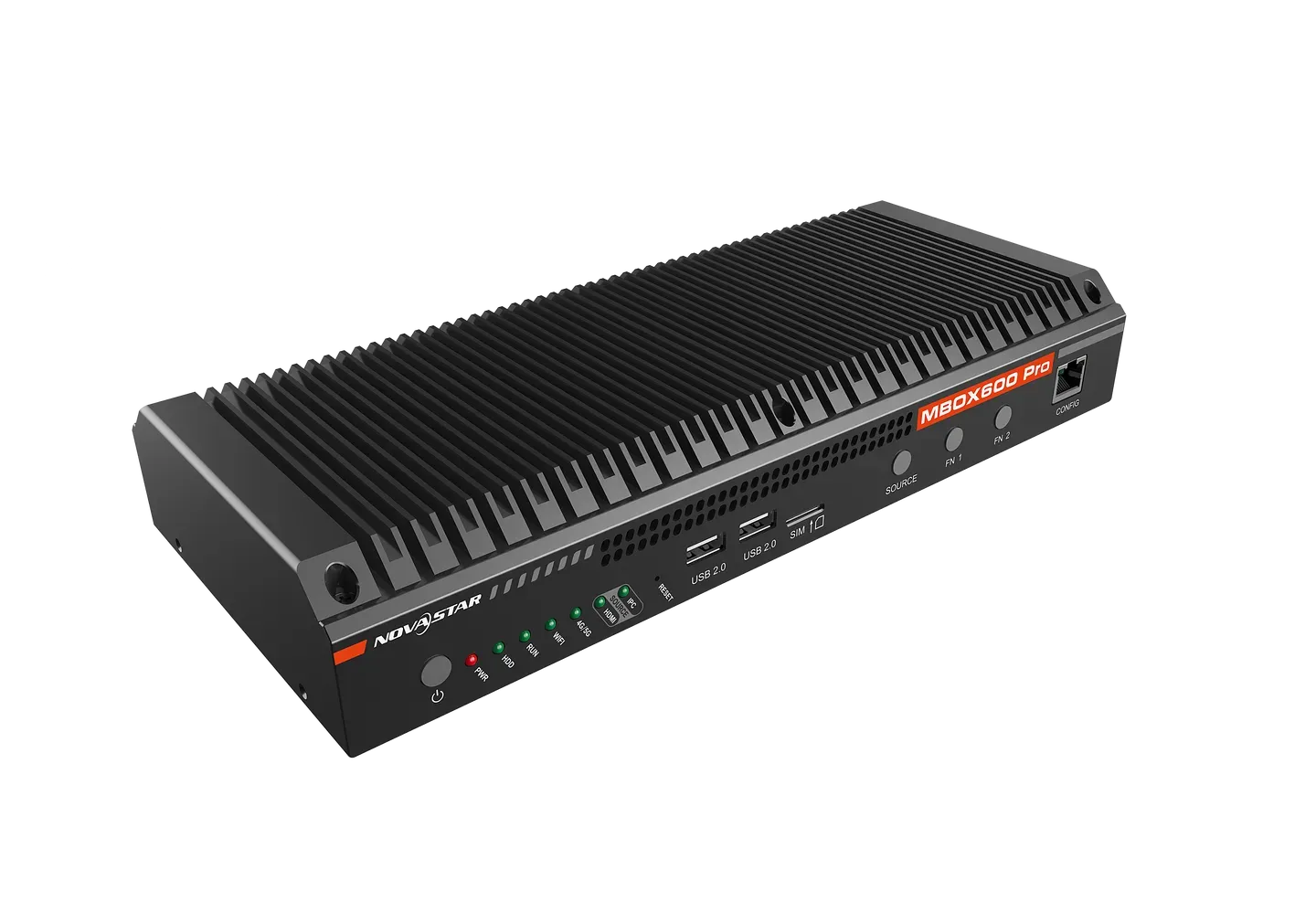
2. Novastar MBOX600 Pro LED Display Controller Design & Build
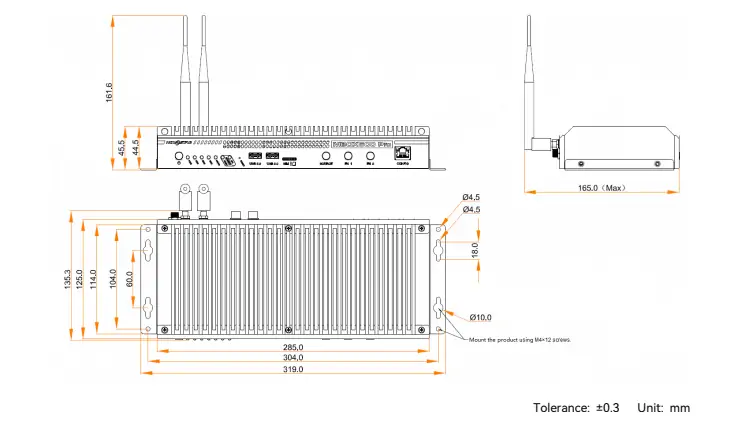
The MBOX600 Pro Industrial Controller boasts a sleek and durable design, engineered for reliability in demanding environments. Measuring 319.0 mm × 135.3 mm × 45.5 mm and weighing just 1778 g, it strikes a perfect balance between portability and functionality. Its rugged build ensures it can withstand harsh operating conditions, with an operating temperature range of –20°C to +60°C and humidity tolerance of 0% RH to 80% RH (non-condensing).
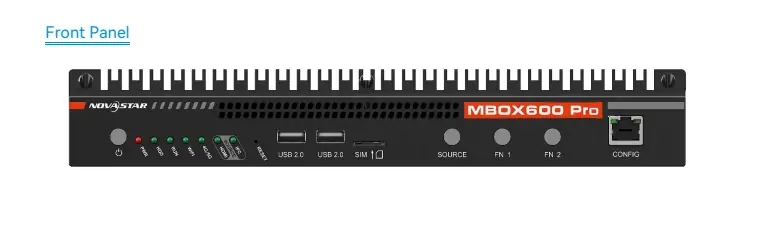
2.1 Front Panel Features
- Power Button: Short press to power on/off; long press to force shutdown.
- RESET Button: Factory reset after holding for 10 seconds.
- USB Ports: Two USB 2.0 ports and two USB 3.0 ports for connecting peripherals like mice, keyboards, and USB drives.
- SIM Card Slot: Prevents incorrect SIM card insertion.
- Ethernet Port (CONFIG): For device debugging with a default IP address of 168.0.10.
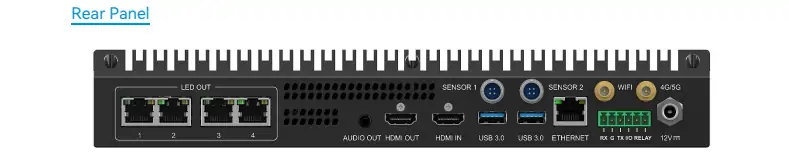
2.2 Rear Panel Features
- HDMI IN/OUT: Supports HDMI 1.3 input and output for seamless connectivity.
- Gigabit Ethernet Outputs: Four outputs for efficient data transmission to multiple screens.
- Light Sensor Connectors: Two connectors for integrating light sensors to adjust brightness dynamically.
- Wi-Fi and 4G/5G Antenna Connectors: For wireless network access (4G/5G modules sold separately).
The MBOX600 Pro Specifications highlight its attention to detail, from its compact size to its robust connectivity options, ensuring it’s ready for any professional application.
3. Novastar MBOX600 Pro Features
The Novastar MBOX600 Pro Features make it stand out as a top-tier LED display controller. Let’s dive into its standout capabilities:
3.1 Input and Output
- Pixel Capacity: Up to 2,600,000 pixels, with a maximum width of 4096 pixelsand height of 1920 pixels.
- Output Scaling: Customizable scaling options allow precise adjustments to match your screen configuration.
- Resolutions Supported: Common resolutions include 1366×768, 1440×900, 1600×900, 1920×1080, and 2048×1152.
- Audio Output: A stereo audio output ensures synchronized sound playback with your visuals.
- Sensor Integration: Two sensor connectors allow light sensors to be connected for adaptive brightness control.
3.2 Processing Power
Equipped with an Intel® Processor N97, the MBOX600 Pro delivers exceptional performance:
- 4 Cores and 4 Threads: Handles complex tasks with ease.
- Turbo Frequency: Up to 6 GHzfor smooth operation.
- RAM Options: Available in 4 GBor 8 GB
- SSD Storage: Choose between 128 GBor 256 GB for ample storage space.
3.3 Connectivity and Networking
- Gigabit Ethernet Ports: Two ports support TCP/IP communication, one for device networking and the other for remote management.
- Wi-Fi Support: Enables internet access for updates and remote monitoring.
- Optional 4G/5G Modules: Provides mobile network connectivity (modules sold separately).
3.4 User-Friendly Interface
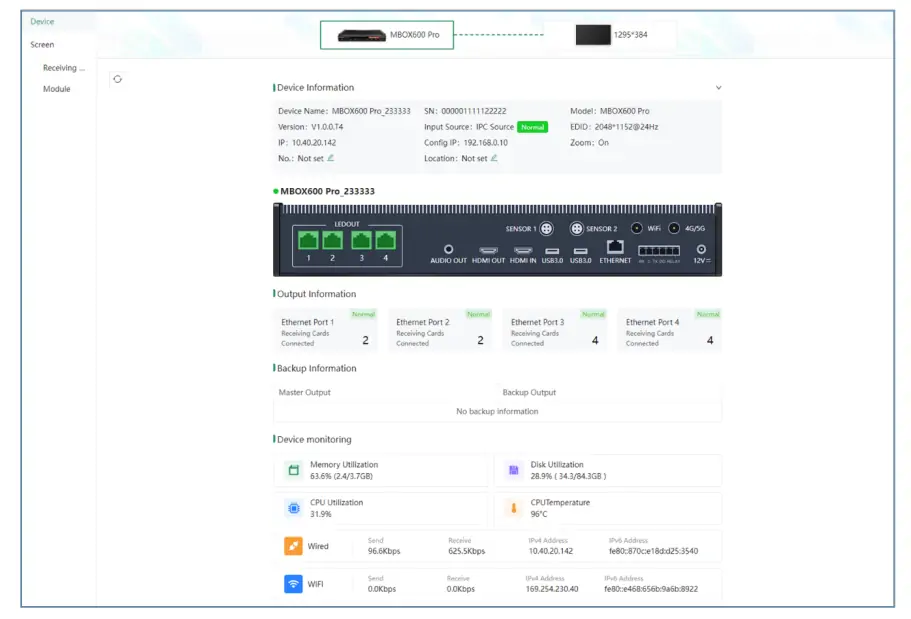
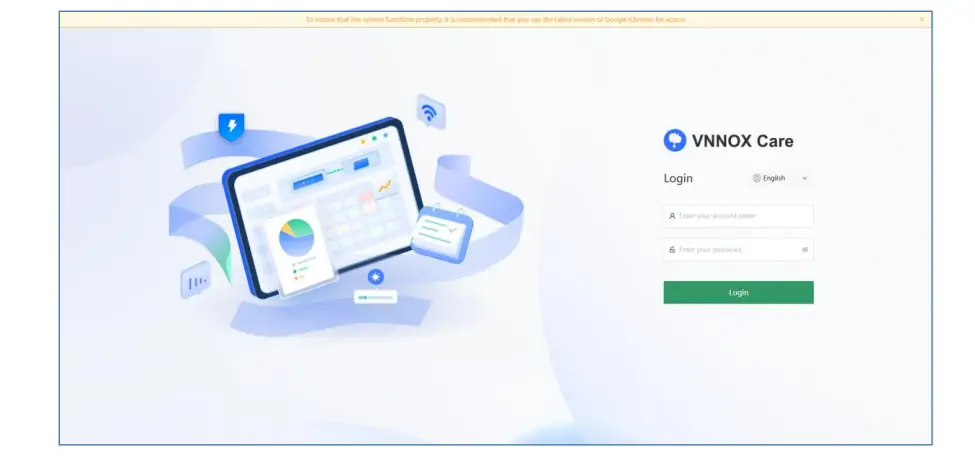
The MBOX600 Pro is managed via a web application, offering intuitive controls and versatile functionality. Its compatibility with VNNOXC are Configuration enhances scalability, allowing users to unlock the full potential of their LED systems.
4. MBOX600 Pro Specifications Breakdown
Here’s a closer look at the MBOX600 Pro Specifications:
| Category | Details |
|---|---|
| Electrical Parameters | Input Voltage: DC 12 V, 3 A |
| Rated Power Consumption: 34 W | |
| Performance | CPU: Intel® N97, 4 cores, 4 threads, Turbo Frequency: 3.6 GHz |
| RAM: 4 GB/8 GB | |
| SSD: 128 GB/256 GB | |
| Operating Environment | Temperature: –20°C to +60°C |
| Humidity: 0% RH to 80% RH (non-condensing) | |
| Physical Specifications | Dimensions: 319.0 mm × 135.3 mm × 45.5 mm |
| Net Weight: 1778 g | |
| Gross Weight: 3436.8 g |
The MBOX600 Pro LED Control Box also includes certifications such as CE, RoHS, FCC, IC, UL, RCM, SRRC, and CB, ensuring compliance with global standards.
5. Why Choose the MBOX600 Pro Industrial Controller?
The MBOX600 Pro Industrial Controller is more than just a display controller—it’s a comprehensive solution for modern LED screen management. Here’s why it’s the best choice:
5.1 Versatility
With support for up to 2,600,000 pixels and customizable output scaling, the MBOX600 Pro adapts to diverse screen configurations. Whether you’re running small indoor displays or large outdoor billboards, this controller has you covered.
5.2 Reliability
Built for unattended scenarios, the MBOX600 Pro ensures consistent performance without manual intervention. Its automatic power-on feature and light sensor integration make it ideal for 24/7 operations.
5.3 Scalability
The MBOX600 Pro is designed to meet users’ secondary development and innovation needs. Its compatibility with VNNOXC are Configuration and robust processing power make it a future-proof investment.
5.4 Ease of Use
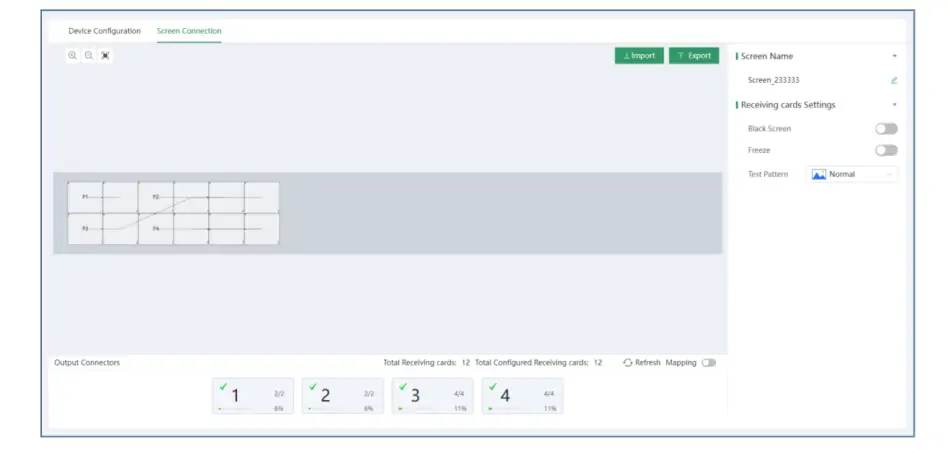
The web-based interface simplifies configuration and monitoring, while its compact design ensures hassle-free installation. Whether you’re a seasoned professional or a beginner, the MBOX600 Pro is easy to set up and operate.
6. FAQs
7. Conclusion
The Novastar MBOX600 Pro is a powerhouse in the realm of LED display controllers. With its impressive pixel capacity, advanced processing capabilities, and versatile connectivity options, it sets a new standard for performance and reliability. Whether you’re managing a single screen or a network of displays, the MBOX600 Pro Industrial Controller offers the tools you need to succeed.
By leveraging the best settings outlined in this guide—such as configuring output scaling, integrating light sensors, and utilizing its web-based interface—you can ensure optimal performance for your LED screens. Invest in the Novastar MBOX600 Pro today and experience the future of LED display control.
 Novastar TCC160 Sending Card: Full Feature Review
 Novastar CVT8-5GM Price, Specs, and Full Technical Breakdown
Related Posts

Fill In Your Needs In Detail
Fill in the screen usage scene and size you need in “Content”.You will get a quote.



