The NovaStar MBOX600 combines an industrial PC and LED sending hardware in one controller. It plays content without a separate playback PC and has a stated LED loading capacity of 2.3 million pixels. This guide explains its specifications, software workflow, pricing factors and differences from MBOX600 Pro for projects such as fixed outdoor LED displays.
1. What is the Novastar MBOX600 LED Controller?
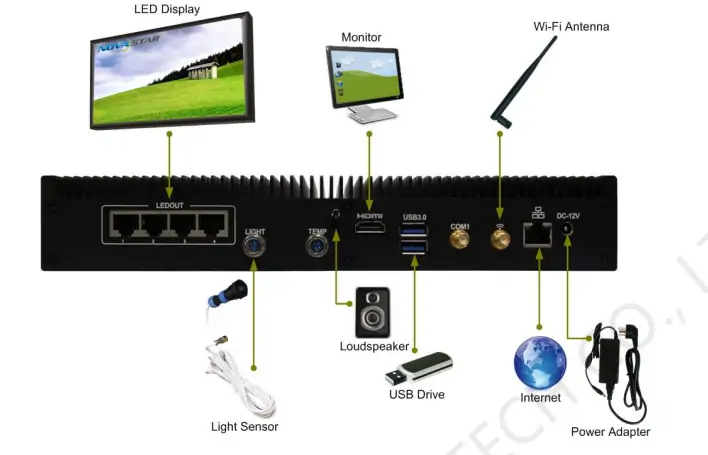
The MBOX600 stores and plays display content locally. Connect a keyboard, mouse and HDMI monitor to install software and configure the screen. Its four LEDOUT ports connect to the LED receiving-card system; a separate network port connects to the management network.
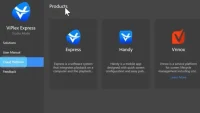
NovaLCT configures receiving cards. The documented playback options are VPlayer with VNNOX for remote publishing, NovaStudio for local playback, and VPlayer with ViPlex Express for previewing programs. Confirm software compatibility with the installed operating system before updating. See the NovaStar MBOX600 user manual.
NovaStar lists CE, FCC SDoC, FCC ID and RCM certification in its MBOX600 specification V1.3.6. Check the supplied unit’s certification and configuration for your destination; these marks do not guarantee approval for every installation.
2. Key Features of the MBOX600 All-in-One LED Controller
The following features matter when matching the MBOX600 to a screen and its playback requirements.
2.1 High Pixel Load Capacity
NovaStar specifies up to 2,300,000 LED pixels, with separate width and height limits of 3840 and 2560 pixels. These limits do not mean a 3840 × 2560 screen is supported. A 1920 × 1080 screen contains 2,073,600 pixels.
The datasheet also lists 1920 × 1200, 2048 × 1152 and 2560 × 960 resolutions that exceed its stated total. Confirm the actual mapped LED load with NovaStar before specifying these modes.
2.2 Gigabit Ethernet Outputs
Four Gigabit LEDOUT ports distribute the screen load across receiving cards. The 2.3-million-pixel figure is the controller total, not a capacity for each port. Check cabinet mapping and each port’s load during commissioning.
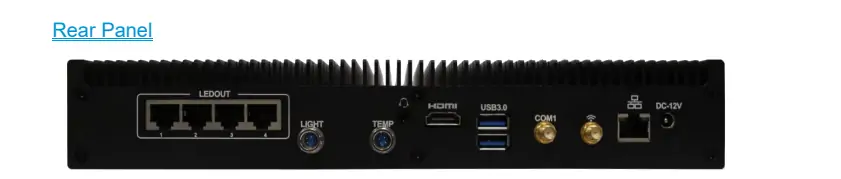
2.3 Versatile Connectivity Options
- Stereo audio output: connects to the audio system.
- HDMI 1.3 output: connects a monitor for setup and playback checks; it is not a live video input.
- Four USB 2.0 and two USB 3.0 ports: connect peripherals and USB storage.
- LIGHT connector: supports sensor readback through NovaLCT under Windows 10. The specification states no light-sensor operation under Linux; verify sensor and brightness-control settings.
2.4 Automatic Power-On Functionality
Set the front-panel Auto-Power switch to ON to start the controller when power returns. OFF requires pressing the power switch. Also test application startup and content recovery after a power interruption.

2.5 Powerful Processing Capacity
The 7U models use a dual-core Intel i5-7200U at 2.5 GHz, with Turbo and EIST support. Older documentation includes Celeron variants, so check the model label. Test your actual video files and playlist before deployment.
2.6 Compact and Durable Design
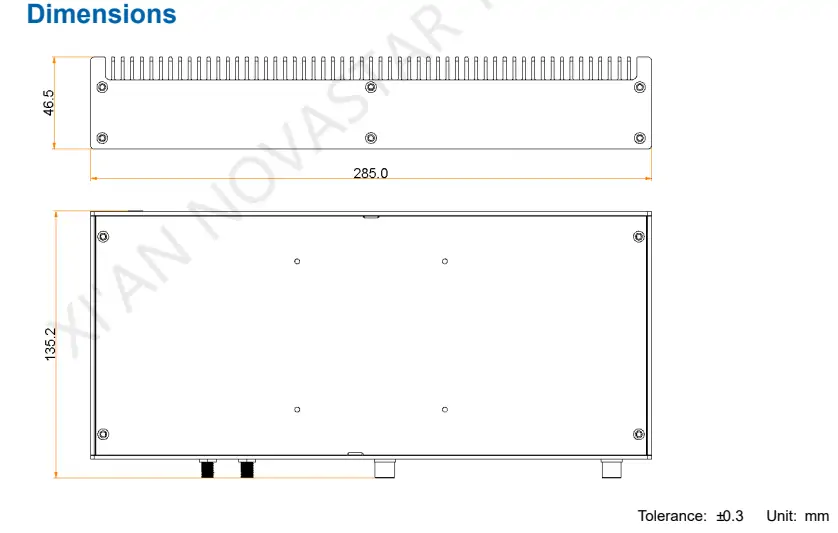
The enclosure measures 285.0 × 135.2 × 46.5 mm and weighs 1465.7 g. Its specified operating range is −20°C to +60°C. These environmental limits do not establish a weatherproof rating; provide suitable installation protection and ventilation.
3. Novastar MBOX600 Industrial Controller Specifications
These figures follow NovaStar specification V1.3.6, dated April 9, 2022. Confirm the exact model when ordering replacement hardware.
3.1 Performance Parameters
- CPU: Intel i5-7200U, two cores, 2.5 GHz; processor TDP 15 W.
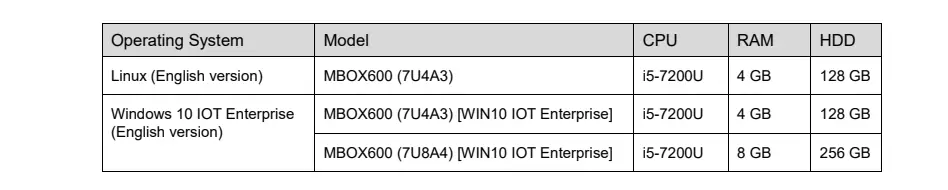
- RAM/storage: 7U4A3: 4 GB/128 GB; 7U8A4: 8 GB/256 GB.
- GPU: Intel HD620.
- Controller maximum power consumption: 43 W, distinct from CPU TDP.
These are model configurations, not a promise of user-upgradeable RAM or storage.
3.2 Connectors
Front Panel: 4x USB 2.0 ports
Rear Panel:
- 4x Gigabit Ethernet output connectors
- 1x Light sensor connector
- 1x Audio output connector
- 1x HDMI 1.3 output connector
- 2x USB 3.0 ports
- 1x Wi-Fi antenna connector
- 1x Network connector
- 1x DC-12V power input connector
TEMP and COM1 are reserved connectors. Use the separate LAN port for network access and LEDOUT for the screen.
3.3 Environmental Specifications
- Operating Temperature: -20°C to +60°C
- Humidity: 0% RH to 80% RH (non-condensing)
- Storage Temperature: -40°C to +80°C
3.4 Physical Specifications
- Dimensions: 285.0 mm × 135.2 mm × 46.5 mm
- Net Weight: 1465.7 g
- Packing Dimensions: 361.0 mm × 146.0 mm × 206.0 mm
The dimension drawing specifies a tolerance of ±0.3 mm.
3.5 Accessories Included
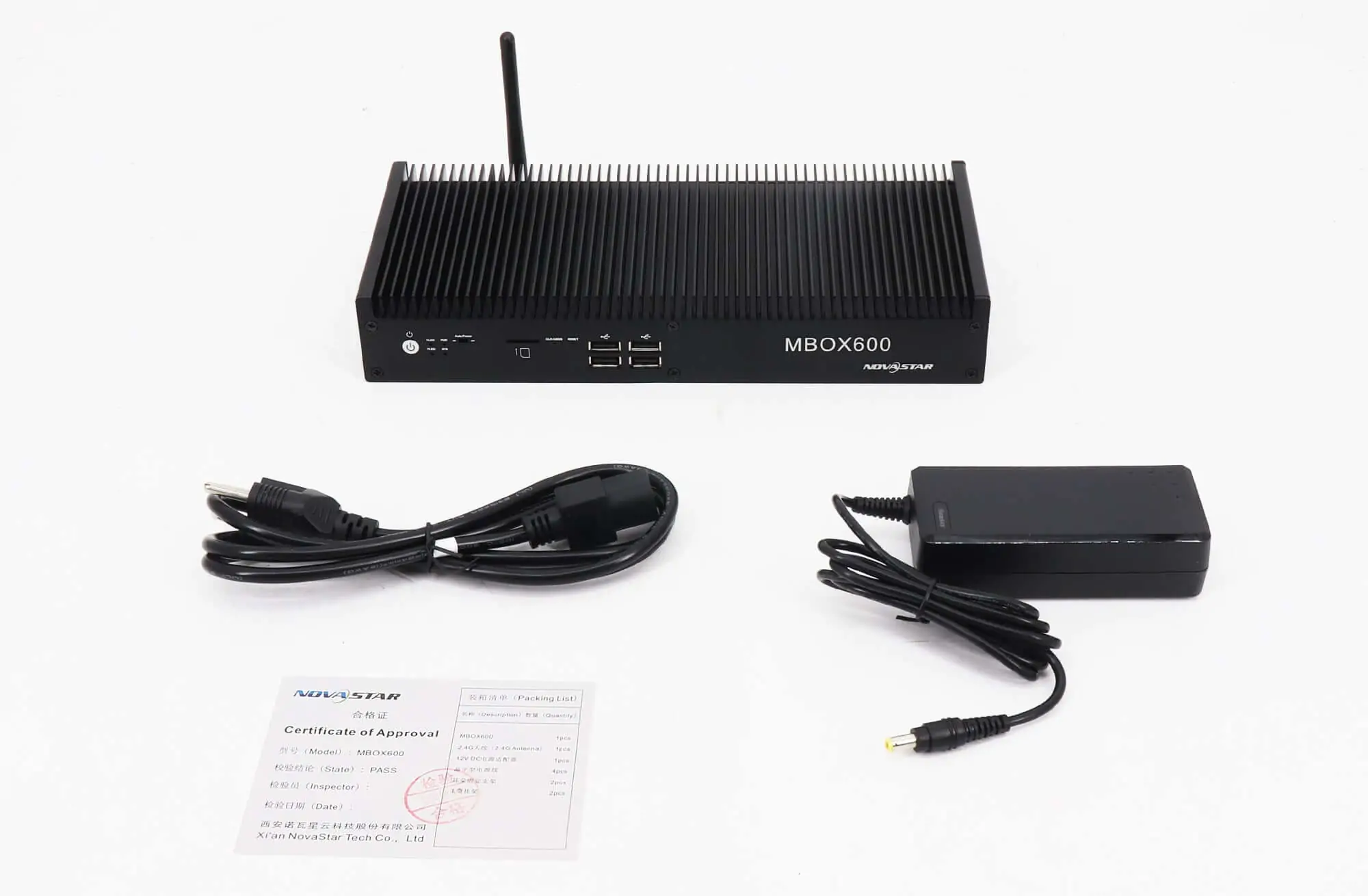
- 1x 2.4G antenna
- 1x 12V DC power adapter
- 4x 3-pin power cables
- 2x Ear brackets
- 2x L-shaped hangers
- 1x Certificate of Approval
4. Novastar MBOX600 vs MBOX600 Pro Comparison
Compare the original MBOX600 with the newer Pro using the original datasheet and NovaStar MBOX600 Pro product page. The original figures below refer to the i5-based 7U models.
| Feature | MBOX600 | MBOX600 Pro |
|---|---|---|
| Processor | Intel i5-7200U | Intel Processor N97 |
| Pixel Load Capacity | 2,300,000 pixels | 2,600,000 pixels |
| RAM Options | 4 GB / 8 GB | 4 GB / 8 GB |
| Storage Options | 128 GB / 256 GB SSD | 128 GB / 256 GB SSD |
| Ethernet Outputs | 4x Gigabit Ethernet | 4x Gigabit Ethernet |
| Additional Features | Light sensor connector | HDMI input, scaling, RS232 |
| Price Range | Request a dated quote | Request a dated quote |
The Pro adds HDMI input, scaling and a higher stated pixel capacity. Choose by source requirements and software compatibility, not the model name alone. See our MBOX600 Pro guide for additional context.
5. Novastar MBOX600 LED Controller Price
There is no verified current manufacturer price in the cited documentation. Request a dated quote for the exact MBOX600 configuration rather than treating an undated online price range as a standard price.
- 7U4A3 Linux: 4 GB RAM and 128 GB storage.
- 7U4A3 Windows 10 IoT Enterprise: 4 GB RAM and 128 GB storage.
- 7U8A4 Windows 10 IoT Enterprise: 8 GB RAM and 256 GB storage.
Compare stock condition, OS licence, accessories, warranty, shipping and taxes. Ask the supplier to confirm software support and lead time. For existing installations, include the current model label and screen resolution in the request.
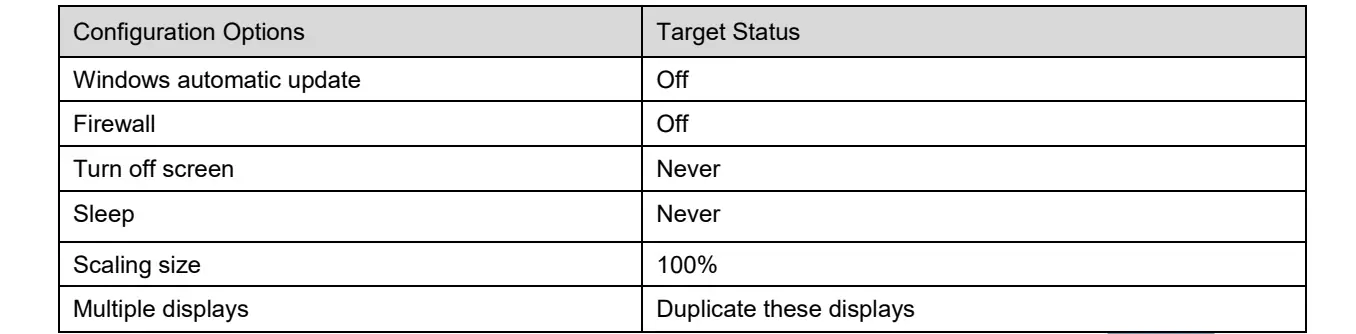
Configuration graphic below: the legacy manual shows screen-off and sleep set to Never, scaling at 100%, and multiple displays set to Duplicate. It also shows Windows updates and the firewall turned off. Do not apply those security settings indiscriminately: arrange maintenance updates and only the required network access with your administrator.
6. Use Cases & Applications for the MBOX600 Controller
These are practical application examples. Suitability depends on pixel count, content complexity and the installed software.
6.1 Outdoor Advertising
For outdoor LED billboards, local playback and automatic startup can support unattended schedules. Test remote publishing, power recovery and brightness settings before handover.
6.2 Event Management
Use it for prepared event playlists after testing playback. The original model’s HDMI connector is an output, so plan separate equipment if the event needs live HDMI sources.
6.3 Retail Displays
Retail displays can play scheduled promotions. Check text readability at the screen’s native pixel dimensions and preview each program before publishing.
6.4 Corporate Communication
Corporate screens can show announcements and prepared presentations. Confirm the intended update workflow and network access with the installation team.
6.5 Transportation Hubs
Transportation displays need a tested content-update and recovery process. Multiple controllers do not automatically guarantee synchronized playback; verify any synchronization requirement with the system supplier.
7. FAQs
8. Conclusion
The NovaStar MBOX600 is an integrated playback and sending controller for fixed LED installations. Match the specific hardware and operating system to the screen load, receiving cards and content workflow before choosing between the original and Pro.
Before handover, save the receiving-card configuration, test a complete playlist, check audio and brightness, and confirm recovery after power loss. Keep a copy of the working software versions and configuration files for maintenance.
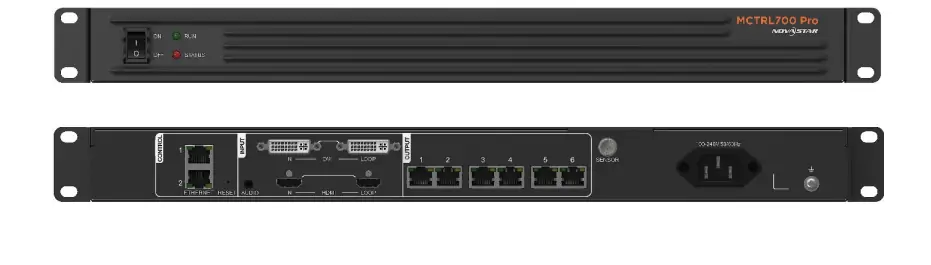 How Novastar MCTRL700 Pro Drives High-Resolution LED Walls
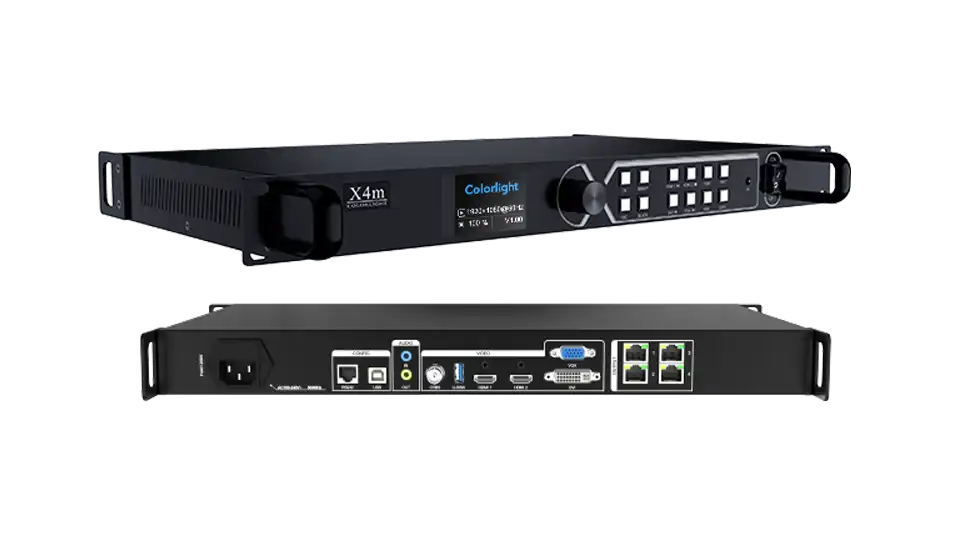 Colorlight VX10 Guide: Basic Configuration and Hardware Overview
Related Posts






Fill In Your Needs In Detail
Fill in the screen usage scene and size you need in “Content”.You will get a quote.