Choose a giant LED display by matching pixel pitch to viewing distance, brightness to ambient light, and cabinet protection to the installation environment. Then verify structural capacity, power, content resolution, service access, and total installed cost. The best screen is the one that makes your content readable from the intended seats or sightlines and can be operated and maintained safely.
This guide explains screen size, four landmark installations, key specifications, applications, buying steps, costs, and FAQs. Numerical planning examples are illustrative, not quotations or universal design requirements. Use them to prepare a project brief before requesting a site survey and itemised proposals.
1. What is a Giant LED Display?
A giant LED display is a large direct-view video screen assembled from LED modules and cabinets. The LEDs emit the image themselves; this differs from an LCD television that uses an LED backlight. Modular construction allows wide, tall, curved, or other custom layouts without the panel bezels of an LCD video wall. Cabinet alignment and calibration still determine whether joins are noticeable.
“Giant” describes scale rather than a separate display technology. A large indoor arena screen and an outdoor advertising facade may use similar modular principles but need different brightness, environmental protection, and mounting arrangements. Do not assume a large screen is outdoor-rated or that a smaller installation needs no engineering review. The complete system includes cabinets, processors, power distribution, supporting structure, and maintenance access.
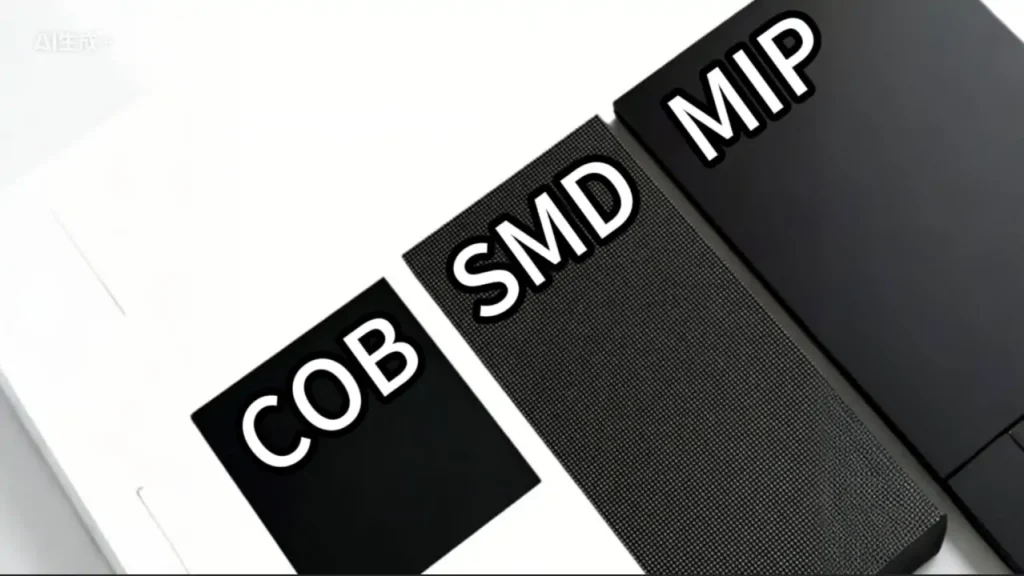
SMD (surface-mount device) displays commonly use packages containing red, green, and blue LED chips. COB (chip-on-board) mounts chips directly to a board with a protective surface. Packaging affects repair methods and product performance, but the acronym alone does not establish brightness, impact resistance, or outdoor suitability. Compare the actual cabinet specifications, test reports, warranty, and service procedure. Our MiP, SMD, and COB comparison explains these packaging choices.
2. What Size of Display Can Be Called a Giant LED Screen?
There is no single size threshold used in this guide as an industry standard. The following ranges are descriptive examples only, with approximate boundaries. Specify the actual width, height, aspect ratio, and viewing positions instead of ordering by the word “giant.” Engineering requirements depend on mounting, exposure, and local rules at every size.
| Size category | Area | Typical context |
|---|---|---|
| Standard LED wall | 5–30 m² | Boardrooms, retail displays, small stages |
| Large LED display | Over 30–50 m² | Event backdrops, mid-sized outdoor signage |
| Giant LED display | Over 50–200 m² | Stadium screens, highway billboards, building facades |
| Monumental LED display | Over 200 m² | Record-breaking installations, arena wraps |
Area is width multiplied by height: a 10 m × 5 m screen covers 50 m². Two screens with that same area can have different shapes, native pixel counts, weights, and costs. Ask for a cabinet layout drawing showing the active image dimensions, overall structure, access space, and any gaps. Panel cost alone does not predict the budget share needed for foundations or installation.
Physical size and resolution must be considered together. For example, a 10 m × 5 m active surface at exactly 4 mm pitch contains 2,500 × 1,250 pixels; at 10 mm pitch it contains 1,000 × 500 pixels. These are calculated examples, before cabinet-size constraints. A finer pitch preserves more detail, but the benefit depends on viewing distance and content. Test the smallest text and graphics at the nearest and farthest audience positions.
For a small room or home sports setup, a mini jumbotron may be a more suitable format. Its mounting, electrical supply, and sightlines still need checking; portability should be confirmed from the complete product specification.
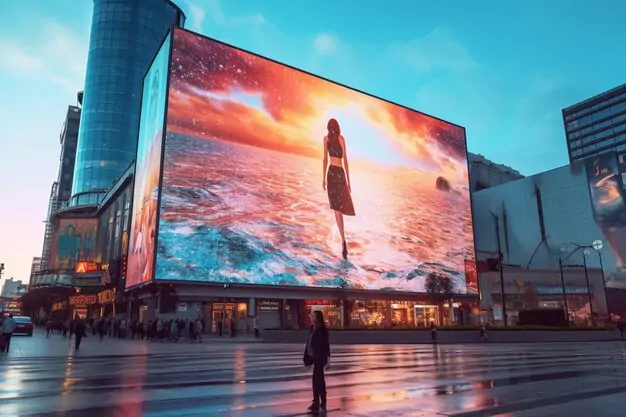
3. 4 Well-Known Giant LED Display Cases
3.1 Adele Munich Residency (2024)
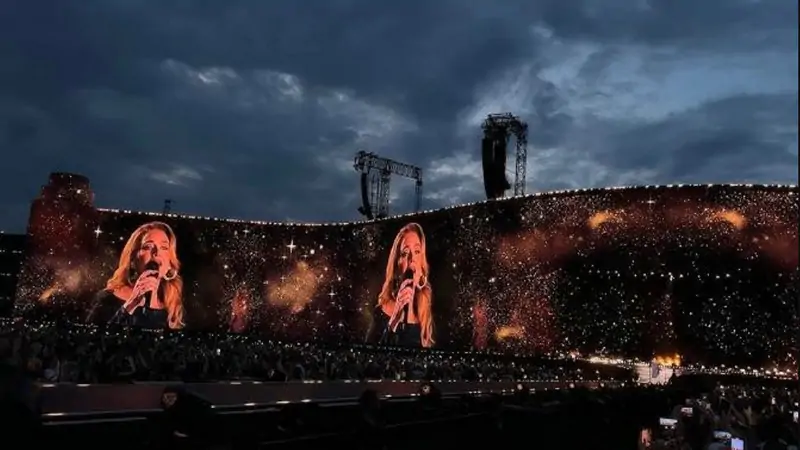
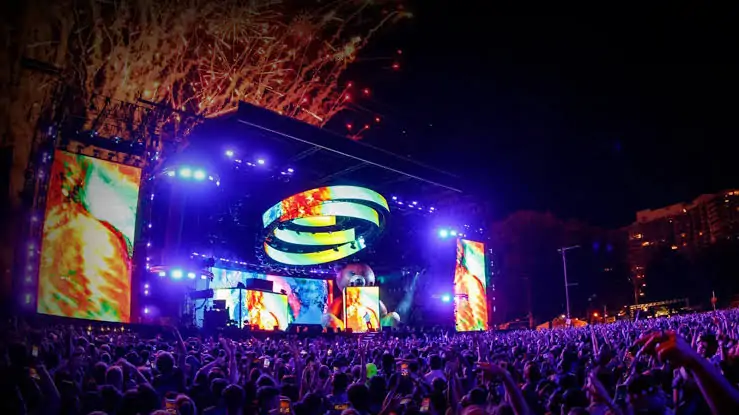
Adele’s 2024 Munich residency used a curved LED backdrop delivered by Solotech with ROE Visual panels. Solotech’s project account reports an 18 m main screen height, additional curved tiers, and 26 Brompton Tessera SX40 processors. It confirms the temporary outdoor screen earned a Guinness World Records title at that event. Published figures describe different parts of the installation, so procurement volume should not be treated as certified visible screen area. The practical lesson is to design the rigging, processing, and custom content together.
3.2 MDLBEAST Soundstorm, Saudi Arabia (2024)
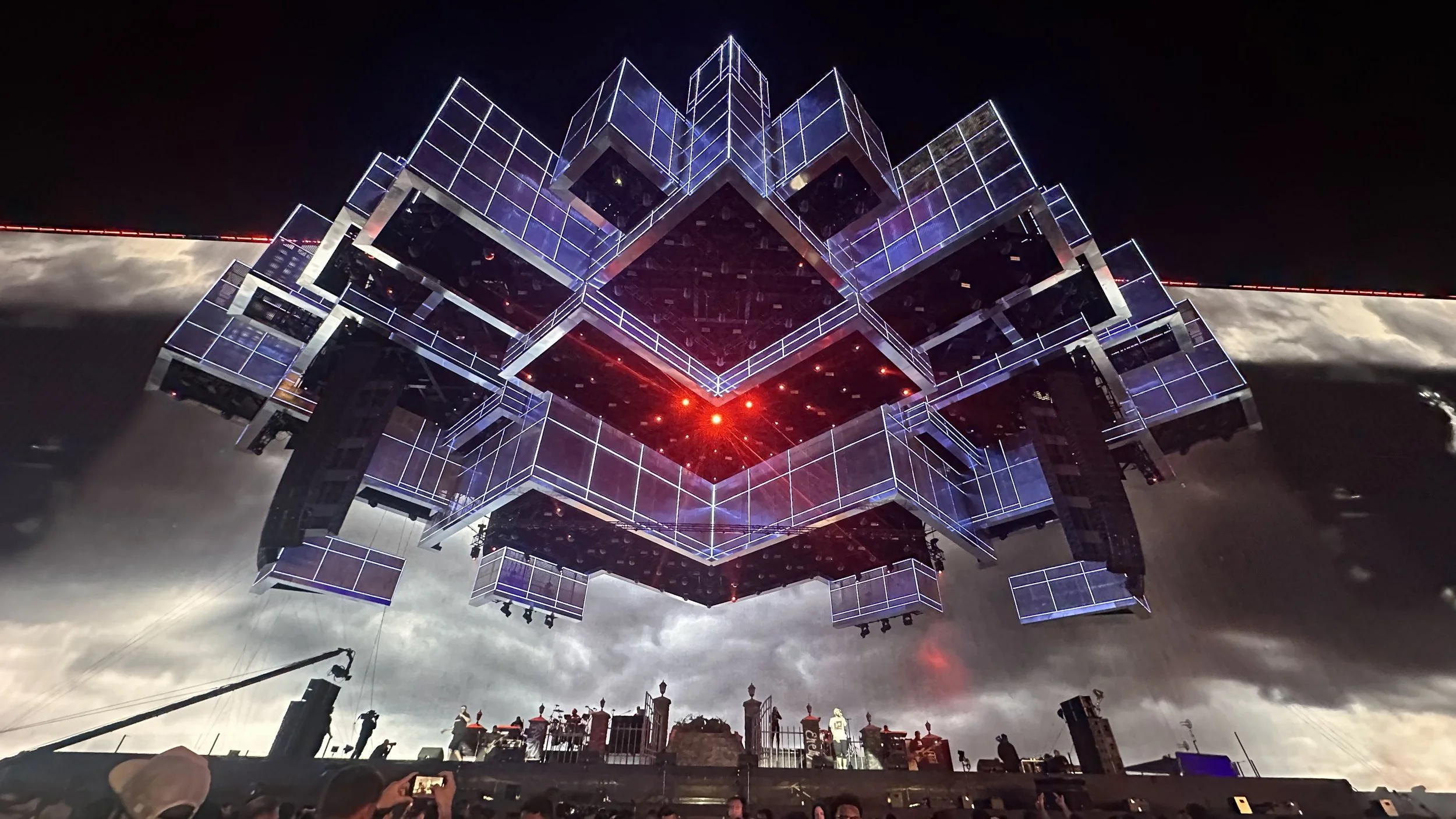
For Soundstorm 2024, PRG’s project release reports a video package exceeding 4,800 m², with a continuous screen reaching 165 m wide and 34.6 m high. The package included TITAN X panels for the wings and canopy and ATLAS X panels for risers. Those overall dimensions are not a rectangular active-area calculation. PRG describes structural re-analysis, thermal-expansion planning, and redundant processing: useful reminders that a record-scale screen is an integrated engineering project.
3.3 Resorts World Las Vegas — 7,673 m² Gaming Display (2023)
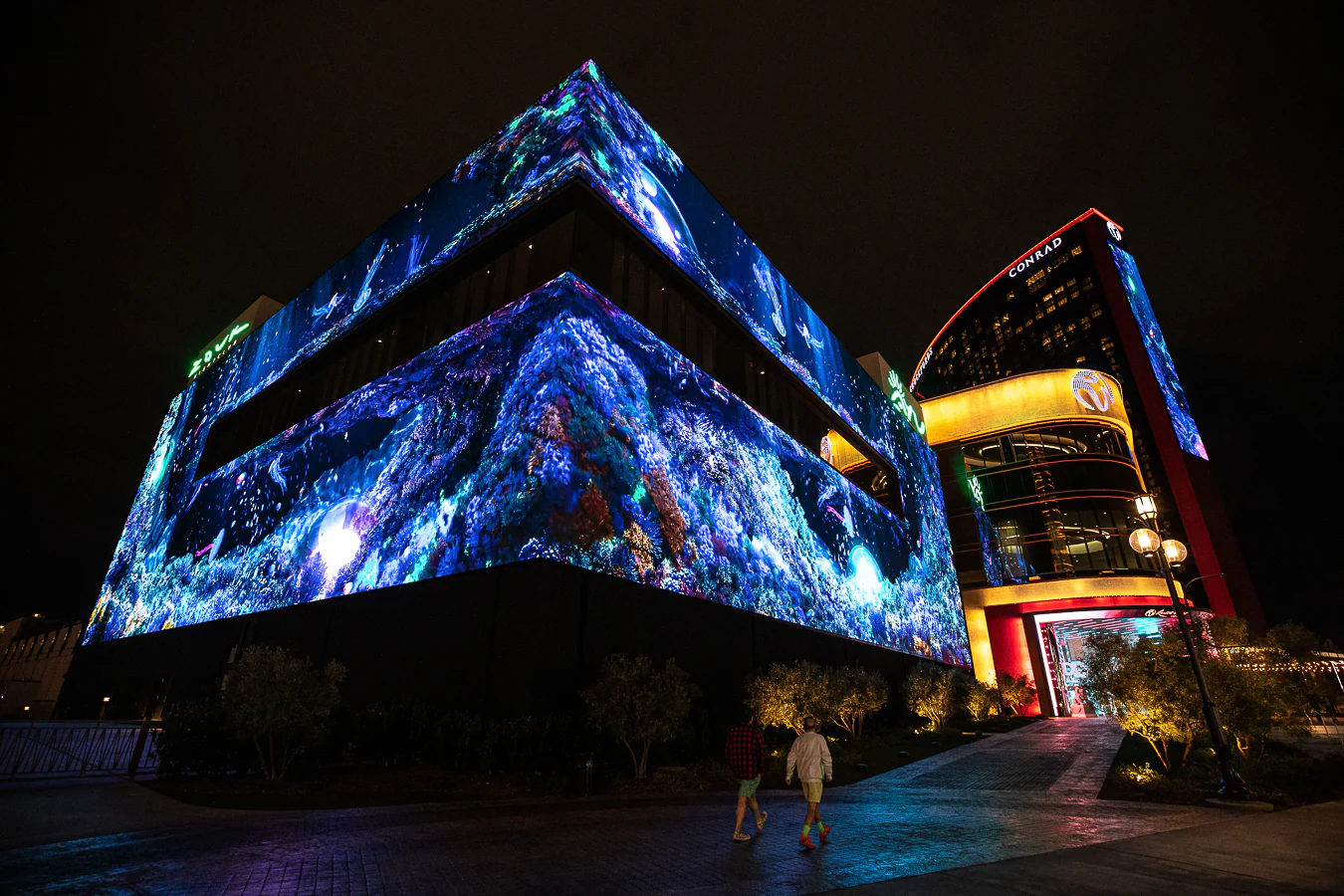
Guinness World Records lists a 7,673.15 m² digital videogame display achieved by Xfinity and the Esports Awards in Las Vegas on November 30, 2023. This is a gaming-display record category, distinct from a temporary concert-screen record. For a building-scale LED installation such as Resorts World, interactive content also requires a tested signal path and an appropriate image layout; surface area alone does not establish resolution or responsiveness.
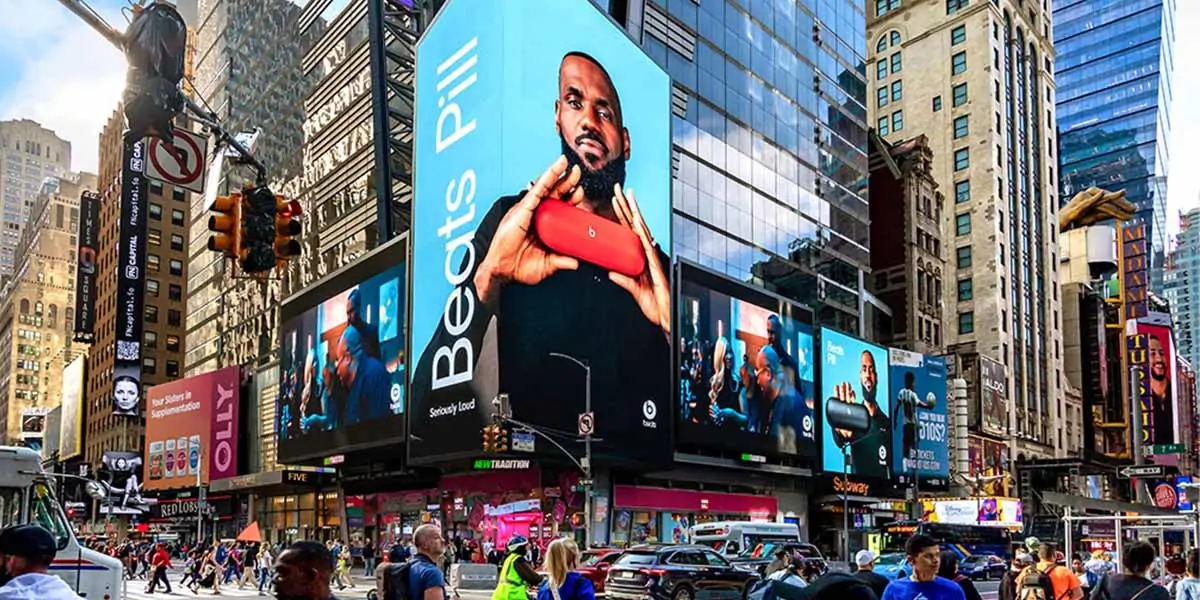
3.4 Times Square, New York City
Times Square illustrates permanent urban LED signage rather than one single screen. For a documented example, Samsung’s 2019 installation announcement gives a combined area of 1,081 m² for five displays at One Times Square. The combined area should not be described as one individual panel. For similar facades, evaluate viewing angles, building attachments, access for repairs, and how content will fit each surface.
4. Key Features of Giant LED Display
4.1 Pixel pitch and Viewing Distance
Pixel pitch is the centre-to-centre distance between adjacent pixels, measured in millimetres. P4 means approximately 4 mm pitch. Smaller pitch gives more pixels within the same physical area, supporting closer viewing and finer detail. Daktronics’ viewing-distance guidance offers roughly three feet of viewing distance per millimetre of pitch as a starting rule, then recommends testing actual content and viewing conditions.
A viewing-distance rule is not a guarantee that pixels disappear. Avoid claims that P4 and P10 always look identical at a particular distance. Compare candidate pitches using the same text, camera feed, and graphics at the intended size. For an event configuration, review a right-angle rental LED wall against the required sightlines and cabinet layout.
4.2 Brightness and Sunlight Performance
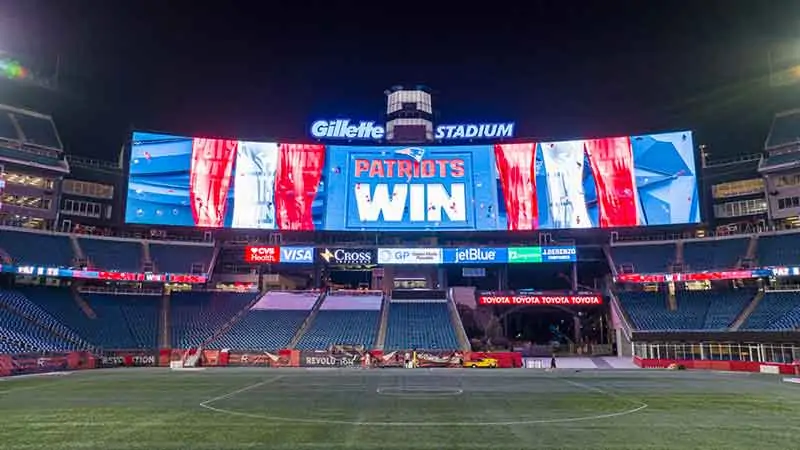
Brightness is measured in nits, equivalent to cd/m². Outdoor requirements depend on sunlight, screen orientation, surface reflections, and surrounding light. As a product example, Daktronics outdoor video displays list calibrated brightness of 6,000–10,000 nits depending on configuration. This is a manufacturer range, not a universal minimum for every outdoor screen.
Request a daylight demonstration and automatic dimming with a commissioned nighttime setting. Do not assume a fixed percentage is suitable for every site. Check applicable local brightness and operating-hour requirements before ordering.
Evaluate uniformity and colour at the brightness levels you will use, including low output. Ask how replacement modules are calibrated to the installed batch, and agree on the measurement method and acceptance criteria in the purchase specification.
4.3 Weather Protection and IP Rating
| IP Rating | Protection level | What to verify |
|---|---|---|
| IP65 front / IP54 rear | Front: dust-tight and water-jet protection; rear: dust-protected and splash protection | Whether rear exposure and connections suit the site |
| IP65 front and rear | Dust-tight and water-jet protection on the rated faces | Separate corrosion, drainage, and temperature provisions |
| IP67 | Dust-tight; temporary immersion under specified test conditions | Test conditions; not approval for operation in floodwater |
IP codes classify enclosure protection under IEC 60529. They do not by themselves certify resistance to salt corrosion, ultraviolet exposure, condensation, heat, or flooding. Check which faces, connectors, and assembled configurations the rating covers. Match operating temperature, drainage, ventilation, and maintenance procedures to the site. Ask for the relevant test report and installation instructions rather than relying on the word “waterproof.”
4.4 Structural Integrity
A large display presents a substantial surface to wind. A qualified structural engineer should assess the complete assembly, attachments, foundations, site exposure, and applicable load combinations. A universal “1.5 times screen weight” rule cannot replace that analysis. In the United States, ASCE 7 addresses design loads for buildings and other structures; the locally adopted rules determine what applies. A portable indoor foldable poster display is a different application from an outdoor freestanding billboard.
4.5 Refresh Rate and Camera Compatibility
A high advertised refresh rate, including 3,840 Hz, does not guarantee clean camera footage. Camera shutter timing, scan multiplexing, frame rate, brightness, and synchronisation all matter. Brompton’s ShutterSync guidance explains matching LED refresh timing to camera exposure. Test the proposed panels and processor with the actual cameras and planned settings, including slow motion if required. Record the acceptable settings during commissioning.
5. Applications of Giant LED Screen
Illustrative application ranges for initial discussions; confirm with a site survey and product-specific tests.
| Application | Example size | Pixel pitch | Brightness | Key requirement |
|---|---|---|---|---|
| Highway billboard | 50–200 m² | P10–P20 | 6,000–8,000 nits | Sunlight visibility, remote CMS |
| Stadium scoreboard | 50–150 m² | P6–P10 | 6,000–10,000 nits | Camera testing and synchronisation |
| Building facade | 100–1,000+ m² | P10–P25 | 5,000–7,000 nits | Structural engineering, wind load |
| Outdoor event stage | 30–100 m² | P3.9–P5.9 | 4,000–6,000 nits | Fast rigging, rental-friendly cabinets |
| Retail flagship (outdoor) | 10–50 m² | P2.5–P4 | 5,000–6,000 nits | Close viewing, premium image quality |
| Indoor arena and concert | 50–200 m² | P2.5–P4.8 | 1,000–2,000 nits | Weight, rigging speed, floor loading |
| Digital out-of-home advertising | 50–150 m² | P6–P10 | 6,000–8,000 nits | Cloud CMS, remote health monitoring |
| Tourist attraction and landmark | 100–500 m² | P4–P10 | 5,000–8,000 nits | Creative shapes, transparent options |
The table gives illustrative starting ranges, not a specification for every project. Several constraints can apply at once: roadside readability, facade wind exposure, stadium camera use, and rental handling all affect the final choice. For permanent advertising, compare advertising LED screen options; for temporary events, compare rental LED displays with the required rigging and service arrangements.
6. How to Choose the Best Giant LED Screen?
Use the following sequence to turn a general request for a giant LED display into a brief that suppliers can price consistently. Include the location, dimensions, viewing distances, operating hours, content examples, and installation deadline. Ask each bidder to list assumptions and exclusions.
6.1 Start with Viewing Distance
Measure the closest, typical, and farthest viewing positions, including side angles and obstructions. Shortlist pixel pitches, then test the smallest text and detailed graphics. Specify the native pixel dimensions as well as the physical size. This avoids paying for detail the content cannot use or choosing a screen that cannot reproduce necessary information.
6.2 Determine the Environmental Conditions
Document direct sunlight, shade, rain, dust, temperature extremes, and any salt exposure. Identify whether the rear is sheltered or exposed and how technicians will reach it. Confirm that dimming, cooling, drainage, cable connections, and protective measures are covered by the proposed installation and warranty, not just by the cabinet brochure.
6.3 Assess the Structure
Obtain the actual cabinet weight and add the support steel, cables, access platforms, and other equipment. Have the engineer evaluate the installation location, mounting surface, and relevant environmental loads before committing to the layout. Reserve space for front or rear service and safe lifting access. Avoid generic weight-per-area estimates when approving a structure.
6.4 Plan the Content Infrastructure
Define who creates, approves, and schedules content and how it reaches the display. Confirm processor capacity for the full pixel canvas, inputs, frame rates, and required redundancy. A stadium mixing camera feeds, scores, and replays needs a different workflow from a scheduled advertising loop. Include operator training, remote access controls, and a fallback image or playback plan for signal loss.
6.5 Budget for the Total Cost of Ownership
Compare complete installed proposals rather than panel prices alone. Include structure, installation, electrical work, processors, transport, taxes, permits, spares, and support. For an EA960R4 advertising display, confirm the exact configuration and quoted inclusions. Estimate electricity separately: average kW × operating hours × local tariff. For illustration only, 20 kW averaged over 10 hours uses 200 kWh; this is not a measured consumption figure for that model.
6.6 Decide between Rental and Purchase
Rental can suit a one-off event when the package includes transport, rigging, technicians, and removal. Purchase can suit repeated use or a permanent installation, but there is no universal break-even number of events. Compare annual rental quotes with ownership costs, including storage, repairs, crew, insurance, transport, and eventual replacement. Confirm event dates, weather terms, and cancellation conditions in the quotation.
7. Giant LED Display Cost: What You Actually Pay
| Cost category | Include in the quotation |
|---|---|
| Display hardware (panels, cabinets) | Cabinets, modules, processors, and spare parts |
| Structural engineering and mounting | Engineering, steelwork, foundations, and access |
| Installation labour | Rigging, lifting equipment, commissioning, and training |
| Power infrastructure | Distribution, cabling, protection, and connection work |
| Content creation and CMS | Design, playback software, licences, and operation |
| Permits, insurance, and contingency | Local approvals, insurance scope, and project contingency |
There is no dependable price per square metre without a configuration and delivery scope. Request dated, itemised quotes for the same dimensions, pitch, brightness, cabinet protection, controller, warranty, and installation location. Record currency, taxes, freight, validity period, and exclusions. A lower panel price may be offset by a more expensive structure or difficult maintenance access.
As arithmetic only, 100 m² at an assumed US$500/m² equals US$50,000 for the quoted hardware scope. It is not a current market quotation or an installed-cost forecast. Add the separately quoted items in the table, then budget for electricity, maintenance, software, and content over the intended service period.
Verify quality through a sample demonstration, calibration records, warranty terms, spare-module availability, and a commissioning checklist. Do not infer a specific failure rate from a low price. Agree on response times and replacement procedures before purchase.
8. FAQs
9. Conclusion
The best giant LED display starts with a clear project brief: audience sightlines, readable content, suitable brightness, verified environmental protection, and an engineered installation. Review the full signal chain and service plan before comparing final costs. Landmark projects show what is possible, but their dimensions and budgets are not templates for every venue.
Before ordering, obtain a cabinet layout, native resolution, structural review, power plan, demonstration results, and an itemised quote. These give you a practical basis for selecting a screen that fits your programme and can be supported throughout its service life.
 MIP vs SMD vs COB: LED Packaging Technology Guide
 Ceiling LED Screen: Complete Buyer's Guide 2026
Related Posts
Fill In Your Needs In Detail
Fill in the screen usage scene and size you need in “Content”.You will get a quote.