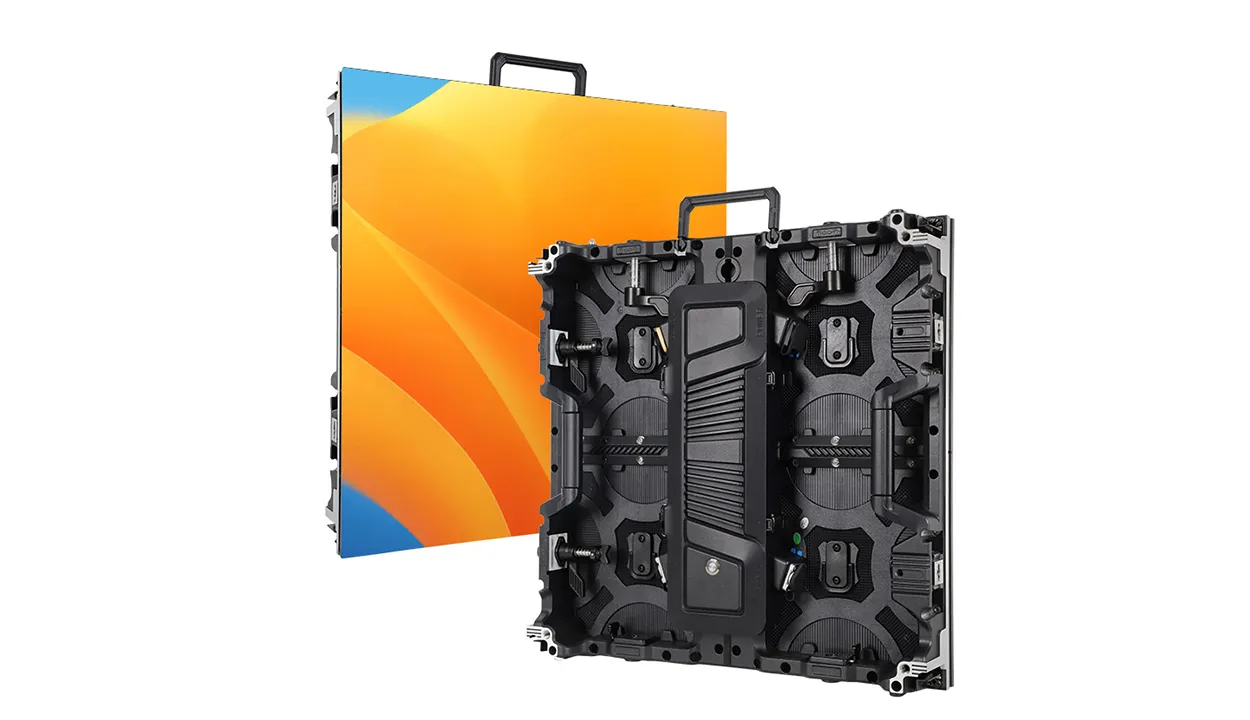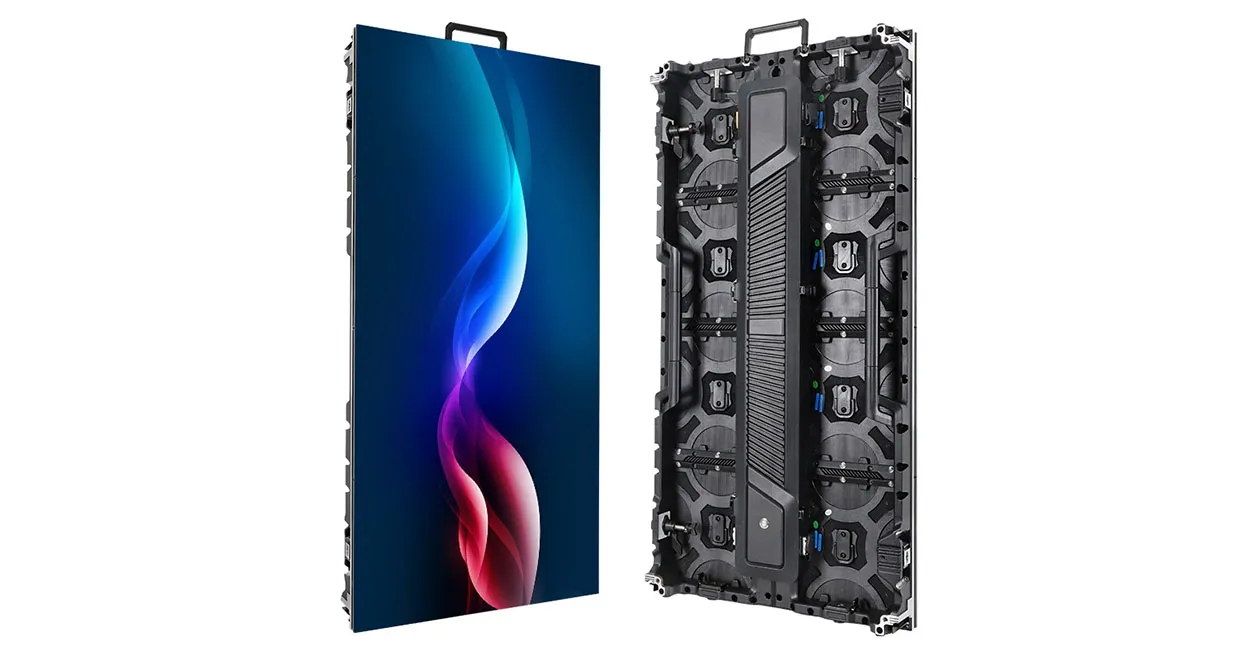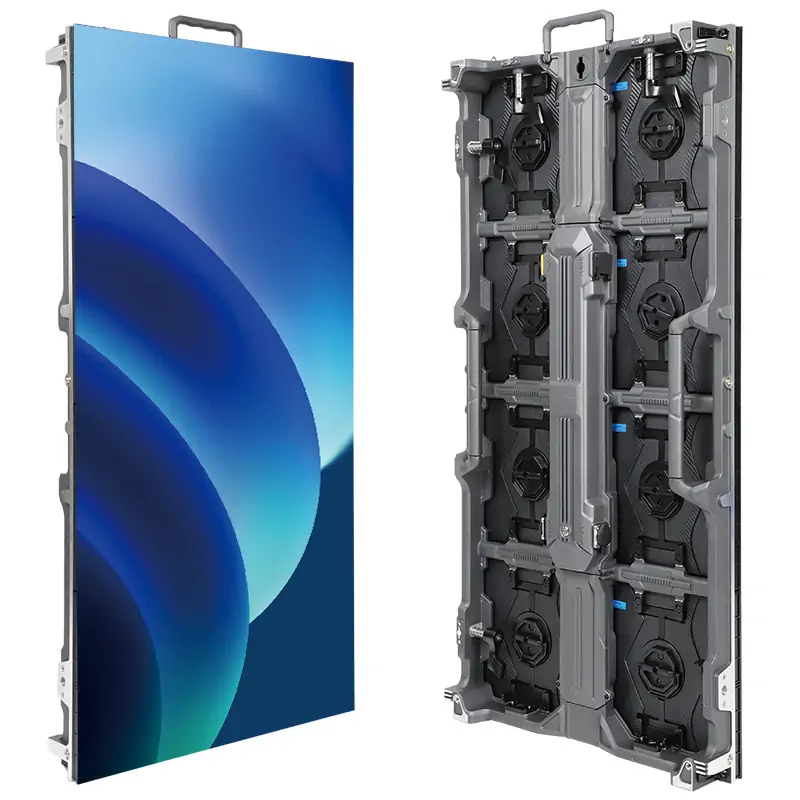
Ready to ship LED display modules are modules a supplier already holds as finished, tested stock, so they can leave the factory within days instead of waiting for a production slot. A supplier is worth using only if it can prove three things before you pay: the exact module is on the shelf, it will match the screen you already own, and it will arrive on a delivery route you can plan around. EagerLED, a Shenzhen LED display manufacturer founded in 2009, keeps common indoor, outdoor, GOB and flexible module sizes in stock and ships them factory-direct to small and medium-sized projects in more than 120 countries and regions.
This guide is written for one reader: the person at a sign company, AV service firm or rental house who needs modules quickly, usually to repair a live screen, top up a fleet or finish a small build. It does not repeat the basics of module types and specifications, which our LED display module guide already covers. Instead, it explains how to tell real stock from a sales promise, how to match replacements, and what a shipment should look like when it reaches you.
The same checks apply to any supplier, EagerLED included. If a vendor cannot answer them in writing, the word “stock” on its quote means very little.
1. What “Ready to Ship” Should Mean on a Module Quote
On a module quote, “ready to ship” should mean finished modules that have already passed lighting and aging tests and only need to be counted, packed and handed to a carrier. In practice, suppliers use the phrase for three different situations, and each one carries a different delivery risk.
The first is true shelf stock: assembled, tested modules with known pitch, size, LED package and driver IC. The second is assembly from stocked parts: the supplier holds PCBs, LEDs and housings but still has to run the modules through assembly, coating and testing. The third is a build-to-order module described as “in stock” because the supplier has made that model before. All three can be legitimate, but only the first one is ready to ship LED display modules in the sense a repair buyer needs.
| Stock level | What the supplier physically holds | Question to ask | Delivery risk |
|---|---|---|---|
| Finished shelf stock | Assembled, tested modules of the exact model | “How many pieces of this exact model and batch are on the shelf today?” | Low: mainly packing and freight time |
| Assembled from stocked parts | PCBs, LEDs, ICs and housings, not finished modules | “Which steps remain before dispatch, and how long do they take?” | Medium: assembly, coating and aging still ahead |
| Build to order | A known design, but no parts set aside | “What is the confirmed production date for my order?” | Higher: depends on component supply and the production queue |
None of these is wrong on its own. A small build can often wait for assembly from parts. A dark section on a client’s storefront screen usually cannot. Decide which level your project needs before comparing prices, because a cheaper quote at the wrong stock level can cost more in downtime than it saves.
2. Match the Replacement Before You Pay
Ready to ship LED display modules only help if they fit the cabinet, talk to the control system and look the same as their neighbors once lit. Most failed module orders are not quality problems; they are matching problems that nobody checked before payment.
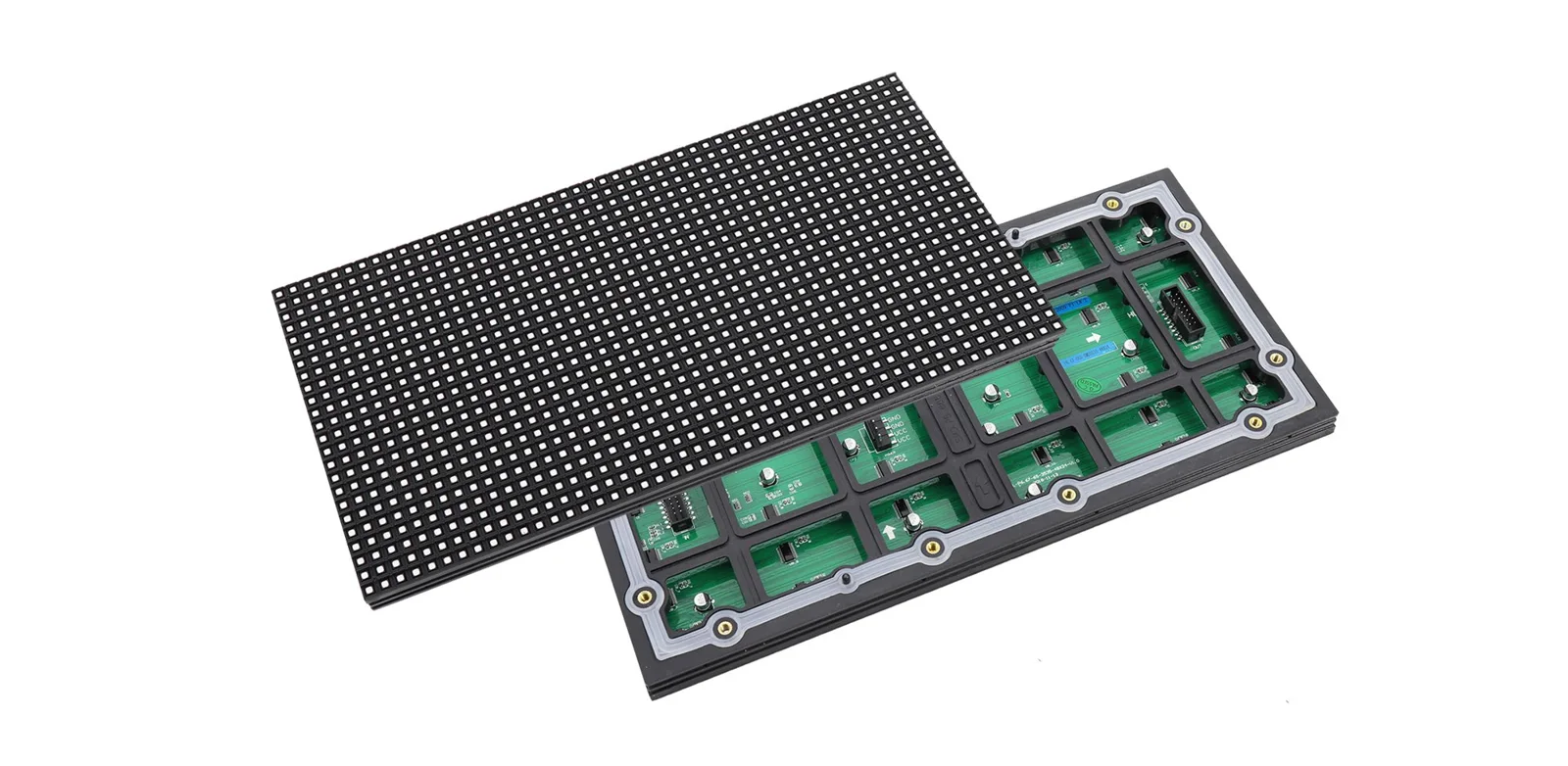
01. Read the back of the old module
Send the supplier clear photos of the back of an existing module. The PCB print and stickers usually show the pitch, size, scan type, production date and sometimes the driver IC. Add a photo of the HUB or data connector and the power terminal. These photos answer more questions than any written description.
02. Confirm pitch, size and scan
Pitch and module size must match exactly; a P4 module will not replace a P4.81 module, even if both look similar. Scan ratio matters too, because the receiving card is configured for one scan mode. Measure the module edge to edge in millimeters and count pixels across one row if the label is unclear.
03. Check the driver IC, LED package and color batch
Driver ICs affect refresh rate and grayscale behavior. EagerLED’s module pages list refresh rates of 1,920 Hz or 3,840 Hz, depending on the IC, and LEDs from Nationstar and Kinglight. Even with the same IC and LED brand, a module from a newer batch can look slightly different beside modules that have run for years. Ask whether the supplier can match the color batch, or plan to recalibrate or swap modules within a section so the difference is less visible.
04. Confirm connectors, fixing and the controller file
Check whether the cabinet uses magnets or screws, front or rear service, and which data connector the module needs. Then confirm the control system. EagerLED supports NovaStar, LINSN and Colorlight systems and provides remote technical support, which helps when a replacement module needs a new configuration file loaded onto the receiving card.
| Item | Why it matters | How to verify |
|---|---|---|
| Pixel pitch | Different pitches cannot mix in one screen | Label photo plus measured distance between pixel centers |
| Module size | Must fit the cabinet frame exactly | Edge-to-edge measurement in mm (for example 320 x 160 mm, 12.6 x 6.3 in) |
| Scan ratio | Receiving card is set for one scan mode | PCB print, or the existing configuration file |
| Driver IC | Affects refresh rate and low-gray performance | Photo of the IC markings on the rear board |
| LED package and batch | Visible color shift beside older modules | Ask for batch matching, or plan a recalibration |
| Data and power connectors | Wrong connector means rewiring on site | Photos of HUB socket and power terminal |
| Fixing method | Magnets, screws, front or rear service | Photo of the cabinet with one module removed |
| Control system | Configuration must be loaded for new modules | Brand of sending and receiving cards; existing config file |
3. Test a Stock Claim in Five Messages
You can test whether a supplier really holds ready to ship LED display modules with five short messages, before any money changes hands. Good suppliers answer them quickly because the answers already sit in their warehouse records.
- Ask for the exact model and quantity on hand. “How many pieces of this exact module are on the shelf today?” A vague answer such as “we have plenty” is not stock confirmation.
- Ask for a current photo of the stock. A photo of the actual cartons or modules, with the model label visible, shows far more than a catalog image.
- Ask for a written dispatch date. The quote should name the date the modules leave the factory, not only the shipping time.
- Ask what testing happens before dispatch. Stock modules should be lit and checked again before packing, even if they passed aging when they were built.
- Ask what happens if a module is dead on arrival. The answer should cover replacement, who pays freight and how fast a replacement can leave.
Keep the answers in one email thread. If the dispatch date slips, that thread is your record of what was promised. It also helps when you compare two suppliers of ready to ship LED display modules, because you can see which one answered with numbers and which one answered with adjectives.
Tip for repair buyers: order a small number of extra modules with any urgent replacement. A few spares on your own shelf turn the next failure into a quick swap instead of another international shipment.
4. Quality Records That Should Travel With Stock
Ready to ship LED display modules should come from the same production and testing process as modules built for a new screen. Speed is not a reason to skip tests, and a supplier should be able to describe each step without hesitation.
EagerLED runs a 12-step factory process: LED baking, PCB SMT, LED SMT, lighting test, conformal coating, bottom-shell assembly, potting for outdoor modules, mask assembly, QC testing for brightness and color uniformity, 24-hour module aging, cabinet assembly and 72-hour full-screen aging. The factory floor covers more than 5,000 m² (53,800 sq ft) with over 100 production staff, a dust-free workshop and a monthly capacity of more than 6,000 m² (64,600 sq ft) of display area.
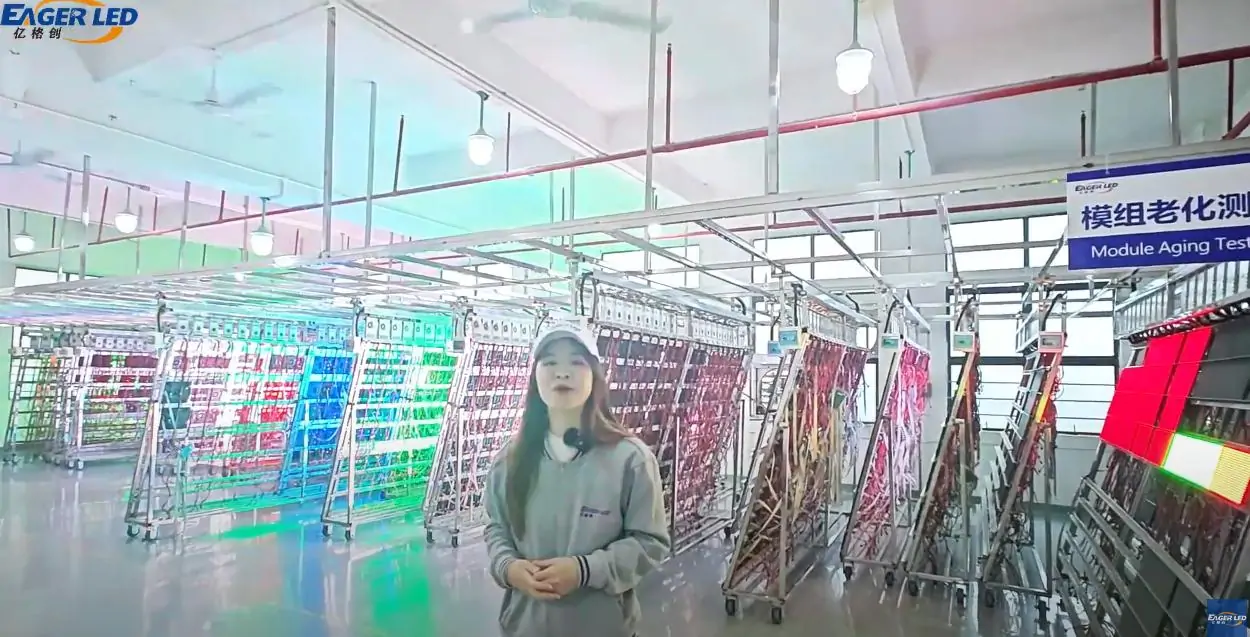
Two steps matter most for loose modules. The first is the 24-hour module aging, which catches early LED and IC failures before the module reaches a shelf. The second is conformal coating, which protects the board from moisture and dust; outdoor modules are also potted. Full screens then go through 72-hour full-screen aging, which is a cabinet-level test, so when you buy loose modules for your own cabinets, ask which tests your modules received.

Certificates are the other record to request. EagerLED holds CE, RoHS, FCC and CCC certifications, but a certificate applies to specific models. Ask the supplier for the certificate documents and check that the model listed matches the module you are buying. You can read more about the inspection steps on our quality control page and see the coating line in our conformal coating video post.
5. Shipping Routes, Packing and Spares
For ready to ship LED display modules, freight is usually the longest part of the wait, so pick the route before you pick the price. Modules are small and light compared with cabinets, which often makes air freight practical even for repair orders.

At EagerLED, air shipments usually arrive 7–10 days after dispatch, while sea freight usually takes more than a month. Customs clearance at your end can add time on either route, so ask your forwarder or the supplier about the documents your country requires before the goods leave.
| Situation | Usual route | Typical transit | What to confirm |
|---|---|---|---|
| Dark section on a live screen | Air | 7–10 days after dispatch | Dispatch date, tracking, import paperwork |
| Fleet top-up before a known event date | Air, or sea if the date is far away | Air 7–10 days; sea more than a month | Work back from the event date with a buffer |
| Modules for a new small build | Sea, often with the cabinets | More than a month | Packing method and total volume |
| Stocking spares for future repairs | Sea or consolidated air | Depends on route | Batch matching with your installed screens |
01. Packing
Ready to ship LED display modules should be packed so the LED face cannot touch anything during transit, because chipped LEDs on the edge of a module are the most common transit damage. EagerLED ships full screens in wooden cases or flight cases; for loose modules, confirm the packing method on the quote and ask for a packing list that shows the model and quantity per carton.
02. Spares
EagerLED supplies 2% spare parts as standard with full screens, and the standard full-screen warranty is 2 years, with optional extended warranty at a slightly higher price. The module range pages also list a 2-year warranty. When you buy loose modules, write the warranty terms and spare quantity into the order so both sides read them the same way.
6. EagerLED’s Ready to Ship LED Display Modules and Delivery Records
EagerLED’s module catalog lists in-stock indoor, outdoor, flexible, GOB and COB modules, with mainstream sizes such as 320 x 160 mm and 250 x 250 mm. The table below summarizes the sizes and pitches published on our LED screen modules page and its indoor and outdoor sub-pages as of November 2026. Stock moves daily, so treat this as the range of ready to ship LED display modules we normally carry and confirm the exact quantity in your quote.
| Family | Published module sizes | Published pitches (examples) | Notes |
|---|---|---|---|
| Indoor SMD | 320 x 160, 250 x 250, 256 x 128, 192 x 192, 160 x 160 mm | P1.86, P2, P2.5, P2.6, P2.97, P3, P3.076, P3.91, P4, P4.81, P5 | Listed brightness 600–1,000 nits |
| Outdoor SMD and DIP | 320 x 160, 250 x 250, 256 x 128, 192 x 192, 160 x 160 mm | P2.5, P3, P3.91, P4, P4.81, P5, P6, P6.67, P8, P10; DIP P10, P16 | IP65; listed brightness 5,000–10,000 nits |
| Flexible | 240 x 120, 320 x 160, 256 x 128 mm series | P1.25, P1.667, P1.875, P2, P2.5, P3 | Magnetic mounting for curved and shaped builds |
| GOB | Per model | Mainly fine pitch, P2.5 and below | Glue-sealed face for impact and moisture protection |
| COB | Per model | Per model | Listed brightness 500–800 nits; flip-chip COB |
Product pages for each family give more detail: see the outdoor LED screen modules, the indoor LED screen modules and the GOB LED modules.
01. Published module delivery records
Catalog ranges show what a supplier can make. Delivery records show what it has actually shipped. These module orders are documented in posts on this site, most with customer video feedback:
- United States: 80 P5 outdoor modules, 320 x 160 mm, published January 2025 (customer feedback post).
- Mexico: 200 P2.5 indoor modules, 320 x 160 mm, published November 2024.
- Netherlands: 200 GOB modules used for stage work, published December 2024.
- Romania: 500 LED modules, published December 2024.
- Colombia: 120 P2.5 flexible modules, 320 x 160 mm, ordered August 2024 and shaped into custom forms.


A customer video is a visual reference, not a lab test. It does not prove brightness, contrast or long-term reliability, so use it alongside the quality records in section 4. On positioning, EagerLED sits in the middle of the price range: factory-direct, with strict quality control, for small and medium-sized projects. It is not the cheapest source and does not try to be. If you resell modules regularly, the distributor program offers preferential pricing.
7. Arrival Inspection in the First Hour
Check any shipment of ready to ship LED display modules on the day it arrives, before the cartons go into storage or out to site. Problems found in the first hour are easy to document; problems found three weeks later are not.
- Photograph the cartons before opening. Crushed corners or punctures support a freight claim.
- Count against the packing list. Check model labels as well as the total quantity.
- Inspect the LED faces. Look along the edges for chipped or missing LEDs, which are typical transit damage.
- Power up a sample in a known-good cabinet. Run full white, red, green and blue, then a grayscale pattern, and compare the new module with its neighbors.
- Report problems with photos and video the same day. Send them to the supplier in the original email thread so the evidence stays with the order.
If the color of a new module stands out, do not install it in the middle of the screen. Place it at an edge or in a less visible area, or ask the supplier about recalibration. Our LED display parts videos show module handling and replacement steps you can share with your technicians. For receiving cards and other control parts, our sister store LED Controller Card Store stocks common items.
Frequently Asked Questions
How fast can ready to ship LED display modules reach North America or Europe?
Transit depends on the route. EagerLED’s air shipments usually arrive 7–10 days after dispatch and sea freight usually takes more than a month. Add the time between order confirmation and dispatch, which your quote should state as a date, and allow for customs clearance.
Can I mix new modules with modules that have been running for years?
Yes, if pitch, size, scan, IC and connectors match, but expect a possible visible color difference because LEDs age and batches vary. Ask for batch matching, recalibrate the screen, or place new modules where the difference is least visible.
What should I send a supplier to get a replacement quote?
Photos of the back of an existing module with labels visible, the module size in millimeters, the pitch, the data and power connectors, the cabinet fixing method, the control system brand, and the quantity you need. A copy of the receiving card configuration file helps too.
Is there a minimum order for stock modules?
Minimums vary by model and packing unit, so ask for them on the quote. For repair orders it often makes sense to buy a few extra pieces, because shipping cost per module drops and you keep spares on hand.
Do stock modules come with a warranty?
EagerLED’s module pages list a 2-year warranty, and full screens carry a standard 2-year warranty with optional extended cover. Ask for the warranty terms for loose modules in writing on your order.
Which certificates should I ask a module supplier for?
Ask for certificate documents such as CE, RoHS or FCC that name the model you are buying, then check that the model listed matches your module. A certificate for a different product does not cover your order.
Getting a Fast, Accurate Module Quote
The quickest quotes for ready to ship LED display modules come from complete requests. Send photos of the old module’s back and connectors, the size and pitch, the control system, your quantity and whether you need air or sea freight. With that information we can confirm stock, give a dispatch date in writing and tell you whether batch matching is possible. Send your module details to EagerLED and our team will reply with a quote you can compare line by line.
 COB LED Display Supplier in China: How to Choose and Verify One
Related Posts
Fill In Your Needs In Detail
Fill in the screen usage scene and size you need in “Content”.You will get a quote.