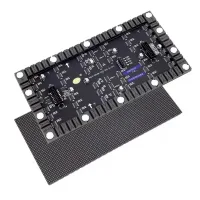
The Novastar MBOX600 Pro combines an industrial PC and LED sending functions in one controller, with a stated capacity of 2.6 million pixels. It supports local or HDMI input, web-based configuration and SNMP monitoring. The right settings depend on your screen’s pixel dimensions, receiving cards and content source.
1. What Is the Novastar MBOX600 Pro?
The MBOX600 Pro is intended for fixed LED displays and unattended advertising installations. Its integrated computer can reduce the need for a separate playback PC to drive LED screen modules. VNNOXCare Configuration provides device setup, cabinet mapping and monitoring; confirm that your cabinet hardware and software version support the required functions.
Typical projects include billboards and public-information screens. Suitability depends on total pixels and port loading, not physical screen size alone. NovaStar’s product page lists Windows and Linux options, remote control and SNMP support.
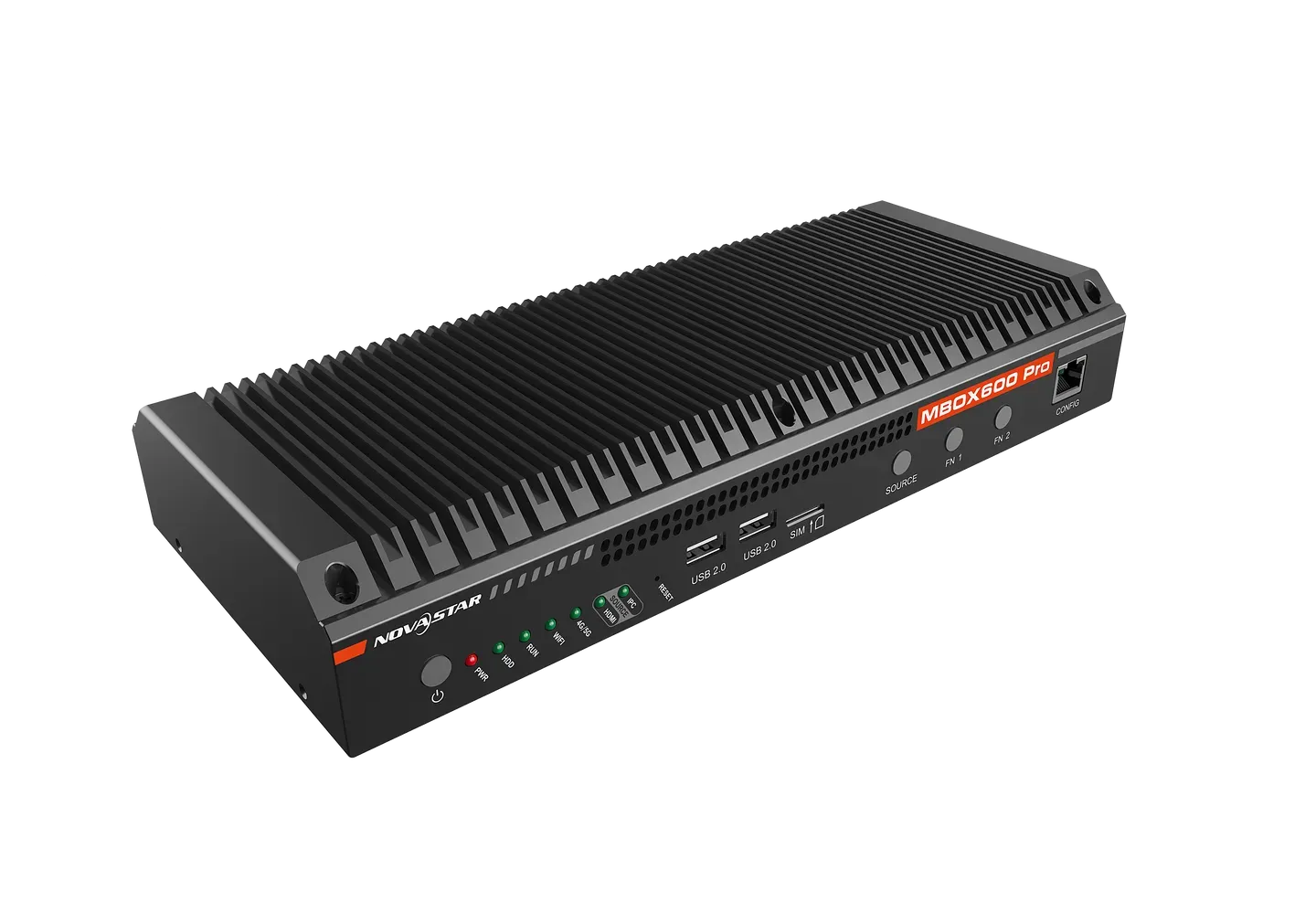
2. Novastar MBOX600 Pro LED Display Controller Design & Build
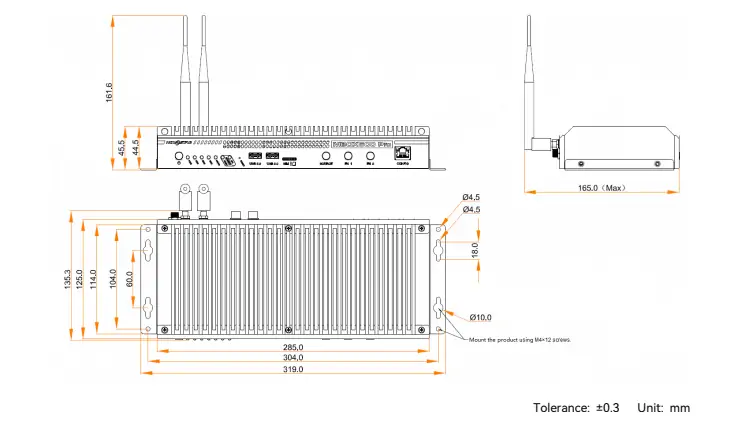
The finned enclosure and compact mounting layout suit equipment cabinets. The dimensional drawing below shows 319.0 × 135.3 × 45.5 mm, while NovaStar’s current product page lists 135.9 mm for the middle dimension. Check the supplied drawing before fabrication. The published operating range is −20°C to +60°C, without condensation; it does not establish weatherproofing.
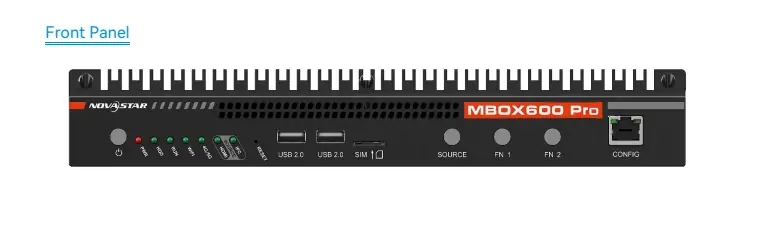
2.1 Front Panel Features
- Power and RESET: Use normal shutdown where possible. Back up configuration before a factory reset; it is not a routine blank-screen troubleshooting step.
- USB: Two USB 2.0 ports are on the front; two USB 3.0 ports are on the rear.
- SIM slot: Used with the optional cellular configuration.
- CONFIG: Default address 192.168.0.10. For direct PC access, use a different address in the 192.168.0.x subnet, as described in the user manual, pages 3–4.
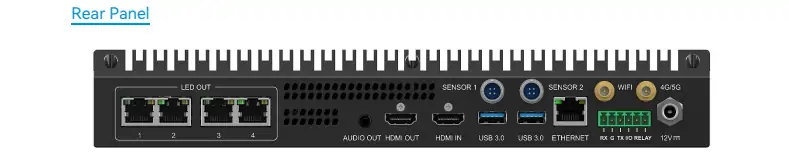
2.2 Rear Panel Features
- HDMI: HDMI 1.3 input accepts an external source; HDMI output connects a local monitor.
- LED OUT 1–4: Four display-data outputs connect receiving-card chains, not ordinary office-network devices.
- SENSOR 1/2: Connections for compatible light sensors.
- Networking: Separate ETHERNET, Wi-Fi and optional 4G/5G connections.
- Other connections: Two USB 3.0 ports, audio output and 12 V DC power input.
Before wiring, identify the separate control-network and LED-output ports.
3. Novastar MBOX600 Pro Features
The following features matter most when selecting the Novastar MBOX600 Pro and setting up a screen.
3.1 Input and Output
- Loading: Up to 2,600,000 pixels, maximum width 4096 and maximum height 1920. These are separate limits; 4096 × 1920 exceeds total capacity.
- Source and scaling: Choose IPC or HDMI under Screen Configuration → Device Configuration. Set EDID for the source, then use Auto Zoom or a custom output size.
- Audio and brightness: Stereo output and two sensor ports support external audio and ambient-light control.
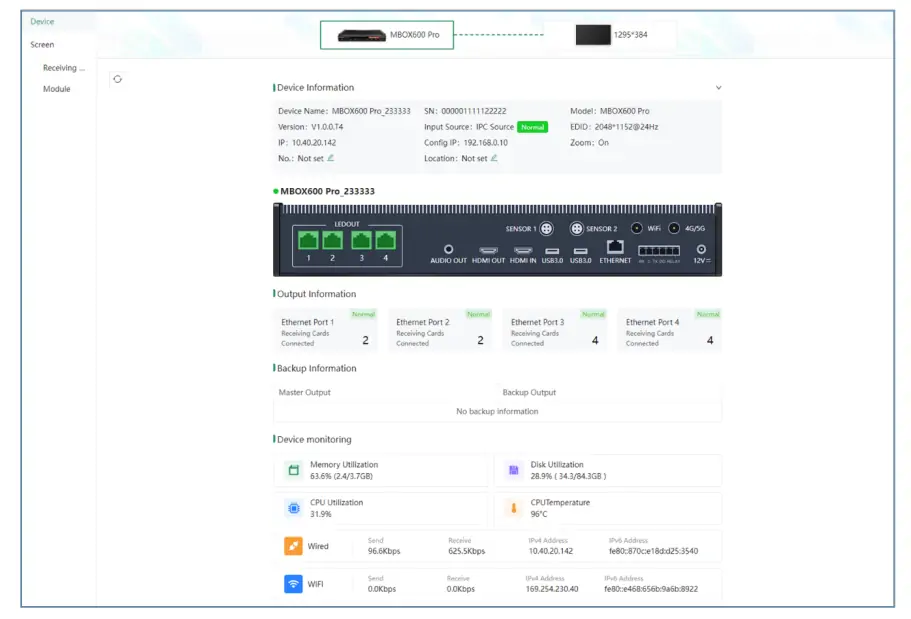
The dashboard screenshot below shows device information, four output-port states and monitoring values. Its example numbers are not recommended settings. See the configuration manual.
3.2 Processing Power
The processor is an Intel N97:
- Four cores and four threads.
- Maximum turbo frequency 3.6 GHz, confirmed by Intel’s N97 specifications; turbo speed is not a sustained-performance guarantee.
- Listed configurations pair 4 GB RAM with 128 GB storage, or 8 GB with 256 GB.
3.3 Connectivity and Networking
- Wired control: Use CONFIG for direct setup and the rear ETHERNET port for the site network.
- Wireless: Wi-Fi station mode provides network access; cellular operation requires the appropriate optional module and service.
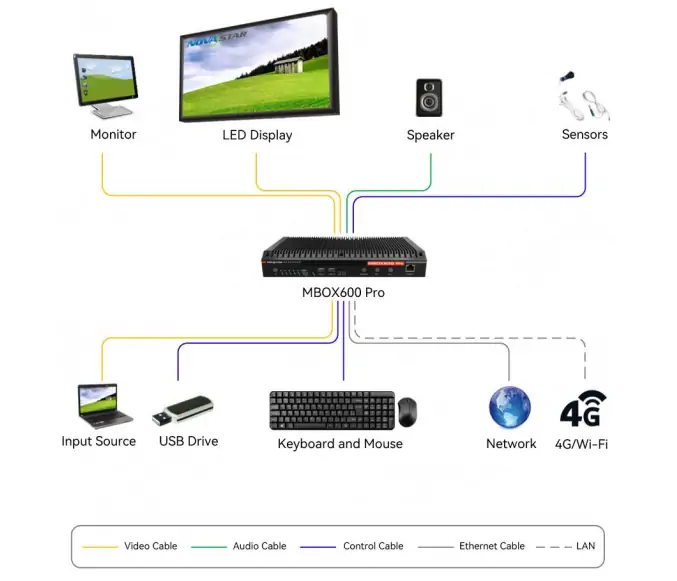
The connection diagram below links the controller to a monitor, LED screen, speaker, sensors, input source, USB devices and network. Wireless access does not replace the LED-output cabling.
3.4 User-Friendly Interface
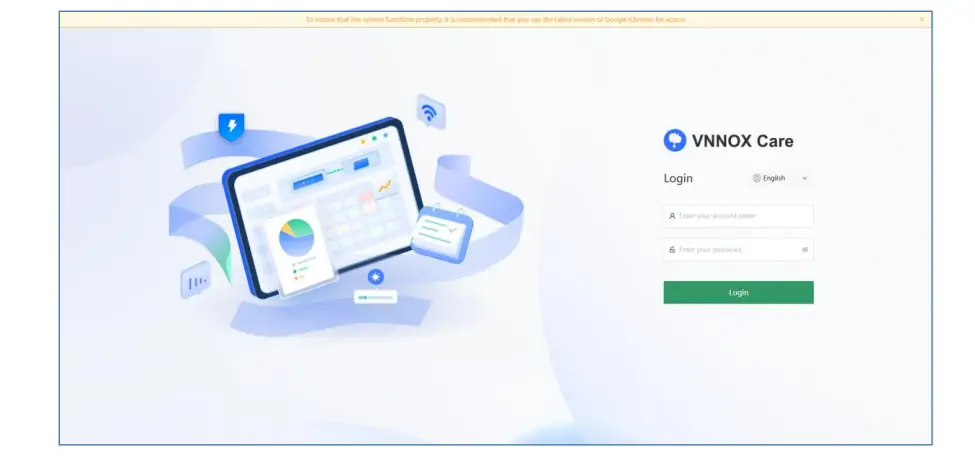
VNNOXCare Configuration is the web interface; the image below shows its login screen. For local access with a monitor, keyboard and mouse, open 127.0.0.1 in the controller’s browser. Use the configured network address for remote access. Follow the NovaStar login instructions and keep management access on an authorized network.
4. MBOX600 Pro Specifications Breakdown
Published hardware specifications:
| Category | Details |
|---|---|
| Power input | 12 V DC; 3 A in V1.0.2 specification, 7 A on current product page — verify unit/adapter |
| Rated consumption | 34 W (V1.0.2); not a constant operating measurement |
| CPU | Intel N97, 4 cores / 4 threads, up to 3.6 GHz turbo |
| RAM | 4 GB or 8 GB, depending on configuration |
| Storage | 128 GB or 256 GB, depending on configuration |
| Operating temperature | −20°C to +60°C |
| Operating humidity | 0–80% RH, non-condensing |
| Dimensions | 319.0 × 135.3 × 45.5 mm in supplied illustration; current product page lists 135.9 mm depth |
| Net weight | 1778 g (published specification) |
| Gross weight | 3436.8 g including packaging (published specification) |
Document differences: The V1.0.2 specification lists 12 V/3 A and 34 W; the current product page lists 12 V/7 A. Obtain supplier confirmation before replacing the adapter. Certifications listed in the documentation include CE, RoHS, FCC, IC, UL, RCM, SRRC and CB; confirm applicability to your model and destination.
5. Why Choose the MBOX600 Pro Industrial Controller?
The MBOX600 Pro is worth considering when you need integrated computing, LED output and monitoring. Evaluate these practical requirements before choosing it.
5.1 Versatility
For indoor LED screens or outdoor billboards, calculate width × height and check each port’s load. For example, 1920 × 1080 equals 2,073,600 pixels, within the stated total; receiving-card compatibility and wiring still need verification.
5.2 Reliability
For unattended use, test recovery after a controlled power interruption and verify alarms. Configure a brightness schedule for the site; with ambient-light control, set a sensor-failure fallback. Enable monitoring Automatic Refresh for SNMP, as required by the user manual.
5.3 Scalability
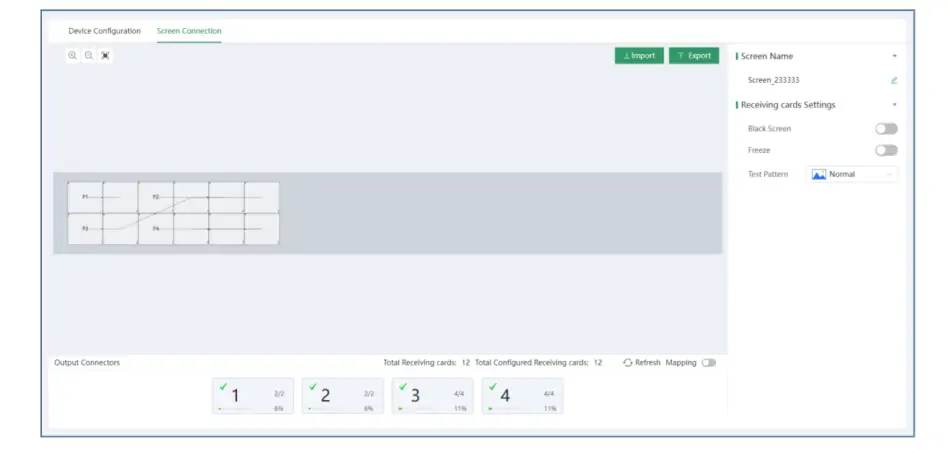
Plan expansion against the controller’s fixed capacity and your installed software. The screen-connection view below shows cabinets mapped to four outputs, plus Import, Export, Mapping and test controls. Record the physical cable sequence before changing the layout.
5.4 Ease of Use
Commission in stages: verify source video, map cabinets, check test patterns, then confirm brightness and monitoring. Export the working configuration. After applying commands, avoid restarting or powering off for 30 seconds, per NovaStar’s manual. There is no single “best” preset for every screen.
6. FAQs
7. Conclusion
Choose the Novastar MBOX600 Pro by pixel load, input requirements, operating system and cabinet compatibility.
For a dependable setup, keep a record of the device version, configuration file, port map and power-adapter details. Validate the complete installation with its intended content before leaving it unattended, and retain a recovery plan for maintenance.
 Novastar TCC160 Sending Card: Full Feature Review
 Novastar CVT8-5GM Price, Specs, and Full Technical Breakdown
Related Posts






Fill In Your Needs In Detail
Fill in the screen usage scene and size you need in “Content”.You will get a quote.