
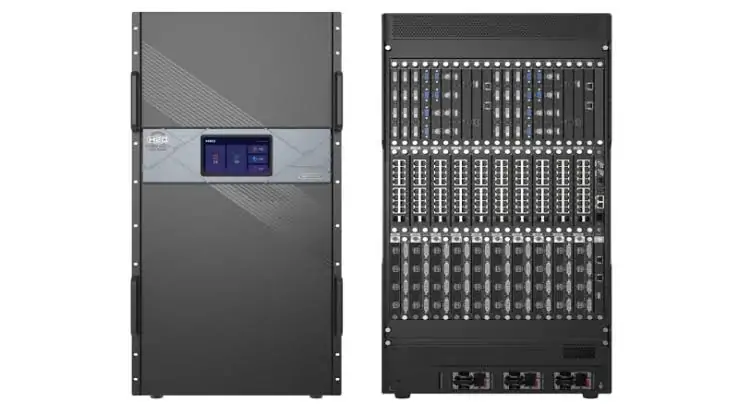
Novastar Vunit 3000 Central Control Server is a versatile and powerful tool designed to streamline multimedia control systems. Whether you’re managing video conferences, exhibition centers, or command centers, this intelligent central control processor offers unparalleled flexibility and performance. In this guide, we’ll explore the features, connectivity options, setup process, and applications of the Vunit 3000 Professional Control Processor, ensuring you have all the information you need to make the most of this advanced system.
1. What is the Novastar Vunit 3000 Central Control Server?
Novastar Vunit 3000 Central Control Server is a programmable central control system with a plug-in design. It integrates multiple channels of serial communication, programmable I/O connectors, relay modules, and infrared (IR) learning capabilities. Designed for professional environments, it supports flexible control via smartphones, tablets, computers, or dedicated control panels.
This system is particularly suited for intelligent video conferencing, multimedia presentations, and large-scale installations like monitoring centers or exhibition halls. Its robust architecture ensures stable performance, while its open programmable platform allows customization to meet specific user needs for LED video walls.
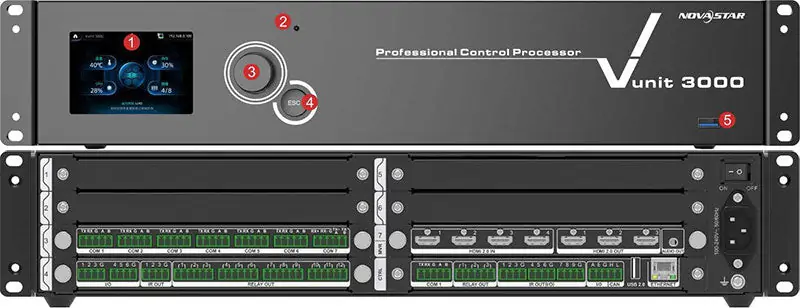
2. Vunit 3000 Control Processor Overview
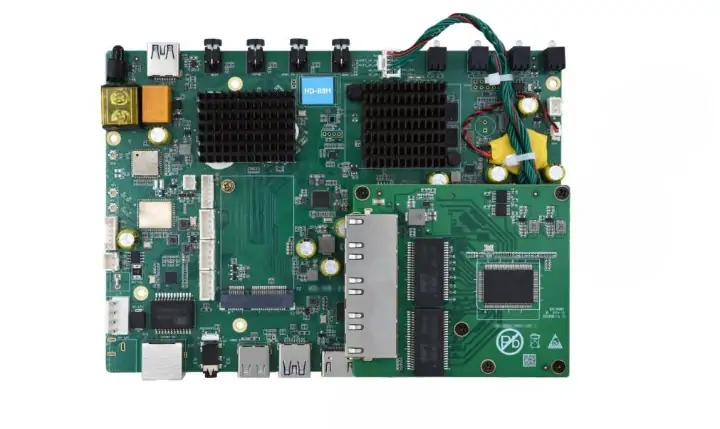
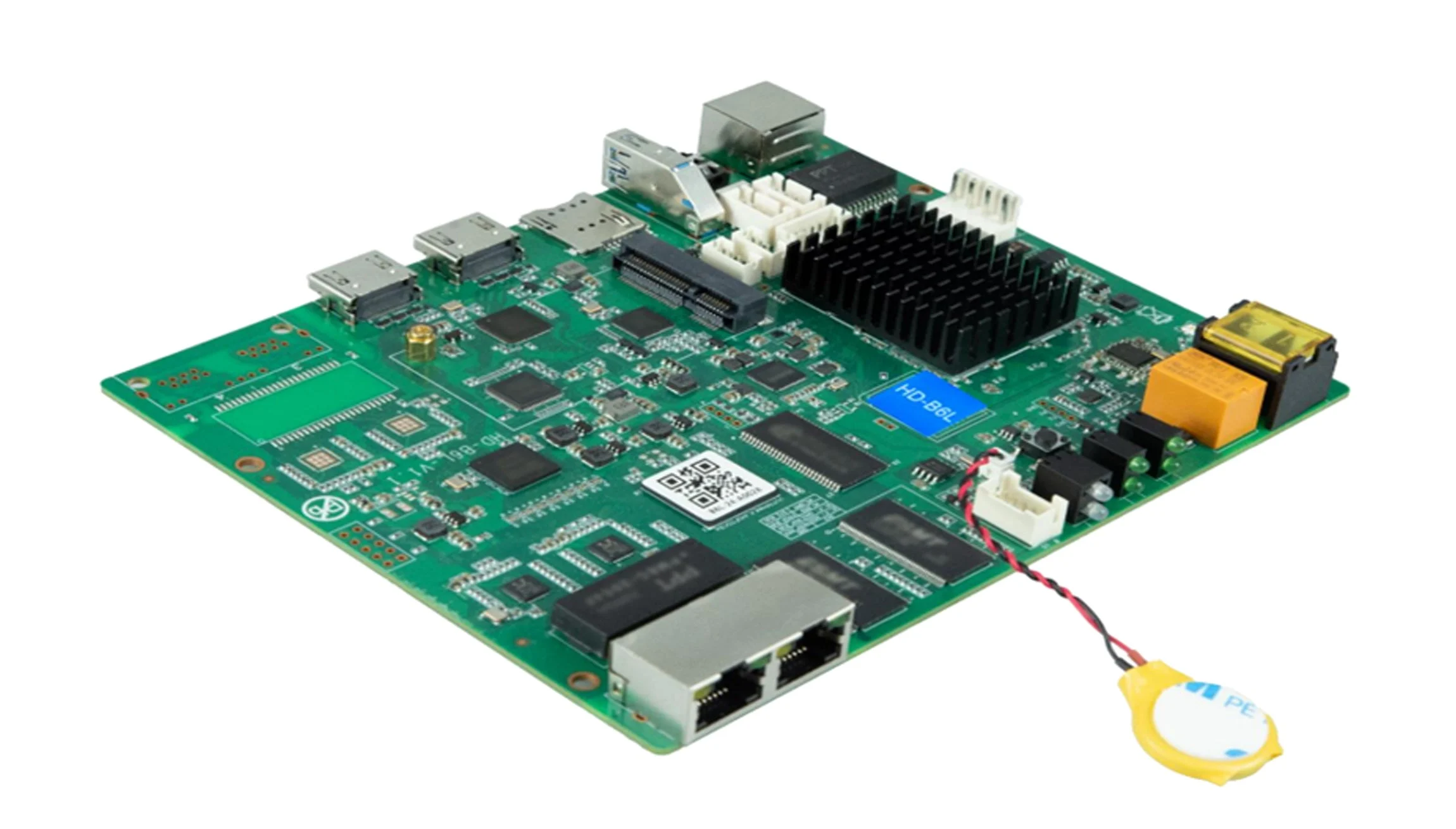
The Vunit 3000 Control Processor serves as the brain of your multimedia control system. It features a 32-bit ARM Cortex® industrial-grade CPU, ensuring fast and reliable operations. The processor supports a wide range of functions, including:
- Serial Communication: RS422, RS485, RS232, and Modbus protocols.
- Programmable I/O Connectors: For executing custom functions through triggers.
- Relay Modules: Handles light-current relay functions (30V DC, 3A).
- Infrared Learning: Self-learning IR commands for remote control.
- HDMI Matrix Switching: Functions as a small matrix with 4 inputs and 3 outputs, supporting up to 4K @ 60Hz resolution.
- Independent Audio Output: 3.5mm audio connector for seamless audio switching.
With its intuitive LCD screen and front-panel controls, the Vunit 3000 Professional Control Processor makes on-site adjustments easy. Additionally, its USB 3.0 port enables firmware updates and project file management.
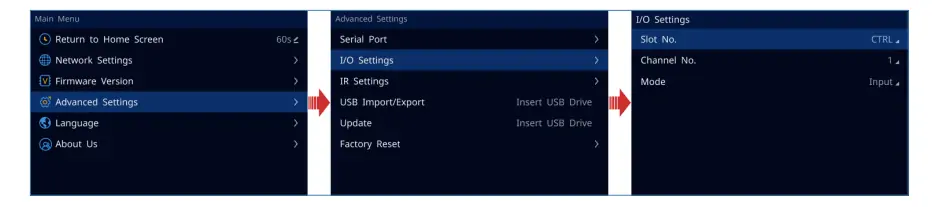
3. Vunit 3000 Professional Control Processor Features
3.1 Powerful Performance
The Vunit 3000 Professional Control Processor is powered by a 32-bit ARM Cortex® industrial-grade CPU, ensuring high-speed processing and reliability. This makes it ideal for demanding environments where precision and stability are critical.
3.2 Comprehensive Connectivity
The Novastar Vunit 3000 Connectivity options are extensive:
- Programmable COM Connectors: Supports RS422, RS485, RS232, and Modbus protocols for diverse communication devices.
- Programmable I/O Connectors: Execute various functions through programmable triggers.
- Relay Connectors: Handle weak-current relay functions (30V DC, 3A).
- IR Emission Connectors: Learn and transmit IR commands for remote control.
- HDMI 2.0 Support: Acts as a small matrix with 4 inputs and 3 outputs, supporting resolutions up to 4K @ 60Hz.
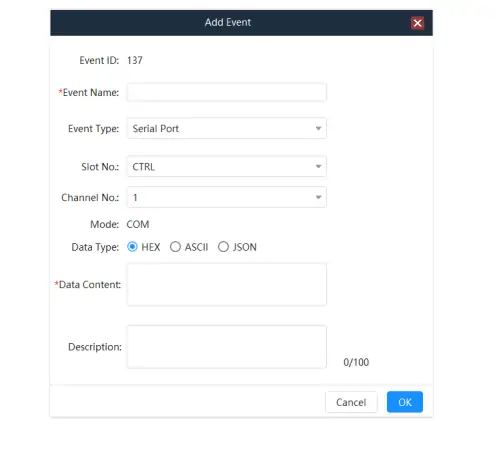
3.3 Flexible Control Options
The Vunit 3000 Professional Control Processor can be controlled via wireless or wired networks using platforms like iOS, Android, HarmonyOS, and Windows. It also supports the execution of multiple control tasks within a predefined timeline.
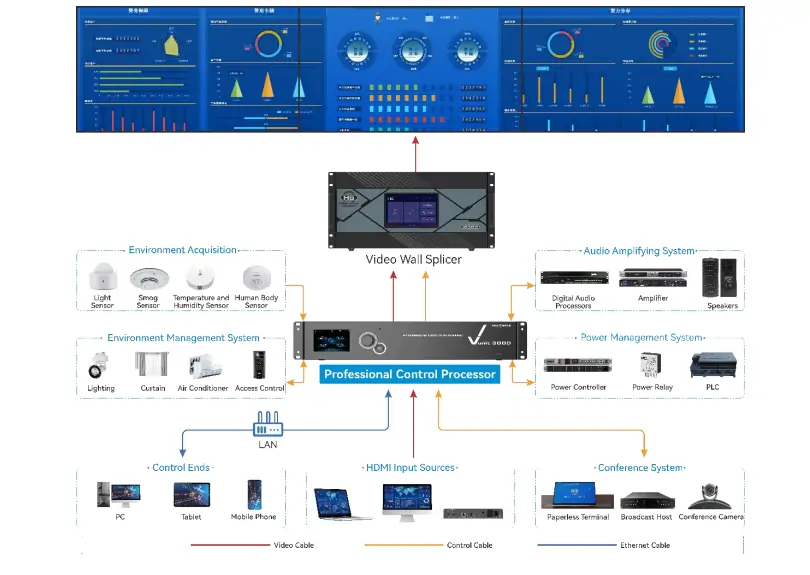
3.4 Customizable Interface
With an open and programmable control platform, users can customize images, icons, and fonts using a visual UI design tool. This ensures that the interface aligns perfectly with your preferences and operational requirements.
3.5 Reliable and Stable
Designed with fault-tolerant technologies and anti-interference communication circuits, the Vunit 3000 Professional Control Processor guarantees high stability and reliability, even in challenging environments.
4. Novastar Vunit 3000 Connectivity Explained
This controller is renowned for its high cost-performance ratio, with mainstream market prices ranging from $150 to $200. Significant price variations exist across different sales channels due to differing service policies, as detailed below:
4.1 Serial Communication
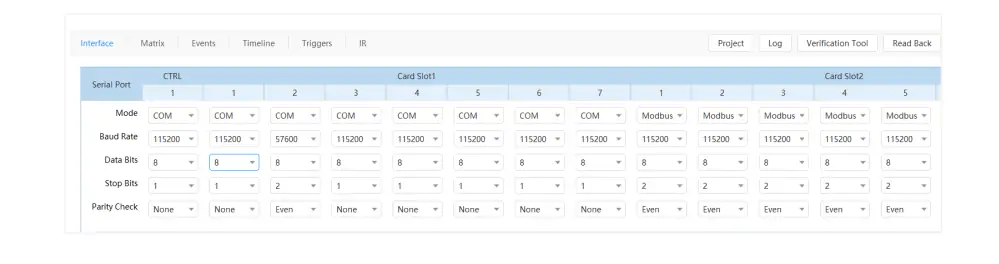
The Vunit 3000 Control Processor supports RS422, RS485, RS232, and Modbus protocols, making it compatible with a wide range of devices. This ensures seamless integration into existing systems.
4.2 Programmable I/O Connectors
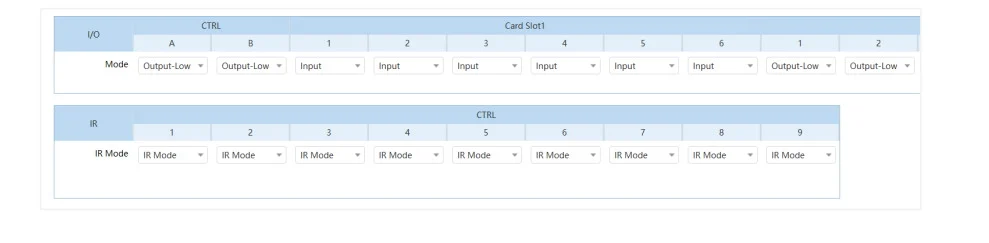
These connectors allow for the execution of custom functions through programmable triggers. They support both input and output modes, with a voltage of 5V.
4.3 Relay Modules
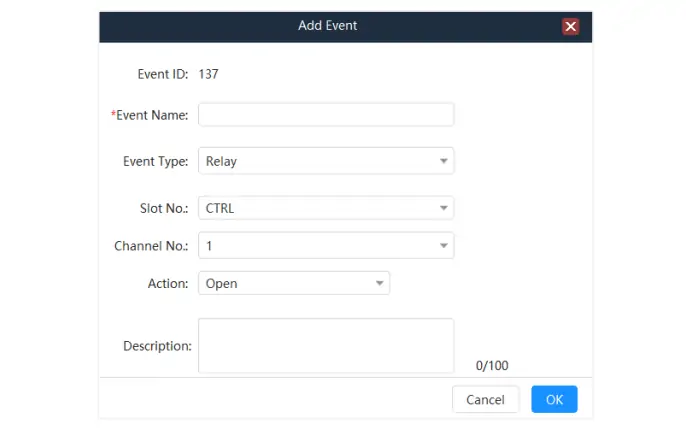
The relay modules handle light-current relay functions (30V DC, 3A), enabling precise control over connected devices.
4.4 IR Learning and Emission
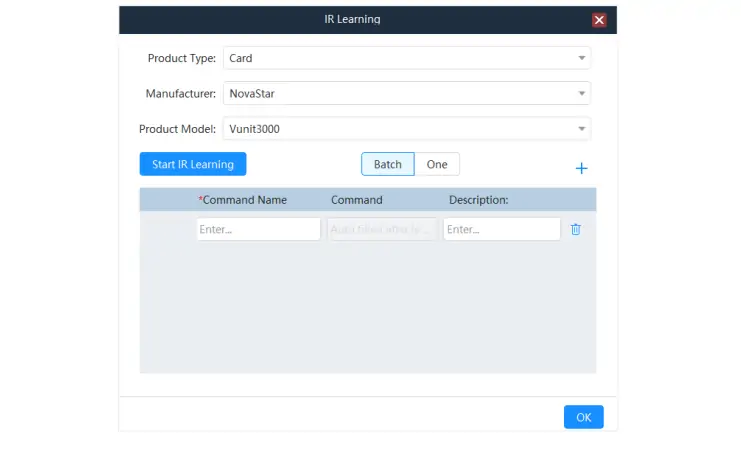
The Novastar Vunit 3000 features self-learning IR capabilities, allowing it to learn and transmit IR commands. This makes it highly versatile for remote control applications.
4.5 HDMI Matrix Switching
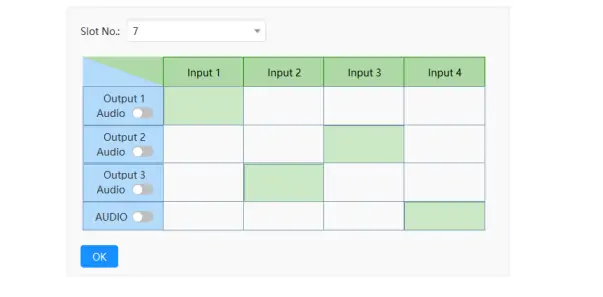
The processor includes a VIT_4xHDMI2.0 IN + 3x HDMI2.0 OUT card, which functions as a small matrix with 4 inputs and 3 outputs. It supports resolutions up to 4K @ 60Hz and backward compatibility with HDMI 1.4a and HDMI 1.3.
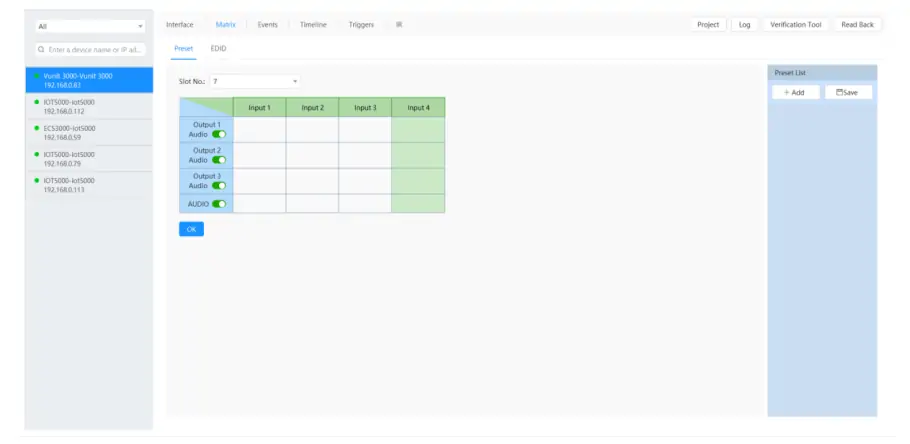
4.6 Independent Audio Output
The 3.5mm audio connector supports independent audio switching, enhancing the user experience during multimedia presentations.
5. Novastar Vunit 3000 Setup and Configuration Guide
Setting up the Vunit 3000 Control Processor is straightforward, thanks to its user-friendly interface and comprehensive documentation. Here’s a step-by-step guide:
5.1 Hardware Installation
- Ensure the device is securely mounted in a rack or cabinet.
- Connect all necessary cables, including power, Ethernet, and HDMI.
5.2 Software Installation
- Download the BCTools software from the official website or contact your sales engineer for the installation package.
- Install BCTools on a Windows 7 or later operating system.
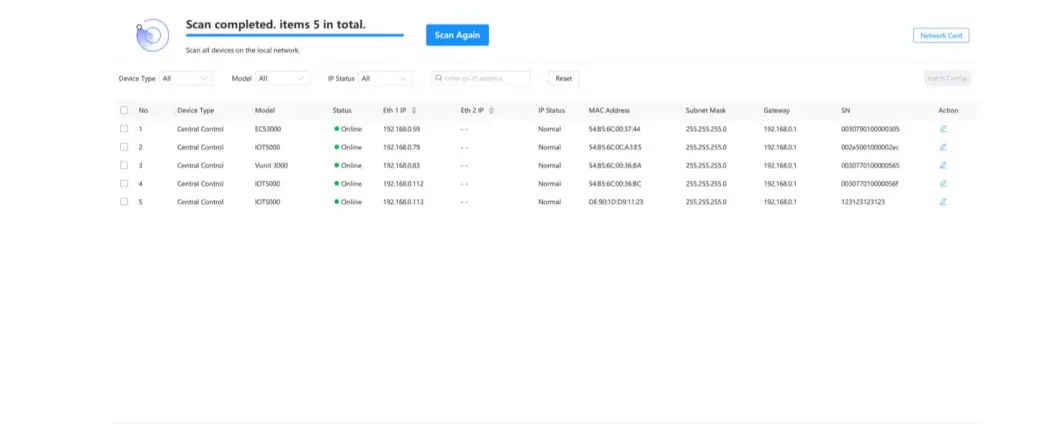
5.3 Network Configuration
- Connect the Vunit 3000 to the same network segment as your control PC.
- Use the BCTools software to scan for devices and configure IP settings.
5.4 Device Configuration
- Update firmware if necessary.
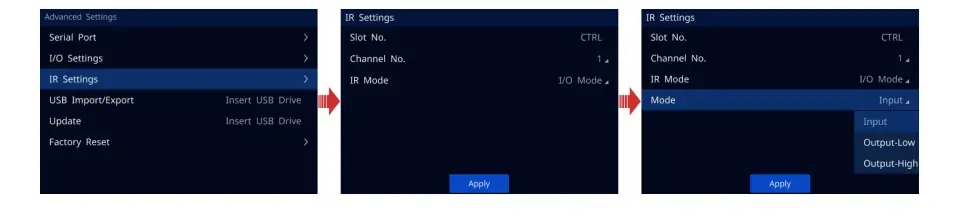
- Configure serial ports, I/O settings, and IR parameters based on your specific requirements.
5.5 Testing and Validation
- Test all connections and functions to ensure proper operation.
- Use the BCTools software to run diagnostics and troubleshoot any issues.
For detailed instructions, refer to the Vunit 3000 User Manual available on the official website.
6. Novastar Vunit 3000 Applications and Use Cases
The Novastar Vunit 3000 Applications span a wide range of industries and scenarios, including:
6.1 Intelligent Video Conferencing
The Vunit 3000 Professional Control Processor is ideal for managing video conferencing systems, ensuring smooth communication and high-quality video output.
6.2 Exhibition Centers
Its ability to handle multiple inputs and outputs makes it perfect for controlling multimedia HD LED displays in exhibition halls.
6.3 Command Centers
The processor’s reliability and scalability make it suitable for monitoring and command centers, where real-time data visualization is crucial.
6.4 Press Conference Rooms
With its advanced audio and video capabilities, theVunit 3000 enhances the experience in press conference rooms.
6.5 Firefighting and Emergency Response
The system’s fault-tolerant design ensures uninterrupted operation in critical situations.

7. FAQs
8. Conclusion
Novastar Vunit 3000 Central Control Server is a powerful and versatile solution for managing multimedia control systems. With its advanced features, comprehensive connectivity options, and user-friendly interface, it is an excellent choice for professionals in various industries. Whether you’re setting up a video conferencing system, managing an exhibition hall, or overseeing a command center, the Vunit 3000 Professional Control Processor delivers unmatched performance and reliability.
For more information or personalized consultations, feel free to reach out to our knowledgeable team. We’re here to support you every step of the way, ensuring your satisfaction and success with the Novastar Vunit 3000.
 Novastar HDR Master 4K: Specs, Price and How it Works
 Novastar ET1S-G Media Server: Everything You Need to Know
Related Posts
Fill In Your Needs In Detail
Fill in the screen usage scene and size you need in “Content”.You will get a quote.



