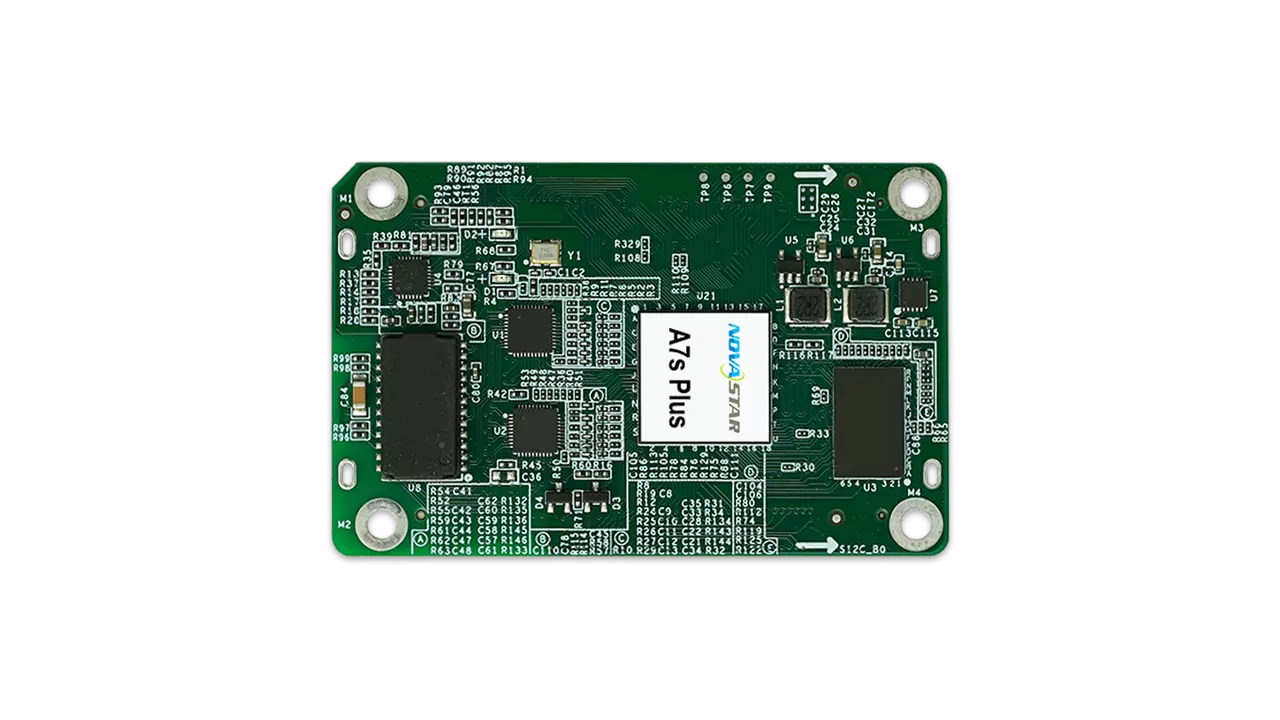
Novastar A7s Plus is a compact Armor-series LED receiving card supporting up to 512 × 512 pixels at 60 Hz with PWM driver ICs, or 512 × 384 with common driver ICs. It provides color management, 18bit+ grayscale processing and pixel-level calibration. It does not support HDR. This guide covers specifications, comparisons, pricing, firmware and setup checks.
1. What is the Novastar A7s Plus?
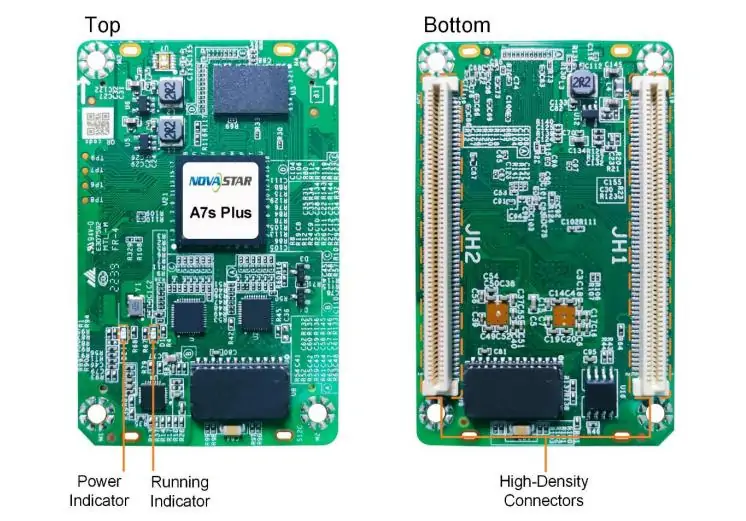
The A7s Plus transfers data from a compatible sending controller to LED modules through a matching HUB board. It is a cabinet-level receiving card, not a standalone media player. For an indoor LED display, confirm the module driver IC, scan settings, connector pinout and controller before specifying a replacement.
Key capabilities listed in NovaStar’s Armor-series comparison include:
- Loading: Up to 512 × 512 pixels; driver-IC limits are detailed below.
- Data output: 32 parallel RGB groups or 64 serial groups, expandable to 128.
- Image control: Color management, 18bit+, pixel calibration and independent RGB gamma.
- Backup: Dual-card and loop backup require suitable hardware and wiring.
EMC Class B is a card specification, not a guarantee of complete-screen compliance or uninterrupted operation. Verify the assembled cabinet and test failover before deployment.
2. Novastar A7s Plus LED Display Receiving Card Specs
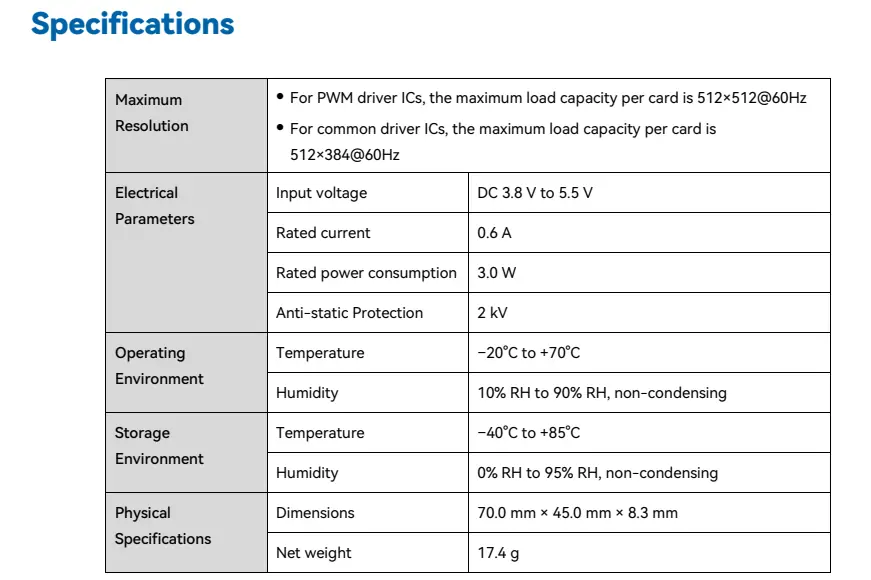
Values below follow A7s Plus specifications V1.2.5 (May 15, 2025). The text also covers the specification image for accessible reference.
2.1 Maximum Resolution
- PWM Driver ICs: 512×512@60Hz
- Common Driver ICs: 512×384@60Hz
These are per-card maxima, not the total screen resolution. Confirm usable capacity with the required refresh rate, driver IC and controller configuration.
2.2 Electrical Parameters
- Input Voltage: DC 3.8 V to 5.5 V (recommended 5.0 V)
- Rated Current: 0.6 A
- Rated Power Consumption: 3.0 W
- Anti-static Protection: 2 kV
Actual current and power vary with settings and operating conditions.
2.3 Operating Environment
- Temperature: –20°C to +70°C
- Humidity: 10% RH to 90% RH, non-condensing
2.4 Storage Environment
- Temperature: –40°C to +85°C
- Humidity: 0% RH to 95% RH, non-condensing
2.5 Physical Specifications
- Dimensions: 70.0 mm × 45.0 mm × 8.3 mm
- Net Weight: 17.4 g
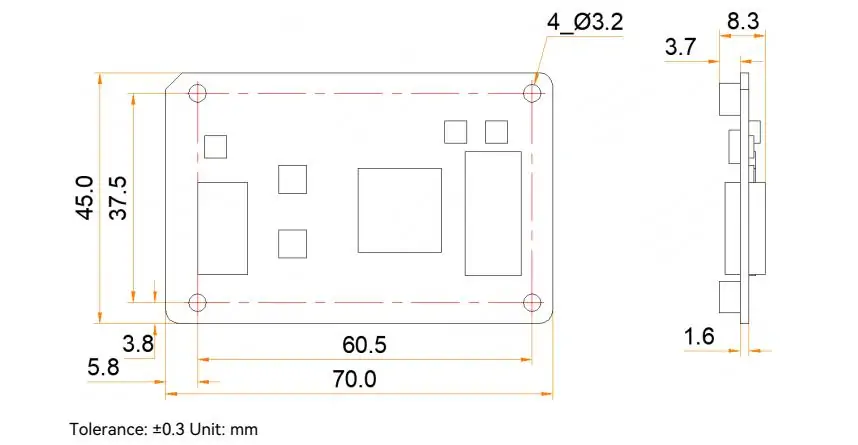
The drawing shows four 3.2 mm mounting holes on 60.5 × 37.5 mm centers, with ±0.3 mm tolerance. The specification allows up to 8.7 mm overall thickness; obtain NovaStar’s structural drawing before machining.
2.6 Communication Interface
- Gigabit Ethernet signals pass through high-density connectors to the HUB board; check the cabinet’s Ethernet sockets and pinout.
2.7 Additional Features
- Smart modules: Dedicated firmware required.
- Dual-card backup: Requires two receiving cards and a compatible HUB.
- Loop backup: Requires primary and backup cable paths.
- Monitoring: Reports card temperature, voltage and communication status.
3. A7s Plus Receiver Card vs Other Armor Series Cards
Compare documented capabilities in the official Armor comparison and model specifications. Maximum loading figures are conditional; matching pixel counts does not make cards interchangeable.
| Feature | A7s Plus | A8s-N | A10s Plus-N | A10s Pro |
|---|---|---|---|---|
| Maximum load, PWM at 60 Hz | 512×512@60Hz | 512×384 (8-bit) | 512×512 (8-bit) | 512×512 (8/10-bit) |
| Parallel RGB Data Groups | 32 | 32 | 32 | 32 |
| Serial Data Groups | 64 (Expandable to 128) | 64 (Expandable to 128) | 64 (Expandable to 128) | 64 (Expandable to 128) |
| Core Display Technology | Color Management, 18bit+ | Image Booster (22bit+) | Image Booster (22bit+) | Image Booster + Adaptive Thermal Compensation |
| HDR Support | No | Yes | Yes | Yes |
| Low Latency | Not listed; verify firmware | Yes (PWM IC) | Yes (PWM IC) | Yes (IC with built-in RAM) |
| Pixel-Level Calibration | Yes | Yes | Yes | Yes |
| Dual Card Backup | Yes | Yes | Yes | Yes |
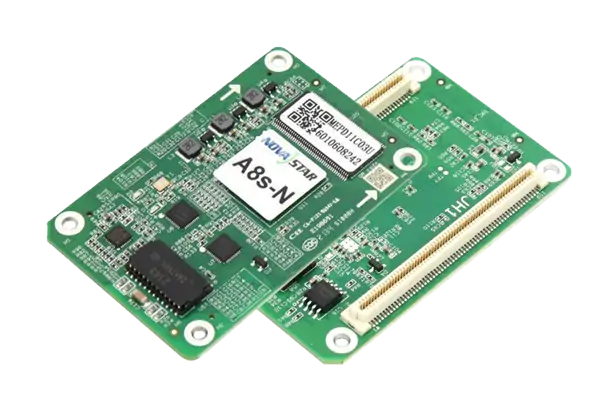
A7s Plus suits projects that need calibration without HDR. For indoor LED display screens, select the card around the module and controller requirements. Read our A8s-N guide for its bit-depth limits. A7s Plus low latency is not listed in V1.2.5; confirm exact firmware support rather than infer it from another Armor model.


4. How the A7s Plus Receiver Card Works in Your LED Display
The signal path is source → controller → receiving card → HUB board → LED modules. Configure one cabinet, verify color and mapping, then apply the tested settings to the screen. Keep the original configuration for recovery.
4.1 Improvements to Display Effect
- Color management: Supports Rec.709, DCI-P3, Rec.2020 and custom gamut settings.
- 18bit+: Reduces grayscale loss at low brightness; it does not mean the video input is 18-bit.
- Pixel calibration: Uses NovaStar’s calibration system to improve brightness and chroma uniformity.
- Seam adjustment: Corrects dark or bright lines between modules and cabinets.
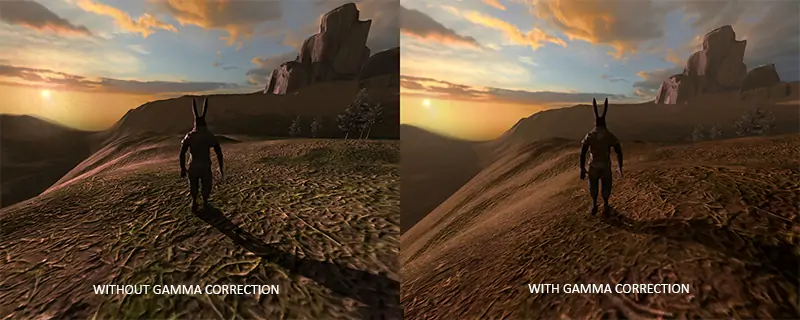
- RGB gamma: Adjusts red, green and blue separately with compatible software and controller.
4.2 Improvements to Maintainability
- Smart modules: Dedicated firmware enables module ID management, status monitoring and error detection.
- Automatic calibration: Replacement modules with flash memory can supply saved coefficients at startup.
- Bit-error detection: Helps identify Ethernet communication problems; inspect cables and connections when errors rise.
4.3 Improvements to Reliability
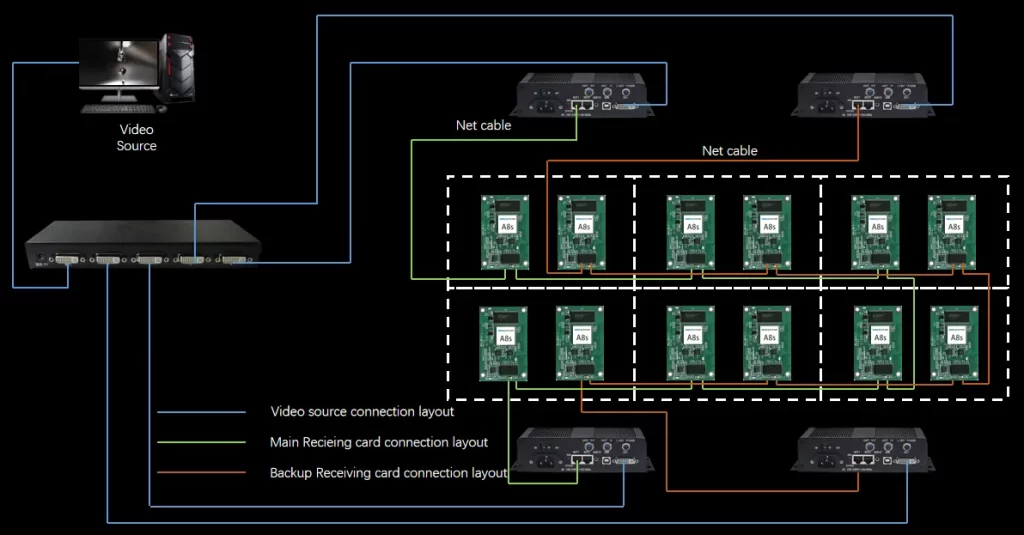
- Dual-card backup: A secondary card can take over after primary-card failure when correctly configured.
- Loop backup: Provides an alternate path for a supported cable fault.
- Program backup: A second firmware copy supports recovery; updates can still fail.
The illustration below shows separate main and backup connections with a shared video source. It is a generic redundancy example, not an A7s Plus pinout. Test your actual topology.
5. NovaStar A7s Plus Price
No universal A7s Plus price is verified here. Request a dated quote stating quantity, currency, tax, shipping, warranty and lead time. Compare the complete cost, including the HUB board, spare cards and configuration support. Ask the supplier to confirm hardware revision and module compatibility before ordering; the lowest card price may not represent the lowest installed cost.
6. NovaStar A7s Plus File Download
Keep model and version information with each download:
- A7s Plus specifications V1.2.5: EagerLED-hosted copy; official source linked in section 2.
- A7s Plus firmware V4.9.1.0: Package linked by NovaStar’s Armor page; confirm compatibility before flashing.
Use our NovaStar software download guide for tools. Save configuration and calibration data first, then test firmware on one cabinet before a wider rollout.
7. FAQs
8. Conclusion
Novastar A7s Plus is a practical option when a project needs color control, calibration and cabinet backup without HDR. Its published pixel capacity is only one part of the decision: connector compatibility, module timing and the control system matter equally.
Before purchase, confirm the driver IC, HUB pinout, firmware, cabinet resolution and backup arrangement with the screen supplier. Test grayscale, mapping and failover on the actual hardware.
Retain a known-good configuration and tested spare card. Use the linked manufacturer documents when planning maintenance or changing firmware.
 Is Novastar A5s Plus Worth It? Full Receiver Review
 Novastar A8s-N Receiver Card: Price, Specs, and Buying Guide
Related Posts






Fill In Your Needs In Detail
Fill in the screen usage scene and size you need in “Content”.You will get a quote.