The key difference in an OLED vs LED display comparison is how the screen produces light. OLED pixels emit their own light; an “LED TV” usually means an LCD panel illuminated by LEDs. A direct-view LED wall uses LEDs as the visible pixels. Choose OLED for pixel-level contrast, an LED-backlit LCD for a broad choice of TV sizes and budgets, or direct-view LED for a scalable video wall.
That distinction matters when comparing a living-room TV with commercial signage. This guide covers all three categories, while the event and billboard sections focus on direct-view LED displays. A technology name alone does not tell you the brightness, durability, operating cost, or suitability of a particular model.
Start with viewing distance, room lighting, content, screen size, and daily operating hours. Then compare actual specifications and warranty terms. The sections below explain the technology, the main trade-offs, and practical choices for home entertainment, shops, conference rooms, and outdoor advertising.
1.What Is an LED Display?
LED means light-emitting diode, but “LED display” has two common meanings. In an LED-backlit LCD, the LEDs illuminate liquid-crystal pixels from behind or from the edges. In a direct-view LED display, red, green, and blue emitters form the image you see. LG’s display technology guide explains this distinction.
For direct-view screens, DIP and SMD describe LED packaging, not a complete indoor-versus-outdoor classification. SMD is used in both environments; COB is another approach used in fine-pitch displays. Compare pixel pitch, brightness, protection, and serviceability for the actual product. Our SMD vs COB guide explains the packaging choices.
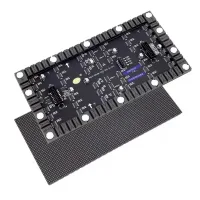
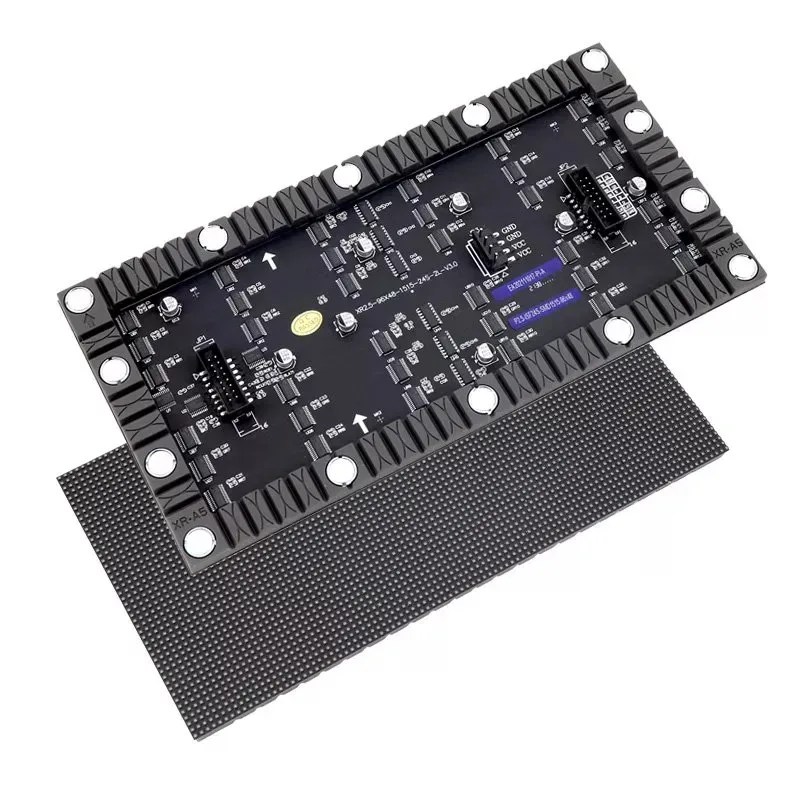
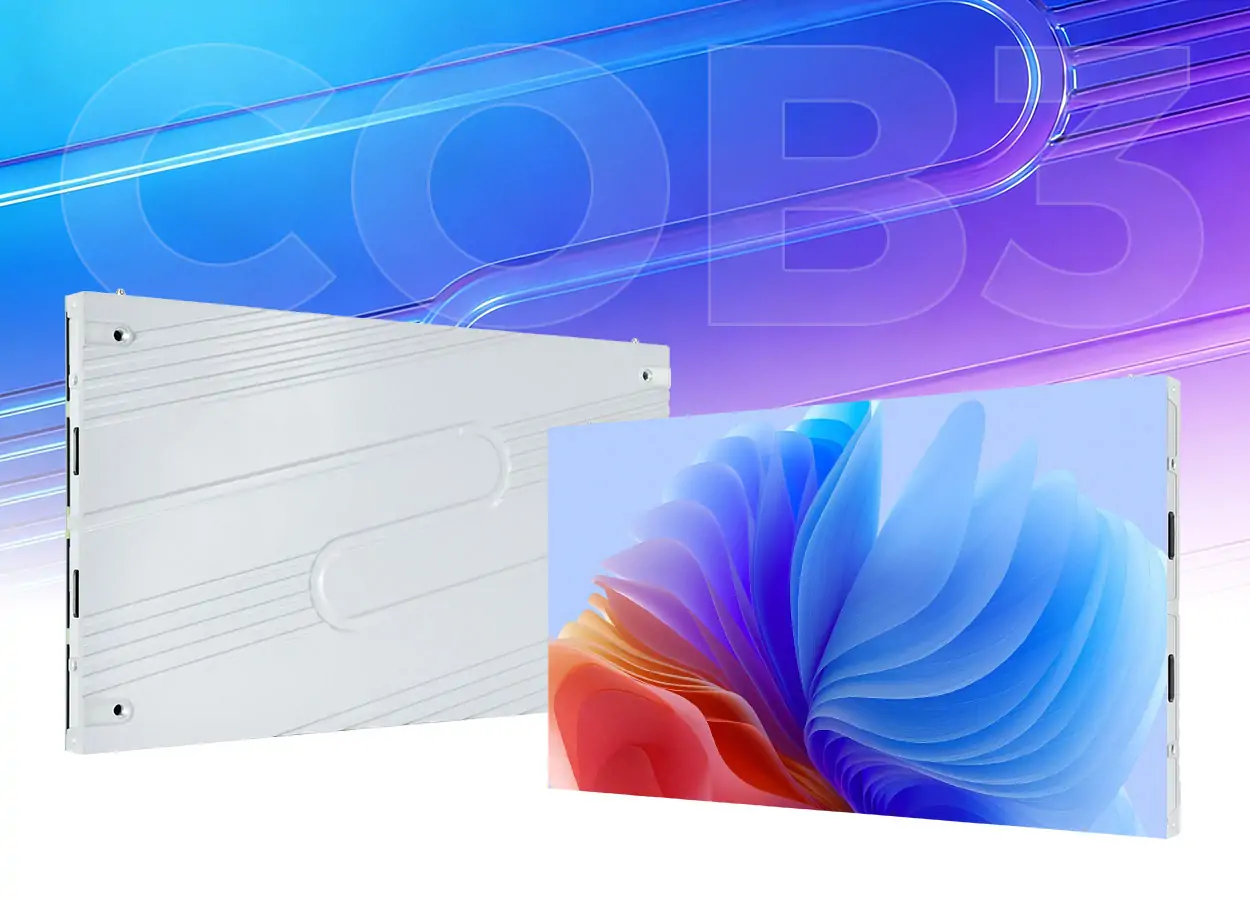
Direct-view LED cabinets join to create a larger image. Pixel pitch is the distance between adjacent pixel centers: together with screen dimensions, it determines the pixel count and influences close-viewing detail. Choose a pitch by testing your content from the nearest seat. The EA960R3 illustration below shows the front display surface and rear cabinet, rather than an LCD television.

2.What Is an OLED Display?
OLED stands for organic light-emitting diode. Its emissive organic layers produce light at each pixel, so it needs no separate backlight. Pixels displaying black can switch off, giving strong contrast in dark scenes without an LCD backlight’s local-dimming halo. Samsung’s technology overview distinguishes self-lit OLED from Mini LED backlighting.
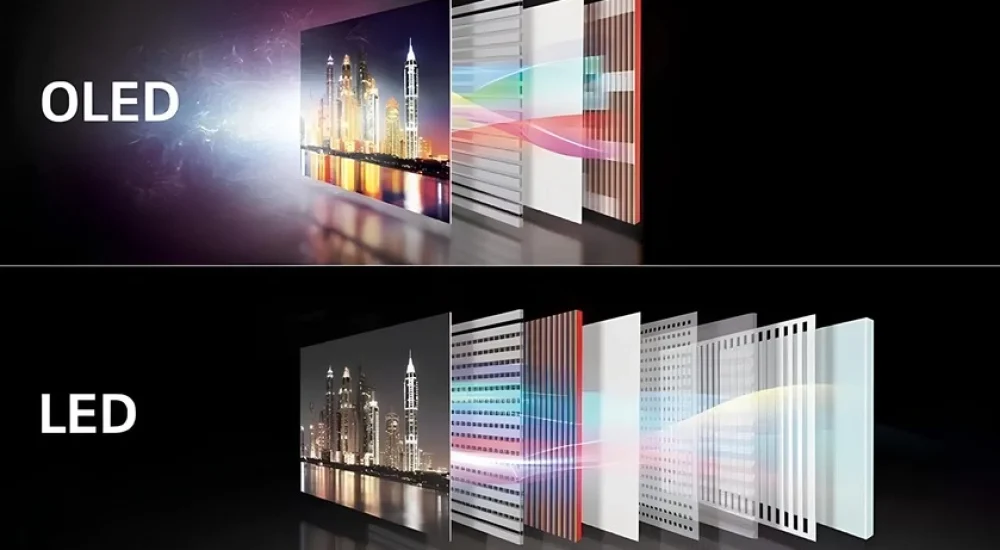
OLED panels can be thin, and specific designs support curved or foldable products. This does not mean every OLED screen is flexible: only bend a product designed for that use. Color accuracy still depends on calibration, picture mode, and content. The illustration below compares OLED layers with an LED-backlit LCD, not with a direct-view LED wall.
OLED also needs a content and operating plan. Long-running static elements can cause uneven aging or burn-in; follow the manufacturer’s protection and maintenance instructions. Sony’s professional OLED manual describes these risks. For commercial use, confirm permitted operating hours, image-retention coverage, ambient conditions, and replacement arrangements.
3. OLED vs LED Display: Key Differences
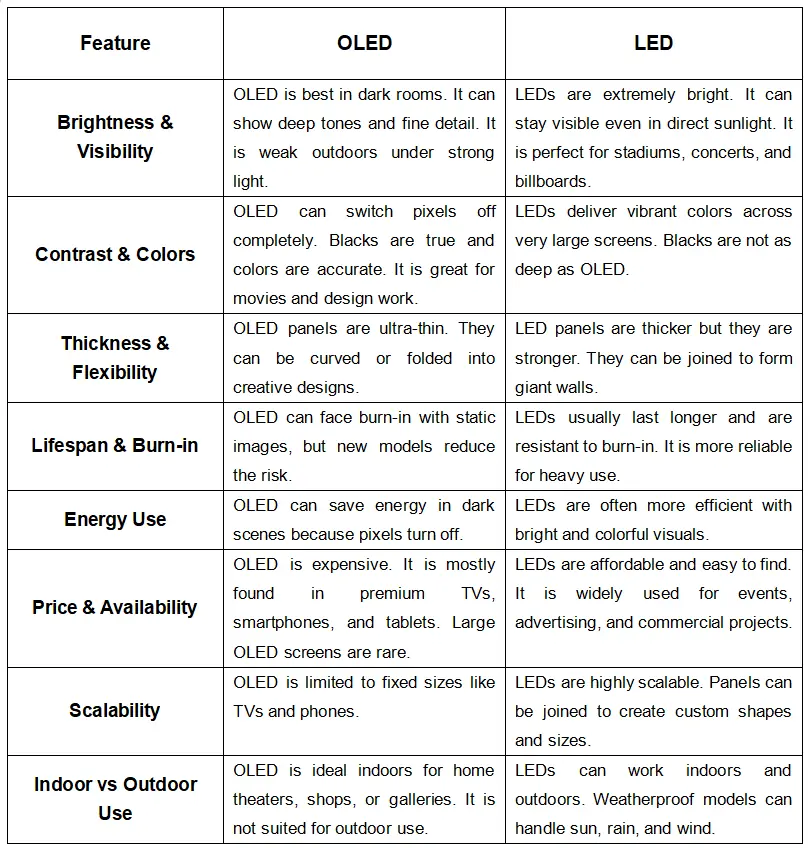
An OLED vs LED display comparison should separate panel technology from product quality. OLED and direct-view LED are both self-emissive; LED-backlit LCD uses a separate light source. The original graphic below is retained as an overview, but its blanket rankings need qualification. Use this accessible comparison to interpret its eight topics:
- Brightness and visibility: Compare sustained brightness and reflections in your lighting. A brief HDR peak is not the same as full-screen output. Only suitably rated displays belong outdoors.
- Contrast and color: OLED controls light per pixel. LCD performance depends partly on its panel and local dimming. Direct-view LEDs can also turn off; surface reflections and calibration affect the result.
- Thickness and flexibility: OLED can be thin; bendability is model-specific. LED wall depth includes cabinets, mounting, and service space.
- Lifespan and burn-in: OLED has static-content aging risks. All displays age and can fail; compare rated operating conditions and warranties rather than a universal lifespan ranking.
- Energy use: Compare measured consumption at equivalent size, brightness, and content. Neither technology is always more efficient. Include processing and cooling for a wall.
- Price and availability: LED-backlit LCDs span budget to premium models. OLED and fine-pitch LED walls require separate comparisons; a custom wall is not automatically cheaper than a TV.
- Scalability: TVs use available panel sizes. Direct-view LED cabinets support custom dimensions, subject to pixel count, structure, and controller limits.
- Indoor or outdoor use: Check environmental ratings, temperature range, and installation requirements. “LED” alone does not mean weatherproof.
4. Which Display Type Is Right for You?
Choose by the installation brief before choosing the display technology. Record the available wall area, closest and farthest viewers, ambient light, daily schedule, and whether content contains persistent logos or menus. For commercial projects, request a demonstration with your actual artwork rather than judging only a colorful promotional video.
For a TV, compare OLED with LED-backlit LCD at the same size and budget. For a large commercial wall, compare direct-view LED with other signage solutions. Include installation, power, controllers, content management, service access, and warranty support in the quote. A low panel price does not necessarily mean a lower total project cost.
Ask each supplier to document the same requirements so the proposals are comparable. Treat advertised lifetime figures as conditional specifications, not guaranteed replacement dates.
4.1 Choose LED If
Choose direct-view LED when the project needs a large image, custom aspect ratio, or modular service. It is a practical candidate for stage backdrops, auditoriums, and suitably rated outdoor signs. Samsung’s direct-view LED guide describes the cabinets, processing, software, and infrastructure involved.
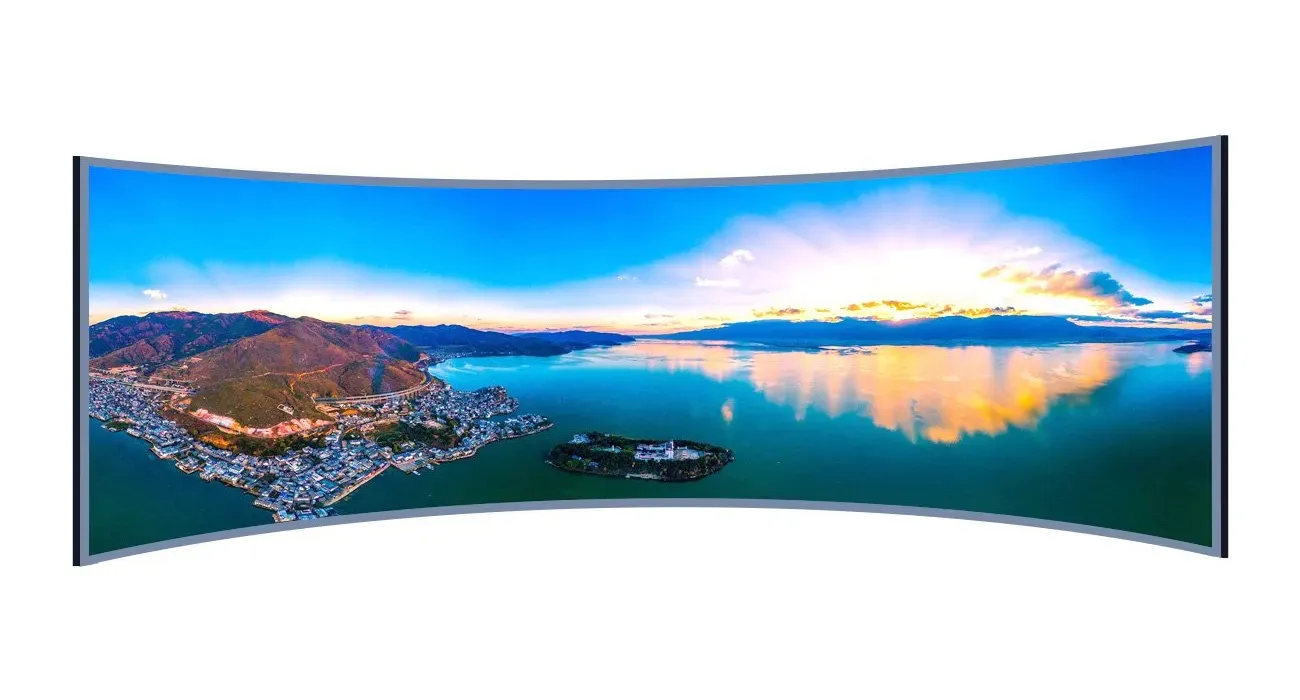
Check how the assembled wall performs at the intended viewing distance. Small text needs sufficient pixel resolution; adding physical area without enough pixels will not make it sharper. For curved installations, confirm allowable cabinet angles and the content canvas. Plan access to power supplies, receiving cards, and modules before finalizing the mounting structure.
For an LED-backlit LCD TV, shortlist models when price, size choice, or bright-room viewing matters. Assess the actual local-dimming performance, reflections, and viewing angles. These TV considerations differ from buying modular LED cabinets; neither category has a universal advantage in maintenance cost.
4.2 Choose OLED If
Choose OLED when pixel-level contrast, dark-scene detail, and a thin panel suit your indoor application. It can be a strong option for a home cinema or a close-viewing presentation. Compare picture modes in realistic lighting: a shop’s brightest demo mode is not necessarily appropriate for an evening film or a meeting room.
For games, assess refresh rate, variable-refresh support, input latency, and available ports on the specific model. For desktop work, inspect small text with your computer and scaling settings. For retail content, review persistent branding and operating hours with the supplier. Good contrast does not by itself establish suitability for every workload.
Keep the manufacturer’s screen-care features enabled and allow maintenance cycles as instructed. Check coverage for commercial use and image retention before purchase. A thin panel also needs the correct handling, ventilation, and mounting arrangements; do not assume a consumer OLED TV is a continuous-duty signage product.
5. Use Cases Comparison: OLED vs LED Display
5.1 Retail Stores
Retail displays serve different viewing situations: a close-up product presentation, a menu read for several seconds, or a storefront message viewed through glass. Identify that task first. Visibility and legibility matter more than choosing a screen solely because it is described as premium.
OLED can suit indoor video presentations with controlled lighting and varied content. Check reflections, mounting orientation, and permitted operating hours. If a price list or logo stays fixed all day, evaluate the retention risk and compare a commercial LCD alternative rather than assuming OLED is the best choice for every boutique.
A large direct-view LED wall can suit an atrium or a storefront where scale matters. Select pixel pitch for the nearest shopper, and check daylight performance at the actual location. Our indoor LED screen options provide a starting point for discussing cabinet format and installation requirements.
Use readable type and a clear message. Confirm the content schedule and a safe brightness setting before opening the display to the public.
5.2 Concerts and Events
Concerts and events often favor modular LED because crews can assemble a large backdrop and adapt its shape to the stage. Specify the audience’s viewing distance, rigging loads, power distribution, and indoor or outdoor conditions. Brightness needs to work with the lighting design, rather than simply running at maximum output.
If cameras will film the wall, test refresh behavior, shutter settings, moiré, and color with the production team. Confirm spare modules, signal redundancy where required, and the time available for assembly. A screen that looks good to the audience may still need adjustment for broadcast or recorded footage.
OLED can still serve smaller indoor roles, such as a demonstration screen. It is not a direct substitute for a rental LED backdrop. Select the format for its role, and check transport protection, mounting, and service support for repeated event use.
5.3 Conference Halls
In a meeting room, start with the smallest text people must read from the back seat. A high-resolution LCD or OLED panel may suit a smaller room; evaluate glare, viewing angles, connection options, and screen-sharing behavior. If spreadsheets or dashboards remain static for hours, include that pattern in the OLED suitability discussion.
For a larger hall, fine-pitch direct-view LED can provide a continuous image across a wider surface. Test text clarity from both near and far seats, and check brightness uniformity at the planned operating level. Include camera tests for video conferencing, audio integration, and access for maintenance. A larger screen alone does not guarantee readable slides.
5.4 Outdoor Advertising
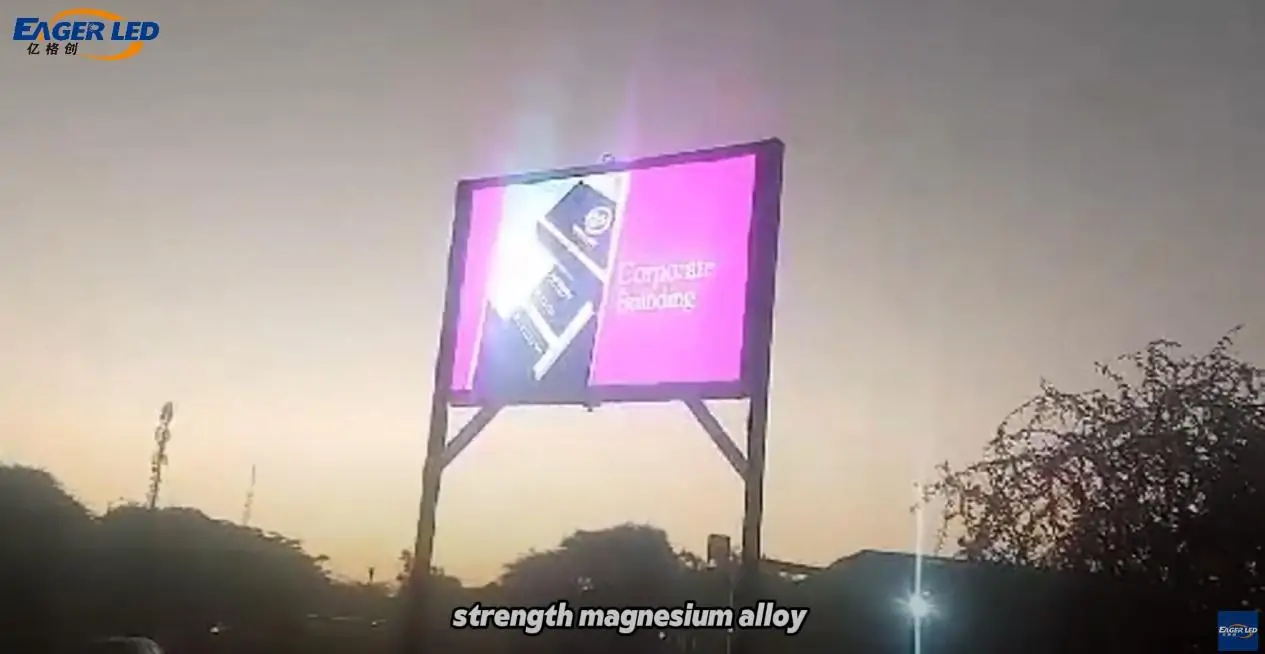
For an outdoor billboard, shortlist equipment explicitly rated for the site. Check the enclosure’s ingress protection, operating temperature, drainage, ventilation, structural loads, and electrical design. Outdoor direct-view LED is a common fit for large signs; purpose-built outdoor LCD can serve smaller installations. An indoor screen should not be moved outside just because it is bright.
Specify daytime visibility and automatic or scheduled dimming at night. Plan inspections, cleaning, spare parts, and repairs; outdoor displays are not maintenance-free. Request the supplier’s service schedule and warranty exclusions. The screen, enclosure, mounting, and local installation conditions all contribute to reliability.
5.5 Home Cinema
For home cinema, the relevant comparison is usually OLED versus LED-backlit LCD TV. OLED’s pixel-level black control can help dark films and subtitles, while a capable Mini LED LCD offers local dimming and can suit brighter rooms. Compare shadow detail, reflections, motion, and viewing angles with the same content and appropriate picture modes.
Choose screen size and seating distance together, then compare the complete model: processing, supported HDR formats, connections, sound, and warranty. Sony’s backlight explanation shows why “LED TV” covers different lighting systems. Neither the LED label nor the OLED label guarantees the best result at every price.
6. FAQs
7. Conclusion
OLED vs LED display decisions begin with the right comparison. For a TV, compare OLED with LED-backlit LCD. For a custom commercial wall, assess direct-view LED display screens against the site’s size, viewing distance, content, and environmental requirements.
Prioritize measured performance, a realistic content test, service access, and clear warranty terms. Avoid choosing on a universal claim about brightness, lifespan, or energy savings; those depend on the product and how it is used.
For a commercial quote, share the screen dimensions, viewing distances, location, operating hours, and sample content. That information lets a supplier propose a suitable pixel pitch and system rather than an oversized or underspecified display.
 NovaStar MCTRL300: Specs, Software, Setup & Price Guide
 EagerLED Mid-Autumn Festival and National Day Holiday Notice
Related Posts
Fill In Your Needs In Detail
Fill in the screen usage scene and size you need in “Content”.You will get a quote.