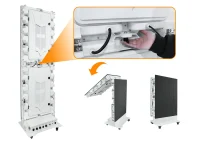
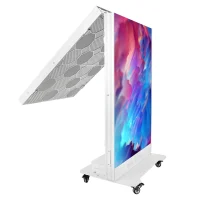
SMD vs COB LED display technology differs mainly in LED packaging. SMD uses separately packaged LEDs soldered to a circuit board; COB mounts LED chips directly on the board beneath a protective surface. Choose between specific products by pixel pitch, viewing distance, environment, service access and total installed cost. Neither label alone guarantees better image quality or longer life.
For a meeting room, control center, retail wall or rental stage, first define the screen size and the closest audience position. Then compare two displays at the same pitch and operating brightness. This guide explains the construction differences, where protection matters, and what to ask suppliers before ordering an SMD or COB LED video wall.
1. What is an SMD LED Display?
SMD stands for surface-mounted device. In a typical full-color SMD LED display, red, green and blue LED chips sit inside a separate package that is soldered onto the display board. A protective coating may also be added: our EA500RF2 indoor GOB floor LED display illustrates why packaging and the finished product’s intended environment must be checked separately.
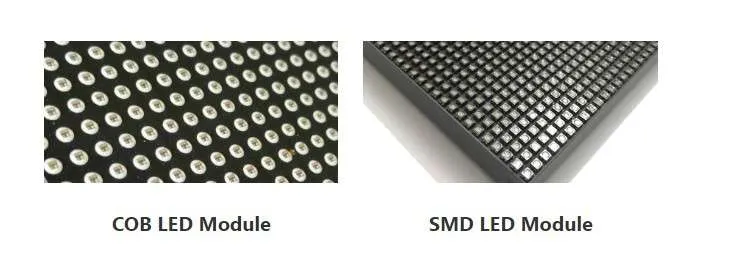
SMD is available for many indoor, outdoor and rental applications. Its suitability depends on the complete module and cabinet design, including brightness, heat management and protection. The image below labels a COB module on the left and an SMD module on the right; these are illustrative examples, not a performance test.
For maintenance planning, ask which replacement modules, power supplies and receiving cards will remain available. Confirm whether spare modules arrive calibrated to the original batch. Familiar packaging helps technicians, but compatible parts and a clear service process matter more than the technology name.
2. What is a COB LED Display?
COB means chip on board. LED chips are mounted directly onto a board and encapsulated into a protected display surface. COB describes this packaging approach; it does not specify the screen’s resolution, brightness, ingress protection or warranty. Those remain model-specific specifications.
The encapsulated surface can reduce exposure of individual chips to handling damage. For example, ViewSonic describes flip-chip COB construction in its LDP series. That named implementation uses direct chip attachment without bond wires; do not assume every product marketed as COB has identical construction.
COB is worth considering for fine-pitch indoor walls where people sit nearby or the surface may be touched during cleaning. Request the exact model’s cleaning instructions and protection ratings. Encapsulation alone does not make a display waterproof, scratch-proof or suitable for outdoor installation.
3. How They Are Built
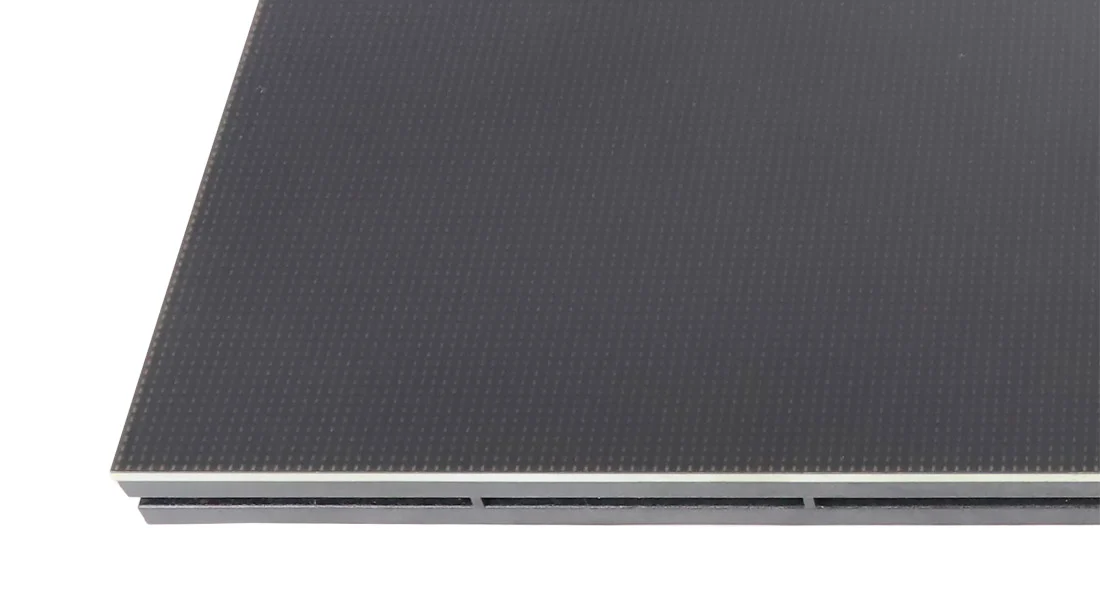
In an SMD vs COB LED display comparison, distinguish the LED package, display module and finished cabinet. Packaging is one component of a larger system that includes drivers, power supplies, processing, mechanical alignment and cooling.
With SMD, the LED chips are packaged before the components are placed and soldered onto the board. A damaged package may be replaceable by a trained technician with suitable equipment. On-site servicing usually involves changing a complete module rather than repairing individual LEDs in position.
With COB, chips are attached to the board and covered by an encapsulation layer. The surface finish and protective properties depend on the product. GOB is different: it can add a protective glue coating over SMD components, as explained in ViewSonic’s SMD, GOB and COB overview.
This construction affects handling and repair methods, but viewing comfort still depends heavily on pixel pitch and the content shown. Ask to see the actual module, its edge protection and its replacement procedure. A sample demonstration is more useful than judging surface toughness from a photograph.
4. SMD vs COB LED Display: Key Differences
Compare SMD vs COB LED displays under the same conditions. Use identical source content, physical screen size, pixel pitch and calibrated brightness wherever possible. Otherwise, a difference attributed to packaging may actually come from resolution, settings or the room lighting.
4.1 Image quality
Both technologies can produce detailed images. Evaluate black levels, color consistency, low-brightness grayscale and reflections in the intended room. A COB surface may look smoother, but glare depends on the coating and lighting. A high contrast figure measured in darkness does not describe performance beside a bright window.
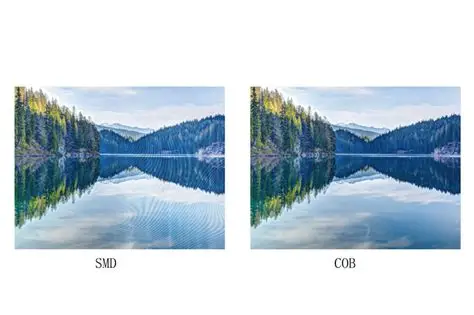
The illustration below shows the same lake scene labelled SMD and COB. It is a visual illustration, not a controlled comparison with stated pitch, calibration or camera settings. Inspect text, dark gradients and skin tones on the proposed displays before drawing conclusions about image quality.
4.2 Pixel pitch
Pixel pitch is the center-to-center distance between neighboring pixels, measured in millimeters. A smaller pitch gives more pixels within the same screen area. COB is available in very fine pitches, but the required resolution should come from your content and viewing distance, not from the packaging label.
For example, a theoretical 3,840 mm-wide screen at 1.5 mm pitch has 2,560 pixels across: width divided by pitch. This is a calculation, not a product specification. Final resolution depends on whole modules and cabinets, so verify the proposed layout and processor output before purchase.
4.3 Durability
COB encapsulation can protect chips from incidental contact, but resistance to impact, moisture and chemicals varies by design. Ask for the applicable test results, front and rear protection ratings, and warranty exclusions. A protected front surface does not establish protection for connectors, cabinet seams or the rear electronics.
Uncoated SMD packages can be vulnerable during handling. However, an SMD display with a protective coating or a purpose-designed enclosure should not be treated as equivalent to an exposed module. Compare the complete products and the likely risks at the installation site.
4.4 Viewing angle
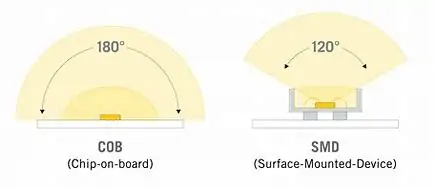
Viewing angle is model-specific for both SMD and COB. Compare horizontal and vertical specifications and the manufacturer’s measurement criterion. Then check color shifts and brightness from the outermost seats. A wide quoted angle alone does not guarantee that small text remains readable from every position.
Illustration note: the diagram below labels COB as 180° and SMD as 120°. These are illustrative labels, not universal specifications or verified values for the displays discussed here. Use the selected model’s datasheet and an off-axis demonstration when deciding whether it meets your seating layout.
4.5 Maintenance
Separate module replacement from component repair. An SMD wall may offer straightforward front-service module replacement, while package-level repair requires suitable tools and training. Ask the supplier to demonstrate removal, replacement and recalibration, including how much clearance is needed and whether neighboring modules must be disturbed.
COB can also support front-service module replacement. Repairing chips beneath encapsulation may require a specialist or factory process. Confirm turnaround times, local support, spare-module quantities and who pays freight. The service plan determines downtime more directly than an assumption that one packaging type is always easier to maintain.
4.6 Cost
SMD is often shortlisted for cost-sensitive projects, but there is no reliable universal SMD-to-COB price ratio. Compare dated quotations with matching pitch, area, brightness and service terms. A lower panel price may exclude the processor, structure, spare modules, installation or commissioning.
Treat any claimed COB price premium as a quotation-specific comparison. Calculate total installed cost and expected operating expenses, including energy, cooling and service. Ask for typical and maximum power figures under stated conditions; packaging alone cannot substantiate an energy-saving percentage or a payback period.
4.7 Application range
SMD products cover fixed indoor walls, outdoor signs and rental applications. For events, check cabinet locks, edge protection, rigging documentation and handling weight. For permanent installations, service access and replacement-part availability may outweigh features designed mainly for frequent assembly and dismantling.
COB products are commonly considered for close-viewing indoor applications such as meeting rooms and control centers. Their protected surface can be useful, but the application still determines the specification. Check low-brightness performance, operating noise and service access rather than relying on a premium-product description.
5. SMD vs COB LED Display Comparison Table
Use this SMD vs COB LED display comparison table to build a shortlist. Entries describe construction differences and buying considerations, not guaranteed performance rankings. Confirm each shortlisted model against its current technical documentation.
| Feature | SMD LED Display | COB LED Display |
|---|---|---|
| Packaging method | Separate LED packages soldered to the board | LED chips mounted directly on the board and encapsulated |
| Image smoothness | Depends on pitch, calibration and surface finish | Depends on pitch, calibration and surface finish |
| Durability | Varies with coating, enclosure and handling protection | Encapsulation protects chips; actual ratings vary |
| Viewing distance | Choose pitch and resolution for the audience | Choose pitch and resolution for the audience |
| Maintenance | Module replacement; package repair may be available | Module replacement; chip repair may need specialist service |
| Cost | Compare a complete, matched quotation | Compare a complete, matched quotation |
| Typical use | Indoor, outdoor and rental models available | Often shortlisted for fine-pitch indoor walls |
Use the same acceptance criteria for both proposals. Record native resolution, calibrated brightness, power requirements, service clearance and warranty coverage beside the quoted price. If a supplier cannot provide comparable figures, request clarification before treating either option as the better value.
6. Which One Is Better for Fine-Pitch Displays?
For fine-pitch displays, consider COB when surface protection and compact chip placement meet a specific project need. Judge the complete wall at the closest viewing position. Small text, spreadsheets and control-room dashboards often reveal resolution or calibration limitations more clearly than promotional video.
SMD remains an option in this comparison. The EA640F2 front-service indoor LED display is one product to assess against your pitch and servicing requirements. Confirm the exact configuration in the quotation; a family name alone does not identify the delivered resolution or performance.
Select the pitch that makes the smallest required content readable, then compare suitable SMD and COB models at that pitch. Check module seams and brightness uniformity across the assembled wall. Finer pitch adds pixels, but it cannot recover detail missing from the source signal.
7. Which One Is Better for Outdoor Use?
For outdoor use, shortlist displays explicitly specified for the exposure at your site. SMD is a practical candidate, but the label itself provides no weather rating. Review daylight brightness, dimming, operating temperature, drainage, front and rear ingress protection, and access for maintenance.
A COB coating does not make an indoor cabinet suitable for rain or direct sun. If considering an outdoor COB product, request its outdoor specifications and installation requirements. For either technology, have the mounting, wind loads, electrical supply and environmental protection assessed for the actual location.
8. Which One Is Better for Indoor Use?
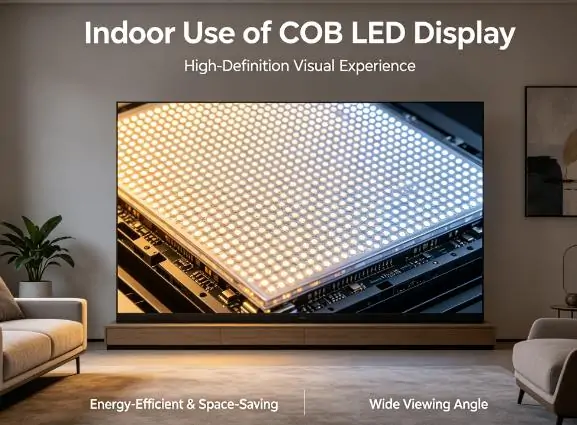
For an indoor meeting room or control center, compare performance at the brightness you will actually use. COB may be attractive where close viewing and a protected surface are priorities. Check reflections from windows, fan noise and dark-image detail with the room lighting switched on.
An SMD model may meet the same indoor requirements with a different purchase and service cost. Evaluate both using your presentations or live feeds. Confirm front access when the wall sits against a solid partition, and make sure ventilation and replacement clearance are included in the installation design.
9. Manufacturing and Reliability
Manufacturing quality affects both technologies. Absen’s COB manufacturing overview describes process controls, automation and controlled production conditions. These illustrate the importance of production consistency; they are not evidence that all COB products have the same reliability or a guaranteed lifespan advantage over SMD.
Ask either supplier for module inspection criteria, aging-test procedures, calibration records and the dead-pixel warranty policy. Check how replacements are color-matched after installation. Do not compare advertised lifetimes without knowing the brightness, temperature, duty cycle and failure definition used to calculate them.
10. Real-World Buying Considerations
Turn the SMD vs COB decision into a written specification. Give each supplier the same room dimensions, screen size, content examples, operating hours and service constraints. The following questions help make quotations comparable and reduce surprises during commissioning.
How close will viewers stand? Measure the nearest and farthest positions, then demonstrate the smallest text at the intended screen size. Ask for the proposed cabinet layout and native resolution. Viewing distance should guide pitch selection before packaging becomes the deciding factor.
What protection is needed? Identify accidental contact, cleaning, dust, humidity and handling risks. Request model-specific ratings and cleaning instructions. If people can reach the screen, compare the protected surfaces of the actual products, including any coating on the SMD option.
What does the budget include? Itemize panels, processing, structure, cabling, installation, spares and commissioning. Add expected energy and support costs for your operating schedule. Treat percentage savings or payback estimates as assumptions unless the supplier provides a transparent calculation.
How will faults be repaired? Confirm front or rear access, spare-module stock, response times and warranty freight arrangements. Ask whether your team can replace a module and how calibration is restored. Obtain these commitments in writing before relying on a low initial price.
What visual performance must pass acceptance? Agree on brightness, uniformity, grayscale and off-axis checks with your own content. For camera use, test with the intended camera and settings. A refresh-rate figure alone does not guarantee freedom from flicker, banding or moiré.
Document the chosen configuration and the acceptance test before placing an order. Retain the approved sample results, quotation and datasheet version. This makes it easier to check that the delivered wall matches the proposal and to resolve differences with the supplier.
11. SMD VS COB LED Display: Which Should You Choose?
Choose an SMD LED display when a specific model meets the required image quality, protection and service needs at an acceptable total cost. This may suit an indoor wall, outdoor sign or rental installation. Verify the application rating rather than assuming every SMD cabinet is interchangeable.
Choose a COB LED display when the proposed fine-pitch performance and protected surface provide a useful benefit for your space. Confirm that the demonstration supports the quoted specifications and that the maintenance plan fits your team. A higher price needs a project-specific justification.
For a close-viewing indoor wall, the EA600COB3 16:9 COB indoor LED display is one candidate to evaluate. Compare its quoted configuration with an SMD alternative using the same screen dimensions, content and service requirements; this product example is not an independent ranking.
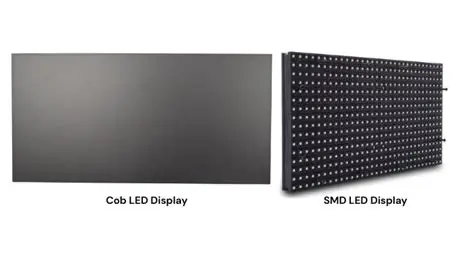
The final comparison image shows COB on the left and SMD on the right. Like the other illustrations, it does not establish a controlled performance result. Base the purchase decision on the actual samples and agreed acceptance criteria, rather than a photograph alone.
12. Conclusion
The essential SMD vs COB LED display difference is how the LEDs are packaged. Packaging influences protection and repair methods, while pitch, calibration, enclosure design and installation determine much of the finished result. Either technology can be appropriate when the complete specification fits the project.
Start with viewing distance and content, specify the environment, and compare complete quotations. Check the selected models in person where possible. Keep the native resolution, operating brightness, protection ratings, spare parts and service commitments in the final purchase specification.
A suitable LED wall should deliver readable content, manageable maintenance and predictable costs in its intended space. Use verified product data and a practical demonstration to decide which SMD or COB solution meets those requirements.
 NovaStar ET1S-G Guide: Media Server Features and Setup
 How to Choose the Best Pixel Pitch for LED Displays
Related Posts
Fill In Your Needs In Detail
Fill in the screen usage scene and size you need in “Content”.You will get a quote.