For NovaStar VX2000 Pro vs VX2000, verify the model name before comparing specifications. NovaStar documents the VX2000 Pro with up to 13 million pixels and 20 Ethernet outputs. A separate standard “VX2000” matching the specifications previously listed here could not be verified in the official materials reviewed. If a quotation says VX2000, request its model-label photograph and matching datasheet first.
1. What Are the Novastar VX2000 Pro and VX2000?
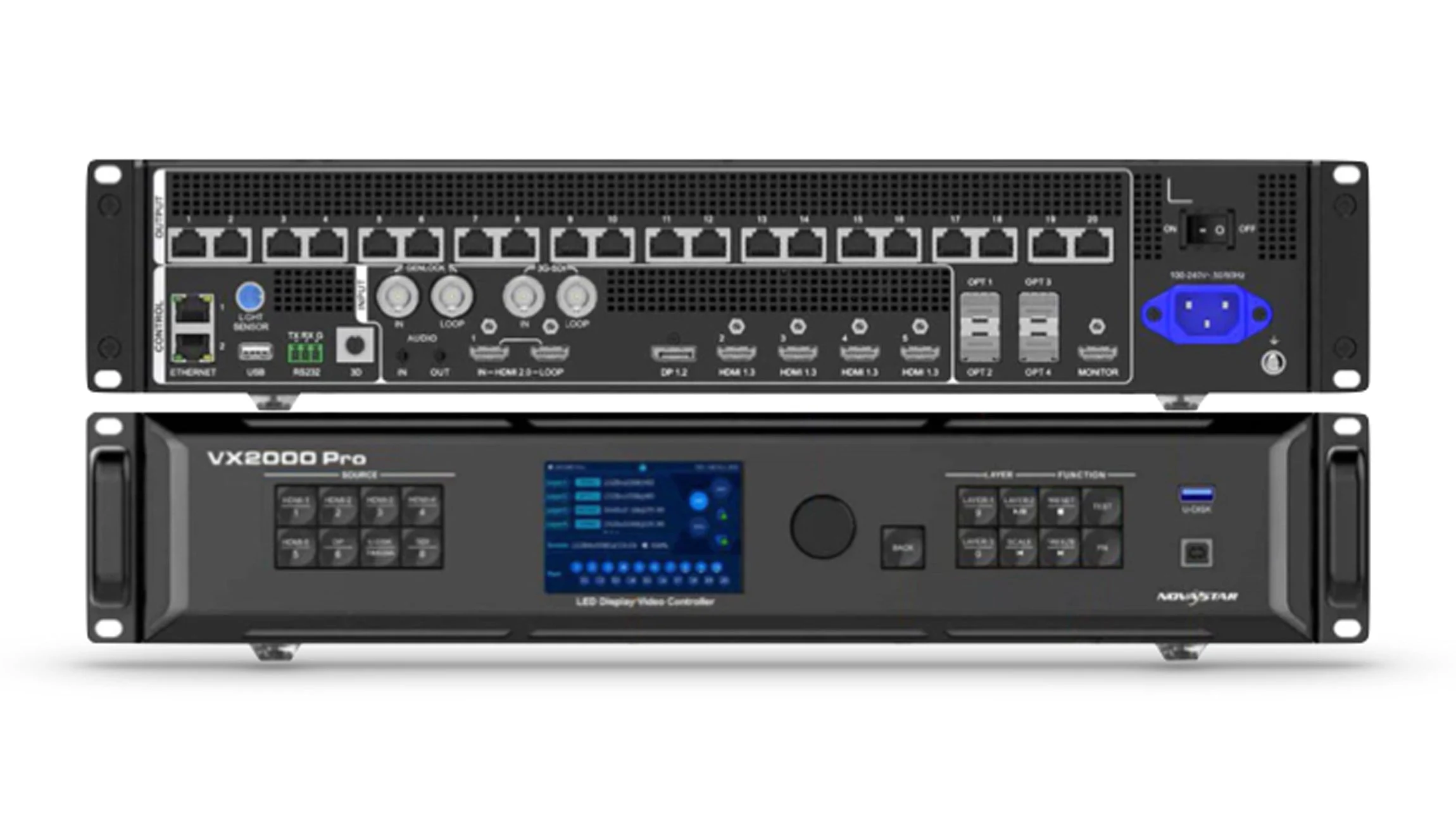
The official NovaStar VX Pro comparison lists VX400 Pro, VX600 Pro, VX1000 Pro and VX2000 Pro. The VX2000 Pro combines video processing and LED sending/control in one unit. The product name should be carried through the quotation, invoice, configuration files and support request.
The bare name “VX2000” is not enough to establish a different controller’s capabilities. It may be shorthand or a listing error; that cannot be decided from the name alone. In particular, do not assign it a 6.5-million-pixel limit, ten outputs or a specific firmware family without identifying the hardware.
For context, NovaStar’s documented VX1000 Pro has 6.5-million-pixel capacity and ten Ethernet outputs. That does not prove a seller’s “VX2000” is a VX1000 Pro. Ask for the rear-panel label and port photographs, then compare the exact models.
This guide retains the original comparison topics while separating verified Pro information from checks needed on an unidentified alternative. Selection should follow the wall map, input formats, operating mode and support requirements.
2. Novastar VX2000 Pro vs VX2000: Face-to-Face Comparison
The Pro column below draws on NovaStar’s VX2000 Pro specification V1.4.0 and, where explicitly dated, V1.2.0. The VX2000 column is a verification checklist, not an invented second datasheet. Maximum width and height are separate limits; they do not describe one fully loadable rectangular canvas.
| Specification | VX2000 Pro | “VX2000” offer: verify first | Practical check |
|---|---|---|---|
| Max Pixel Capacity | Up to 13 million pixels | Exact capacity unverified | Validate the complete wall map |
| Maximum Width / Height | 16,384 wide; 8,192 high | Exact limits unverified | Separate limits, not a 16,384 × 8,192 canvas |
| Ethernet Outputs | 20 ports | Confirm actual output count | V1.2.0 lists 650,000 pixels/port at 8-bit; 480,000 at 10-bit |
| Fiber Outputs | 4 × 10G OPT; mode-dependent | Confirm port functions | Optical paths do not add to total pixel capacity |
| Max Input Resolution | Up to 4096 × 2160 at 60 Hz | Identify connector and format | Check resolution, sampling and bit depth together |
| DisplayPort Input | 1 × DP 1.2 | Inspect rear panel | Confirm the source output format |
| HDMI 2.0 Inputs | 2; plus 4 × HDMI 1.3 | Inspect rear panel | Connector versions matter |
| 12G-SDI Input | 1, with loop output | Identify SDI support | Match the camera signal format |
| USB Playback | USB 3.0 media playback | Request a demonstration | Test the actual media files |
| Max Layers | 12 × 2K-equivalent resources | Layer limit unverified | A 4K layer consumes more resources |
| HDR Support | HDR10 / HLG with compatible cards | HDR capability unverified | Validate the full signal chain |
| 3D Display | Supported with compatible emitter/glasses | 3D capability unverified | Check mode and capacity restrictions |
| Latency (ByPass) | 0 frames with low latency enabled | Delay unverified | ByPass is not normal processing mode |
| Presets | 256 | Preset count unverified | Test recall of the required layouts |
| Device Backup | Device, source and port backup options | Backup behavior unverified | Rehearse failure and recovery |
| Power Consumption | 83 W rated (V1.2.0) | Obtain rated/measured power | Rated power is not a measured average |
| Weight | 7.4 kg net (V1.2.0) | Obtain net and packed weight | Include accessories in transport planning |
| Dimensions | 482.6 × 493.0 × 94.6 mm (V1.2.0) | Obtain dimension drawing | Check mounting and cable clearance |
| Control Options | Front panel, NovaLCT, Unico, VICP | Confirm supported software | Match software and firmware versions |
| Warranty | Confirm written sale/support terms | Confirm written sale/support terms | No universal identical term assumed |
There is no reliable “twice the capability for twice the price” conclusion until both quoted devices are identified. Also distinguish input resolution from output loading: accepting a 4K source does not mean every possible wall shape, bit depth and refresh configuration fits. Have the supplier validate the actual cabinet map and port allocation.
3. Feature Deep Dive about Novastar VX2000 Pro and VX2000
Four areas deserve a demonstration before purchase: HDR handling, layer resources, latency and backup behavior. These features interact with the rest of the system. A checklist of individually supported functions is not proof that all of them can operate together in your chosen mode.
3.1 HDR10 and HLG — Check the Complete Signal Chain
A washed-out camera image can result from mismatched signal range, transfer-function settings, tone mapping or display calibration. It cannot be diagnosed as a processor fault merely by looking at the price of the camera or the LED panels.
NovaStar documents HDR10 and HLG output for the VX2000 Pro with compatible receiving cards. Check the input connector, source encoding, firmware and receiving-card configuration together. The V1.4.0 specification also notes HDMI 2.0 HDR input support. A generic “10/12-bit” claim does not mean every resolution, sampling format and frame rate is supported simultaneously.
For an unidentified VX2000 offer, neither HDR support nor an SDR-only limitation can be established from the label. Request a demonstration using the actual camera or player. SDR content can look correct through a properly configured SDR chain; HDR support alone does not guarantee a better image.
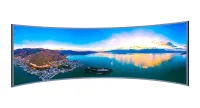
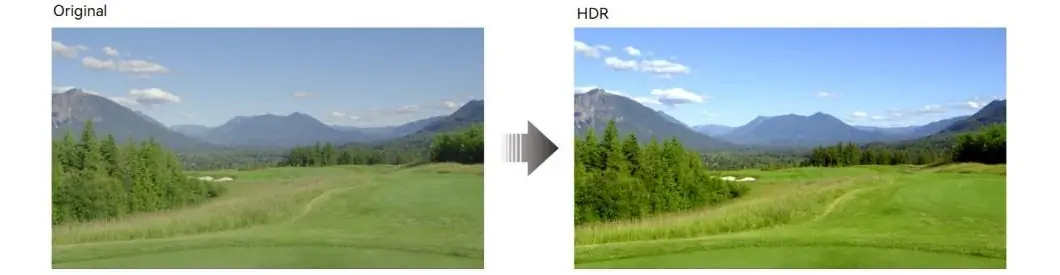
The retained landscape illustration labels an original image and an HDR treatment. It is a visual illustration, not a measured comparison of these controllers. For tonal testing, see our LED grayscale and bit-depth guide.
3.2 Layer Resources — Count Resolution as Well as Windows
Count layer resources as well as visible windows. NovaStar’s VX Pro series overview describes the VX2000 Pro as supporting twelve 2K layers, six dual-link layers or three 4K layers. It is not a twelve-4K-layer processor. Input availability and connector allocation must also suit the composition.
For example, one 4K layer uses four 2K-equivalent resources; adding four 2K layers uses eight resources in total. This calculated example leaves resource headroom, but the supplier still needs to validate the source connections and layout. A camera kept only as a backup need not consume a simultaneously displayed layer.
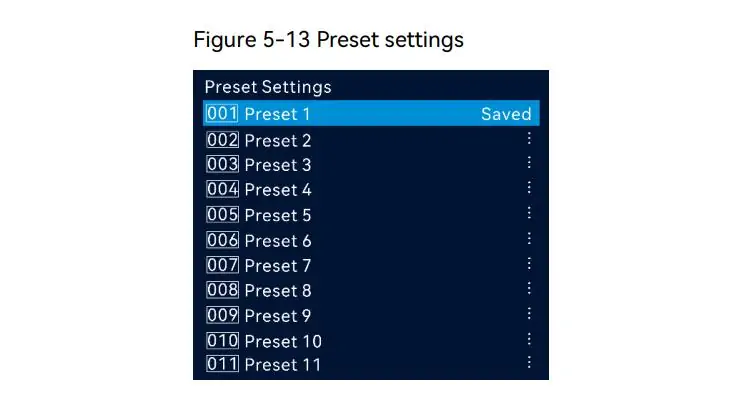
The Pro offers 256 presets for storing layouts. Label them by show segment and test recall with active sources. The screenshot below shows a preset list with Preset 1 marked Saved; it does not mean only the visible eleven entries are available.
There is no verified six-layer ceiling for the unidentified alternative. If a smaller documented controller meets the whole composition, additional unused layers are not automatically a reason to spend more.
3.3 Zero-Frame Latency — Conditions and Trade-Offs
Zero-frame latency is mode-dependent. NovaStar specifies it for ByPass with low latency enabled; it is not a promise of zero delay from camera to LED wall. The V1.2.0 latency table lists 1–2 frames for video-controller mode with low latency, and states that video processing is unavailable in ByPass. It also lists ByPass low latency and Genlock as mutually exclusive; verify those restrictions against the installed firmware before designing the system.
For a rental LED wall used for IMAG, measure the complete camera, switching, processing and display path. At 60 frames per second, one frame lasts approximately 16.67 ms; this is a time conversion, not a measured controller delay. A delay stated in lines cannot be converted accurately without the signal’s line timing.
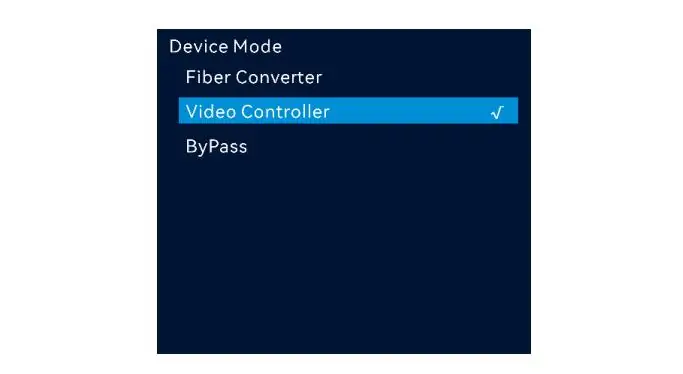
XR and broadcast projects need a defined latency and synchronization budget, not an assumption that every installation requires one particular processor mode. The retained menu image shows Video Controller selected, with Fiber Converter and ByPass also listed. Selecting ByPass changes functionality and must be tested with the required workflow.
3.4 Redundancy — Test Failure and Recovery
Redundancy needs a configured second path and a tested failure procedure. Do not interpret backup support as a guarantee that every power, source or cable failure is invisible. Identify what remains powered, where the standby signal originates and which device controls the transition.
NovaStar documents several backup relationships for the Pro. Its firmware release notes also discuss backup fixes and changes to source-switching freezing time. That is a reason to record firmware versions and rehearse failover, not to promise a universal zero-frame interruption.
Ask the supplier to demonstrate loss of the primary source, a selected output link and the main controller under the proposed wiring. Record what the audience sees and how normal operation is restored. A backup unit sharing the same vulnerable power feed may not address the intended failure.
USB playback can provide prepared hold content on a working Pro. Test the exact file and format beforehand. A USB drive cannot replace a failed controller or restore its power; treat it as a source option within a broader plan.
4. The Price Question: Compare Complete Quotations
A current price comparison requires two identified products and equivalent written quotations. No independently verified two-to-one price ratio is established here. Ask each seller to state the exact model, condition, firmware, included accessories, warranty provider and quote validity.
- Controller cost: compare the unit price in the same currency and tax basis.
- Deployment cost: include optical modules or converters, cabling, mounting, configuration and commissioning.
- Continuity cost: include the backup arrangement, spare hardware and support response needed for the application.
Cost per million usable pixels can be calculated as the installed controller-system cost divided by the validated capacity in millions at the required settings. It is only a screening measure: a cheaper pixel does not compensate for a missing input or an unsuitable latency mode. Do not divide by an advertised maximum that the actual configuration cannot use.
Buying too small can create additional processing, cabling and synchronization work later. Model that expansion before ordering, including the final screen dimensions and content pipeline. A second controller is not automatically equivalent to a larger single controller.
Rental economics should use your own utilization, maintenance and resale assumptions. Obtain evidence for the jobs you expect to book; neither a fixed payback period nor a higher resale value follows from the Pro name. Compare the incremental cost with the additional jobs or operating requirements it demonstrably supports.
5. How to Choose Novastar VX2000 Pro or VX2000: A 5-Question Decision Framework
Work through these five questions after identifying the quoted hardware. They organize the same screen-size, HDR, layer, application and budget topics shown in the retained flowchart.
Correction to the image: its automatic buy arrows and $2,500 threshold are not verified selection rules. The accessible text below supersedes those conclusions; a yes answer identifies a requirement to validate, not an automatic purchase decision.
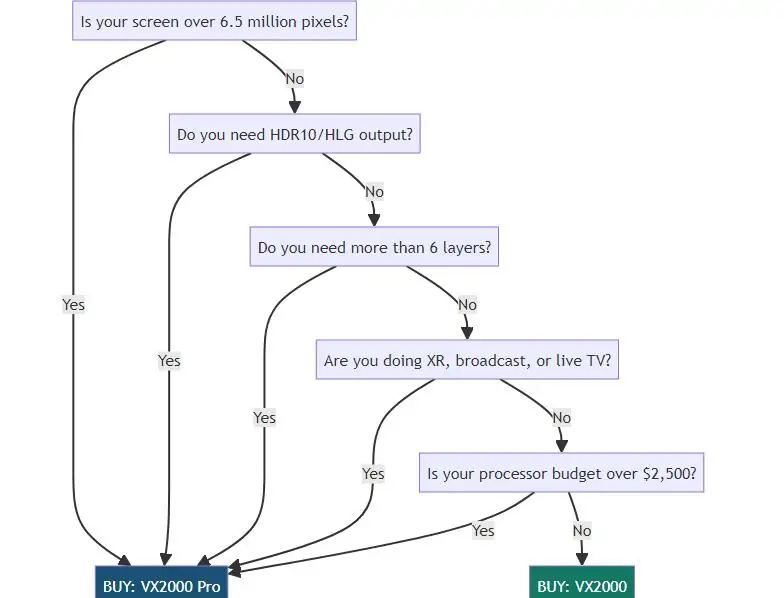
Question 1: Is your LED wall over 6.5 million pixels? Calculate width × height in pixels, then validate the port map, frame rate and output depth. The Pro’s maximum is 13 million pixels, subject to configuration limits. The old chart’s 6.5-million threshold is not a verified specification for a separate VX2000. Even a wall below a total limit can exceed an individual port or dimension constraint.
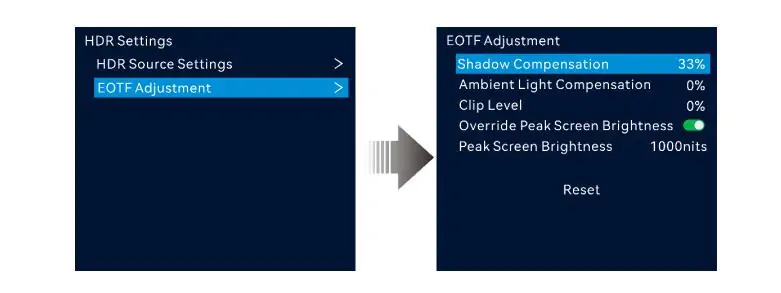
Question 2: Do you need HDR10 or HLG output? Specify the delivered format and confirm the complete source-to-panel chain. Compare shadow detail and highlights with known content at the intended screen luminance. The retained menu example shows shadow compensation at 33%, ambient compensation and clip level at 0%, and peak screen brightness at 1,000 nits with override enabled. These are screenshot values, not recommended settings for every wall.
Question 3: Do you need more than six simultaneous layers? Draw the actual composition and record each source’s resolution. Convert it into the controller’s resource units and check physical input availability. The number of cameras owned, backup feeds available and windows displayed are different counts. Validate the busiest scene, including transitions, instead of treating “six” as a proven limit for an unidentified unit.
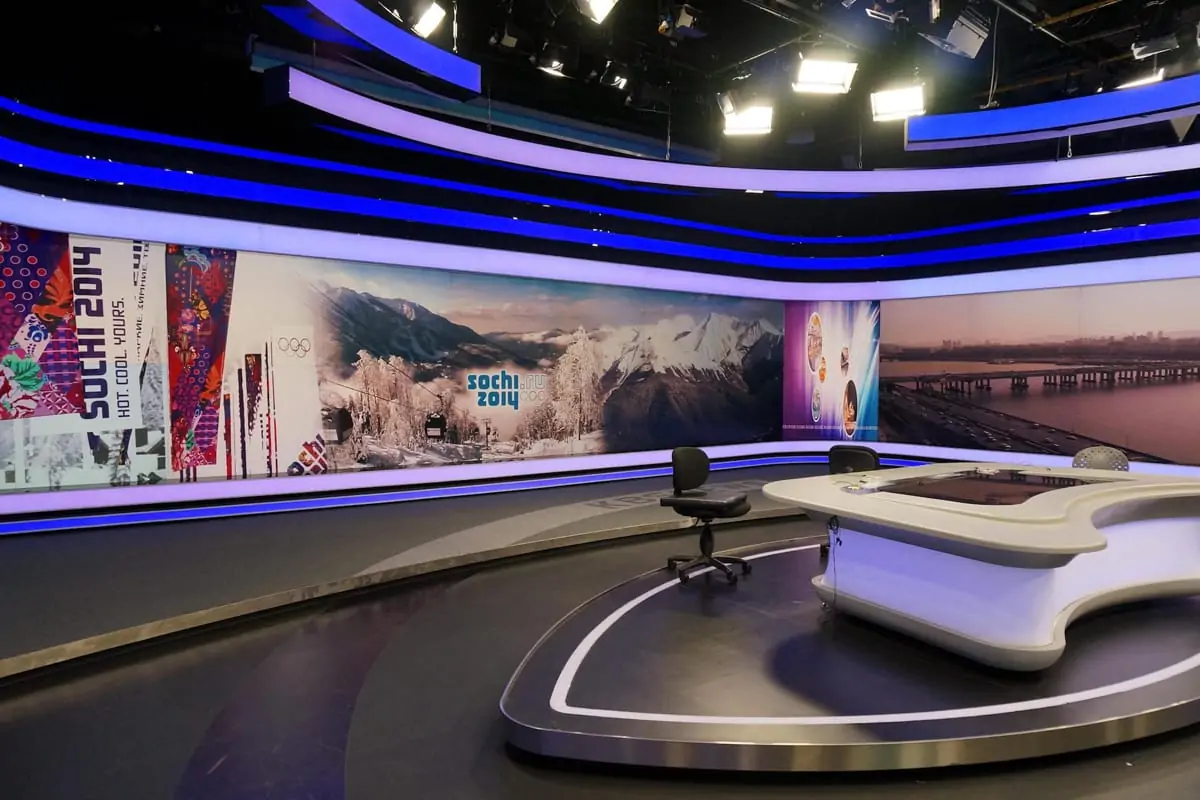
Question 4: Are you doing XR, broadcast or live television? Define the required synchronization, measured delay, color pipeline and recovery behavior. Confirm that the selected operating mode supports them together. Test with the intended cameras and receiving cards. The broadcast-studio photograph illustrates the application; it does not establish which controller was used or certify either model’s performance.
Question 5: Does the budget cover the complete validated system? Compare current quotations after the technical checks. The flowchart’s $2,500 figure is not a current price boundary or a reason to buy the Pro. Allow for configuration, spares and support. If a smaller documented model meets the requirements, assess its total cost rather than buying unused capacity for an undefined future project.
5.1 The “Don’t Overbuy” Check
A 500 × 500 cabinet size usually describes millimeters, not pixel resolution. For an illustrative cabinet with 128 × 128 pixels, a 10-by-10 cabinet wall has 1,638,400 pixels: 100 × 128 × 128. Confirm the actual cabinet matrix rather than estimating it from a rounded pitch label. See our pixel-pitch planning guide when comparing physical size and pixel count.
5.2 The “Don’t Underbuy” Check
Plan for a defined expansion with a cabinet layout and operating settings. At the same physical screen area, halving pixel pitch approximately quadruples pixel count; changing from about P3.9 to P1.9 is not simply a doubling. Use the exact module matrix for the final calculation, then check whether one controller or a synchronized multi-controller design is appropriate.
6. Novastar VX2000 Pro Vs VX2000: Which One Fits Your Application?
The examples below are project checks, not measured “typical” pixel loads. Each application can use many screen sizes. A VX2000 offer should remain unselected until the exact hardware is documented.
| Application | Pixel-load basis | Selection approach | Acceptance check |
|---|---|---|---|
| Large concert / festival stage | Use the actual cabinet map | Assess VX2000 Pro | Check layers, source formats and backup |
| XR virtual production studio | Use the volume design | Run a camera/system trial | Confirm mode, synchronization and delay |
| Broadcast OB van | Use the display layout | Validate the Pro input chain | Check SDI format and operating mode |
| High-end rental inventory | Use planned job requirements | Compare documented models | Assess utilization, support and spares |
| Corporate conference room | Use installed wall dimensions | Consider a smaller documented model | Confirm inputs and operator workflow |
| House of worship | Use sanctuary/display design | Validate camera and graphics needs | Count displayed layer resources |
| Retail / digital signage | Use the signage layout | Compare complete playback systems | Check scheduling, restart and service |
| Small rental / DJ events | Use the rented cabinet count | Compare identified alternatives | Include transport, cabling and backup |
A screen around five or six million pixels may fit more than one documented controller, but total pixels do not settle the choice. Validate input formats, layer resources, output depth and port allocation, then compare support and cost. Treat an expansion as a concrete design requirement; an arbitrary 18-month horizon is not a universal reason to upgrade.
7. What Most Buyers Get Wrong
Assuming the model name proves the hardware. A listing title cannot establish a mainboard, firmware family or processing engine. Match the unit label to official documentation before loading cabinet files or ordering a replacement. Do not silently substitute VX1000 Pro specifications for a product called VX2000.
Treating all maxima as simultaneous. Maximum width, maximum height, pixel capacity, layer count and input format describe different limits. For example, 16,384 × 8,192 would exceed 134 million pixels, far above a 13-million-pixel total. The two dimensions are separate envelope limits, not a supported full-size canvas. Likewise, twelve 2K resources do not mean twelve arbitrary 4K inputs.
Confusing control connections with video capacity. Linking units for control or synchronization does not create extra input connectors on one processor or remove each unit’s loading constraints. Draw the signal and control paths separately and test the complete design.
Ignoring software versions. NovaStar’s V1.4.1 release notes, dated September 2, 2026, list configuration and calibration fixes. Record the shipped firmware and compatible control software, retain configuration backups, and follow the manufacturer’s upgrade instructions. A firmware update is not a substitute for verifying receiving-card and panel compatibility.
8. FAQS
9. Conclusion
Choose the VX2000 Pro when its documented functions meet a validated project requirement. Confirm the wall map, source formats, layer budget, operating mode and receiving-card compatibility before ordering. Agree on the commissioning and backup tests, and obtain the warranty and service terms in writing.
If an alternative is quoted simply as VX2000, resolve its identity first. There is no sound basis here for claiming it is half the price, limited to six layers or a guaranteed fit for smaller jobs. Compare the Pro with an identified, documented alternative and spend according to the complete system’s requirements.
 Grayscale in LED Displays: Complete Guide to Image Quality
 13 LED Screen Suppliers for Singapore: 2026 Guide
Related Posts
Fill In Your Needs In Detail
Fill in the screen usage scene and size you need in “Content”.You will get a quote.