The Novastar MX40 Pro is a COEX all-in-one LED controller with 4K inputs, four video layers, 20 Gigabit Ethernet outputs and up to 9 million pixels of total capacity. It suits stage LED screens and installations requiring integrated processing and sending.
This guide explains specifications, feature limits and buying checks using NovaStar’s documentation. It is not a hands-on benchmark. Confirm the screen’s receiving cards, bit depth and frame rate before choosing a configuration.
1. What Is the Novastar MX40 Pro LED Controller?
The MX40 Pro combines video processing and LED sending in one unit. NovaStar’s Vision Management Platform (VMP) handles configuration and monitoring over Ethernet. All-In-One mode provides internal layers and scaling; Send-Only mode suits an externally prepared canvas.
Its 20 physical Ethernet outputs and four 10G optical ports share a 9-million-pixel device limit. Multiplying the maximum per-port load by the number of sockets does not increase that limit.
A 3840 × 2160 screen contains 8,294,400 pixels, so it fits the headline ceiling. Actual feasibility still depends on port loading and signal format. See NovaStar’s MX40 Pro specification V1.5.1.
2. MX40 Pro Hardware Design & Interfaces
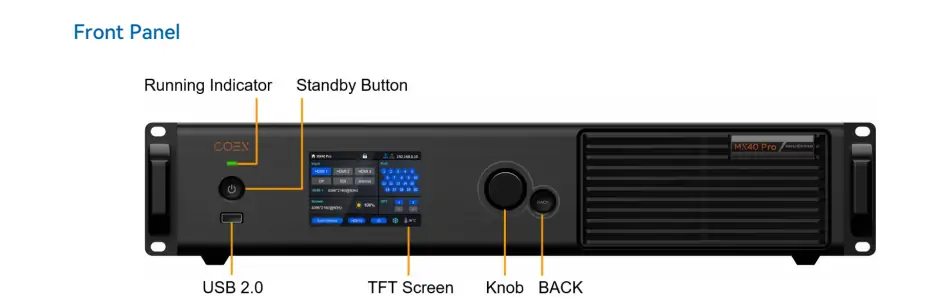
The front panel provides a 3.5-inch TFT, rotary knob, BACK button, standby button and status indicator. Rear-panel video inputs, LED outputs and Ethernet control sockets serve different functions.
2.1 Inputs
- Three HDMI 2.0 inputs: Up to 4096 × 2160 at 60 Hz, with loop-through.
- One DP 1.2 input: Supports 4K and wide 8192 × 1080 forced timings; this is not 7680 × 4320 “8K UHD.”
- One 12G-SDI input: Up to 4096 × 2160 at 60 Hz, with loop-through.
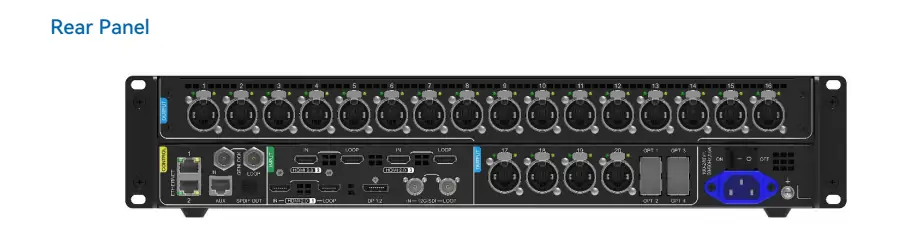
2.2 Outputs
- 20 Ethernet outputs: Up to 659,722 pixels per port at 8-bit/60 Hz, subject to overall capacity.
- Four optical outputs: In 20-port mode, OPT1/2 carry ports 1–20; OPT3/4 copy them. In 40-port mode, the four outputs carry logical ports 1–40 through fiber converters.
- SPDIF audio: Select HDMI 2 or HDMI 3 audio on supported firmware.
2.3 Controls
- Two Ethernet control ports: Connect VMP and cascade controllers on the LAN.
- Genlock IN/LOOP: Accept and distribute an external synchronization reference.
- AUX: Provides RS232 central control; use the documented protocol and pinout.
The front USB port exports diagnostics to a USB drive; it is not the VMP connection or a media player. Keep ventilation clear and protect this IP20 controller from water.
3. Novastar MX40 Pro Features Explained
Features depend on receiving cards, firmware and cabinet configuration. Check these conditions before promising a function for a project.
3.1 Pixel-Level Calibration
Pixel-level calibration addresses brightness and color differences between LEDs. Full-grayscale calibration requires compatible A10s Pro/A8s Pro-series cards, CC3 software and a CC60 or C3200 camera. Calibration quality also depends on measurement conditions.
3.2 Multi-Layer Display
Use up to four independent 4K layers with adjustable stacking order. Scaling options include custom, pixel-to-pixel, snap-to-canvas and fill-screen. Check cropping and text sharpness using the actual output canvas.
3.3 HDR and Color Management
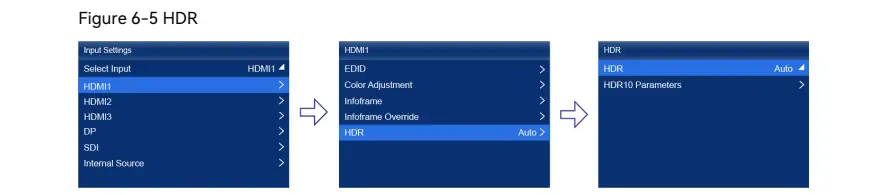
HDR10, HLG, 14-channel correction and .cube 3D LUTs support color workflows. HDMI supports HDR parsing; DP/SDI HDR attributes require manual override. The image shows Input Settings → HDMI1 → HDR. Dynamic Booster requires compatible cards and calibration; power savings vary with content and settings.
3.4 Low Latency and 3D Support
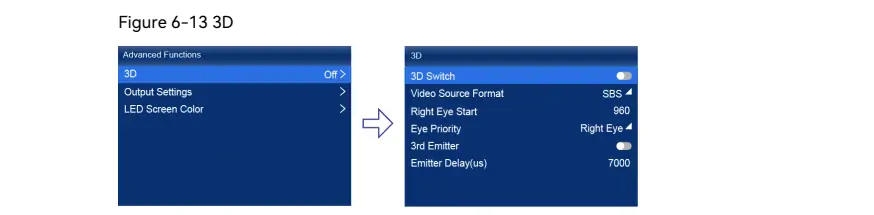
NovaStar specifies minimum controller processing latency below 1 ms under supported conditions, not total camera-to-screen delay. Low Latency cannot run with Genlock, 3D or Frame Multiplication. The pictured 3D menu controls source format, eye priority and emitter delay. Consult the function-limitations table before combining features.
3.5 Frame Rate Adaptation
High frame rates are resolution- and format-dependent; 240 Hz support does not mean 4K at 240 Hz. Adaptive operation needs compatible cards, driver ICs and cabinet files. Shutter Fit adjusts behavior for camera shutter settings; test the complete camera-and-panel system.
3.6 Preset Management
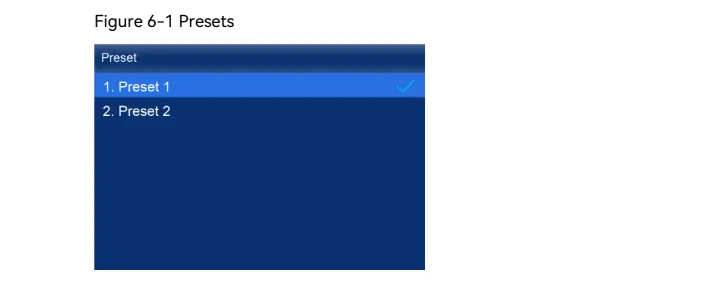
Save up to 128 presets for layers and display settings. The illustrated Preset menu selects a saved configuration. Name presets by scene and rehearse recall before a live event.
4. Full Novastar MX40 Pro Specs Overview
The following values summarize the official specification. Check its input-format and Ethernet-load tables for your exact signal and receiving card.
Electrical Specifications:
- Input: 100–240 V AC, 50/60 Hz.
- Maximum consumption: 95 W.
Video Source Compatibility:
- HDMI 2.0 and DP 1.2: 4096 × 2160 at 60 Hz or 8192 × 1080 at 60 Hz with supported forced timings.
- 12G-SDI: 4096 × 2160 at 60 Hz.
Load Capacity:
- Maximum device load: 9 million pixels.
- Maximum output width or height: 16,384 pixels, within the total load limit—not a 16,384 × 16,384 canvas.
Ethernet Port Load at 60 Hz:
- 8-bit: 659,722 pixels.
- 10-bit with A10s Pro/A8s Pro: approximately 494,791 pixels.
- Other supported 10-bit configurations and 12-bit: 329,861 pixels.
Physical Dimensions:
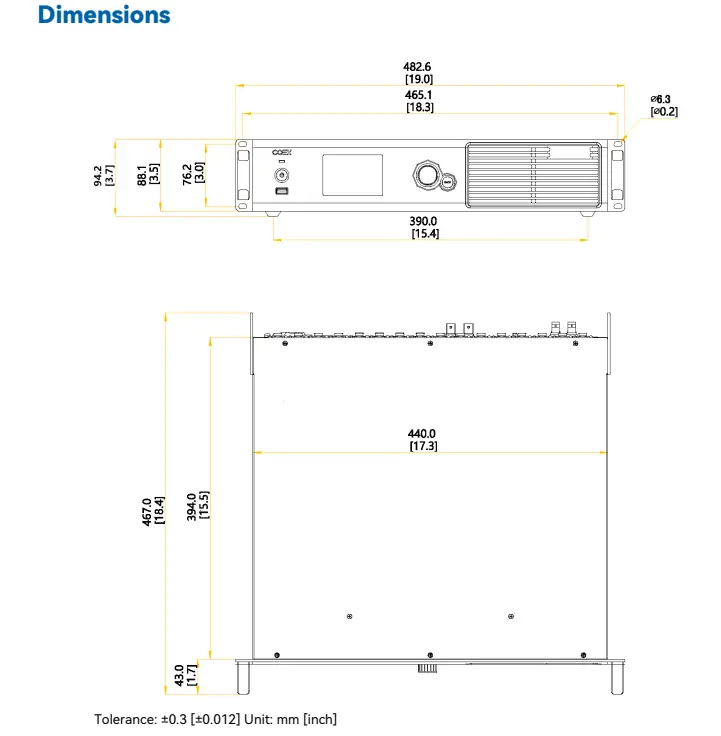
- 482.6 × 94.2 × 467.0 mm, including foot pads.
- 7.5 kg net; 10.5 kg gross.
Certifications: NovaStar lists CCC, CE, RoHS, FCC, IC, UL, CB, KC and EAC. Confirm applicable certification for the supplied unit and destination. Source: MX40 Pro specification.
5. Real-World Applications of the Novastar MX40 Pro
These are potential uses, not measured performance results. Validate the controller together with cabinets, receiving cards, sources and cabling.
5.1 Live Events and Concerts
Layers and presets help organize show content on standard or flexible LED screens. Test source switching, backup routing and recovery before the audience arrives.
5.2 Film and Virtual Production
For virtual production LED walls, match camera shutter, synchronization and panel scan behavior. Calibration and Shutter Fit can help; the controller alone cannot guarantee artifact-free footage.
5.3 Sports Arenas
For sports LED displays, calculate each cabinet’s load and plan cable routes. Rehearse scoreboard sources and failover rather than assuming Genlock guarantees uninterrupted operation.
5.4 Museums and Exhibitions
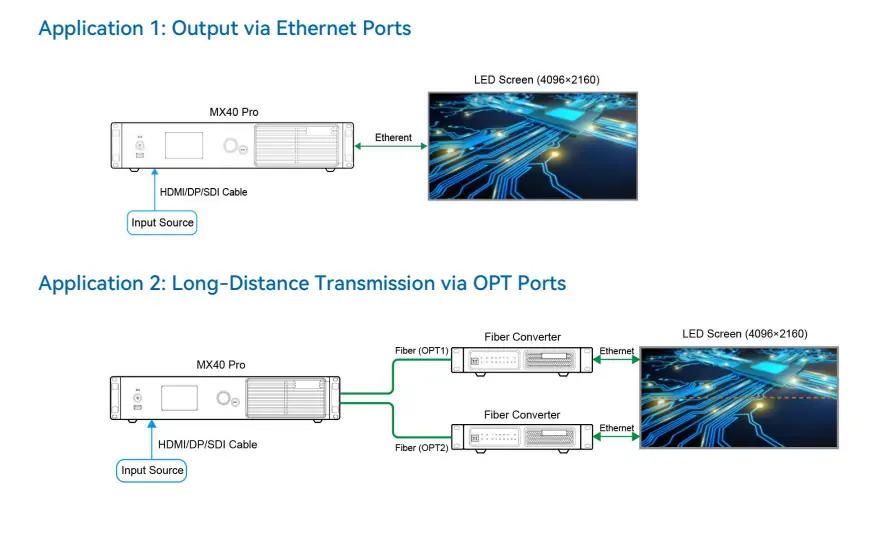
Irregular layouts exclude unused gaps from cabinet pixel calculations, while port and device limits still apply. The diagram shows source → MX40 Pro → Ethernet → screen, or optical output → fiber converters → screen for longer runs.
6. Novastar MX40 Pro Price and Value Analysis
Request a current, itemized MX40 Pro quotation. No verified official public price was established for this guide. Region, accessories, taxes and warranty affect the delivered cost; an unsourced starting price is not a dependable budget.
Include optical modules, fiber converters, receiving cards and support in the comparison. For a smaller installation, compare the MX30’s capacity and interfaces. Choose by the required workload, not a claim of being “future-proof.”
7. FAQs
8. Conclusion
The Novastar MX40 Pro is worth considering when four layers, 12G-SDI and 20 sending ports match the project. Its feature list is most useful when read alongside the receiving-card and signal-format restrictions.
Before ordering, confirm cabinet resolution, bit depth, frame rate, fiber mode and synchronization needs. Keep a configuration backup and use the official MX40 Pro manual for setup and troubleshooting.
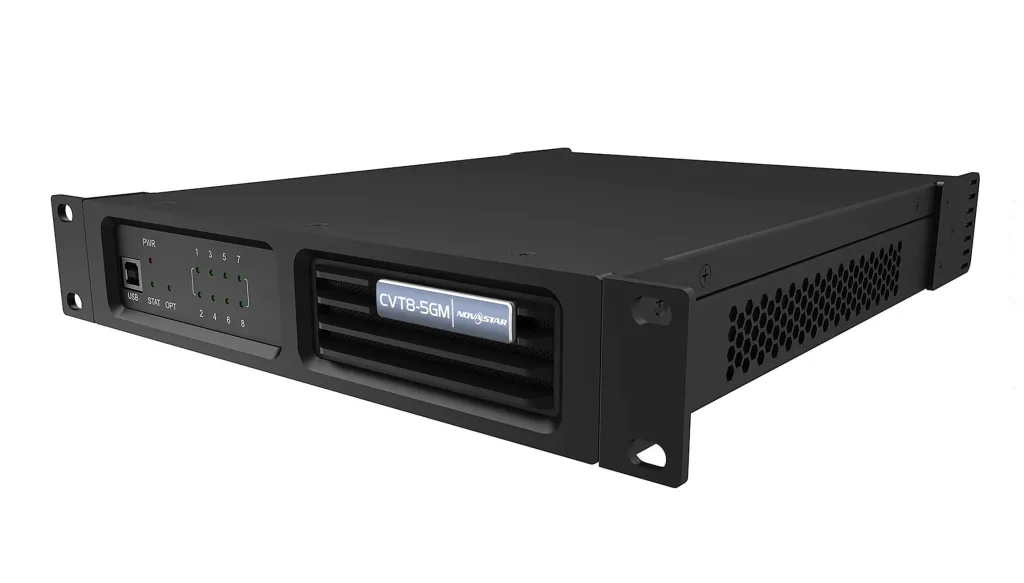 Novastar CVT8-5GM Price, Specs, and Full Technical Breakdown
 Merry Christmas – EagerLED LED Display Factory
Related Posts






Fill In Your Needs In Detail
Fill in the screen usage scene and size you need in “Content”.You will get a quote.