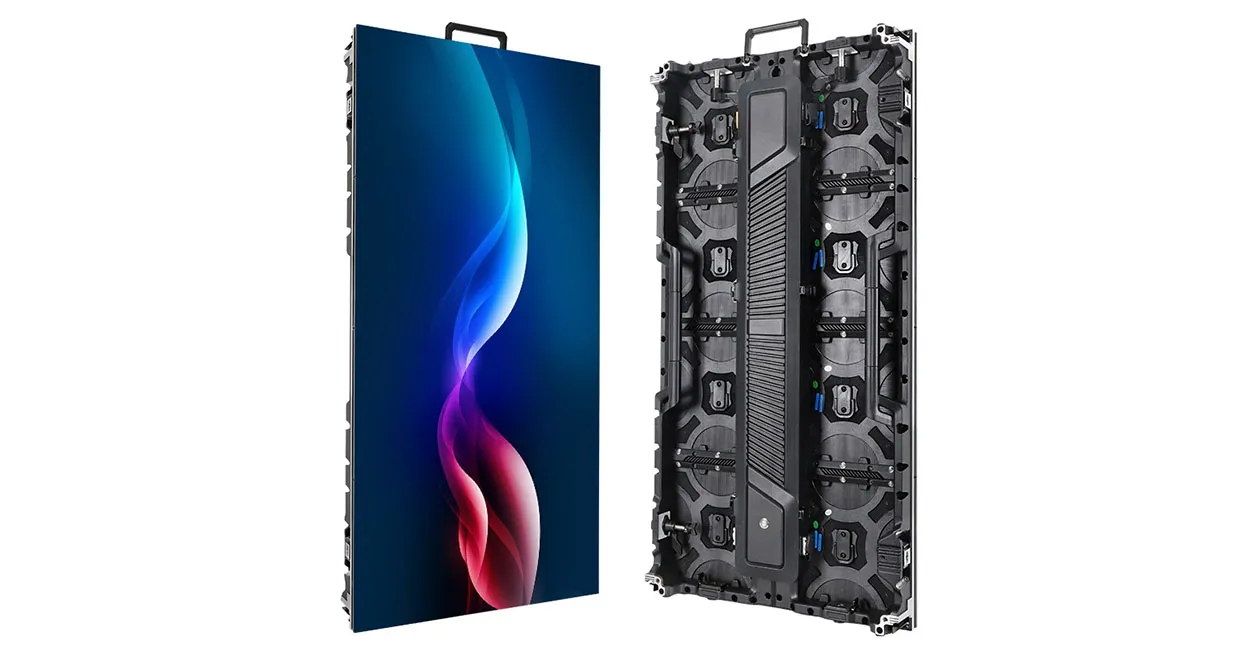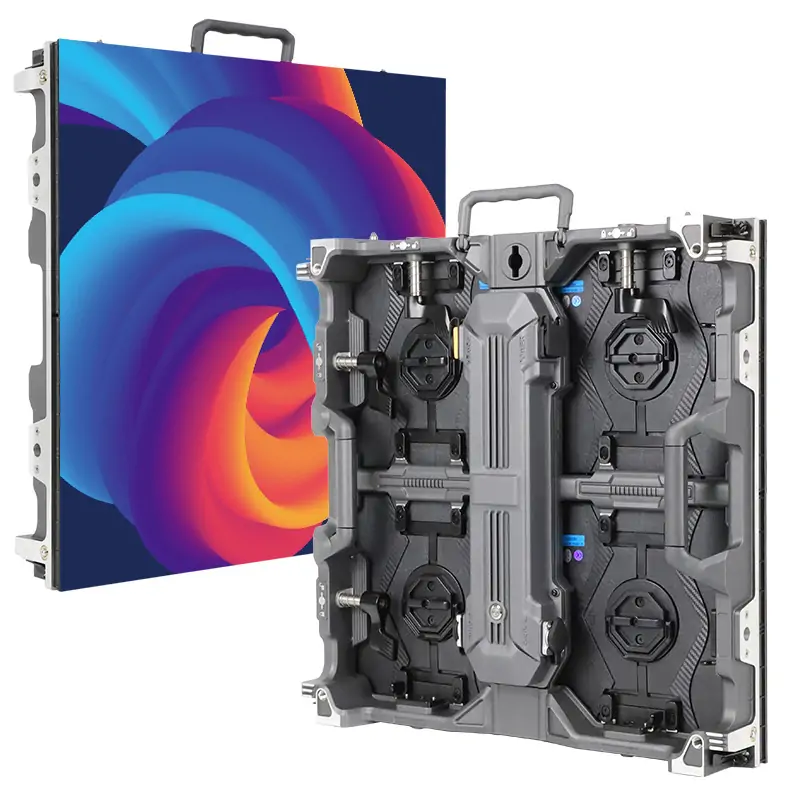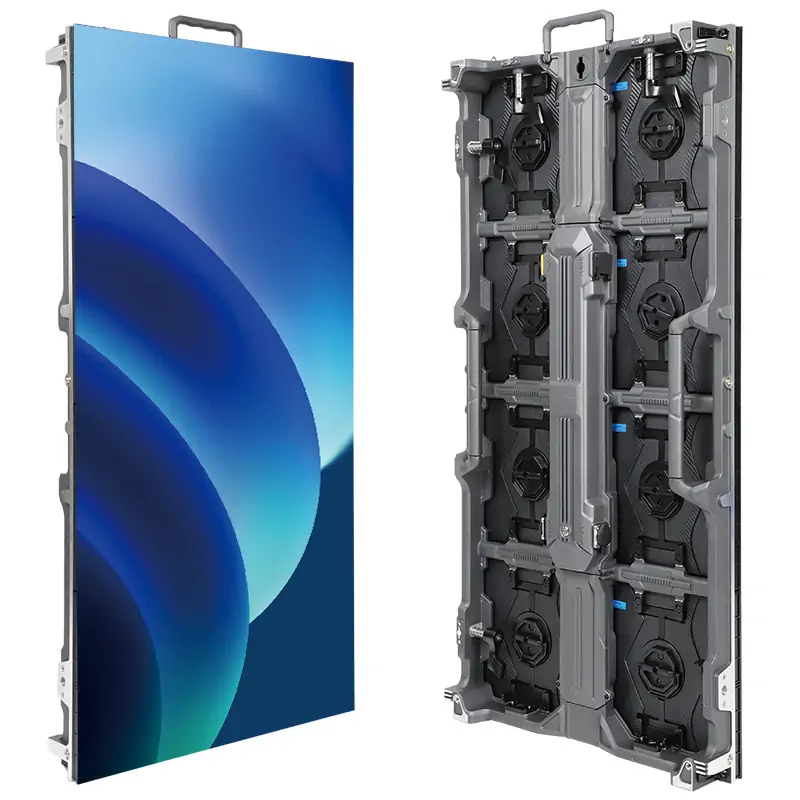
A stock ticker display is a long, narrow electronic sign that scrolls market data in real or near real time. It shows ticker symbols, prices, price changes and index levels, sometimes alongside headlines or company messages. Most new displays use direct-view LED for seamless lengths and daylight visibility.
A working ticker also needs a market data feed, software that formats it as scrolling text and a controller that sends the output to the LEDs. Buyers and installers need to account for display engineering, IT and data licensing.
This guide explains how data reaches the display and covers specifications, sizing for readable text, LED versus LCD, common applications, costs and installation. Confirm typical ranges against your chosen display and data service.
1. What Is a Stock Ticker Display?
The name comes from the mechanical ticker tape machines that printed stock quotes on paper strips from the late 1800s. A modern stock ticker display keeps the same idea: a continuous moving line of market information. LEDs replace the paper, and data networks replace the telegraph lines.
In practice, most units are long horizontal strips with a height of one or two text lines. Content usually scrolls from right to left. Each entry shows a symbol, a price and a change value, and color signals direction.
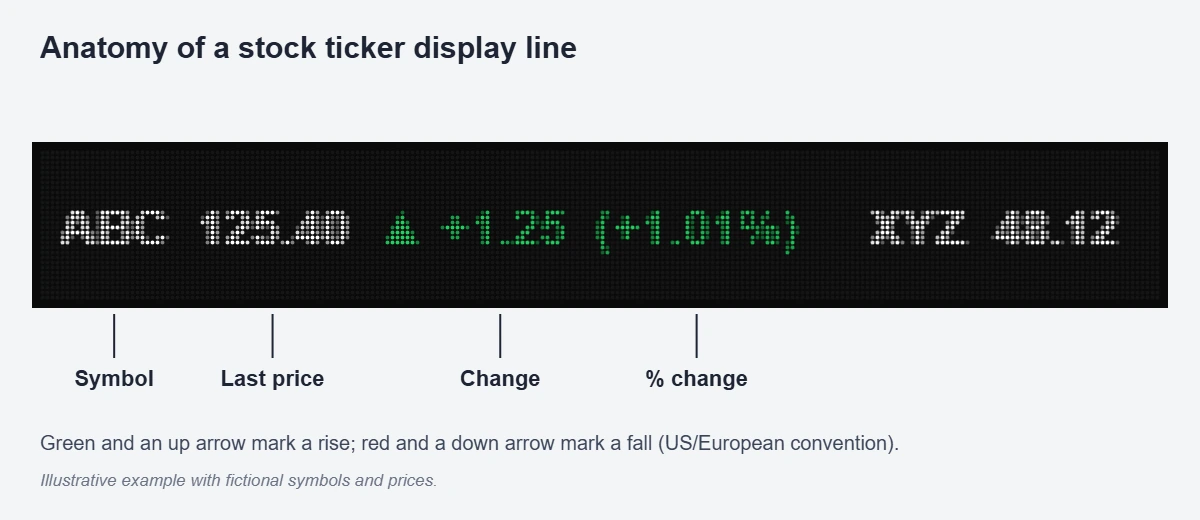
01 What a typical ticker line shows
A standard quote entry has four parts: the ticker symbol, the last traded price, the absolute change and the percentage change. An arrow or a color code marks whether the price is up or down. Many installations also insert index levels, currency pairs, commodity prices and crypto quotes. Others add headlines, world clocks, or the owner’s logo and messages between quote blocks.
02 Ticker strip or full LED screen?
A stock ticker display is optimized for one job: readable moving text along a long, shallow surface. A full LED video wall can also run a ticker, often as a band along the bottom of a larger layout. However, a dedicated ticker strip costs less per meter of length. It also fits above doors, around columns or along a trading-room wall. Meanwhile, the main video wall stays free for charts.
2. How a Stock Ticker Display Gets Live Market Data
The data chain is where many ticker projects succeed or fail. A stock ticker display does not create market data; it shows data supplied by a third party and formatted by software.
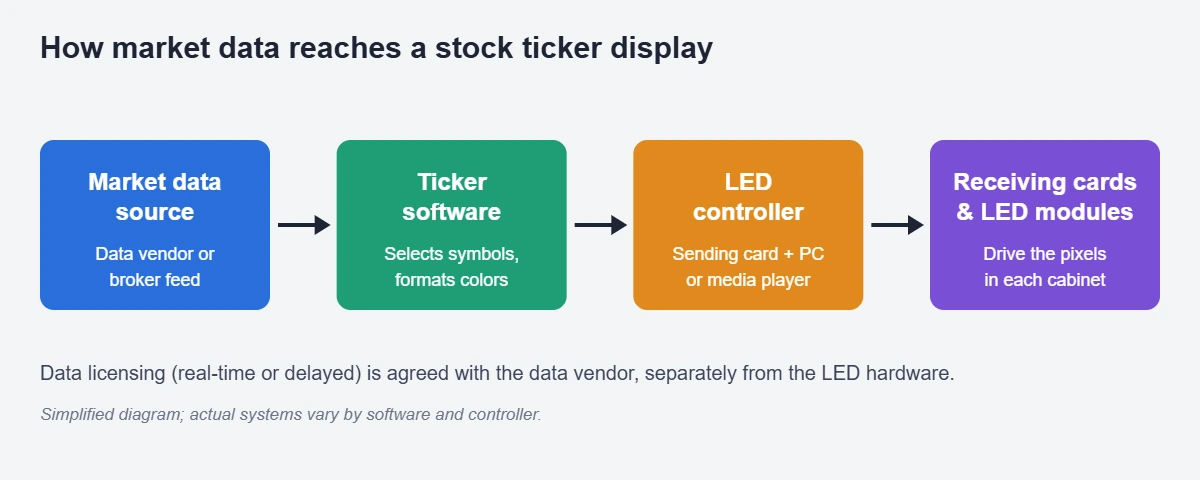
01 The four links in the data chain
The chain has four links. First comes a market data source, usually a data vendor or a broker’s feed that redistributes exchange information. Next, ticker software or middleware selects the symbols, formats each entry and applies colors and arrows. Then an LED controller converts the content into the screen’s native pixel map. This is usually a sending card driven by a PC, or a networked media player. Finally, receiving cards inside each cabinet drive the LED modules. Our overview of the LED control system explains the last two links in more detail.
02 Real-time versus delayed data
Exchanges license their price data, and the terms depend on how the data is used and displayed. Real-time quotes generally cost more than delayed quotes, which many public-facing tickers show with a 15- or 20-minute delay. Some uses, such as screens visible to the public or to many staff members, can fall under display or redistribution terms. Therefore, confirm with the data vendor which data level is licensed for the intended screen before the hardware is ordered.
03 Data update speed is not LED refresh rate
Two different “speeds” are often confused. The data update rate describes how often new prices arrive, which may be every few seconds or only when a trade occurs. The LED refresh rate, measured in hertz, describes how often the LEDs are redrawn and affects flicker and camera performance. In contrast, scroll speed is a content setting that controls how fast text moves across the screen. A good stock ticker display handles all three independently.
3. Key Stock Ticker Display Specs: Pitch, Height and Brightness
A ticker is a narrow screen, so every pixel row counts. The table below lists the specifications that most affect a stock ticker display. It adds typical ranges and the questions a buyer should ask.
| Specification | Typical range | What to check |
|---|---|---|
| Pixel pitch (indoor) | About P1.8 to P4 | Closest viewer distance and text size needed |
| Pixel pitch (outdoor) | About P4 to P10 | Weatherproofing and daylight brightness |
| Display height | One module row (often 160 mm) up to several rows | Pixel rows available for text |
| Length | From under 1 m to tens of meters | Controller capacity and cabling route |
| Color | Full-color RGB is now standard | Brand colors, red/green contrast |
| Brightness (indoor) | Often several hundred to about 1,000 nits | Dimming for dark trading rooms |
| Brightness (outdoor) | Often 5,000 nits or more | Sun exposure and night dimming |
| Refresh rate | 1920 Hz common; 3840 Hz options | Cameras, broadcast and phone video |
| Service access | Front service preferred for wall-mounted strips | Space above, below and behind |
| Control | PC with sending card, or networked player | Data software compatibility |
01 Pixel pitch and text rows
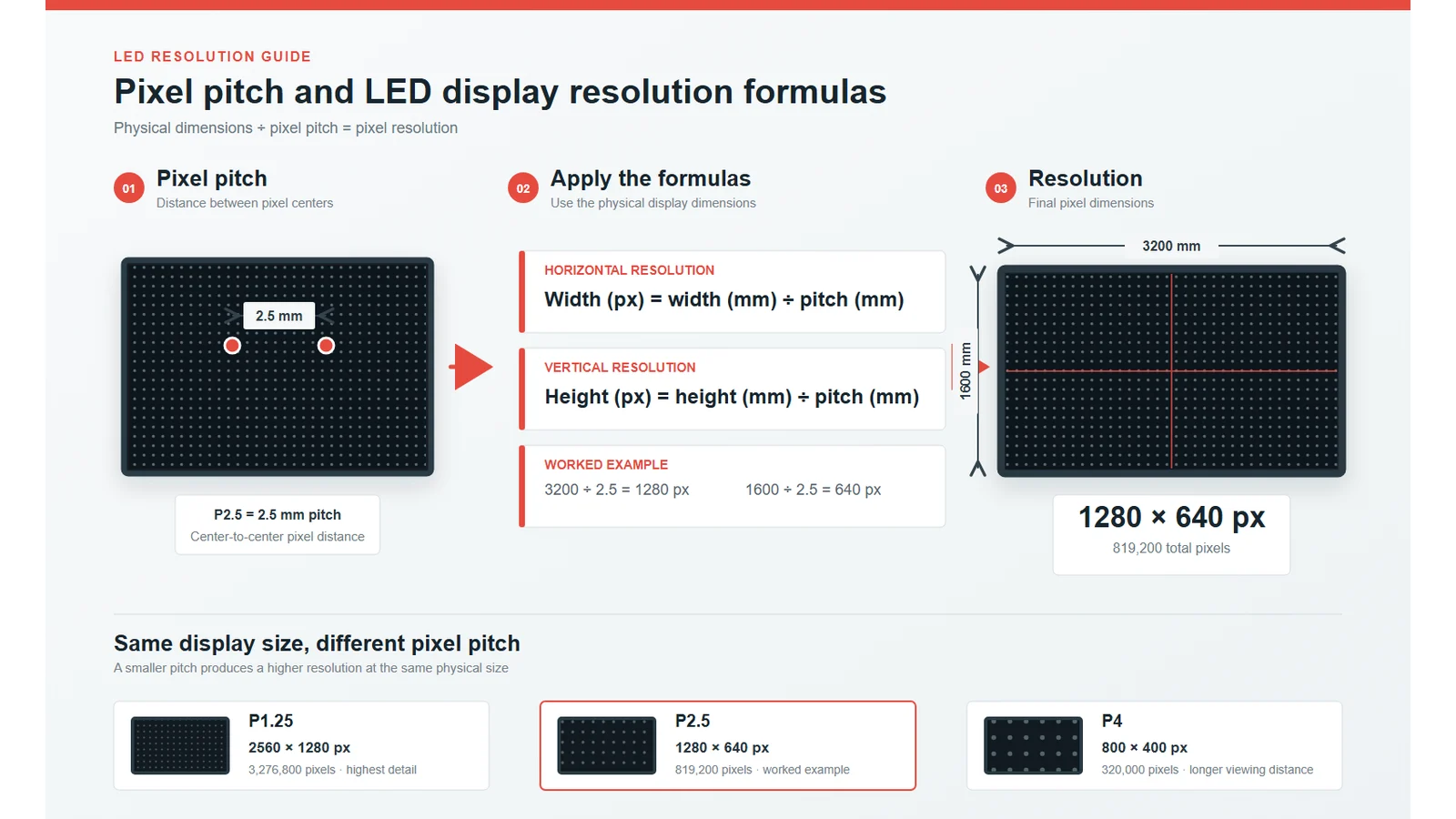
Pitch decides how many pixel rows fit into the height of the strip. In other words, a finer pitch allows larger, smoother characters within the same physical height. For a stock ticker display, smooth text matters more than raw resolution. The eye follows moving letters and quickly notices jagged edges.
02 Brightness and contrast for colored text
Price tickers rely on color, so contrast between red, green and the black background is critical. Indoors, a bright ticker in a dim trading room causes glare, so automatic or scheduled dimming is worth specifying. Outdoors, the opposite problem applies, and the screen needs enough brightness to keep red and green distinguishable in sunlight.
03 Refresh rate and smooth scrolling
Smooth scrolling depends on moving text in small, regular steps at a stable frame rate. A higher LED refresh rate reduces flicker and scan lines on camera. That matters in newsrooms, exchanges and investor events. Ask the supplier to demonstrate scrolling at the intended speed. Judder at fast speeds is easier to see than to describe.
4. Sizing a Stock Ticker Display for Readable Scrolling Text
Sizing a stock ticker display starts with text, not with screen area. The aim is to fit characters that are readable at the real viewing distance. At the same time, the strip must be long enough to show several quotes at once.
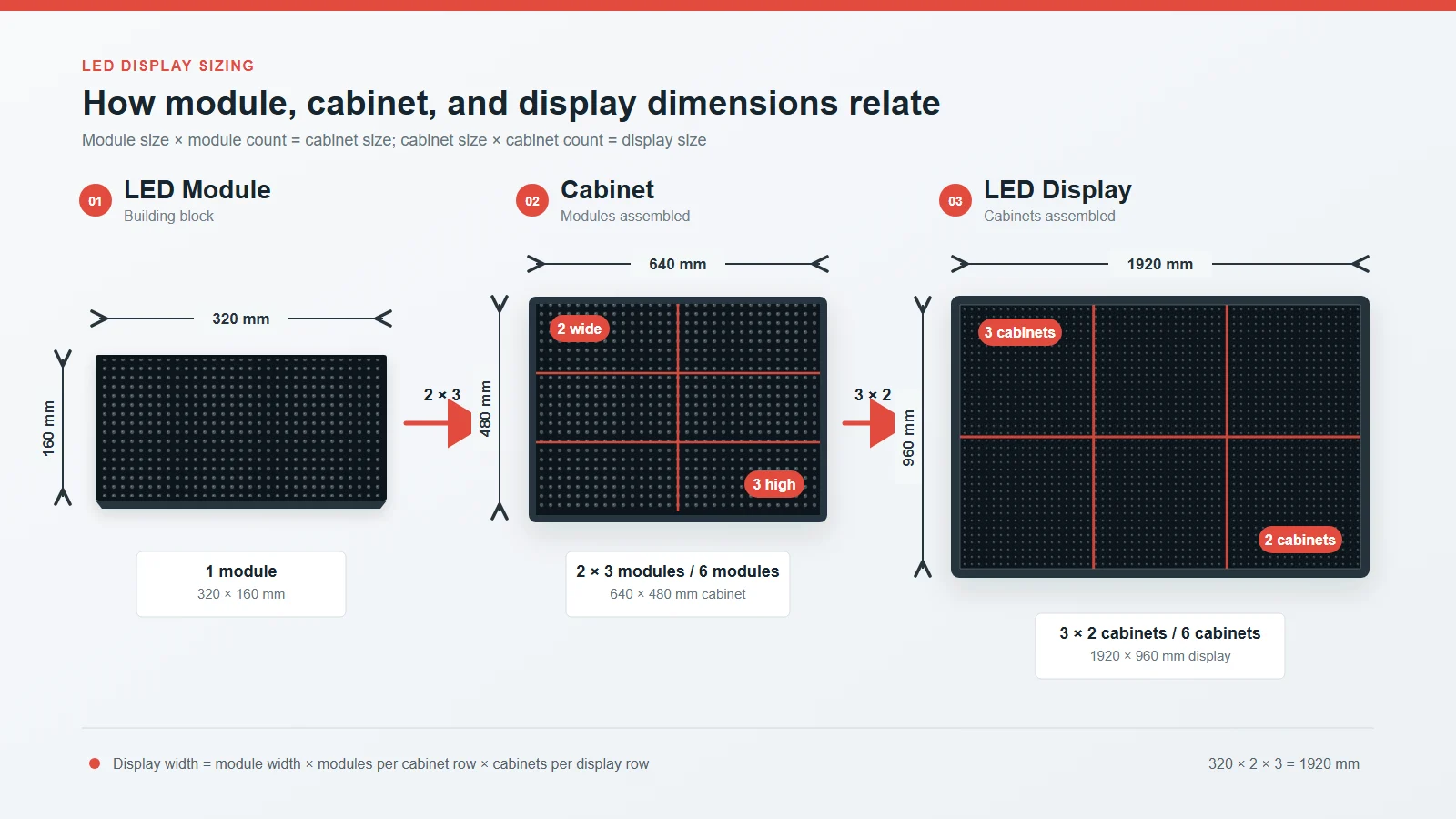
01 Pixel rows per module height
Many ticker strips use modules that are 160 mm tall. The number of pixel rows in that height depends directly on pitch, as the next table shows.
| Pixel pitch | Pixel rows in 160 mm height | Rows in 320 mm height | Typical setting |
|---|---|---|---|
| P2.5 | 64 | 128 | Close indoor viewing, lobbies, desks |
| P3.076 | 52 | 104 | Indoor trading rooms and branches |
| P4 | 40 | 80 | Larger indoor rooms, covered outdoor |
| P5 | 32 | 64 | Indoor halls, outdoor building fronts |
| P10 | 16 | 32 | Long-distance outdoor viewing |
A row count of 16 pixels is enough for one simple line of characters. In contrast, 32 or more rows allow larger fonts, two-line layouts or a single line with a logo and arrow graphics. Most designers leave a few rows of margin above and below the text for readability.
02 Character height and viewing distance
Physical character height equals the font’s pixel height multiplied by the pitch. For example, a 24-pixel-high font on a P3 ticker produces characters about 72 mm tall. A minimum viewing distance of roughly one meter per millimeter of pitch helps avoid visible pixel structure. Beyond that, legibility depends mainly on character height, font weight and contrast. Sign industry references relate letter height to viewing distance. For large outdoor tickers, the USSC’s best practice standards for on-premise signs are a useful starting point.
03 Length and number of visible quotes
Length decides how many quotes viewers can read before an entry scrolls away. A short ticker above a doorway may show two or three entries at once. Meanwhile, a long trading-room ticker can show a full watch list. Scrolling speed must stay readable even with a long symbol list. Long lists therefore call for a longer screen rather than faster text. For general screen sizing methods, see how to choose and calculate LED display size.
5. LED Ticker vs LCD Monitors vs Projection
Buyers sometimes ask whether a row of monitors could replace a stock ticker display. The comparison below shows why LED remains the usual choice for continuous tickers.
| Factor | LED stock ticker display | Stretched or standard LCD | Projection |
|---|---|---|---|
| Continuous length | Seamless at almost any length | Bezels break the line between panels | Limited by throw and surface |
| Shape | Straight, curved, around columns | Flat panels only | Depends on surface |
| Brightness | High; suitable for bright rooms and outdoors | Lower; indoor use | Washes out in ambient light |
| Viewing angle | Wide | Narrower on some panels | Varies |
| Service | Individual modules replaceable | Whole panel replaced | Lamp or laser service |
| Lifespan of image source | Long LED life with gradual dimming | Backlight ages over time | Light source ages |
| Cost for short single unit | Often higher | Often lower | Low for temporary use |
01 When LCD can still make sense
A single stretched LCD can be cheaper for one short, indoor ticker viewed at close range, such as a reception desk. However, it comes in fixed sizes, and joining several panels adds visible gaps across scrolling text. Once a project needs continuous length, curves or bright surroundings, an LED stock ticker display is usually the better fit.
02 Advantages and limitations of LED tickers
The main strengths of LED are seamless length, flexible shapes, high brightness and module-level repair. On the other hand, LED needs more careful specification. Pitch, controller capacity, cabling and ventilation all have to match the site. Driver IC quality and calibration also decide how evenly colors look along a long strip.
6. Indoor, Outdoor and Curved Stock Ticker Display Options
Ticker projects vary widely in shape and environment. The choice between these options affects cabinet design, brightness and installation.
01 Indoor tickers
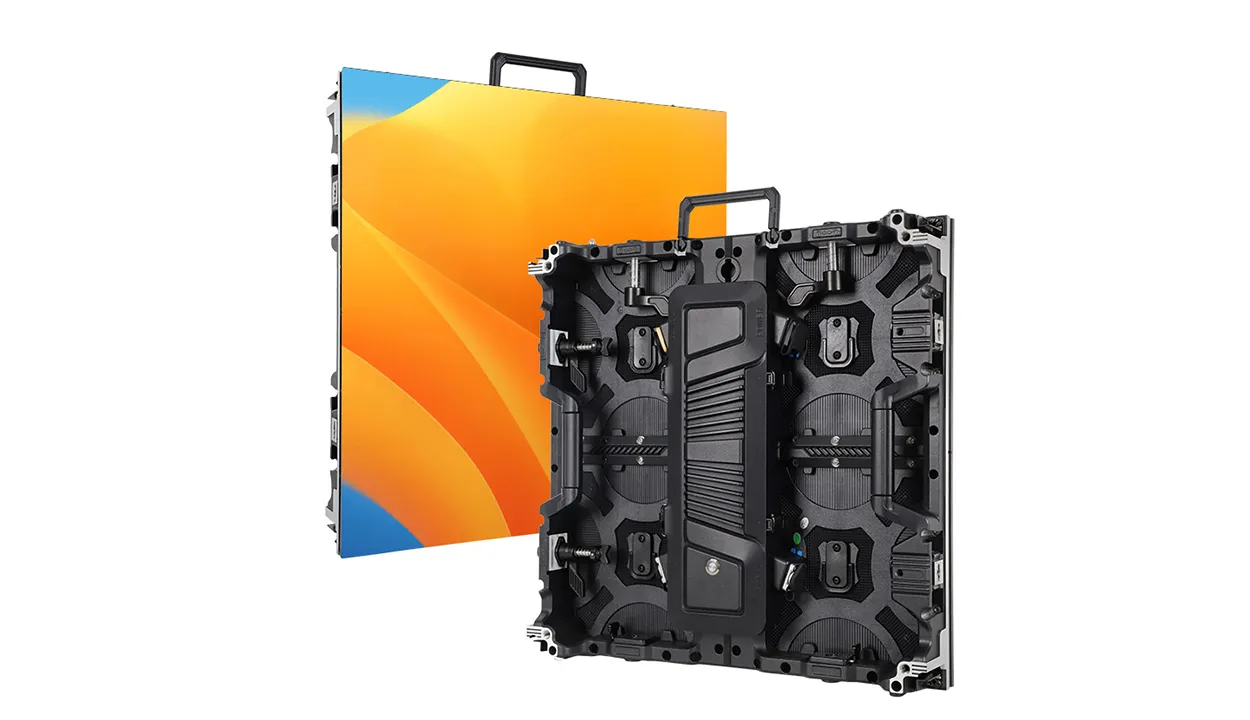
Indoor stock ticker displays are the most common. They appear on trading-room walls, in bank branches, in university finance labs and in corporate lobbies. Here, fine pitch, low noise, slim depth and front service matter most. Indoor products typically use standard indoor LED screen modules arranged in a long, shallow layout.
02 Outdoor tickers
Outdoor tickers run along building facades, canopies or exchange entrances. They need weatherproof cabinets, high brightness, light sensors for night dimming and structural fixings designed for wind. Because outdoor viewers stand farther away, larger pitches and taller characters are common.
03 Curved, wraparound and 360° tickers
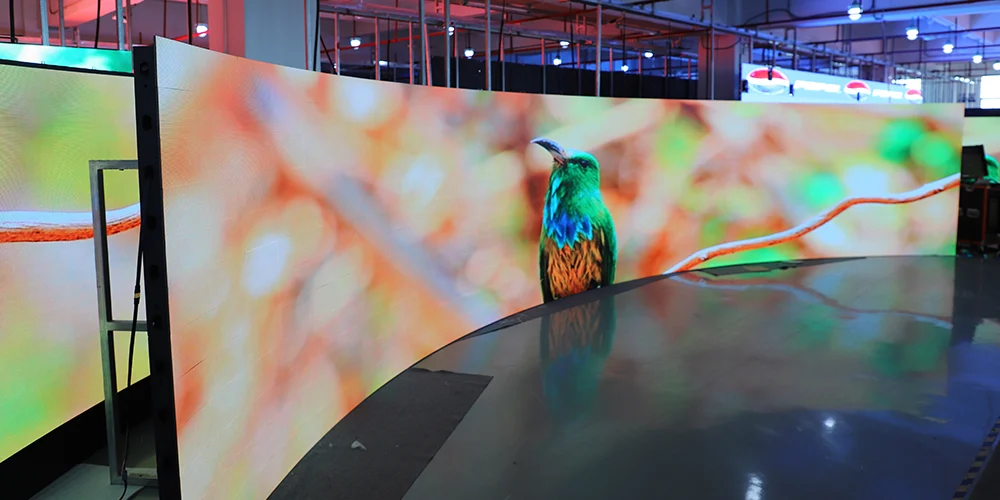
Curved tickers follow round columns, reception counters or ring structures above trading floors. Flexible modules or curved cabinets make these shapes possible. For column wraps and other curves, EagerLED’s flexible LED screen range is one option to review. Wraparound layouts need content mapping so the scrolling line continues smoothly around corners.
7. Where Stock Ticker Displays Are Used
A stock ticker display now serves more than trading desks. The table below matches common settings with what usually matters most.
| Setting | Typical content | Configuration priorities |
|---|---|---|
| Trading floors and dealing rooms | Watch lists, indices, FX, headlines | Fine pitch, low glare, reliable data link |
| Bank and brokerage branches | Indices, rates, product messages | Moderate brightness, branded layouts |
| University finance labs | Market data for teaching | Easy content control, long operating life |
| Corporate headquarters lobbies | Own share price, news, messages | Design integration, front service |
| Exchanges, newsrooms and studios | Live quotes on camera | High refresh rate, color accuracy |
| Investor relations events | Company and sector quotes | Portable or temporary mounting |
| Building facades and plazas | Headline indices and branding | Outdoor rating, night dimming |
Beyond finance, the same ticker hardware also shows sports scores, news headlines, school announcements or production figures. Therefore, a flexible content system adds value even when stock data is the main purpose.
8. Stock Ticker Display Cost and What a Quote Should Include
There is no single stock ticker display price, because length, pitch, shape and data services vary greatly between projects. Instead, buyers should understand what drives cost and make sure every quote covers the same scope.
| Cost item | Why it matters | Buyer tip |
|---|---|---|
| Display length and height | Total LED area and module count | Fix the layout before comparing prices |
| Pixel pitch | Finer pitch adds LEDs and driver ICs | Match pitch to real viewing distance |
| Shape | Curves and wraps need special modules or cabinets | Share drawings early |
| Control hardware | PC and sending card or networked player | Confirm the data software is supported |
| Ticker software | Formats symbols, colors and layouts | Ask who supplies and supports it |
| Market data license | Often a recurring fee from a data vendor | Budget separately from hardware |
| Mounting and structure | Wall, ceiling or column fixings | Include in scope or assign clearly |
| Installation and commissioning | Cabling, configuration, testing | Request a separate line item |
| Spares, warranty and support | Modules, power supplies, cards | Agree quantities and terms in writing |
01 Hardware versus recurring costs
The LED hardware is usually a one-time cost. In contrast, market data and some software services are often charged monthly or yearly. As a result, the cheapest hardware quote does not always lead to the lowest cost over five years. Ask for both figures side by side.
02 Getting a comparable quote
Send every supplier the same brief. Include length, height, pitch range, indoor or outdoor use and any curves. Add the mounting surface, viewing distances, required content and the data source, if one is chosen. For a first budget figure, the LED display price calculator offers a starting point before a project quotation.
9. How to Specify and Install a Stock Ticker Display
A stock ticker display is often mounted high on a wall, above doors or around architectural features. Good planning keeps it readable, reliable and easy to maintain.
01 Mounting and service access
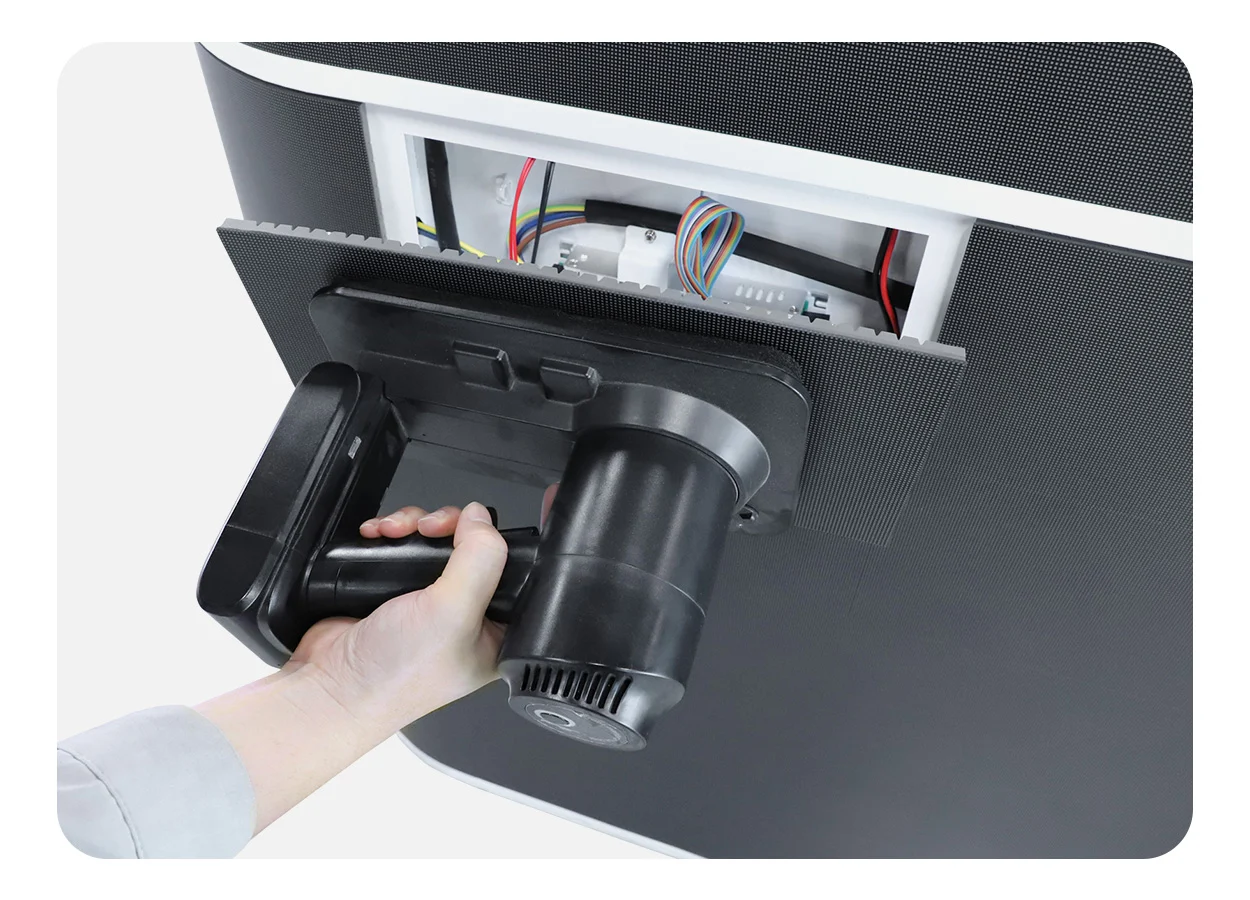
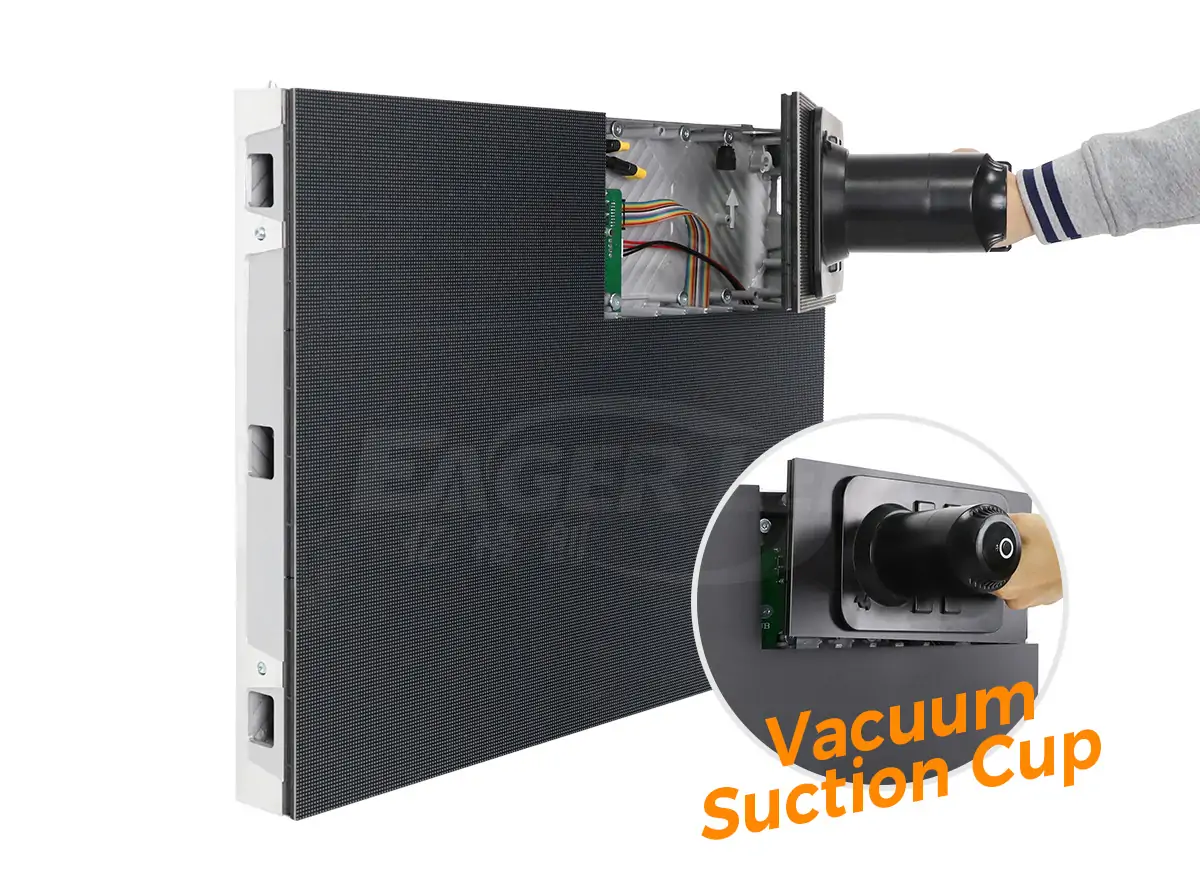
Most wall-mounted tickers sit close to the surface, so rear access is rarely possible. For this reason, front-service modules that release from the viewing side are usually preferred. The comparison of front service vs rear service LED displays explains the trade-offs. Ceiling-hung tickers in trading rooms need rated suspension points and safety cables.
02 Power, data and network security
Plan power and data entry points early, especially on long strips where cable runs to one end may be long. The data path usually crosses the owner’s IT network. Involve the IT team early in firewall rules, user access and remote management. In addition, a stock ticker display should show a clear message or timestamp if the data feed stops. That way, viewers never mistake stale prices for live ones.
03 Content design and testing
Design content at the screen’s native pixel size. Use bold, simple fonts and consistent spacing between quote blocks. The guide to LED wall content specs covers native canvas sizes and text-safe design. Finally, test scrolling speed, colors and data updates on site during market hours before handover.
10. FAQ
11. Conclusion
A stock ticker display turns market data into a continuous, readable stream of information. LED is the standard technology because it runs seamlessly at any length, follows curves, stays bright and allows module-level repair. Still, the screen is only one part of the system. The data source, ticker software and control system decide whether quotes arrive accurately and on time.
A reliable stock ticker display project starts with three questions. Where do viewers stand, what data must appear, and who supplies it? From there, choose a pitch and height that give readable text. Then plan front service and data connections, and compare quotes on the same scope. Planning a stock ticker display? Share your layout, viewing distances and content needs with EagerLED, and our engineers will suggest a matching LED configuration.
 P4 Outdoor LED Video Wall: Specs, Sizing, Cost & Buying Guide
 Full Color LED Display: How It Works and How to Choose One
Related Posts
Fill In Your Needs In Detail
Fill in the screen usage scene and size you need in “Content”.You will get a quote.