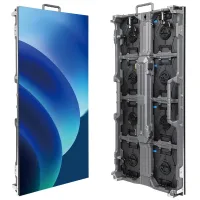
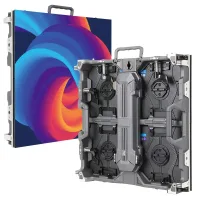
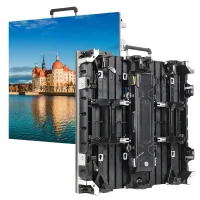
The NovaStar CA50E is a COEX-series LED receiving card with wired 5 Gbit/s transmission. A single card supports up to 768×512 at 60 Hz for 8/10-bit sources, or 512×480 for 12-bit sources. For flexible LED displays and other cabinet designs, confirm controller, hub and module compatibility before ordering. This guide covers specifications, image processing, practical checks and pricing.
1. What Is the Novastar CA50E LED Receiving Card?
Developed by NovaStar, the CA50E combines Thermal Compensation 2.0, Dynamic Booster, Full Grayscale Calibration and LED Image Booster. These functions address different display problems; their results depend on the modules, calibration data and settings. NovaStar requests solution evaluation before use in its V1.1.1 specification (30 December 2023).
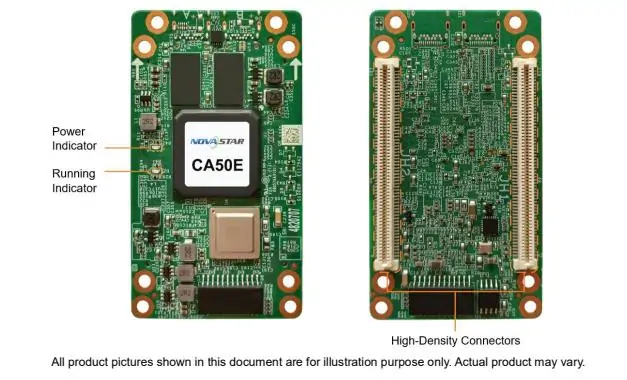
High-density connectors help limit dust and vibration effects. Outputs support 32 parallel RGB groups or 64 serial groups, expandable to 128. Check the hub design and firmware before using reserved pins.
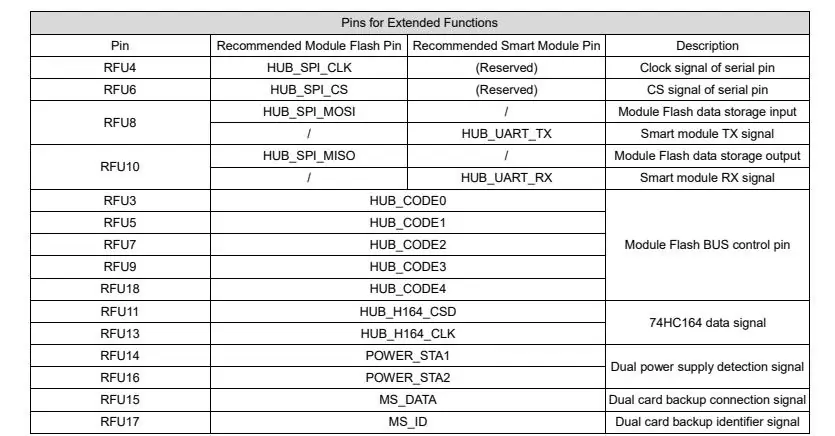
The extended-function diagram maps RFU4/6 to SPI clock/chip select; RFU8/10 to module-flash MOSI/MISO or smart-module TX/RX; RFU3/5/7/9/18 to BUS control; RFU11/13 to 74HC164 data/clock; RFU14/16 to power detection; and RFU15/17 to backup data/ID. RFU8/10 functions are multiplexed. Use the manufacturer pin reference for wiring.
2. Key Features of the Novastar CA50E 5G Receiver Card
2.1 Advanced 5G Transmission Technology
“5G” describes the wired Ethernet transmission rate here, not cellular connectivity. Link capacity and single-card loading are separate limits: 1920×1080 is not the CA50E’s per-card rating. Calculate the cabinet pixel dimensions, source bit depth and frame rate together, then confirm the controller port budget and cable topology before commissioning.
2.2 Novastar CA50E Pixel Support
Pixel-level brightness and chroma calibration helps reduce visible differences between LEDs. Use measured coefficients for the correct modules, retain a backup, and check uniformity at the intended brightness. Calibration cannot repair failed LEDs or incorrect cabinet mapping.
2.3 Enhanced Image Processing
2.3.1 Thermal Compensation 2.0
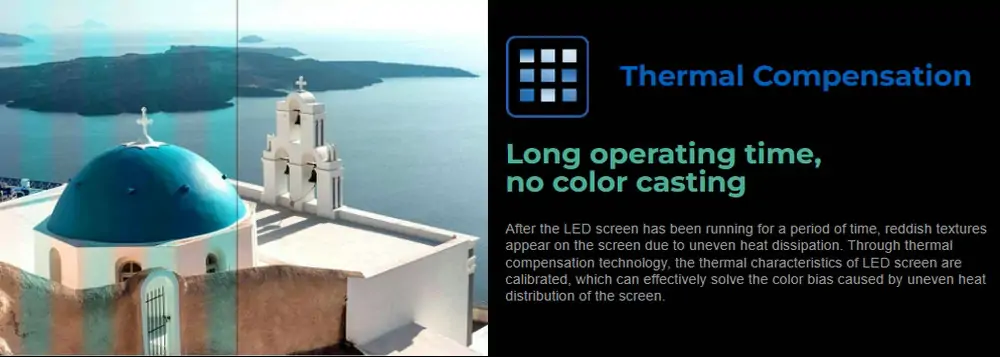
Thermal Compensation 2.0 uses measured heat distribution to compensate color differences across LED cabinets. The illustration shows the intended reduction of heat-related color bands. It does not replace ventilation or prove the same result for every installation.
2.3.2 Dynamic Booster
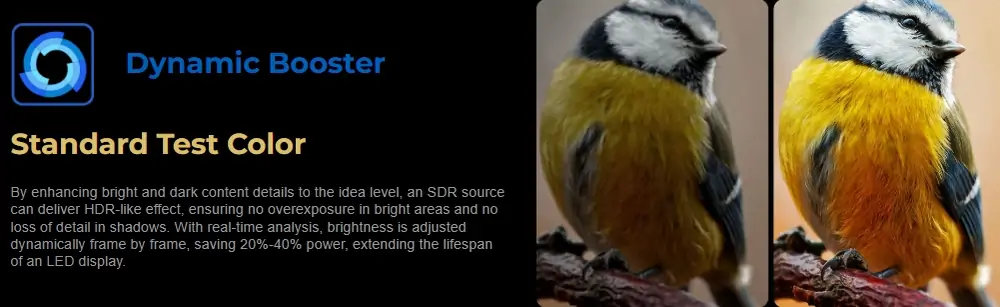
Dynamic Booster adjusts video frame by frame to improve contrast and detail. NovaStar also describes power-saving benefits, but provides no universal saving for a specific installation here. Treat the bird comparison as an illustration; measure consumption with your own content and brightness settings.
2.3.3 Full Grayscale Calibration
Full Grayscale Calibration applies coefficients across grayscale levels using NovaStar’s calibration system and C3200 camera. Check dark gradients as well as full-white output: an acceptable bright image can still hide low-gray color differences.
2.3.4 LED Image Booster
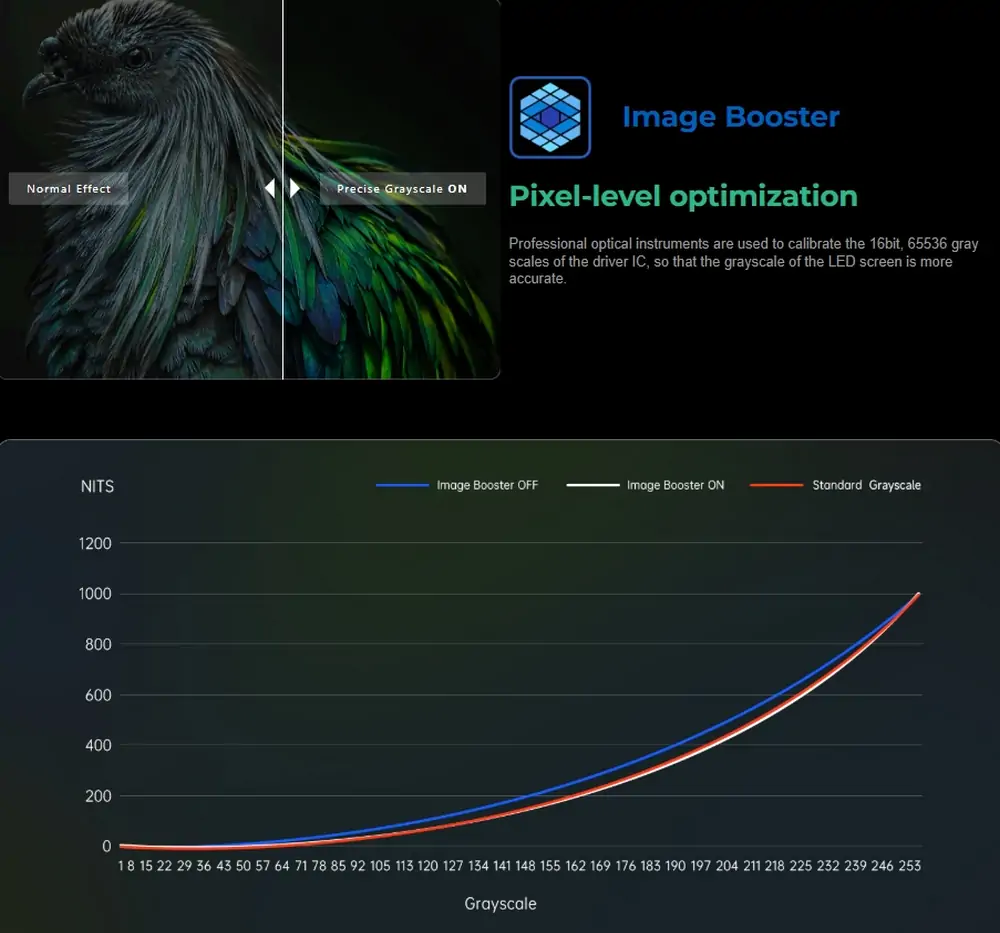
LED Image Booster includes Rec.709, DCI-P3, Rec.2020 and custom gamut management, plus correction of the driver IC’s 65,536 grayscale levels. NovaStar notes that effects depend on the driver IC. Gamut selection does not guarantee the panel reproduces every color. The diagram compares grayscale response with the feature off and on; it is not an independent benchmark.
2.4 Strong Compatibility
Confirm the exact COEX controller/output card, firmware, hub pinout, driver IC and scan mode with your cabinet supplier. A NovaStar brand label alone does not establish compatibility. Test a representative cabinet before scaling the system; retain its working configuration and calibration data.
3. Novastar CA50E LED Receiving Card Specifications
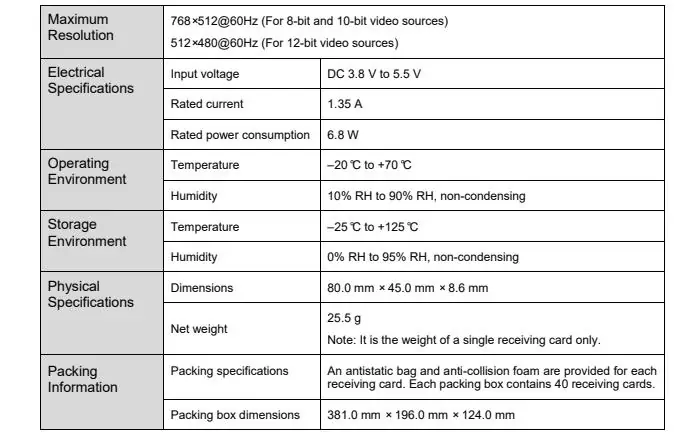
3.1 Maximum Resolution
- 768×512 at 60 Hz: 8-bit and 10-bit sources.
- 512×480 at 60 Hz: 12-bit sources.
These are single-card limits in the specification table; the following lists also make the image’s specifications readable as text.
3.2 Electrical Specifications
- Input: DC 3.8–5.5 V; recommended 5.0 V.
- Rated current: 1.35 A.
- Rated consumption: 6.8 W.
Actual consumption varies with settings and conditions. Size the cabinet supply for all connected loads.
3.3 Operating Environment
- Temperature: –20°C to +70°C
- Humidity: 10% RH to 90% RH, non-condensing
3.4 Storage Environment
- Temperature: –25°C to +125°C
- Humidity: 0% RH to 95% RH, non-condensing
3.5 Physical Specifications
- Dimensions: 80.0 × 45.0 × 8.6 mm.
- Net weight: 25.5 g per card.
The drawing uses millimeters with ±0.3 tolerance. Mounting holes connect to ground; obtain a precision structural drawing before machining.
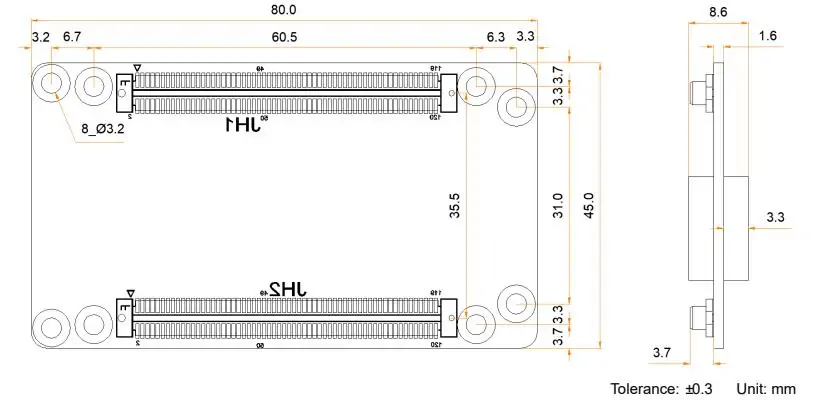
3.6 Packing Information
- Box: 381.0 × 196.0 × 124.0 mm.
- 40 cards per box; each has an antistatic bag and protective foam.
4. Novastar CA50E 5G LED Receiving Card Performance Analysis
For XR production, stage displays, glasses-free 3D advertising or traffic applications, evaluate the complete system rather than assuming a receiving card guarantees performance. Test camera artifacts, dark gradients, mapping and failover with representative content. The product illustration identifies the power/running indicators and high-density connectors.
HDR10/HLG, Frame Rate Adaptive 3.0 (23–240 Hz) and Shutter Fit are documented features. Shutter Fit adjusts driver parameters for camera shutter angle. The frame-rate range does not mean maximum pixel capacity at 240 Hz. One-frame receiving-card latency requires driver ICs with built-in RAM and is not an end-to-end system measurement.
5. Novastar CA50E Controller Price
The CA50E is a receiving card, so separate its price from the controller and complete cabinet cost. No fixed manufacturer price is established in the cited specification. Request a dated quote stating quantity, hardware revision, hub compatibility, warranty, shipping, taxes and any calibration or configuration service.
6. Pros and Potential Limitations of Novastar CA50E Receiver Card
Pros:
- Wired 5G links and flexible output configurations.
- Thermal compensation and grayscale/color adjustment tools.
- Pixel-level calibration for improved uniformity.
- COEX integration when the system is correctly matched.
- Dual-card and loop backup options; backup hardware and topology must be implemented and tested.
Potential Limitations:
- NovaStar solution evaluation is required before use.
- Some features depend on driver ICs, calibration equipment or specific firmware.
- Compare total project cost, including backup cards and commissioning; a higher-price claim needs current comparable quotes.
7. FAQs
8. Conclusion
Choose the NovaStar CA50E for an LED display project after checking cabinet load, controller support and module compatibility. Validate the features your application needs and preserve the working settings before rollout.
Keep the official CA50E specification with your project records. For terminology and system comparisons, see our LED control-system guides. Obtain model-specific firmware and commissioning instructions from your supplier.
 Is Novastar A10s Plus-N Right for Your Project? A Practical Overview
 NovaStar MRV570-1: Specs, Features & Compatibility Guide
Related Posts






Fill In Your Needs In Detail
Fill in the screen usage scene and size you need in “Content”.You will get a quote.