
Novastar MCTRL700 Pro is a powerful LED display controller designed to meet the growing demands of high-resolution LED walls. With advanced video processing, stable signal transmission, and precise image control, it plays a critical role in delivering sharp, vibrant visuals. This article explores how the MCTRL700 Pro works, its key features, image quality advantages, pricing insights, and real-world applications, helping readers understand why it is a trusted solution for professional LED display systems.
1. What Is the Novastar MCTRL700 Pro LED Display Controller?
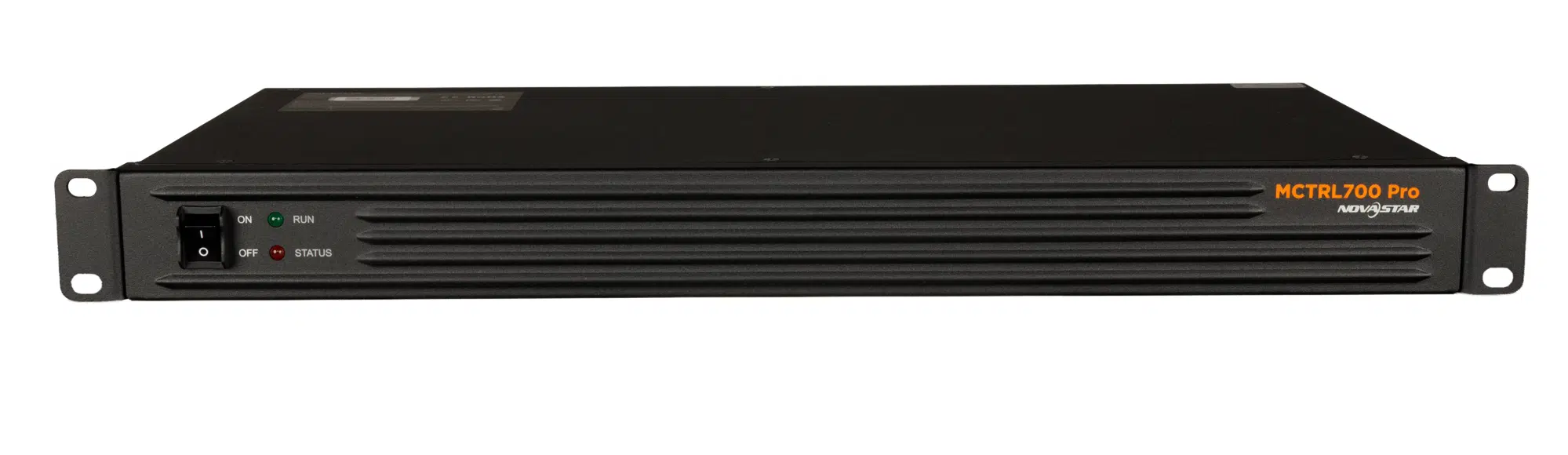
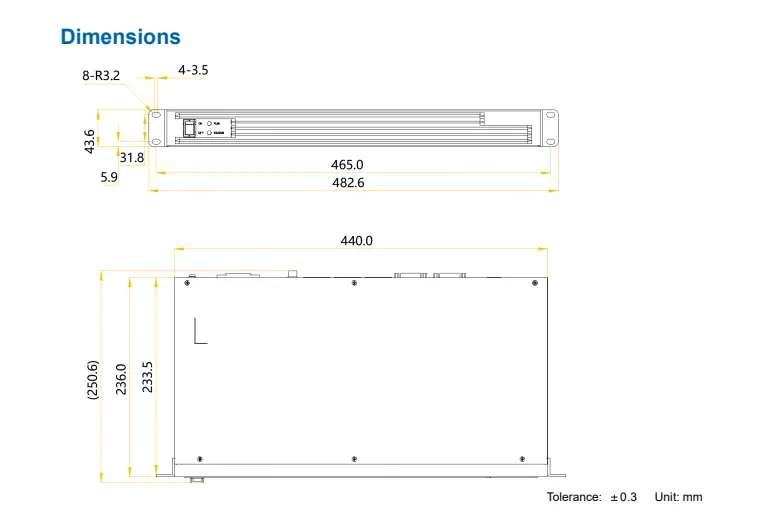
Novastar MCTRL700 Pro LED Display Controller is a cutting-edge solution for managing high-resolution LED walls. Designed by NovaStar, a leader in visual display technology, this controller offers unparalleled performance for both rental and fixed installations. With its robust input options—1x HDMI, 1x DVI, and 1x AUDIO input—the MCTRL700 Pro supports a wide range of video sources. Its six Gigabit Ethernet outputs ensure seamless data transmission, while its maximum resolution of 1920×1200 @ 60Hz and support for frame rates up to 60Hz make it ideal for smooth, high-quality video playback.
The controller also boasts advanced features like pixel-level brightness and chroma calibration, low-latency mode (<1 ms), and support for cascading up to 20 devices. These capabilities allow MCTRL700 Pro LED Video Processor to deliver consistent color reproduction and exceptional image quality, even in large-scale applications. Whether you’re managing an LED wall for concerts, live events, or sports venues, Novastar MCTRL700 Pro ensures reliable and efficient control.
2. Key Features of the Novastar MCTRL700 Pro Video Controller
Novastar MCTRL700 Pro Video Controller stands out due to its versatile feature set, designed to meet the demands of modern LED displays. Below are some of its standout features:
2.1 Multiple Input Options
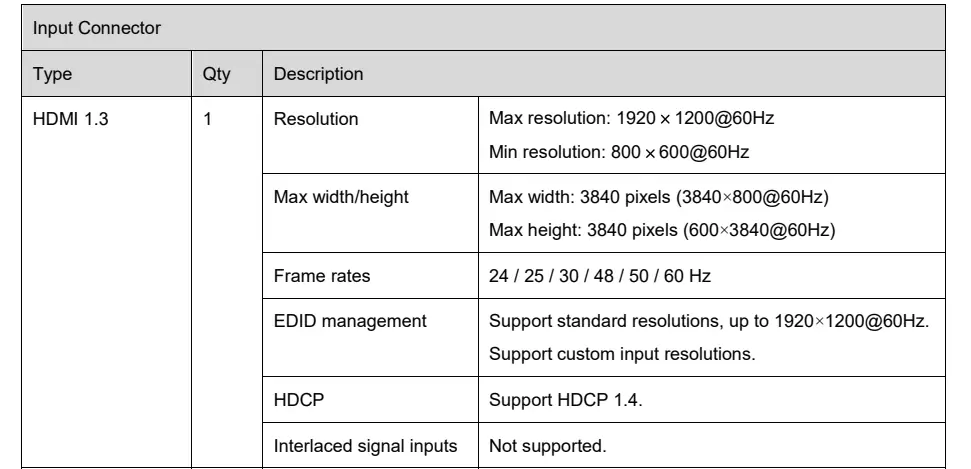
The controller supports HDMI 1.3 and SL-DVI inputs, along with an audio jack for external sound integration. This flexibility allows users to connect various video sources without compatibility issues. The MCTRL700 Pro HDMI DVI Inputs ensure that both standard and custom resolutions are supported, with a maximum resolution of 1920×1200 @ 60Hz.

2.2 High-Capacity Outputs
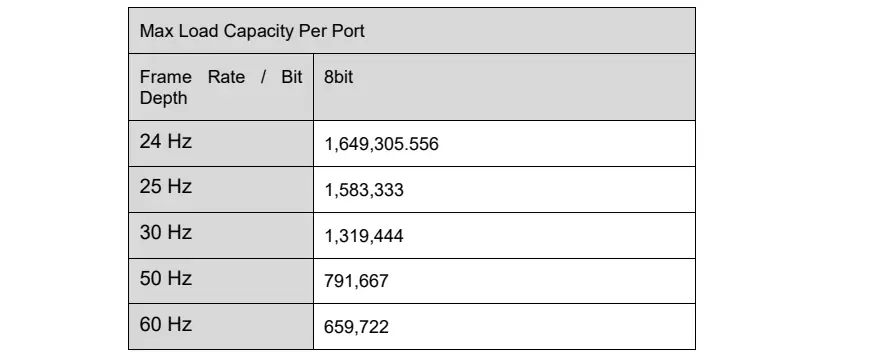
With six Gigabit Ethernet outputs, the MCTRL700 Pro Load Capacity is impressive. Each port can handle up to 650,000 pixels (8-bit @ 60Hz), making it suitable for large LED walls. Additionally, Ethernet ports 1 and 2 can be paired with a multifunction card to support audio output.
2.3 Efficient Control & Connectivity
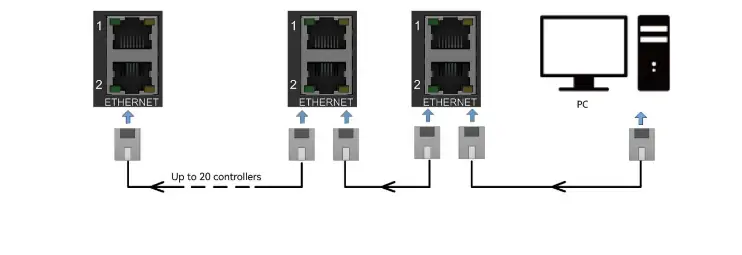
Two Ethernet control ports enable connections to a control computer and device cascading. Up to 20 units can be linked together, allowing for massive LED installations. This scalability makes the Novastar MCTRL700 Pro Video Controller a top choice for events requiring expansive displays.
2.4 Advanced Video Processing
The controller supports 8-bit video source input for accurate color reproduction and includes a low-latency mode that reduces processing delays to less than 1 ms. When combined with NovaLCT software and a calibration platform, the MCTRL700 Pro LED Video Processor achieves pixel-level brightness and chroma calibration, ensuring uniformity across the entire display.

3. How the MCTRL700 Pro Ensures Image Quality
Image quality is paramount when driving high-definition LED walls, and the Novastar MCTRL700 Pro excels in this area. Here’s how it ensures superior performance:
3.1 Pixel-Level Calibration
Using NovaLCT and a calibration platform, the MCTRL700 Pro performs pixel-level brightness and chroma adjustments. This process eliminates color differences and enhances brightness consistency, resulting in vibrant and uniform images.
3.2 Low Latency Mode
For applications where real-time responsiveness is critical, such as live events or gaming, the MCTRL700 Pro offers a low-latency mode. By reducing processing delays to 0-frame (<1 ms), it ensures that video playback remains fluid and synchronized with the source.
3.3 Support for High Frame Rates
The controller supports frame rates of 24Hz, 25Hz, 30Hz, 48Hz, 50Hz, and 60Hz, catering to diverse content types. Whether displaying fast-paced action or slow-motion footage, the Novastar MCTRL700 Pro LED Display Controller maintains smooth playback.
3.4 Wide Resolution Range
With a maximum resolution of 1920×1200 @ 60Hz and support for extreme aspect ratios (up to 3840 pixels in width or height), the MCTRL700 Pro adapts to virtually any screen layout. This flexibility is crucial for creating unique and immersive visual experiences.
4. Novastar MCTRL700 Pro Drives High-Resolution LED Walls Step by Step
Driving high-resolution LED walls with the Novastar MCTRL700 Pro is straightforward, thanks to its user-friendly design and powerful capabilities. Follow these steps to get started:
Step 1: Connect Inputs
Begin by connecting your video source to the controller using either the HDMI or DVI input. For audio, plug in an external device via the 3.5mm audio jack.
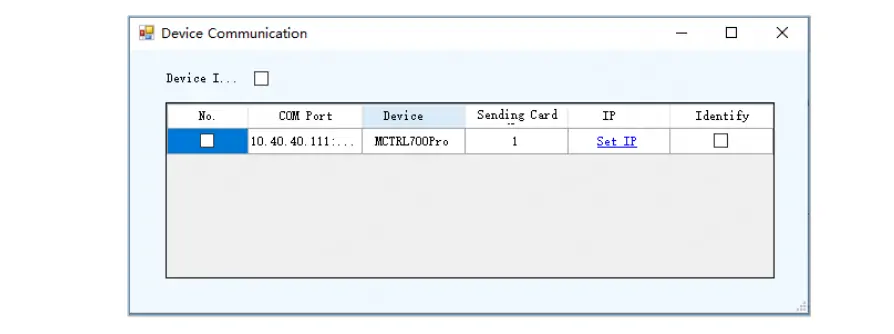
Step 2: Configure Network Settings
Use the two Ethernet control ports to connect the MCTRL700 Pro to a control computer. Ensure all devices share the same network segment but have unique IP addresses if cascading multiple controllers.
Step 3: Calibrate the Display
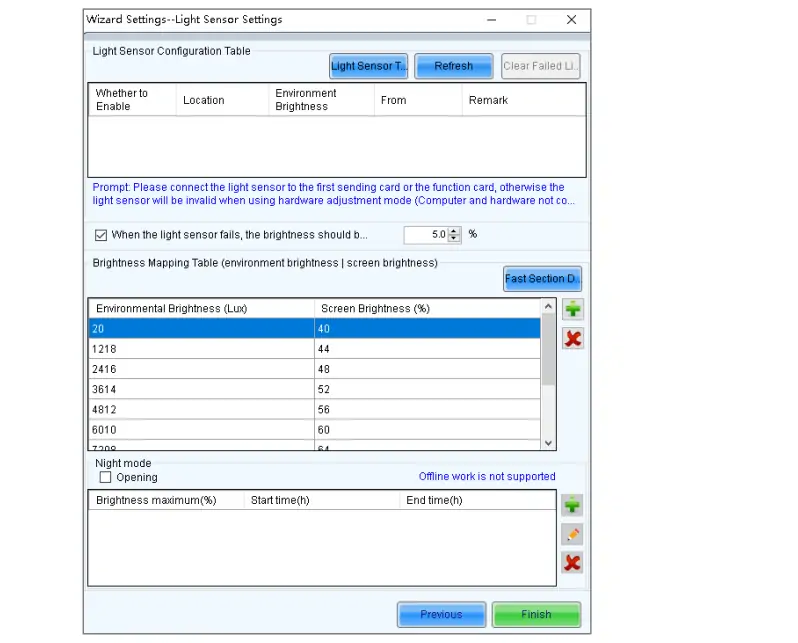
Launch NovaLCT software on your control computer and configure settings such as brightness, chroma, and resolution. Perform pixel-level calibration to achieve optimal image quality.
Step 4: Cascade Devices (Optional)
For larger installations, cascade up to 20 MCTRL700 Pro units using their Ethernet ports. This setup enables synchronized control over extensive LED walls.
Step 5: Test and Optimize
Run test patterns and adjust parameters as needed to fine-tune the display. Use the built-in checkerboard test pattern for comprehensive calibration.
5. Novastar MCTRL700 Pro Video Controller Price
While Novastar MCTRL700 Pro Cost may vary depending on region and supplier, it represents excellent value for its feature set. Given its ability to drive high-resolution LED walls, support cascading, and deliver pixel-perfect calibration, the investment pays off in professional-grade performance. For precise pricing, contact authorized NovaStar distributors or visit their official website.
6. Real-World Applications of Novastar MCTRL700 Pro
The versatility of the Novastar MCTRL700 Pro makes it suitable for a wide range of applications:
- Concerts and Live Events: Its low-latency mode and high frame rate support ensure flawless video playback during dynamic performances.
- Sports Venues: From stadiums to Olympic Games, MCTRL700 Pro powers large LED scoreboards and advertising screens.
- Security Monitoring Centers: The controller’s reliability and high-resolution support make it ideal for mission-critical surveillance systems.
- Corporate Installations: Fixed installations in boardrooms or lobbies benefit from its ease of use and consistent image quality.
7. FAQs
8. Conclusion
Novastar MCTRL700 Pro LED Display Controller is a game-changer for professionals working with high-resolution LED walls. Its robust feature set—including multiple input options, high-capacity outputs, and advanced video processing—ensures exceptional performance in any scenario. Whether you’re managing a concert, sports event, or corporate installation, the MCTRL700 Pro delivers unmatched reliability and image quality. With its competitive pricing and versatile applications, it’s no wonder this controller has become a favorite among industry experts.
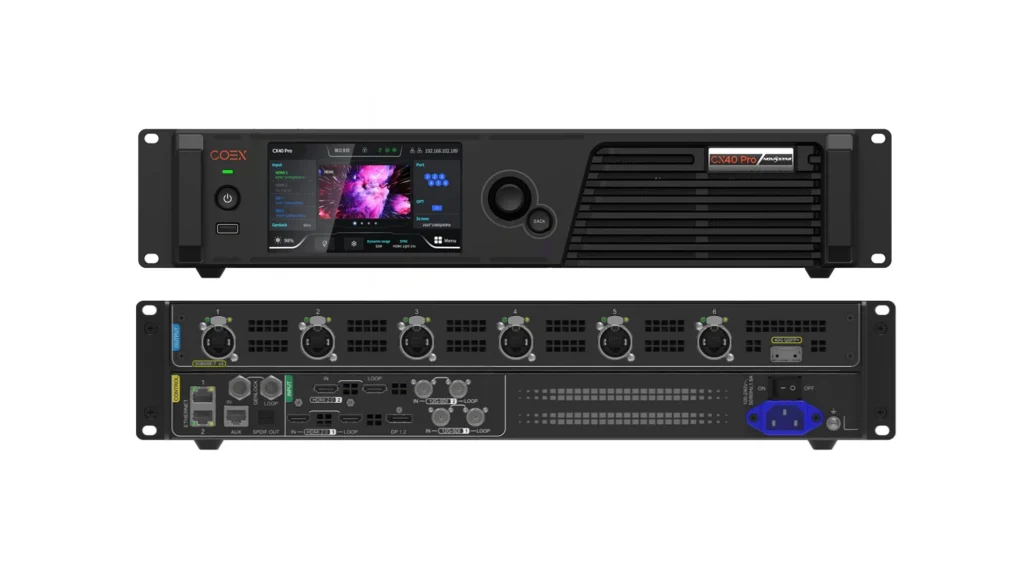 Novastar CX40 Pro LED Controller: Practical Guide for Buyers
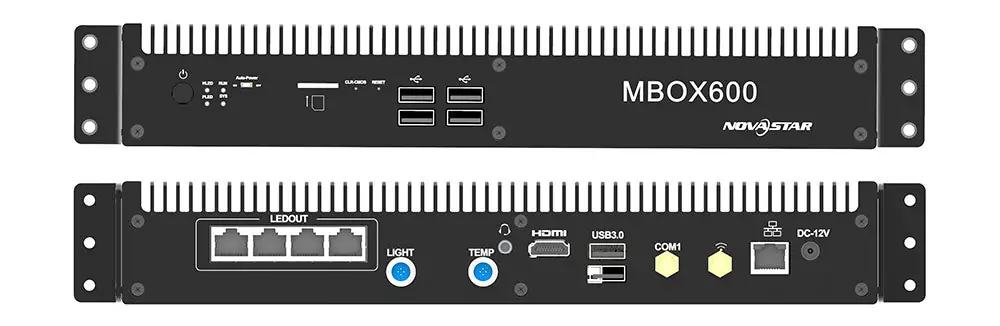 Novastar MBOX600 Industrial Controller: What You Need to Know
Related Posts

Fill In Your Needs In Detail
Fill in the screen usage scene and size you need in “Content”.You will get a quote.



