The NovaStar CX40 Pro is a COEX-series 4K LED display controller with up to 9 million pixels of output capacity, three 4K layers, six 5Gbps Ethernet outputs and one 40Gbps optical output. It combines processing and sending for live events, studios and commercial screens. Before buying, check the receiving cards, signal format and latency requirements—not just the pixel count.
1. What is Novastar CX40 Pro?
The NovaStar CX40 Pro accepts HDMI 2.0, DP 1.2 and 12G-SDI sources. Its 5Gbps output system requires compatible receiving cards; an existing 1Gbps installation should not be assumed compatible. NovaStar’s V1.5.0 specifications list XA50 Pro and CA50E, with CA50E firmware V1.3.0.0 or later.
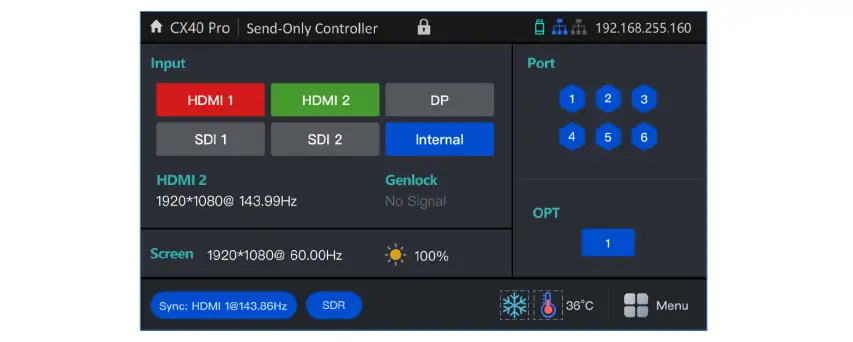
Choose All-In-One mode when the controller must scale and combine sources. Choose Send-Only when upstream equipment already prepares the canvas and lower latency matters. Layers and scaling are available in All-In-One mode.
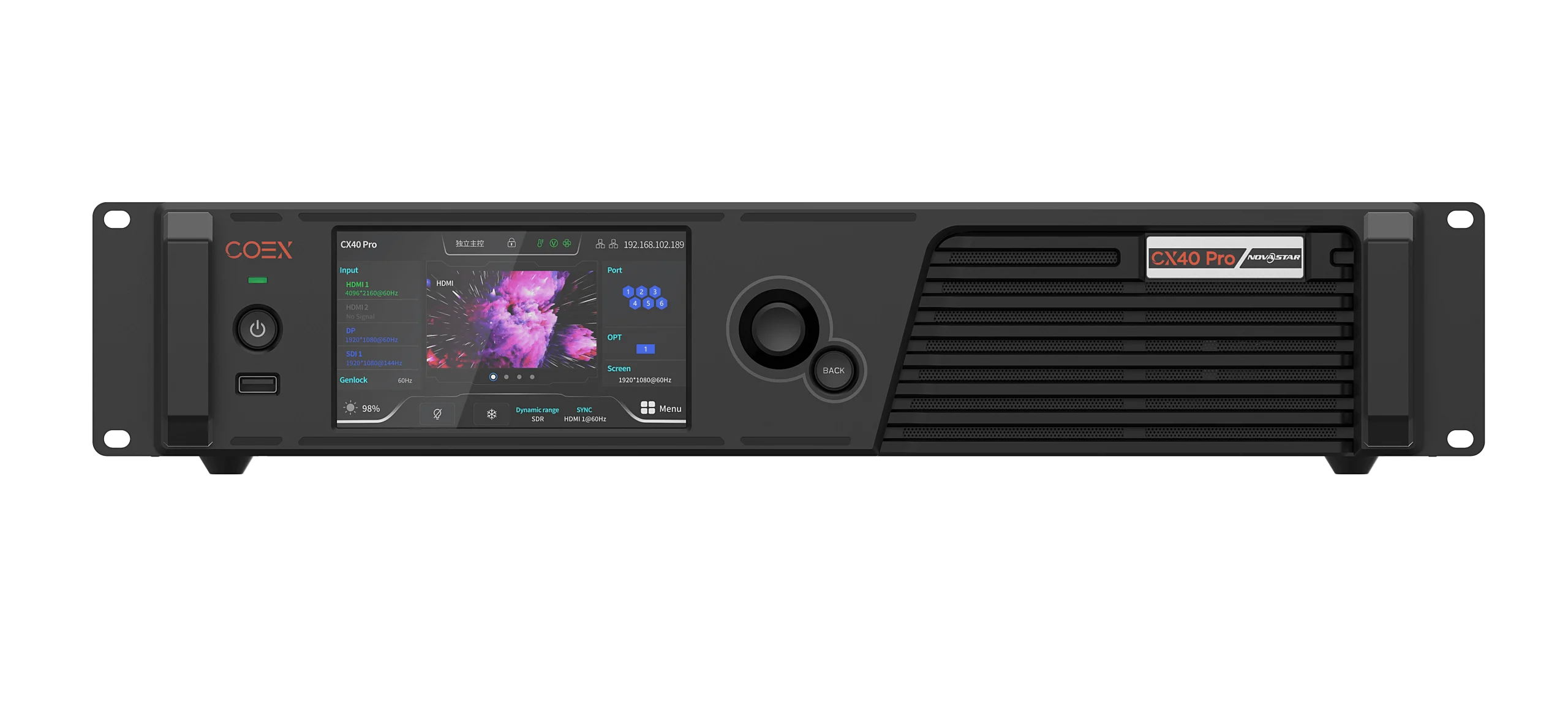
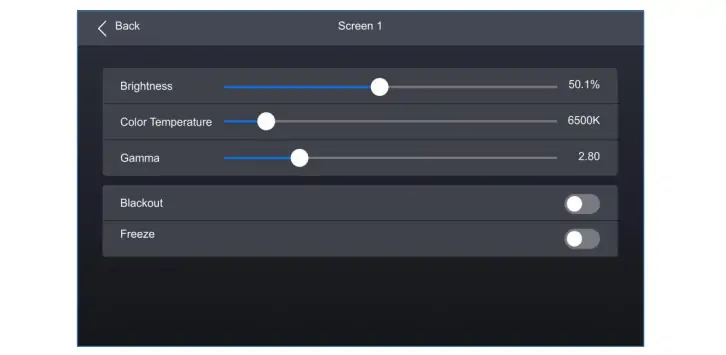
The 5.5-inch touchscreen handles routine brightness, color-temperature and gamma adjustments. Use NovaStar’s VMP (Vision Management Platform) for configuration and management. For sports LED displays, test the actual camera, scoreboard and replay signals together before commissioning.
2. Novastar CX40 Pro Video Processor: Power and Performance
Check these processing features against the intended workflow and installed firmware.
2.1 Multi-Layer Support
In All-In-One mode, the CX40 Pro supports up to three independent 4K layers. You can resize, position and reorder them using Z-order priority—for example, a main video feed with a logo and presentation overlay. The NovaStar COEX product comparison confirms the three-layer limit.
2.2 Image Scaling Modes
The CX40 Pro offers four layer-scaling modes:
- Custom: Set the required dimensions.
- Pixel-to-Pixel: Keep the source at its native pixel size.
- Snap to Canvas: Fit the layer to the canvas.
- Fill Screen: Fill the screen area.
Check aspect ratio, cropping and text legibility with a test pattern. Filling a differently shaped canvas can distort the source.
2.3 Advanced Color Tools
The color tools include:
- 14-channel correction: Adjust hue, saturation and brightness for black, white and 12 derived colors.
- 3D LUT: Import .cube files using 17×17×17, 33×33×33 or 65×65×65 grids.
- Dynamic Booster: Analyze frames to adjust contrast and power use. Results depend on content and calibration; no fixed energy saving is promised.
The screen-control image below shows brightness, color temperature, gamma, blackout and freeze controls. Its displayed values are examples, not recommended settings.
2.4 Low Latency and Frame Rate Adaptive
With low latency enabled, NovaStar documents less than 1 ms at the controller in Send-Only mode and one frame in All-In-One mode (user manual, section 6.4.1). This is not total camera-to-screen delay. Low Latency and Genlock cannot be enabled together.
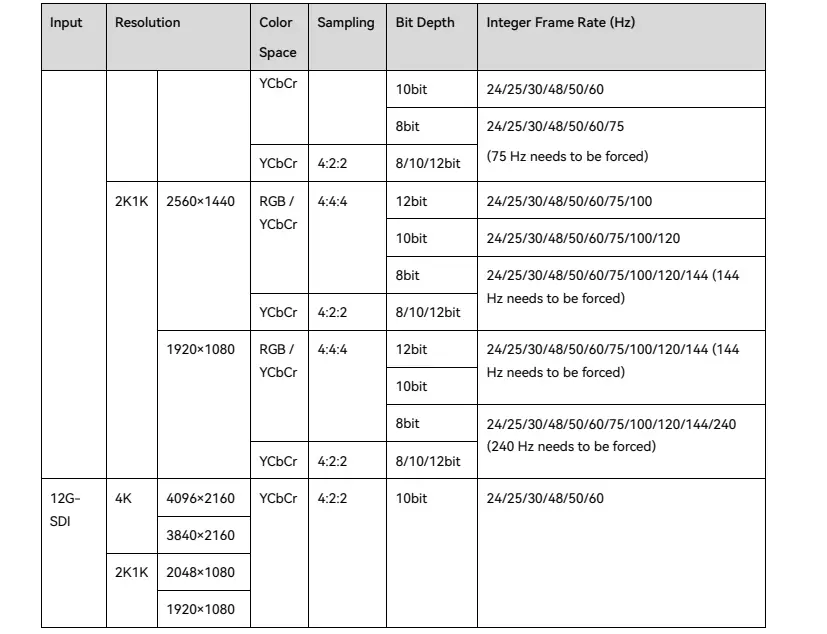
The advertised 23.98–480Hz adaptive range is not a 4K-at-480Hz input specification. HDMI/DP input timings reach 240Hz only at supported formats; SDI reaches 60Hz. Adaptive operation also needs compatible receiving cards, driver ICs and cabinet parameters.
Readable examples from the graphic: DP at 1920×1080 supports 240Hz at 8-bit RGB/YCbCr 4:4:4; 10/12-bit 4:4:4 reaches 144Hz. Forced timings may be required. SDI at 4096×2160 uses 10-bit YCbCr 4:2:2 up to 60Hz. Consult the video-source tables for the complete combinations.
3. CX40 Pro Video Input Options Explained
Match the source connector, resolution, frame rate, bit depth and sampling format before selecting an input.
3.1 HDMI 2.0
Two HDMI 2.0 inputs, each with loop-through, accept up to 4096×2160 at 60Hz. HDR10, HLG and YCbCr 4:2:0 are supported. Higher bit depths can require lower frame rates or different chroma sampling; 4K60 does not imply 12-bit RGB 4:4:4.
3.2 DisplayPort 1.2
The single DP 1.2 input connects computers or media servers and supports 4096×2160 at 60Hz. Its format and HDCP limits differ from HDMI. Check the source GPU settings and EDID rather than assuming both inputs are interchangeable.
3.3 12G-SDI
Two 12G-SDI inputs with loop-through support up to 4096×2160 at 60Hz. Supported signal families include ST-2082 (12G), ST-2081 (6G), ST-424 (3G) and ST-292 (HD). Confirm the specific format and cable run using the NovaStar input specifications.
3.4 Genlock and Control Ports
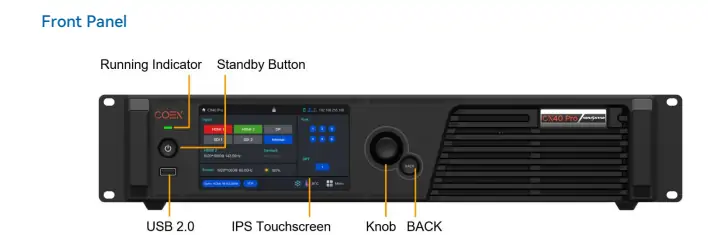
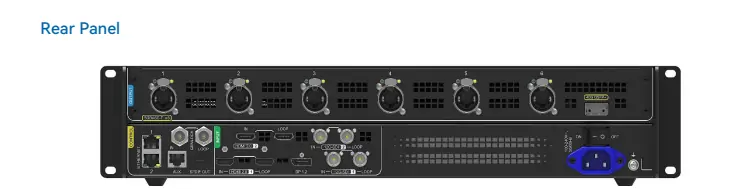
Genlock IN/LOOP provides an external timing reference. The two Gigabit Ethernet control ports connect VMP and control devices; they are separate from the six 5Gbps LED data outputs. The front panel includes a status light, touchscreen, knob, BACK button and diagnostic USB port.
4. Novastar CX40 Pro HDR Color Depth & Image Quality
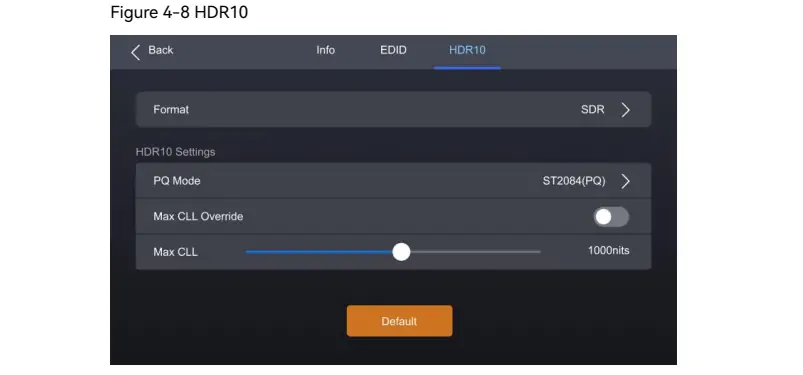
The NovaStar CX40 Pro supports HDR10 and HLG. HDMI supports HDR parsing; DP, SDI and non-standard sources require manual HDR attribute settings, according to the V1.5.0 limitations. Match the source and screen settings to avoid washed-out colors or clipped highlights. HDR support alone does not determine the LED wall’s contrast or gamut.
Input color depth can be 8, 10 or 12 bits, depending on the signal format. Full-grayscale calibration is a separate workflow involving compatible receiving cards, NovaStar calibration software and suitable cameras. Confirm that equipment and calibration services are included in the project.
5. CX40 Pro LED Controller Specs at a Glance
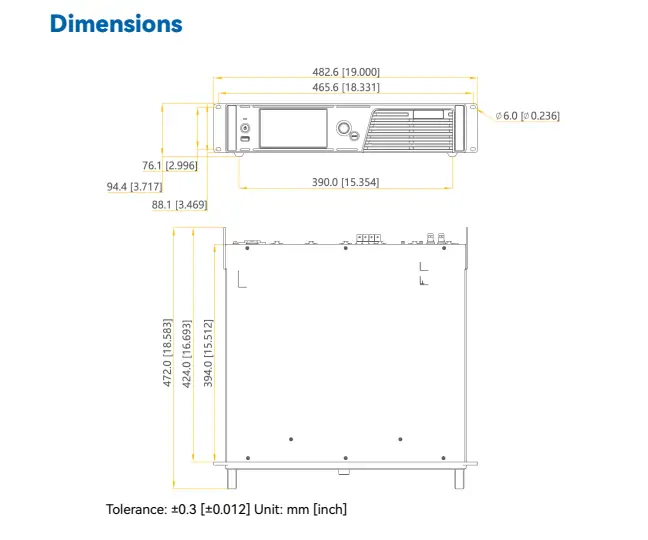
Key NovaStar CX40 Pro specifications are below. Capacity depends on frame rate, bit depth and cabinet mapping. Dimensions include protruding parts; allow additional rack space for cabling and ventilation. See NovaStar’s output and physical specifications.
| Category | Details |
|---|---|
| Inputs | 2x HDMI 2.0, 1x DP 1.2, 2x 12G-SDI |
| Outputs | 6x 5Gbps Ethernet ports, 1x 40Gbps optical port |
| Load Capacity | Up to 9 million pixels; check bit depth, frame rate and per-port limits |
| Frame Rates | HDMI/DP: up to 240Hz at supported formats; SDI: up to 60Hz. 480Hz is not a universal input limit. |
| HDR Support | HDR10, HLG |
| Color Depth | 8-bit, 10-bit, 12-bit, depending on input format |
| Control Ports | 2x Gigabit Ethernet, 1x Genlock, 1x Auxiliary |
| Dimensions | 482.6 mm × 94.4 mm × 472.0 mm |
| Weight | 8.1 kg (net), 11.1 kg (gross) |
6. CX40 Pro LED Controller Cost
CX40 Pro price is quote-dependent. No verified manufacturer list price is provided in the cited documents. Ask for a dated, itemized quote covering the controller, receiving cards, optical modules, fiber converter, cables, taxes, shipping and support. Confirm warranty terms and lead time.
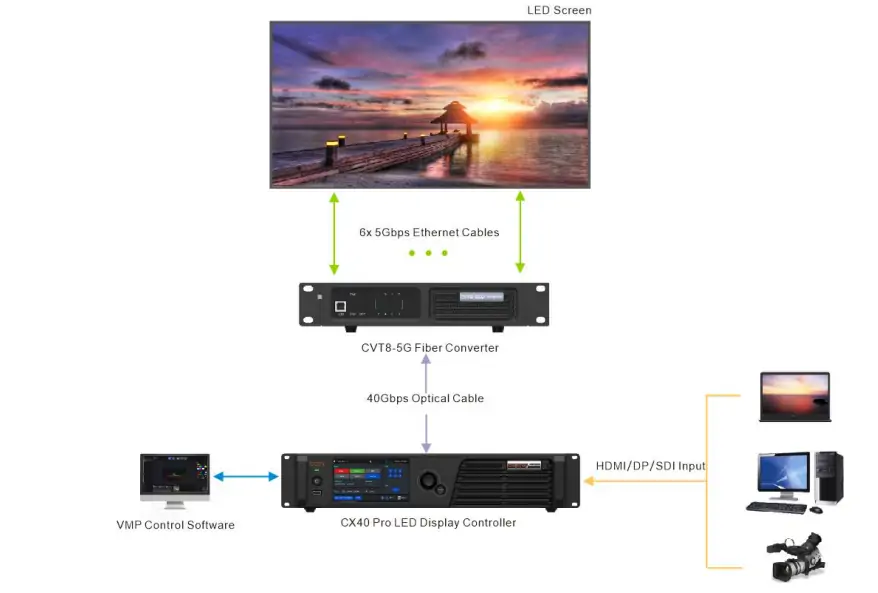
Request a project quote with the wall’s pixel dimensions, cabinet map, input sources, frame rate and bit depth. The connection diagram below shows source → CX40 Pro → 40Gbps optical link → CVT8-5G converter → six 5Gbps links to the wall, with VMP on the control network. Optical modules are not included by default.
7. FAQs
8. Conclusion
The NovaStar CX40 Pro suits projects needing 4K input, three-layer processing and compatible 5Gbps receiving cards. For advertising LED video walls or event screens, confirm the complete signal path before choosing the controller.
As a planning example, 3840×2160 equals 8,294,400 pixels, below the 9-million device ceiling. That calculation alone does not validate port loading, redundancy or higher bit depths. Have the supplier check the cabinet map in VMP, then test the actual sources, HDR settings and latency before acceptance.
 2026 EagerLED New Year’s Day Holiday Notice
 How Novastar MCTRL700 Pro Drives High-Resolution LED Walls
Related Posts






Fill In Your Needs In Detail
Fill in the screen usage scene and size you need in “Content”.You will get a quote.