
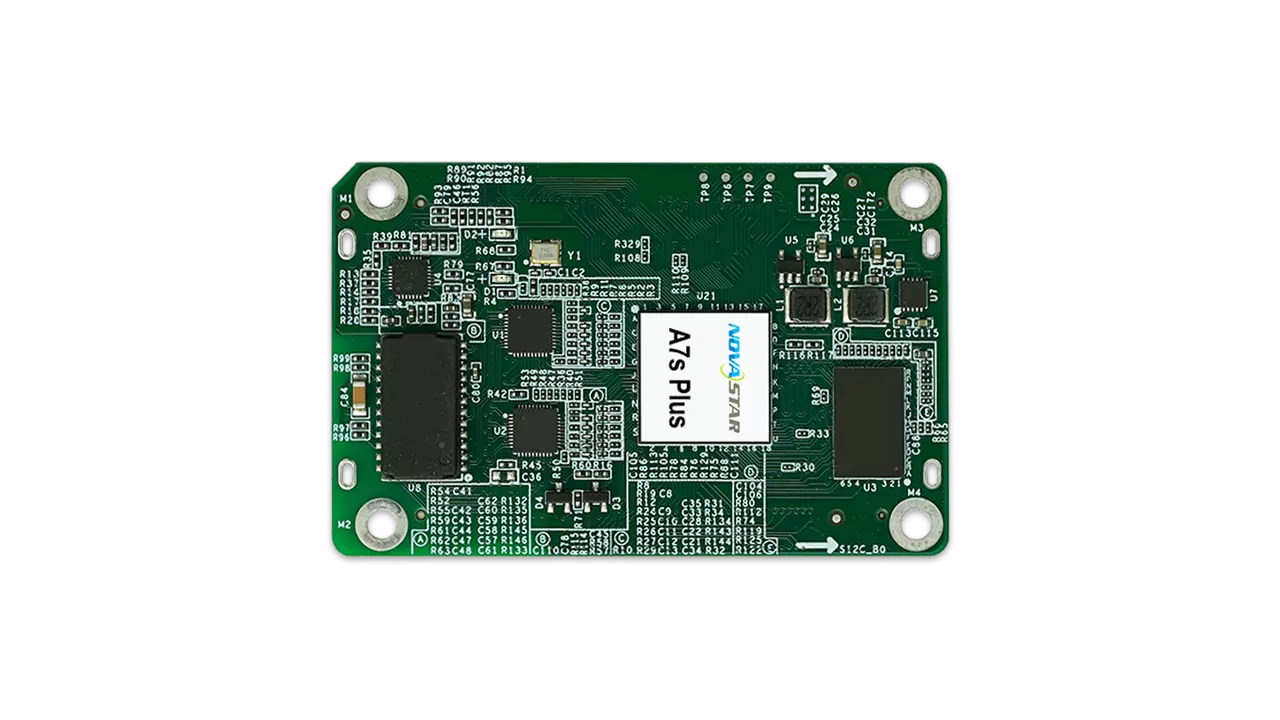
Novastar A7s Plus is a high-performance receiving card designed for LED display systems. As part of the renowned Armor series, it offers advanced features like color management, 18bit+ grayscale processing, and pixel-level calibration. This guide will take you through everything you need to know about the NovaStar Armor A7s Plus Receiving Card, including its specifications, how it compares to other cards in the Armor series, pricing, file downloads, and FAQs.
1. What is the Novastar A7s Plus?
Novastar A7s Plus is a small yet powerful LED display receiving card developed by NovaStar Tech Co., Ltd. It serves as the critical link between the sending controller and the LED modules, ensuring stable signal transmission and precise control at the cabinet level. Designed for general-purpose use, the A7s Plus supports various types of LED driver ICs, making it versatile for indoor LED display applications.
Key highlights of the A7s Plus Receiver Card include:
- Maximum Resolution: Up to 512×512@60Hz for PWM driver ICs and 512×384@60Hz for common driver ICs.
- Data Output Capability: Supports 32 groups of parallel RGB data or 64 groups of serial data (expandable to 128 groups).
- Advanced Features: Includes color management, 18bit+ grayscale processing, pixel-level brightness and chroma calibration, and individual gamma adjustment for RGB.
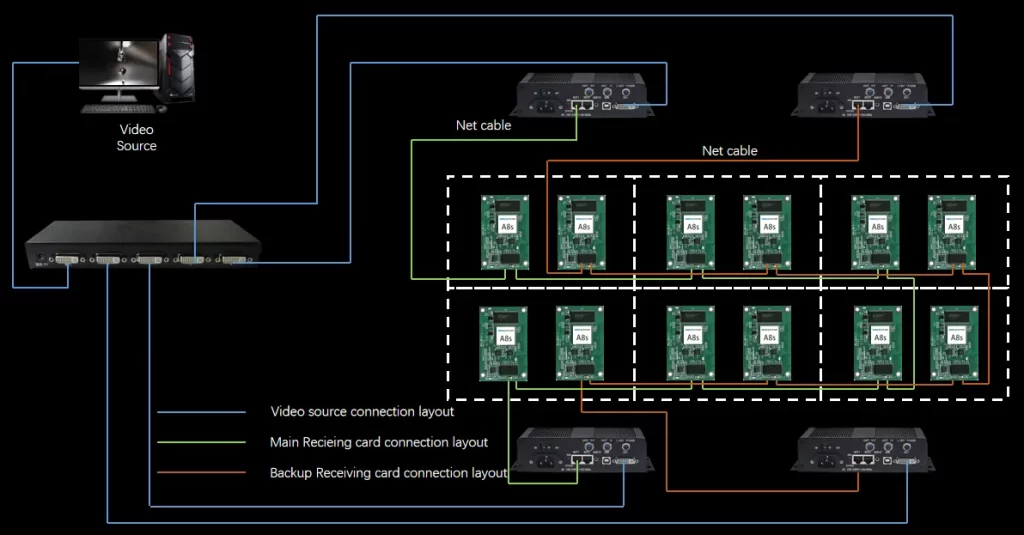
- Reliability: Dual card backup, loop backup, and EMC Class B compliance ensure uninterrupted operation and electromagnetic compatibility.
The NovaStar A7s Plus LED Display Receiving Card is ideal for installations requiring consistent image quality, long-term reliability, and ease of maintenance.
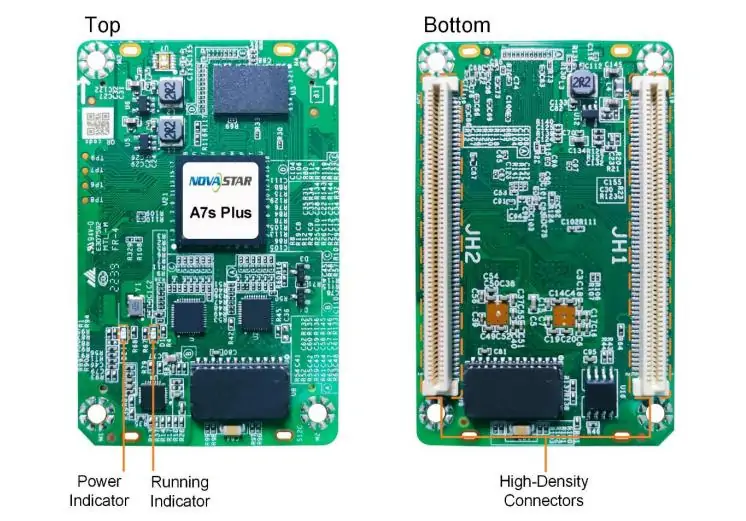
2. Novastar A7s Plus LED Display Receiving Card Specs
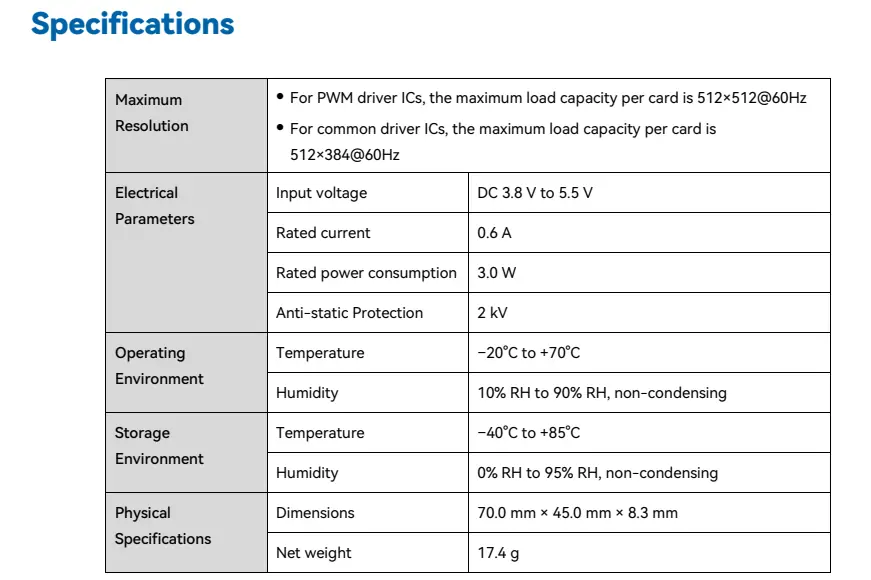
Understanding the technical specifications of the A7s Plus Receiver Card is essential for evaluating its suitability for your project. Below are the key specs:
2.1 Maximum Resolution
- PWM Driver ICs: 512×512@60Hz
- Common Driver ICs: 512×384@60Hz
2.2 Electrical Parameters
- Input Voltage: DC 3.8 V to 5.5 V (recommended 5.0 V)
- Rated Current: 0.6 A
- Rated Power Consumption: 3.0 W
- Anti-static Protection: 2 kV
2.3 Operating Environment
- Temperature: –20°C to +70°C
- Humidity: 10% RH to 90% RH, non-condensing
2.4 Storage Environment
- Temperature: –40°C to +85°C
- Humidity: 0% RH to 95% RH, non-condensing
2.5 Physical Specifications
- Dimensions: 70.0 mm × 45.0 mm × 8.3 mm
- Net Weight: 17.4 g
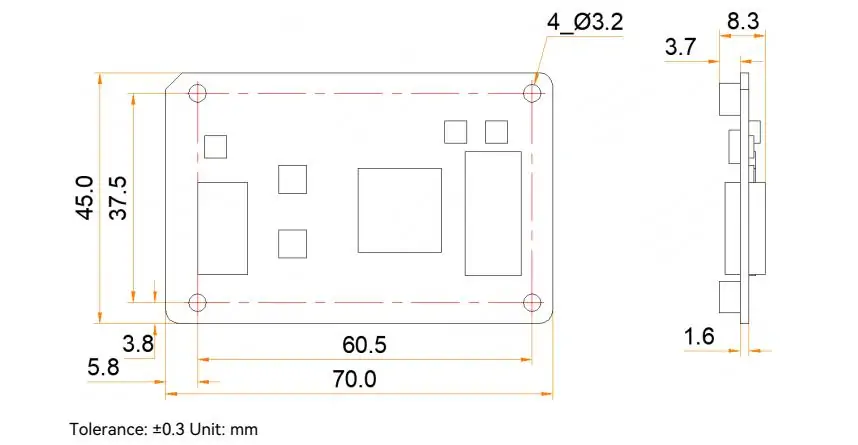
2.6 Communication Interface
- Gigabit Ethernet ports for seamless data transfer.
2.7 Additional Features
- Smart Module Support: Requires dedicated firmware.
- Dual Card Backup: Ensures system reliability.
- Loop Backup: Maintains display functionality during line faults.
- Temperature and Voltage Monitoring: Simplifies maintenance.
3. A7s Plus Receiver Card vs Other Armor Series Cards
To better understand the positioning of the NovaStar Armor A7s Plus Receiving Card, let’s compare it with other models in the Armor series:
| Feature | A7s Plus | A8s-N | A10s Plus-N | A10s Pro |
|---|---|---|---|---|
| Load Capacity (PWM IC) | 512×512@60Hz | 512×384@60Hz | 512×512@60Hz | 512×512@60Hz |
| Parallel RGB Data Groups | 32 | 32 | 32 | 32 |
| Serial Data Groups | 64 (Expandable to 128) | 64 (Expandable to 128) | 64 (Expandable to 128) | 64 (Expandable to 128) |
| Core Display Technology | Color Management, 18bit+ | Image Booster (22bit+) | Image Booster (22bit+) | Image Booster + Adaptive Thermal Compensation |
| HDR Support | × | √ | √ | √ |
| Low Latency | × | √ (PWM IC) | √ (PWM IC) | √ (Requires driver IC with built-in RAM) |
| Pixel-Level Calibration | √ | √ | √ | √ |
| Dual Card Backup | √ | √ | √ | √ |
The A7s Plus is positioned as a general-purpose card, offering essential features for most indoor LED display screens without the advanced capabilities of higher-end models like the A10s Pro.


4. How the A7s Plus Receiver Card Works in Your LED Display
The A7s Plus Receiver Card plays a crucial role in LED display systems by managing video data and delivering control signals to the hub board. Here’s how it enhances your display setup:
4.1 Improvements to Display Effect
- Color Management: Switch between standard (Rec.709 / DCI-P3 / Rec.2020) and custom color gamuts for precise color reproduction.
- 18bit+ Grayscale Processing: Reduces grayscale loss, enabling smoother images even at low brightness levels.
- Pixel-Level Calibration: Works with NovaStar’s calibration system to eliminate brightness and chroma differences.
- Quick Adjustment of Dark/Bright Lines: Corrects seams caused by module or cabinet splicing.
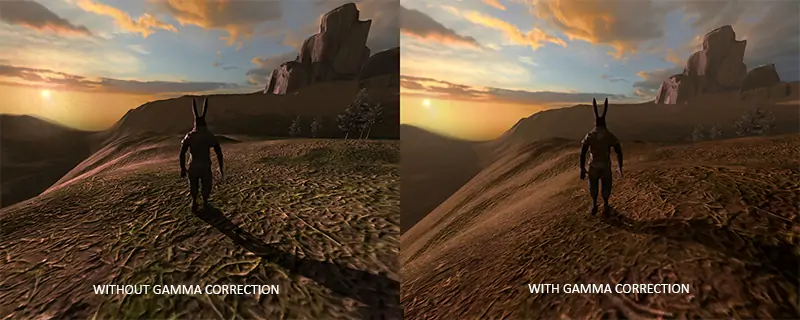
- Individual Gamma Adjustment for RGB: Enhances white balance and low-grayscale performance.
4.2 Improvements to Maintainability
- Smart Module Support: Enables module ID management, temperature monitoring, and error detection.
- Automatic Module Calibration: Uploads calibration coefficients from flash memory when replacing modules.
- Bit Error Detection: Monitors Ethernet communication quality to troubleshoot network issues.
4.3 Improvements to Reliability
- Dual Card Backup: Ensures uninterrupted operation in case of primary card failure.
- Loop Backup: Maintains display functionality during line faults.
- Dual Program Backup: Prevents program update failures.
5. NovaStar A7s Plus Price
The price of the NovaStar A7s Plus Receiving Card typically ranges from $20 to $30, depending on the supplier and order quantity. For the most accurate and up-to-date pricing, consider using platforms like leddisplayprice for self-service inquiries. These platforms allow you to view product information, request quotations, and manage technical resources efficiently.
6. NovaStar A7s Plus File Download
Accessing the right resources is essential for configuring and maintaining the A7s Plus Receiver Card. Below are links to commonly needed files:
- Specification Document: Download A7s Plus Specifications
- Firmware Files: Download Firmware
For additional tools and documentation related to NovaStar products, visit the dedicated NovaStar Software page.
7. FAQs
8. Conclusion
Novastar A7s Plus is a versatile and reliable receiving card that excels in improving display effects and user experiences. Its compact design, advanced features, and robust reliability make it an excellent choice for indoor LED display projects. Whether you’re working on corporate displays, retail signage, or control room setups, the NovaStar Armor A7s Plus Receiving Card provides a solid foundation for building and maintaining high-quality LED systems.
By leveraging its core features, understanding its specifications, and accessing the right resources, you can maximize the potential of the A7s Plus Receiver Card in your projects. For further assistance, consult NovaStar’s official documentation or reach out to their technical support team.
With the Novastar A7s Plus, you’re equipped to deliver exceptional visual experiences that captivate audiences and elevate your brand.
 Is Novastar A5s Plus Worth It? Full Receiver Review
 Novastar A8s-N Receiver Card: Price, Specs, and Buying Guide
Related Posts
Fill In Your Needs In Detail
Fill in the screen usage scene and size you need in “Content”.You will get a quote.



