The main difference in Mini LED vs QLED is that Mini LED describes a TV’s backlighting system, while QLED describes its quantum-dot color technology. A TV can use both. Mini LED backlighting can improve light control and contrast, while quantum dots help produce a wider range of colors. Samsung’s technology guide explains how its Neo QLED televisions combine these features.
When shopping, however, you will often see Mini LED TVs compared with more affordable QLED models that use conventional LED backlights. That is the comparison this guide focuses on.
Which should you choose? The answer depends on your room, viewing habits, budget, and the performance of the specific models. Below, we explain the differences and the specifications worth checking before you buy.
1. Mini LED vs QLED: Quick Comparison
01. Key Differences at a Glance
The following table compares typical Mini LED LCD TVs with conventional QLED LCD TVs. Individual models can perform differently.
| Feature | Mini LED TV | Conventional QLED TV |
|---|---|---|
| Defining technology | Smaller LEDs used for backlighting | Quantum-dot technology used to improve color |
| Can include quantum dots? | Yes | Yes, by definition |
| Backlight control | Typically uses local dimming with many zones | May use edge lighting, direct lighting, or full-array local dimming |
| Contrast and black levels | Often stronger when local dimming works well | Depend on the LCD panel and backlight system |
| HDR performance | Often offers brighter highlights and tighter light control | Varies considerably by model |
| Viewing angles | Depend on panel design and optical layers | Depend on panel design and optical layers |
| Price | Often positioned above entry-level QLED models | Includes many affordable options |
| Main buying consideration | Whether the picture improvement justifies the premium | Whether its performance meets your needs at a lower price |
Compare complete televisions rather than relying on their labels. A backlight specification alone cannot tell you how well a TV handles motion, reflections, color accuracy, or low-quality video.
2. What Is Mini LED?
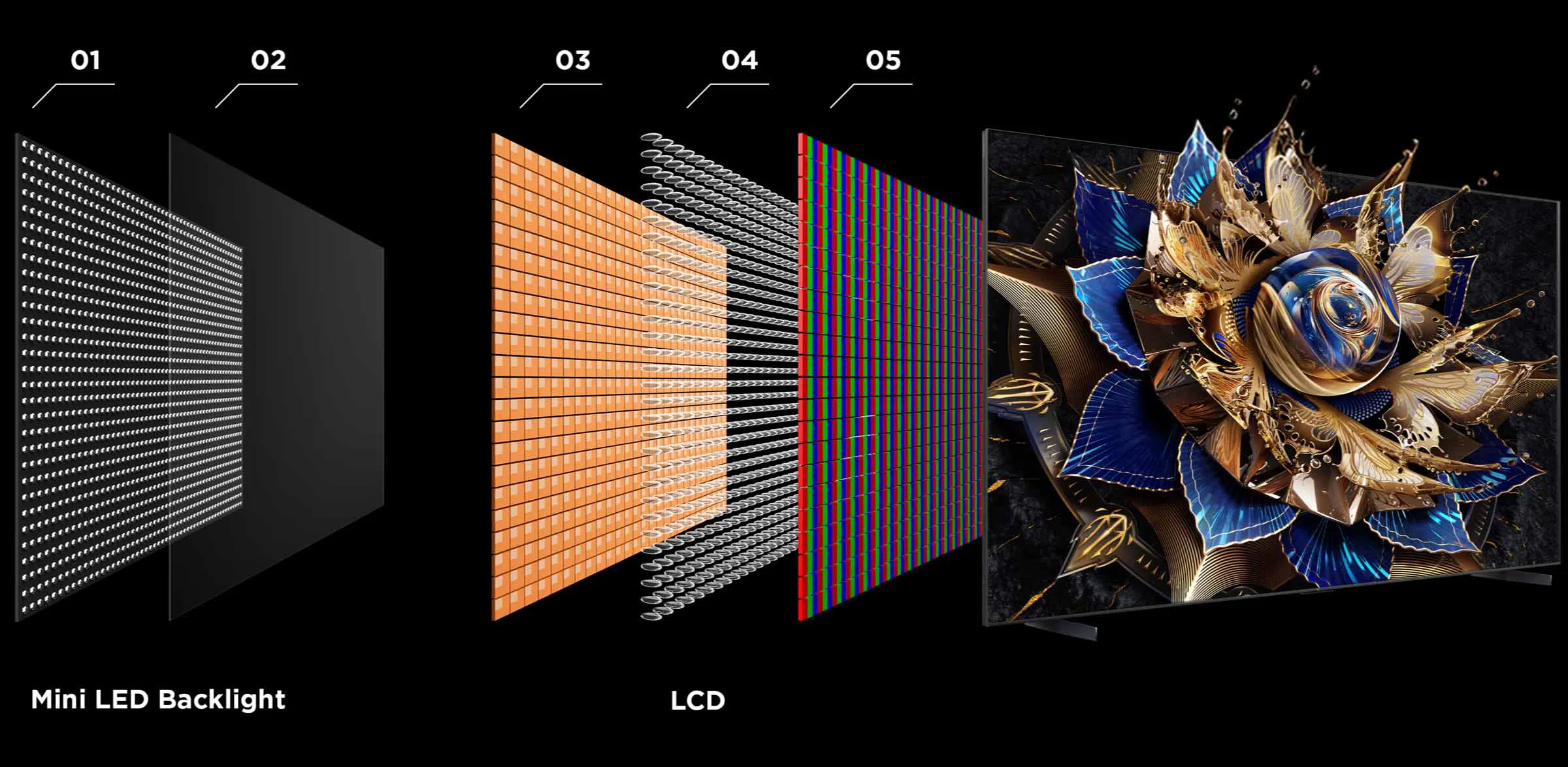
Mini LED is a backlight technology used in LCD televisions. It replaces larger conventional backlight LEDs with smaller light sources.
The smaller LEDs allow manufacturers to build more densely arranged backlights. These can support finer control over which areas of the screen are bright and which remain dark.
01. How Mini LED Backlighting and Local Dimming Work
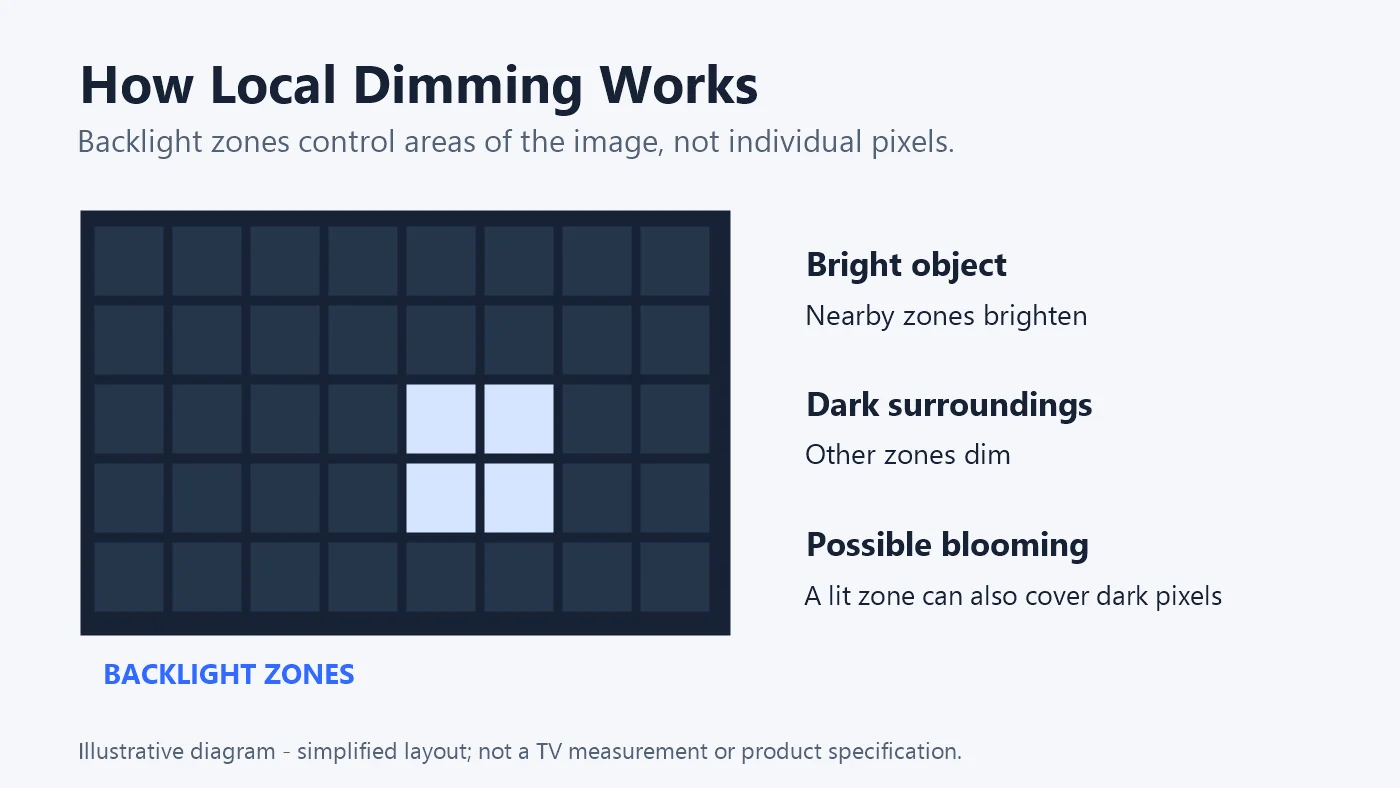
An LCD television needs a light source behind its image-forming panel. With local dimming, the backlight is divided into zones that can brighten or dim independently.
Imagine a night scene with a bright streetlamp. The television can illuminate the area behind the lamp while reducing the light behind the surrounding darkness.
However, the number of LEDs is different from the number of independently controlled dimming zones. Several LEDs may operate together in one zone. Smaller LEDs create opportunities for better control, but the result also depends on the dimming algorithm and panel design.
For buyers, this means a large advertised LED count should be the start of a comparison, rather than the deciding factor.
3. What Is QLED?
QLED is the name commonly used for LCD televisions that incorporate quantum-dot technology.
These televisions still require a backlight. Their quantum dots help improve the light used to produce the image, supporting a wider color gamut.
01. How Quantum Dots Improve Color
Quantum dots are tiny semiconductor particles that emit particular wavelengths of light when excited. In a typical quantum-dot LCD design, they help produce more precisely defined colors before the light passes through the LCD’s color filters.
The practical benefit is the ability to reproduce a broader range of colors, including saturated colors in bright scenes. TCL’s explanation of QLED and Mini LED distinguishes this color-enhancing role from the light-control role of the backlight.
However, vivid color and accurate color are different qualities. A television can display a wide range of colors while still looking unnatural in an overly saturated picture mode.
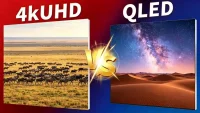
When assessing a QLED TV, check both its color capabilities and how accurately it reproduces normal content. For the distinction between resolution and display technology, read our 4K UHD vs QLED guide.
4. Is QLED the Same as Mini LED?
No. QLED and Mini LED describe different parts of a television.
QLED tells you about quantum-dot color technology. Mini LED tells you about the backlight.
Consequently, a QLED label does not tell you whether the television has Mini LED backlighting. You need to check its specifications.
01. Can a TV Be Both Mini LED and QLED?
Yes. Many televisions combine quantum dots with Mini LED backlights.
You may see these combinations described as QD-Mini LED or sold under a manufacturer’s own product branding. Hisense’s comparison guide explicitly explains that quantum-dot color and Mini LED backlighting can work together in the same television.
This overlap matters when comparing products. A Mini LED TV may already include the color technology that attracts you to QLED.
5. What Is the Difference Between Mini LED and QLED?
For a useful buying comparison, examine how a Mini LED model performs against a conventional QLED model of similar size and price.
01. Backlighting and Local Dimming
Start by checking whether both televisions have local dimming.
A conventional QLED TV without local dimming has limited ability to darken one area while keeping another bright. A model with full-array local dimming can control its backlight more selectively.
A Mini LED model may offer finer control, but zone count is only part of the picture. Look for demonstrations involving subtitles, stars, and small moving lights against dark backgrounds.
These scenes reveal whether the TV preserves detail or changes brightness noticeably as objects move.
02. Brightness and HDR Performance
HDR content can contain bright highlights alongside deep shadows. A convincing image requires both sufficient brightness and effective control over where that light appears.
When comparing specifications, distinguish between:
- Peak brightness: brightness in a small highlight.
- Sustained brightness: brightness the screen can maintain over time.
- Large-area brightness: performance when much of the image is bright.
A spectacular peak-brightness figure does not describe every viewing situation. For daytime sports, large-area brightness and reflection handling may matter more than a brief highlight.
03. Contrast, Black Levels, and Blooming
Contrast describes the relationship between bright and dark areas. An LCD’s native contrast comes from its panel, while local dimming can further improve the displayed contrast.
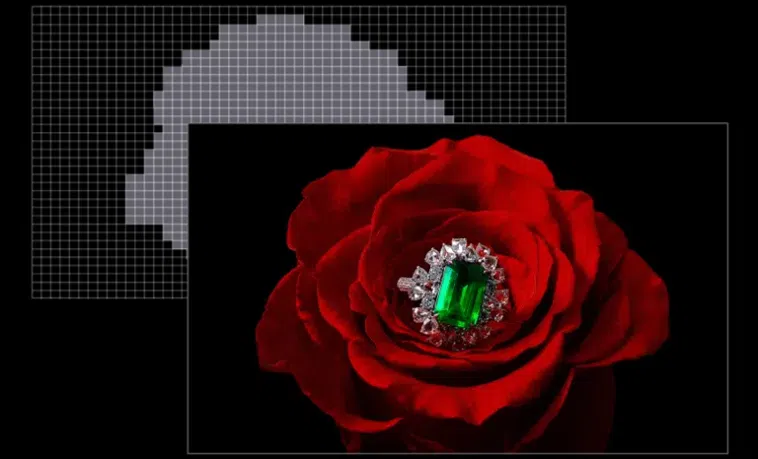
Blooming occurs when light intended for a bright object also brightens the surrounding dark area. White subtitles over a black background are a useful example.
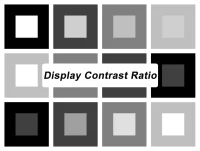
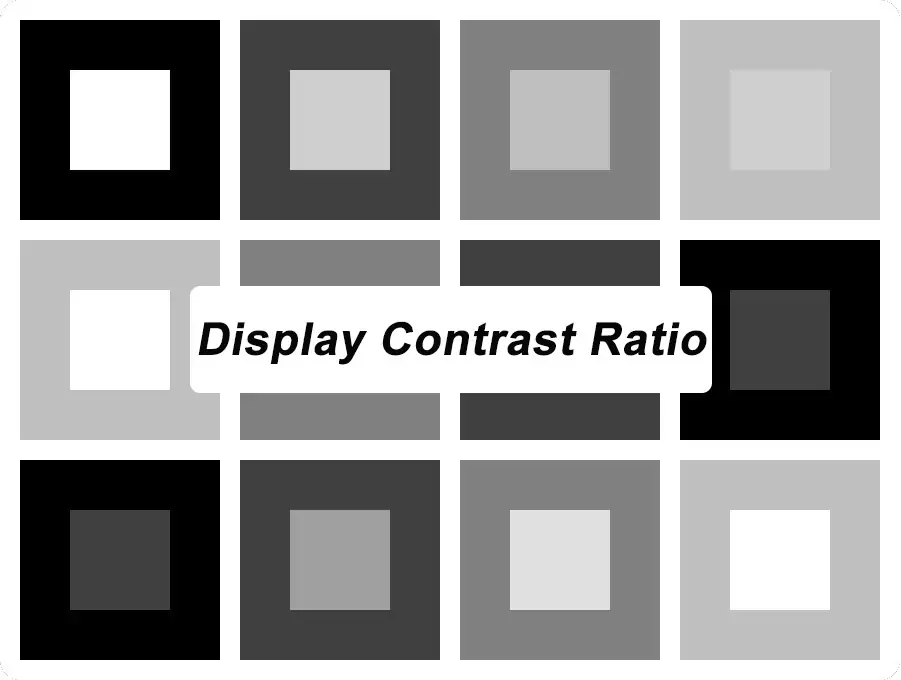
A good comparison should examine whether the television balances three things: deep blacks, visible shadow detail, and bright highlights. Darkening everything aggressively may reduce halos while also hiding details the viewer should see. Our display contrast ratio guide explains how to interpret contrast specifications.
04. Color Performance and Viewing Angles
Mini LED does not automatically mean better color, and QLED does not automatically mean wider viewing angles.
Color depends on factors including quantum-dot implementation, calibration, and image processing. Viewing angles depend heavily on the LCD panel and optical design.
If your household watches from a wide sofa, inspect the image from the side. Check whether colors fade, blacks brighten, or reflections become more distracting.
05. Price and Value for Money
Compare televisions at the same screen size and consider what the extra cost buys.
If the premium delivers noticeably better dark scenes, HDR, and the gaming features you need, it may be worthwhile. If you mostly watch casual daytime programming, you may prefer the lower price of a conventional QLED.
Include warranty terms, delivery, installation, and return conditions in the comparison. They affect the value of the purchase, too.
6. Is Mini LED Better Than QLED?
A well-designed Mini LED TV can be a substantial upgrade over a conventional QLED with basic backlighting. However, the benefits depend on the content and the specific models.
01. Movies and Dark-Room Viewing
For movies, examine dark scenes containing small bright objects: candles, city lights, stars, or subtitles.
Look for visible detail in shadows and smooth changes in brightness. Check whether black bars remain dark without the television making the whole image look dull.
If you regularly watch films with the lights off, these differences may matter more than the screen’s maximum brightness.
02. Sports and Bright-Room Viewing
For sports, prioritize a clear image in your actual room.
Check reflection handling, brightness, motion clarity, and screen uniformity. A bright television can still be difficult to watch if a nearby window creates a strong reflection.
Watch a camera pan across a football field or ice rink. Uneven patches may become more noticeable during these movements than during a colorful showroom demonstration.
03. Gaming: Refresh Rate, Input Lag, and VRR
Neither the Mini LED nor QLED label guarantees strong gaming performance.
Check native refresh rate, supported resolution and frame-rate combinations, input lag, and whether local dimming remains effective in Game Mode.
Variable refresh rate, or VRR, helps synchronize the display with a compatible gaming source. Auto Low Latency Mode, or ALLM, allows a compatible source to trigger the television’s low-latency mode. These functions are explained in the HDMI specification’s gaming guidance.
For a console or gaming PC, verify support on the HDMI inputs you plan to use. Do not assume every port has identical capabilities.
7. OLED vs QLED vs Mini LED: How Do They Compare?
OLED differs fundamentally from both types of LCD television because its pixels produce their own light.
01. Picture Quality, Brightness, and Black Levels
OLED can turn off individual pixels. Mini LED LCD TVs control their backlights in zones, each covering multiple pixels.
This gives OLED a particular advantage when a tiny bright object sits beside black pixels. Mini LED models can offer strong brightness and excellent contrast, but they do not have the same pixel-level light control.
| Your priority | What to compare |
|---|---|
| Dark-room movies | OLED’s pixel-level blacks against Mini LED’s local dimming |
| Bright daytime viewing | Sustained brightness and reflection handling on the actual models |
| Wide seating | Off-angle color and contrast |
| Bright HDR scenes | Highlight brightness, large-area brightness, and tone mapping |
| Gaming | Response time, input lag, VRR, and performance in Game Mode |
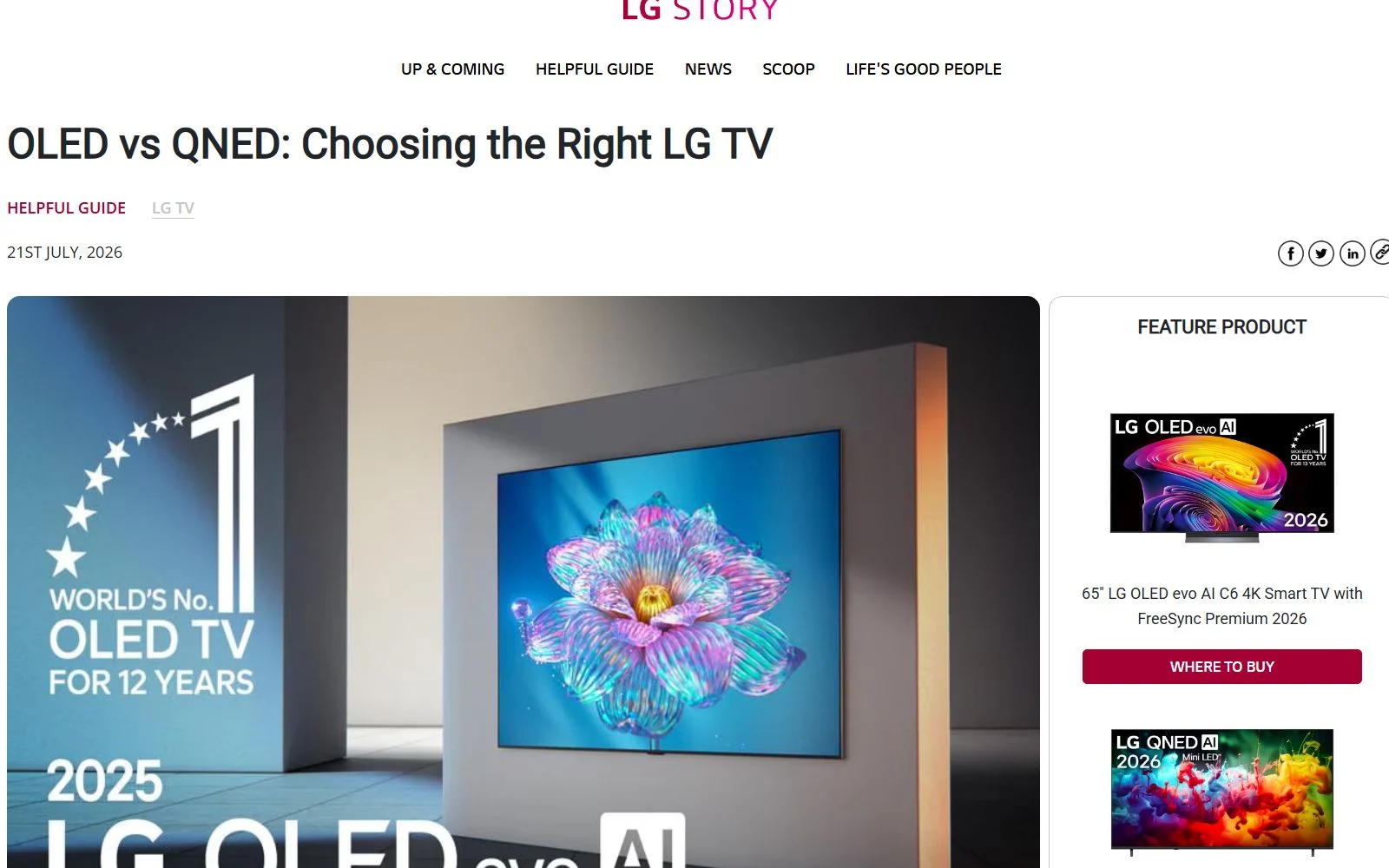
Viewing angles are another reason to compare these technologies. LG’s OLED and Mini LED comparison discusses OLED’s self-lit pixels, off-center viewing, and differences in pixel response.
02. Burn-In Considerations and Price
OLED can experience permanent image retention associated with uneven pixel wear. Usage patterns matter, particularly when the same static elements remain on screen for prolonged periods.
Manufacturers include protective functions, but these should not be treated as a guarantee that burn-in cannot occur. LG’s OLED screen-care guidance explains the concern and its protective measures.
LCD-based QLED and Mini LED televisions avoid that particular OLED wear mechanism, although they can develop other faults.
Prices overlap across the categories. Compare actual offers and warranty coverage rather than assuming OLED always costs more or Mini LED always offers better value.
8. What Is QD-Mini LED, and How Does It Combine Both Technologies?
QD-Mini LED combines quantum-dot color technology with a Mini LED backlight.
Each component serves a different purpose:
- Quantum dots support a wider range of colors.
- Mini LED backlighting supports more precise local dimming.
- The LCD panel controls the image formed from that light.
This combination explains why “QLED vs Mini LED” is not always a choice between separate technologies. A QD-Mini LED television includes both.
Still, the label does not guarantee identical performance across products. Two QD-Mini LED TVs can differ in panel quality, brightness, dimming behavior, processing, and gaming support.
When comparing them, ask what the complete television does well. Avoid making the purchase solely on the strength of a technology name.
9. Mini LED or QLED: Which Should You Choose?
The best choice is the television whose strengths match your viewing habits and room.
01. When to Choose a Mini LED TV
Give Mini LED a closer look if:
- You want a visible improvement in HDR and dark-scene contrast.
- You watch content with bright highlights against dark backgrounds.
- Your current television’s weak black levels bother you.
- The model provides the gaming features you need.
- Its measured performance justifies the price premium.
Try to compare it with your alternative using the same content and comparable picture settings.
02. When a Conventional QLED TV Offers Better Value
A conventional QLED may meet your needs if:
- Your budget is the main constraint.
- You mostly watch news, television shows, or casual streaming.
- You rarely watch in complete darkness.
- You are satisfied with its brightness and contrast.
- Choosing it lets you buy the screen size you need.
A more advanced backlight offers little practical value if its improvements are difficult to notice in your everyday viewing.
03. What to Check Before Buying
Before making the final decision, verify:
- Exact model and screen size: specifications can vary within a product family.
- Backlight design: confirm whether local dimming is included.
- Room performance: assess reflections, brightness, and viewing angles.
- Gaming support: check refresh rate, VRR, input lag, and supported inputs.
- HDR format compatibility: match the TV to your content and equipment.
- Return policy and warranty: allow for problems that showroom viewing may not reveal.
If possible, test subtitles over dark scenes, a sports broadcast, and your usual streaming content. These examples are more useful than judging the TV from a promotional video alone.
10. FAQs
11. Conclusion
Mini LED vs QLED comes down to backlight control and quantum-dot color—and many TVs combine both. Choose Mini LED when better HDR and contrast justify the premium; choose a conventional QLED for everyday value. Compare exact models, room lighting, gaming features, and price.
Planning a commercial LED video wall? Contact EagerLED with your screen size, viewing distance, and installation requirements.
 Ready to Ship LED Display Modules: How to Choose a Supplier
 LED Podium Display: Features, Price, and Buying Guide
Related Posts
Fill In Your Needs In Detail
Fill in the screen usage scene and size you need in “Content”.You will get a quote.