
An MIP LED display uses small LED packages assembled into display modules to create a direct-view LED screen. MIP generally means Micro LED in Package. For buyers considering a fine-pitch video wall, it offers a packaging approach worth evaluating alongside chip-on-board (COB) and conventional surface-mounted device (SMD) products.
Choosing an MIP LED display involves more than selecting a pixel pitch. Two screens with similar headline specifications can differ in low-brightness image quality, surface reflections, cabinet alignment, service access, and replacement-part compatibility. These differences affect both project acceptance and long-term operating costs.
This guide approaches the technology from the perspective of LED display buyers, distributors, AV integrators, and project contractors. It explains how the packaging works, where comparisons can be misleading, and what to include in a technical inquiry. For an EagerLED project discussion, these details help turn an initial request for a “fine-pitch LED screen” into a configuration that can be assessed and quoted accurately.
1. What Is an MIP LED Display?
An MIP LED display is a modular screen in which LED chips are incorporated into small packages before those packages are mounted onto display circuit boards. The completed modules combine with cabinets, power supplies, receiving cards, and a control system to form the video wall.
01. What the MIP label tells you
MIP describes a packaging approach. It does not independently specify screen resolution, brightness, power consumption, environmental protection, or processing capability.
Manufacturers may use Mini LED and Micro LED terminology differently across product families. Buyers should therefore request the actual package specification and module construction instead of assuming that every product carrying an MIP label uses identical components.
Keep these terms separate when reviewing proposals:
| Term | What it describes | Why buyers should distinguish it |
|---|---|---|
| LED chip size | Dimensions of the light-emitting semiconductor | Does not directly state screen resolution |
| LED package | Assembly containing LED chips and associated connections | Influences manufacturing and service options |
| Pixel pitch | Distance between adjacent pixel centers | Determines pixel density |
| Module | Display circuit-board assembly | Often the practical replacement unit |
| Cabinet | Structure supporting modules and electronics | Determines installation geometry and access |
| Native resolution | Physical pixel columns and rows | Determines the available image canvas |
02. Why it matters in fine-pitch projects
Fine-pitch installations place demanding requirements on consistency. Small variations between pixels, modules, or cabinets can become noticeable when viewers sit close to the wall.
An MIP LED display addresses part of this challenge through package-level selection and assembly. However, the finished result also depends on driving electronics, mechanical tolerances, surface treatment, and calibration. The packaging name starts the evaluation; it does not complete it.
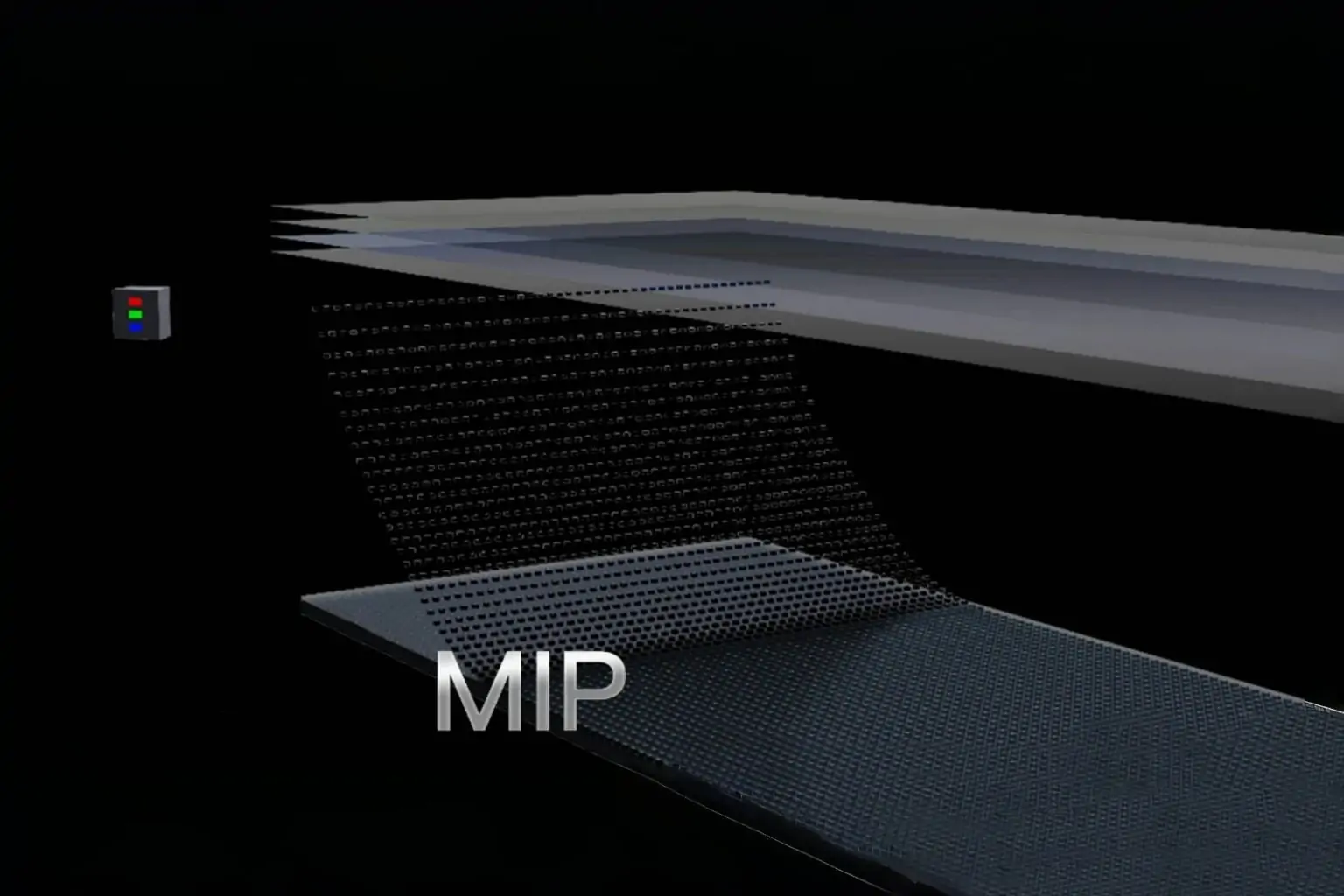
2. How Does MIP LED Packaging Work?
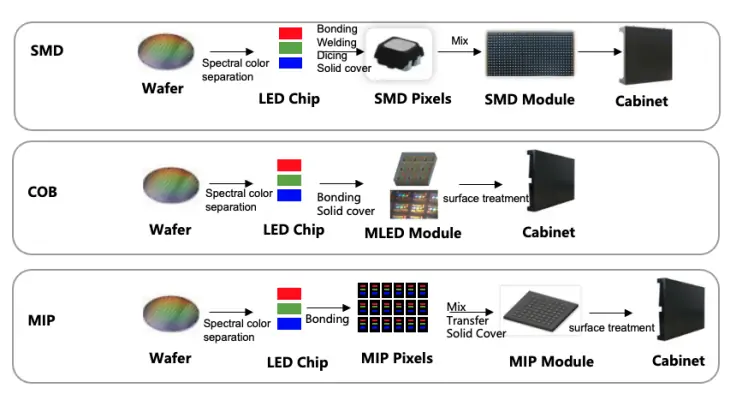
The relevant distinction is when the LED chips become packaged components and when those components can be tested.
01. Packaging, testing, and sorting
In a typical MIP manufacturing route, small LED chips are incorporated into packages that can be inspected and grouped before module assembly. Sorting, often called binning, groups components according to measured characteristics such as brightness and color.
Package manufacturer Kinglight describes sorting, binning, and compatibility with established surface-mount production lines as features of its MiP approach. These are manufacturer-specific descriptions, rather than evidence that every MIP implementation performs identically. Source: Kinglight’s packaging discussion
For an MIP LED display buyer, the useful question is how the supplier controls variation from component selection through finished-screen inspection.
02. Module assembly and calibration
The selected packages are mounted onto a display circuit board, which also connects them to the driving system. Modules then undergo inspection and become part of the cabinet assembly.
Package sorting and screen calibration serve different purposes. Sorting reduces component variation before assembly. Calibration adjusts the output of the assembled display to improve consistency.
Do not accept “MIP needs no calibration” as a universal rule. An MIP LED display may still require factory calibration, installation adjustments, and recalibration after replacement. Ask whether calibration data is supplied, where it is stored, and how technicians restore it.
A useful factory acceptance test includes uniform gray fields, primary colors, gradients, and representative customer content. These reveal different defects and should be viewed at the intended operating brightness.
3. Choosing Pixel Pitch, Viewing Distance, and Resolution
Choose pixel pitch from the viewing task, available wall dimensions, and required native resolution. Selecting the smallest available pitch can increase cost without delivering a meaningful benefit to the audience.
01. Start with the content and nearest viewer
A control-room operator reading small labels has different requirements from a visitor watching promotional video. Record the nearest regular viewing position, typical seating distance, smallest essential text, and expected content layout.
Pixel pitch measures the center-to-center distance between adjacent pixels. Smaller pitch increases pixel density and generally supports closer viewing, but comfortable viewing also depends on eyesight and content. Manufacturer guidance treats viewing-distance formulas as estimates rather than universal acceptance limits. Source: Planar’s pixel-pitch guide
Evaluate an MIP LED display sample using the actual dashboard, presentation, or video content whenever possible.
02. Calculate the physical image canvas
For a conventional square-pixel layout:
Horizontal pixels ≈ active width in millimeters ÷ pixel pitch
Vertical pixels ≈ active height in millimeters ÷ pixel pitch
The following are mathematical examples, not advertised product configurations:
| Illustrative pixel pitch | Active width for 3,840 pixels | Active height for 2,160 pixels |
|---|---|---|
| 0.75 mm | 2.880 m | 1.620 m |
| 1.00 mm | 3.840 m | 2.160 m |
| 1.25 mm | 4.800 m | 2.700 m |
| 1.50 mm | 5.760 m | 3.240 m |
Actual dimensions must follow available modules and cabinets. Nominal pitch labels may also round the precise pitch, so confirm calculations against the manufacturer’s pixel matrix.
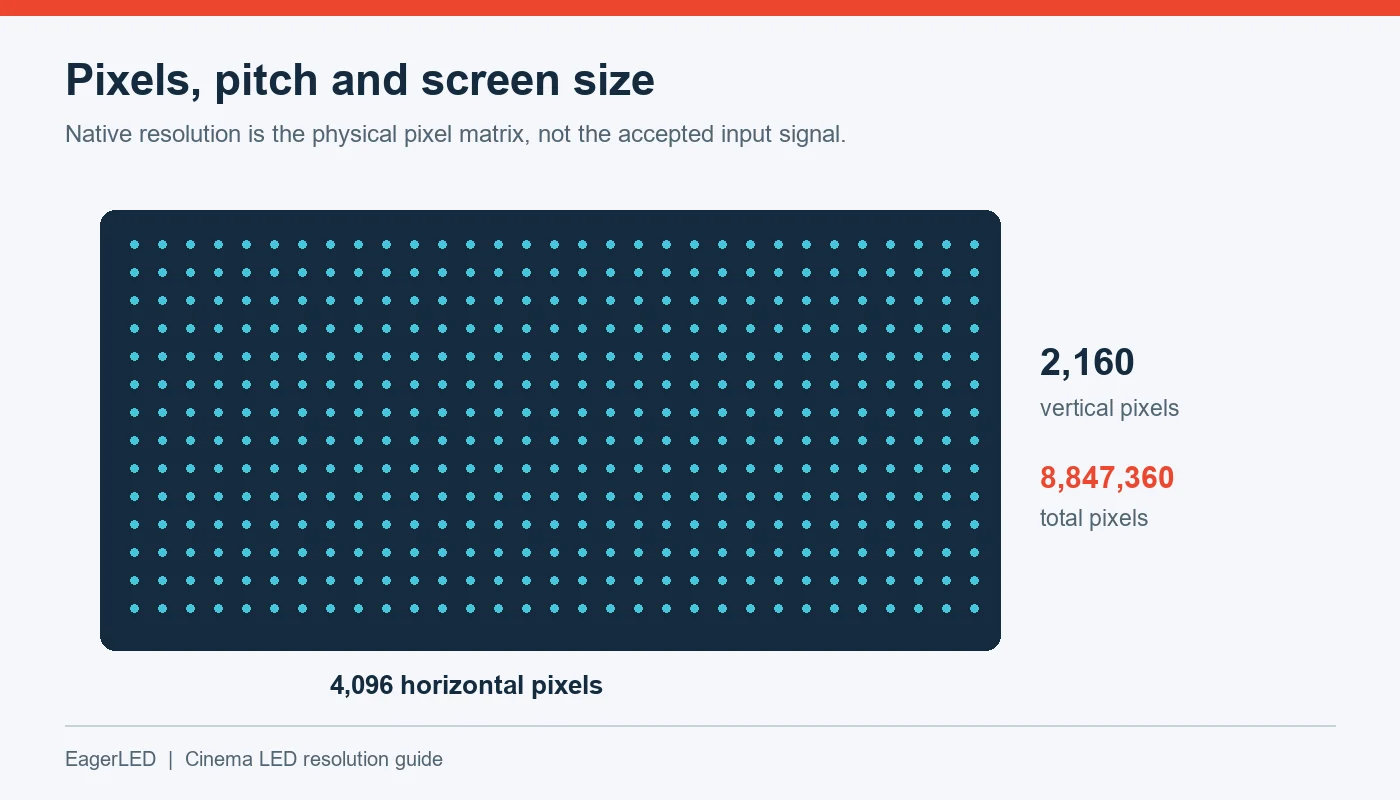
An MIP LED display that accepts a 4K input does not necessarily contain 3,840 × 2,160 physical pixels. Request both input compatibility and native screen resolution. Where “virtual pixel” terminology appears, ask the supplier to explain the physical RGB arrangement and processing method.
Finally, assess text after the proposed scaling and window layout are applied. A high-resolution source can still become difficult to read when divided into many small windows.
4. MIP vs COB vs SMD: Which Fits Your Project?
The strongest comparison uses finished products configured for the same application. Packaging influences performance, but it does not establish a universal winner.
01. Understand what is being compared
Conventional SMD displays use packaged LEDs mounted on a circuit board. MIP also involves packaged components and may use surface-mount assembly, so the distinction is more specific than “packaged versus unpackaged.”
COB places LED dies directly onto the module substrate and protects the assembly through an encapsulation approach. Construction details vary among manufacturers.
| Evaluation point | MIP | COB | Conventional SMD |
|---|---|---|---|
| Basic approach | Small LED packages assembled onto a board | LED dies attached directly to the module substrate | Packaged LED components assembled onto a board |
| Consistency controls | Package selection plus finished-display controls | Die selection, process control, and calibration | Package selection plus calibration |
| Surface protection | Depends on package and added treatment | Depends on encapsulation system | Depends on package, mask, and added coating |
| Repair strategy | Package repair may be possible with approved equipment | Repair depends on encapsulation and supplier process | Component repair may be possible with suitable equipment |
| Fine-pitch suitability | Verify the offered configuration | Verify the offered configuration | Verify the offered configuration |
| Cost comparison | Obtain a matched project quotation | Obtain a matched project quotation | Obtain a matched project quotation |
02. Compare at equal operating conditions
When comparing an MIP LED display with COB or SMD alternatives, match screen dimensions, native resolution, calibrated brightness, processing, warranty, and included spares.
Then examine dark scenes, gray gradients, white backgrounds, and off-axis color. Evaluate reflections under lighting similar to the installation.
Avoid comparing a dim showroom sample against a brighter competing screen and attributing every visual difference to packaging. Likewise, a surface coating can influence black appearance and reflections independently of the underlying LED package.
For an MIP LED display used on camera, add a test with the intended camera system. A visually impressive demonstration to the human eye does not establish broadcast suitability.

5. MIP LED Display Advantages and Limitations
The principal purchasing value of MIP lies in how its manufacturing route may support consistency, component screening, and production flexibility. Those potential benefits need confirmation in the finished product.
01. Potential advantages
Package-level testing creates an opportunity to identify unsuitable components before module assembly. Sorting can also help manage brightness and color variation.
Compatibility with established assembly processes may give manufacturers flexibility in production. For distributors, that can be relevant to repeat orders and supply planning, although it does not guarantee shorter lead times.
Some designs also allow replacement of individual packages under controlled repair conditions. An MIP LED display with an effective repair program can offer service flexibility, provided technicians have the necessary equipment and approved procedures.
02. Limitations to investigate
MIP does not automatically mean a waterproof surface, lower electricity consumption, better impact resistance, or easier field repair.
Energy use depends on operating brightness, content, LED efficiency, drive architecture, and power conversion. Protection depends on the complete construction. Repairability depends on package dimensions, coating, tools, and technician capability.
The practical limitation is that strong component-level performance can be undermined elsewhere. Poor cabinet alignment produces visible joins; unsuitable processing damages gradients; inconsistent replacement parts complicate maintenance.
Treat an MIP LED display as a complete system. Ask suppliers to demonstrate the benefit they claim under conditions relevant to your project, with written acceptance criteria.
6. Where Are MIP LED Displays Used?
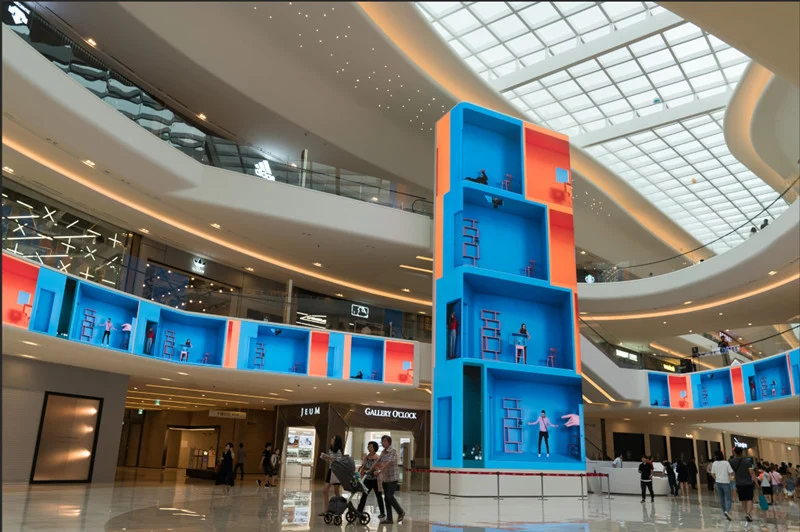
An MIP LED display can be considered for indoor applications requiring a large, modular image at relatively close viewing distances. Suitability still depends on the selected model.
01. Match the specification to the room
Manufacturer product pages identify conference, broadcast, and control-room applications for specific MIP products. That supports these as practical use categories, without implying that all MIP screens meet every requirement in those environments. Source: Unilumin Upanel II MIP
| Application | Main purchasing priority | Recommended demonstration |
|---|---|---|
| Meeting room | Readable text and comfortable brightness | Presentations, spreadsheets, and video calls |
| Control room | Stable information display and service continuity | Actual dashboards and signal-loss recovery |
| Retail showroom | Appearance under ambient lighting | Brand colors, dark content, and reflections |
| Broadcast studio | Camera compatibility | Intended frame rates, shutter settings, and movement |
| Corporate lobby | Integration with architecture | Sightlines, mounting depth, and service access |
| Training room | Legibility across seating positions | Detailed diagrams from front and rear seats |
02. Give camera-facing projects a separate test
An MIP LED display selected for broadcast requires evaluation of the panel, processor, camera, and settings together. A high advertised refresh rate alone is insufficient.
Brompton explains that camera artifacts can depend on synchronization, phase, shutter timing, and panel scanning behavior. Moiré is a separate interaction between image-sampling patterns and requires attention to pitch and shooting geometry. Source: Brompton’s LED artifact guide
Include low-brightness scenes and camera movement in testing. Record approved settings so the installation team can reproduce the accepted result.
7. How Much Does an MIP LED Display Cost?
There is no reliable universal price for an MIP LED display. A useful quotation must specify the physical screen, electronics, support scope, and delivery conditions.
01. Understand the main cost drivers
Pixel pitch and area influence the number of pixels required. However, a quotation also reflects cabinet construction, processing capacity, redundancy, surface treatment, calibration, spare parts, and service arrangements.
At equal area, reducing pitch increases pixel count in both directions. Halving pitch creates approximately four times as many pixels. This is a geometric relationship, not a claim that the selling price increases fourfold.
Ask for an itemized MIP LED display quotation:
| Cost category | What to specify | Why it matters |
|---|---|---|
| Screen hardware | Area, native resolution, modules, cabinets | Establishes the physical scope |
| Control system | Inputs, outputs, scaling, capacity | Prevents processing omissions |
| Mounting | Structure, trim, access provisions | Reveals installation requirements |
| Electrical work | Distribution, cabling, protection | Separates display and site costs |
| Commissioning | Mapping, calibration, testing, training | Defines handover responsibilities |
| Spare parts | Approved modules and electronics | Supports recovery from faults |
| Logistics | Packing, delivery terms, insurance | Clarifies landed-cost assumptions |
| Support | Warranty scope and repair process | Exposes future service costs |
02. Compare total ownership cost
An inexpensive screen can become costly if repairs require long-distance shipping or prolonged shutdowns. For distributors, replacement compatibility and technical documentation can matter as much as the initial hardware discount.
Estimate electricity using:
Energy in kWh = measured average power in kW × operating hours
Use representative content and brightness when estimating average power. Keep this separate from the electrical designer’s use of specified maximum demand and applicable design requirements.
For an MIP LED display proposal, document assumptions for daily operation, spare inventory, service labor, and expected ownership period. Compare alternatives using the same assumptions.
8. How to Choose an MIP LED Display Supplier
A capable supplier should connect product specifications to your installation requirements and provide a reproducible acceptance process.
01. Send a complete project brief
Before requesting a price, provide the intended screen dimensions, location, viewing distances, content examples, operating schedule, and mounting conditions. Include camera use, signal sources, delivery destination, and required handover date.
When contacting EagerLED about an MIP LED display project, ask for confirmation of current product availability and the proposed packaging configuration. Do not assume that a general fine-pitch product listing establishes MIP availability for your required pitch.
If alternatives are proposed, request a comparison against the same project brief. This keeps the discussion focused on suitability.
02. Request evidence behind the specification
A datasheet should be accompanied by enough information to establish what was measured and how the delivered system will be tested.
| Verification item | Evidence to request |
|---|---|
| Native resolution | Cabinet layout and physical pixel matrix |
| Brightness | Measurement conditions and calibrated operating setting |
| Gray-scale performance | Low-brightness gradients on the proposed configuration |
| Uniformity | Multi-cabinet sample and calibration procedure |
| Power | Maximum specification and representative operating measurements |
| Mechanical quality | Cabinet drawings and alignment demonstration |
| Compliance | Applicable documents tied to the supplied model |
| Serviceability | Replacement demonstration and repair responsibilities |
| Acceptance | Agreed test content, conditions, and defect criteria |
For an MIP LED display, inspect more than one module. A single sample cannot demonstrate the appearance of cabinet joins or consistency across a larger assembly.
03. Make the order technically traceable
Record the approved module version, receiving-card configuration, firmware, cabinet arrangement, and included accessories. Establish how substitutions will be reviewed.
Distributors should also clarify whether later orders can match the original product and what happens if components change. Long-term compatibility should be documented rather than assumed from a shared series name.
An MIP LED display purchase is easier to manage when the quotation, approved sample, production configuration, and acceptance checklist describe the same system.
9. Installation and Maintenance Requirements
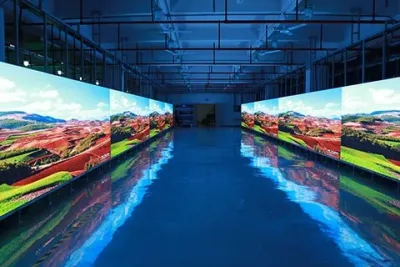
Installation planning should begin before the screen dimensions are finalized. Service access, support structure, and cable routes can change the usable display area.
01. Confirm access and mechanical requirements
“Front service” does not necessarily mean every component can be removed from the front. Check modules, power supplies, receiving cards, internal connections, and mounting fasteners individually.
For an MIP LED display fitted into a wall recess, confirm removal clearance, tool access, and a safe place to handle modules. Verify structural loads and fixing arrangements with the responsible project professionals.
Cabinet alignment also deserves explicit attention. Fine-pitch screens make small mechanical discontinuities easier to notice. Agree how alignment will be checked after mounting and after the installation reaches normal operating conditions.
02. Plan cooling and maintenance procedures
A slim cabinet still needs an approved thermal arrangement. Confirm ventilation requirements for the complete enclosure, including any architectural trim surrounding it.
An MIP LED display maintenance plan should identify who can replace modules, who can repair packages, and which activities affect warranty coverage. Cleaning methods must follow the manufacturer’s instructions for the actual surface treatment.
At handover, retain configuration backups, calibration files, cabinet maps, serial records, and approved spare-part references. Train the operator to recognize whether a fault is likely to involve content, signal distribution, power, or the display module.
These records reduce troubleshooting time and help prevent an otherwise routine replacement from creating a persistent color mismatch.
10. FAQ
11. Conclusion
An MIP LED display deserves consideration when a fine-pitch project requires detailed imagery, controlled consistency, and a practical support strategy. Its packaging approach can offer useful manufacturing and service options, but the purchase decision should rest on the finished screen and the supplier’s evidence.
Define the viewing task first. Calculate the native resolution, compare products under equal conditions, and test the proposed configuration with representative content. Include installation, calibration, spare parts, and repair responsibilities in the commercial scope.
To discuss a project with EagerLED, prepare your screen dimensions, viewing distances, application, installation drawings, and delivery requirements. Contact EagerLED to confirm available configurations and request a project-specific proposal. A clearly specified MIP LED display inquiry gives buyers and integrators a stronger basis for technical approval, cost comparison, and dependable handover.
Buying an LED Screen in Europe: CE and Logistics ChecklistRelated Posts
Fill In Your Needs In Detail
Fill in the screen usage scene and size you need in “Content”.You will get a quote.



