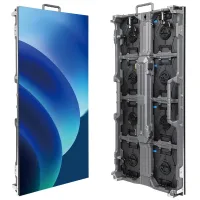
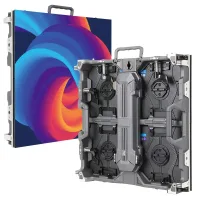
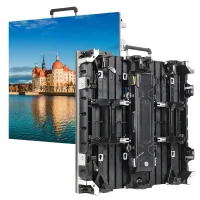
The NovaStar MRV570-1 is an LED receiving card rated for up to 512×256 pixels at 60 Hz, with up to 20 parallel RGB data groups or 64 serial data groups. It connects a compatible controller to a cabinet’s module interface. Before buying or replacing one, check the hub pinout, module configuration, power supply and controller support. This guide explains the specifications, calibration checks and troubleshooting steps.
1. What is the NovaStar MRV570-1 LED Receiving Card?
Developed by Xi’an NovaStar Tech Co., Ltd., the MRV570-1 controls a defined section of an LED display. It can be considered for fixed installations, rental LED display cabinets and creative layouts when the cabinet design supports it. Outdoor use also depends on enclosure protection and cooling; the bare board should not be treated as weatherproof.
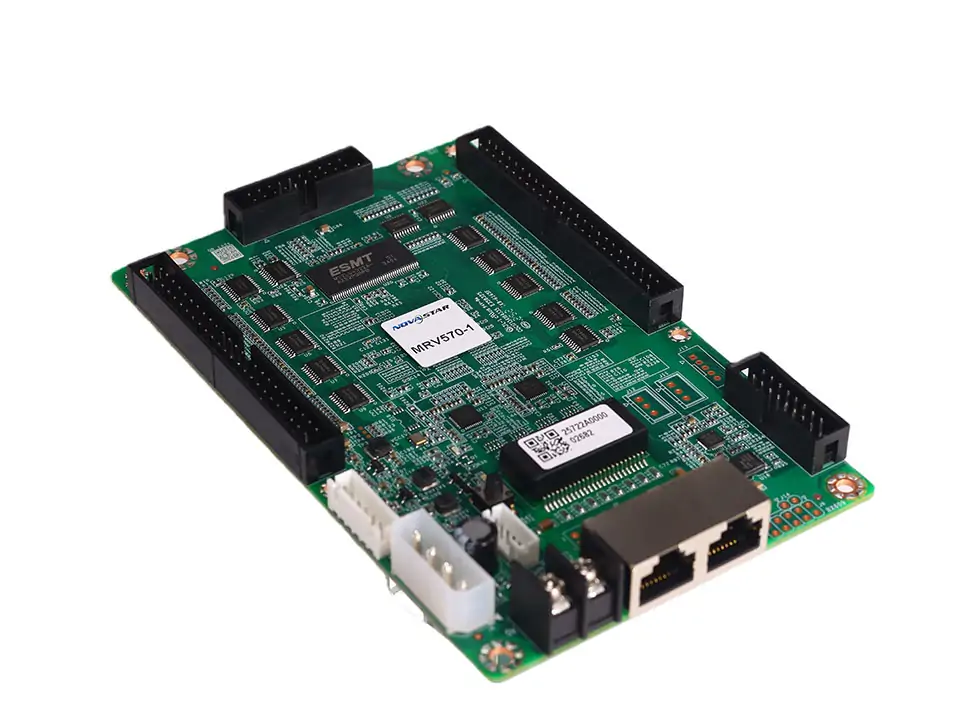
Key features in NovaStar’s V1.0.0 specification (1 February 2023) include:
- Pixel-level brightness and chroma calibration.
- Up to 20 parallel RGB or 64 serial data groups.
- RoHS and EMC Class B listed certifications.
- Temperature, supply-voltage and Ethernet communication monitoring.
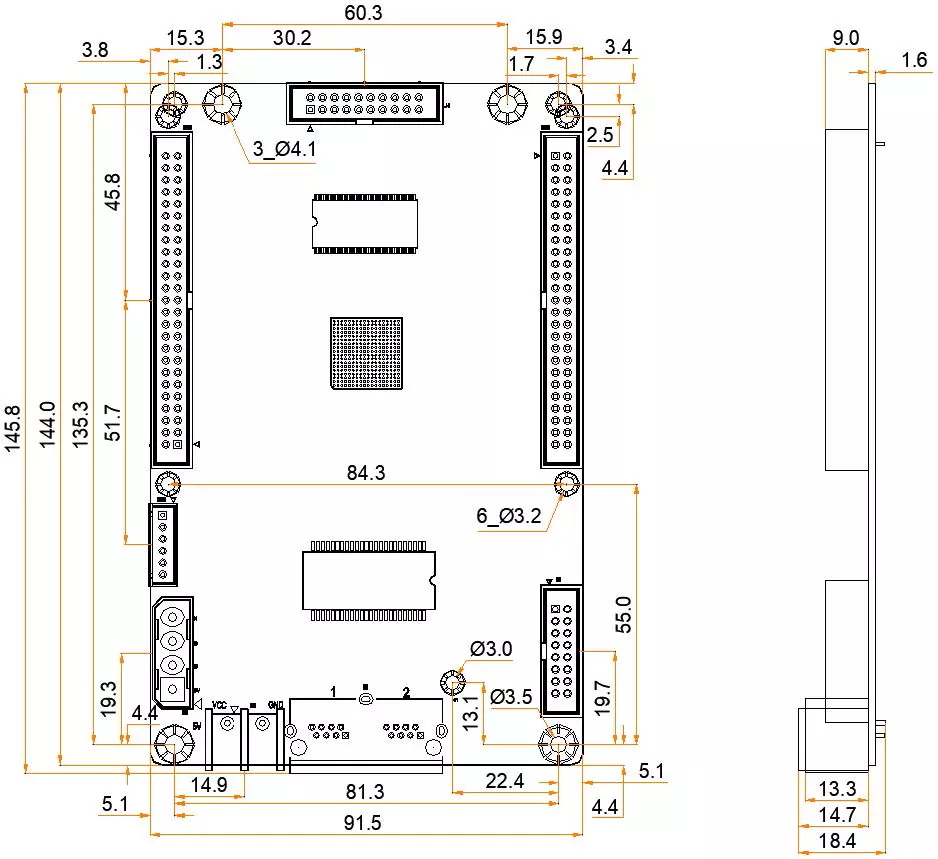
The dimension drawing below shows a 145.8 × 91.5 mm board outline. Overall specified height is 18.4 mm. Mounting holes connect to ground; use NovaStar’s structural drawing to check clearance and obtain a precision version before machining.
2. MRV570-1 LED Receiver Card Core Technical Specifications
2.1 Novastar MRV570-1 512×256 Resolution Support
The 512×256 limit is a per-card loading specification, not the resolution of an entire video wall or a guarantee of image quality. For indoor COB LED displays or other cabinets, calculate cabinet width and height in pixels, then verify the module-specific configuration with the supplier.
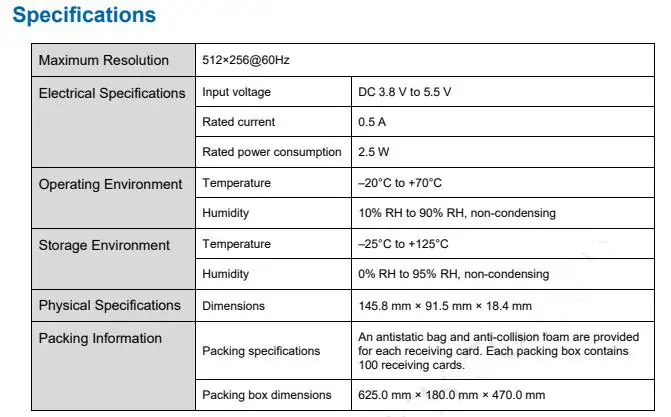
Readable specifications from the image below:
- Maximum load: 512×256 at 60 Hz.
- Power: DC 3.8–5.5 V; rated current 0.5 A; rated consumption 2.5 W.
- Operating conditions: −20°C to +70°C; 10–90% RH, non-condensing.
- Storage: −25°C to +125°C; 0–95% RH, non-condensing.
- Dimensions: 145.8 × 91.5 × 18.4 mm.
- Packing: antistatic bag and protective foam per card; 100 cards per 625 × 180 × 470 mm box.
Manufacturer specifications; actual power use varies with settings and conditions.
2.2 Novastar MRV570-1 64 Serial Data Groups
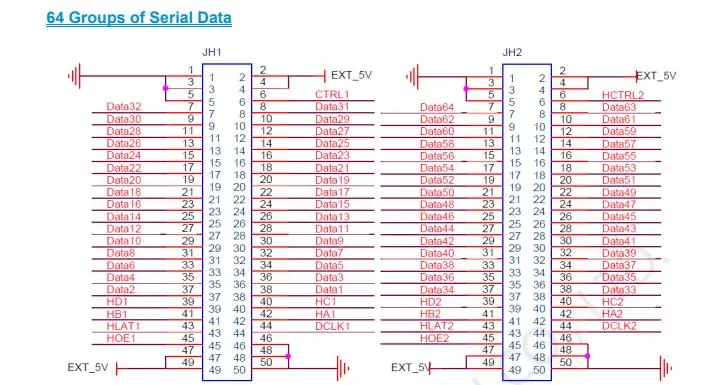
In serial mode, each of 64 data lines can drive an independent LED strip. In the default front-view arrangement, Data1 starts at the top row for horizontal strips or the left column for vertical strips; Data64 is the last row or column. Verify orientation with a test pattern before final installation.
The pin diagram assigns Data1–32 to JH1 and Data33–64 to JH2. Data occupies pins 7–38: on JH1, pins 7/8 are Data32/31 and pins 37/38 are Data2/1; JH2 follows the same order for Data64/63 through Data34/33. Use the complete serial pin definitions for power and control wiring; serial and parallel configurations are not interchangeable.
3. Novastar MRV570-1 LED Receiving Card Key Features
NovaStar MRV570-1 provides these functions for configuration and maintenance:
- Module flash management: Stores calibration coefficients and module information with suitable module hardware.
- Pixel-level calibration: Helps reduce measured brightness and color differences.
- Stored image: Supports an image stored on the card; verify its behavior in your setup.
- Configuration readback: Retrieves settings for backup and comparison.
- Temperature monitoring: Reports temperature; cooling still requires appropriate cabinet design.
- Ethernet status monitoring: Helps isolate communication faults.
- Voltage monitoring: Helps identify supply irregularities.
- Monitoring-card connection: Supports an additional monitoring card; confirm the exact model and wiring.
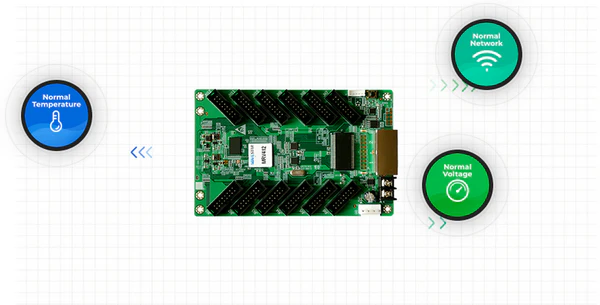
Monitoring does not automatically prevent faults. Record normal readings during commissioning so later changes are easier to diagnose. See the manufacturer’s feature list for the supported functions.
4. NovaStar MRV570-1 Receiving Card Calibration Settings
Pixel-level calibration can improve uniformity, but it does not repair faulty LEDs, incorrect mapping or unsuitable module settings. First confirm stable power, correct cabinet mapping and normal grayscale output.
Back up the configuration and existing coefficients before calibration. Use the cabinet supplier’s approved NovaLCT/NovaCLB workflow and calibration data for the correct modules. After applying data, save it as required and check the result after a restart. Module flash storage depends on the module hardware and configuration.
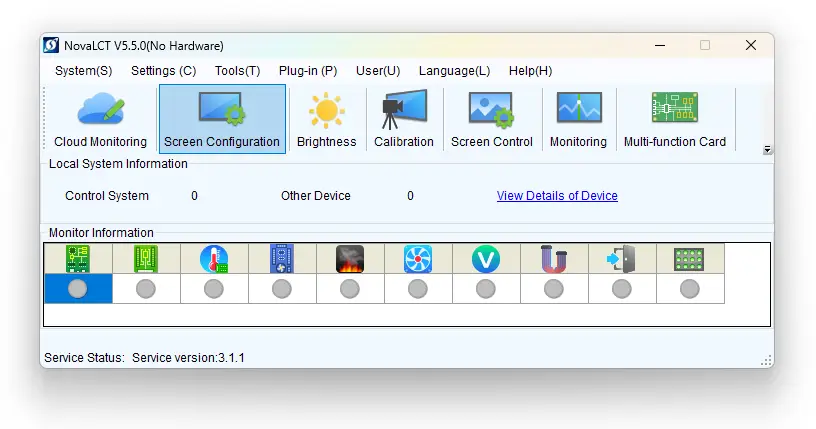
The screenshot illustrates NovaLCT 5.5.0 with Screen Configuration, Calibration and Monitoring controls; it is not a current-version recommendation. A stored image is separate from calibration and does not provide uninterrupted live video. Confirm firmware requirements before following our NovaLCT receiving-card update guide.
5. MRV570-1 LED Receiver Card Compatibility Guide
Pixel pitch alone does not establish compatibility. Before ordering an MRV570-1 replacement, compare the controller, hub board, driver IC, scan mode and configuration file with the working cabinet.
- Controller connection: Ethernet links carry controller data and connect receiving cards.
- Module outputs: JH1/JH2 hub connectors carry parallel RGB or serial signals; these are not Ethernet module outputs.
- Load: Up to 512×256 at 60 Hz per card.
- Environment: Operate within −20°C to +70°C and 10–90% RH without condensation.
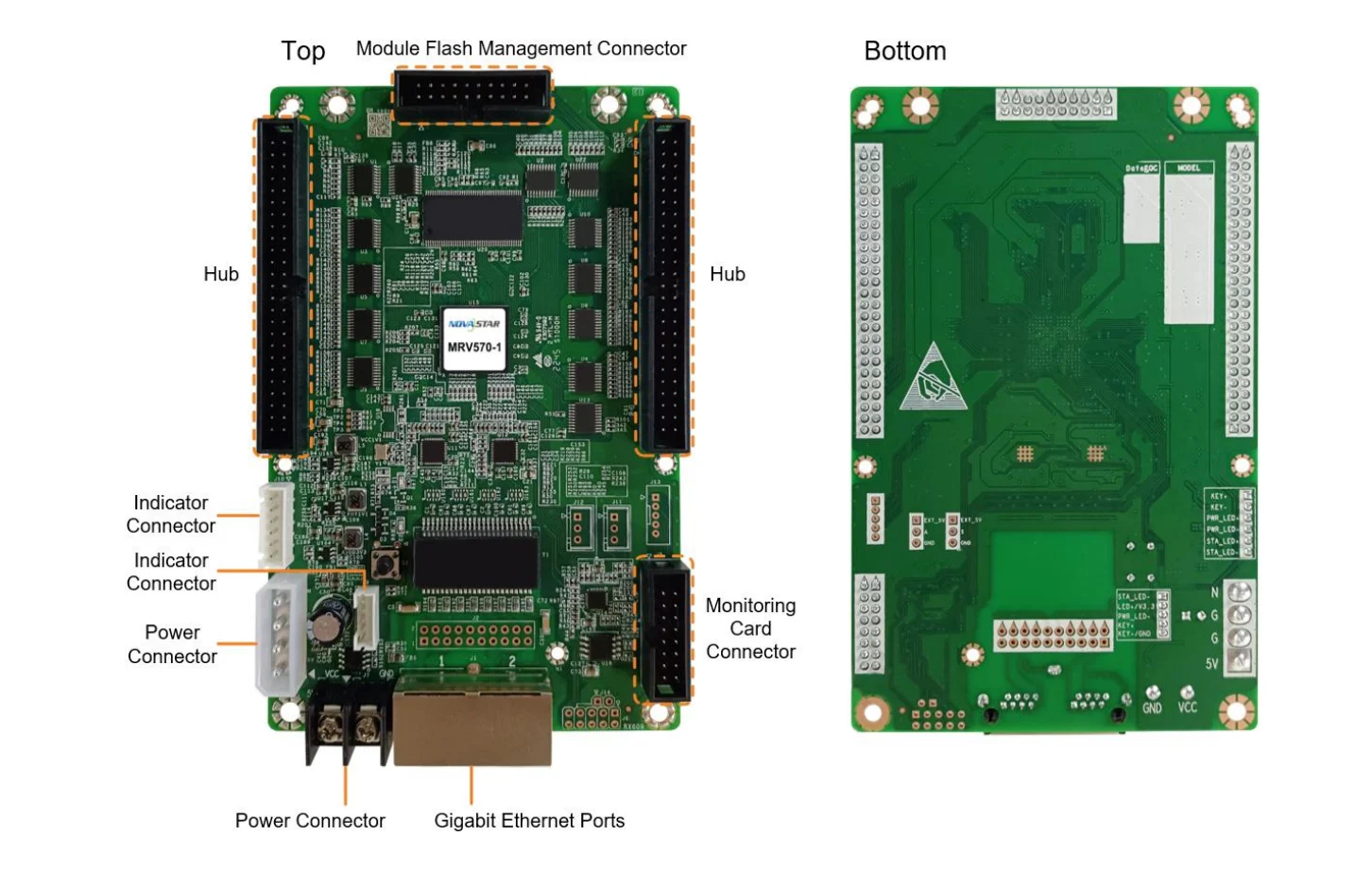
Check connector orientation, grounding, cable routing and ventilation before powering up. The appearance diagram identifies the hub connectors, Ethernet ports, power connections and monitoring/control connections. Consult the connector reference rather than relying on physical fit alone.
6. Novastar MRV570-1 Troubleshooting
Start with the power and running indicators, then isolate one cable or configuration change at a time:
- No video: Three green flashes per 0.5 seconds indicate Ethernet is connected but video input is absent. Check the controller’s source.
- Communication fault: One green flash every three seconds indicates an abnormal Ethernet connection. Check the cable and upstream device.
- High temperature: Check monitored readings and cabinet cooling; there is no dedicated “temperature indicator” in the documented status table.
- Voltage: Check the supply and connections against the input range before replacing the card.
Use the indicator table for other flash patterns. Save the configuration, firmware version and fault details before contacting NovaStar technical support or the cabinet supplier.
7. FAQs
8. Conclusion
Choose the NovaStar MRV570-1 by matching its loading capacity, hub pinout and configuration to the cabinet. Keep working settings and calibration data backed up, then test mapping, uniformity and monitoring before deployment.
Download the existing MRV570-1 specifications PDF or NovaStar’s original specification. Obtain model-specific firmware and instructions from your supplier; do not assume another MRV model’s file is compatible.
 Novastar CA50E Tech Guide: Detailed Specs and Performance Analysis
 Top 10 LED Display Manufacturers in China (2026 List)
Related Posts






Fill In Your Needs In Detail
Fill in the screen usage scene and size you need in “Content”.You will get a quote.