
Novastar ET1S-G Media Server is a groundbreaking solution for small-scale LED and LCD installations, offering unmatched pixel-to-pixel clarity and versatile media management. Designed with professionals in mind, this server redefines how creative displays are managed, making it ideal for exhibitions, showrooms, conference rooms, and more. In this comprehensive guide, we’ll explore everything you need to know about the Novastar ET1S-G, from its hardware specifications to software capabilities, pricing, and practical usage tips.
1. What is the Novastar ET1S-G Media Server?
Novastar ET1S-G Media Server is a compact yet powerful device designed for small to medium-sized fixed installations. It supports ultra-high-resolution video playback at 4K×2K@60Hz, ensuring crystal-clear visuals for any application. The server is equipped with Kompass FX1, an intuitive media playback and control software that simplifies stage display management while providing advanced features like layering, masking, and crossfade transitions.
Key Features of the Novastar ET1S-G
- Ultra-High-Resolution Output: A single output supports up to 4K×2K@60Hz, perfect for pixel-perfect displays.
- Multiple Outputs: Includes 1x DP 1.2, 4x HDMI 1.3, and 1x HDMI 2.0, allowing flexible configurations for various screen setups.
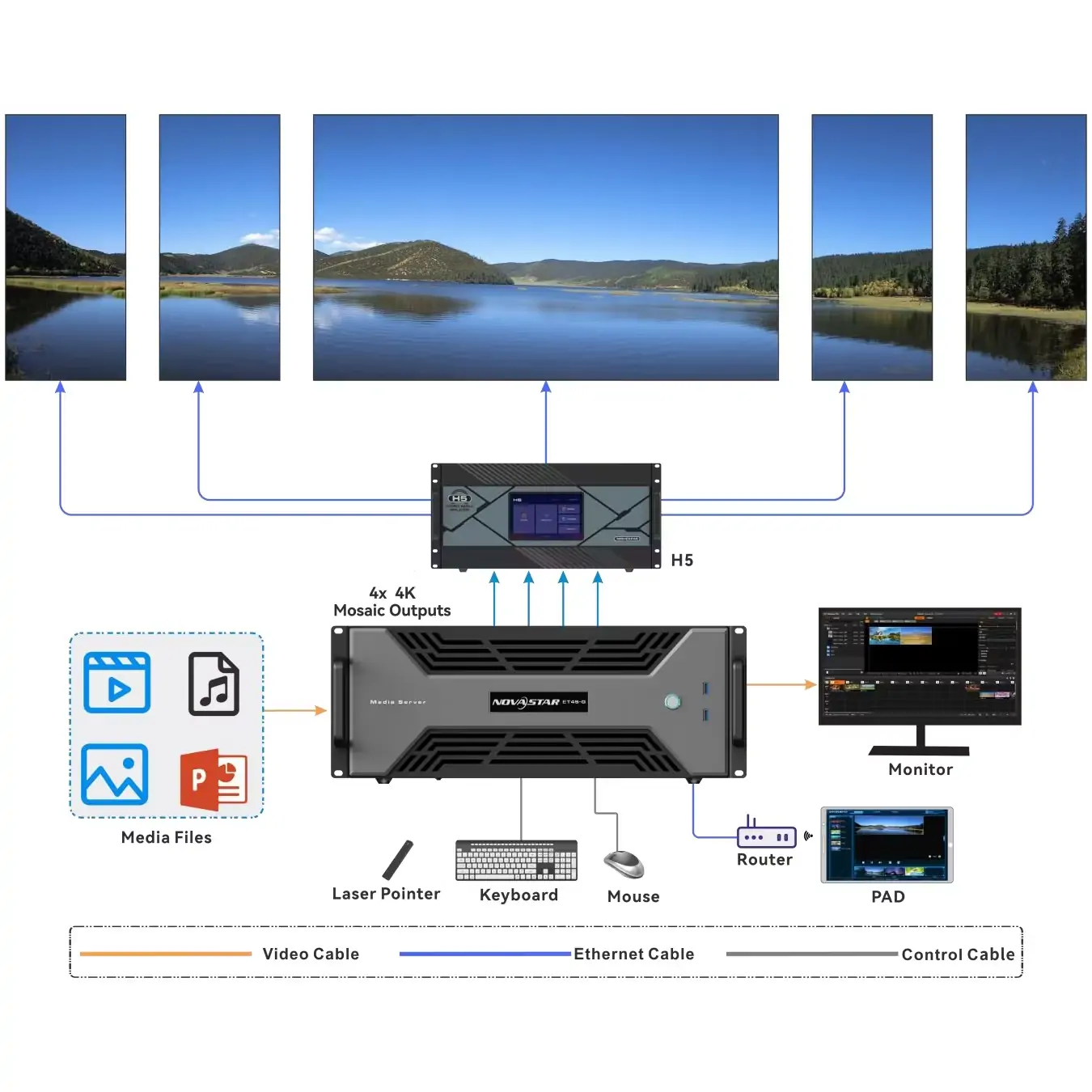
- Creative Mosaic Design: Supports splitting a single output into up to 1024 partitions, enabling intricate mosaic designs and ultra-wide screen configurations.
- Layered Playback: Simultaneously plays up to 4 layers of video and 1 audio stream, offering dynamic multimedia presentations.
- User-Friendly Interface: Built-in Kompass FX1 software ensures seamless program arrangement, playback progress management, and visualized media library organization.
Whether you’re designing an exhibition booth or managing a small conference room, the ET1S-G LED Media Server delivers professional-grade performance in a compact package.
2. Novastar ET1S-G Hardware Specs & Performance
Novastar ET1S-G Media Server is built on robust hardware to deliver optimal performance. Below are the key specifications and their implications for real-world applications:
2.1 Hardware Specifications
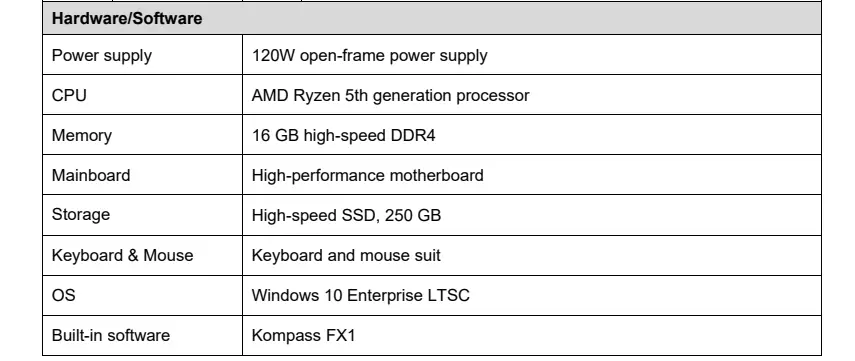
- Processor: Powered by an AMD Ryzen 5th generation processor, ensuring smooth handling of high-resolution media files.
- Memory: Equipped with 16 GB DDR4 RAM, enabling multitasking and seamless playback of large files.
- Storage: Comes with a 250 GB SSD, providing ample space for storing videos, images, PowerPoint files, and other media formats.
- Power Supply: Utilizes a 120W open-frame power supply, ensuring stable operation even during extended use.
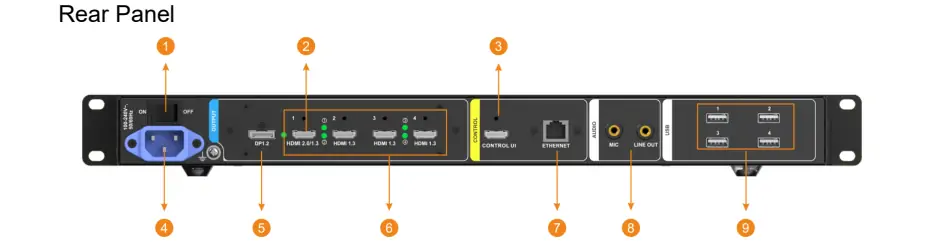
- Connectivity: Features multiple ports, including 2x USB 3.0, 4x USB 2.0, 1x RJ45 Ethernet port, and audio input/output connectors.

2.2 Performance Highlights
- High-Quality Decoding: Supports popular video codecs like H.264, H.265, and MPEG-4/2, ensuring compatibility with most media formats.
- Flexible Resolutions: Handles custom resolutions with a maximum width of 8192 pixels and height of 4095 pixels, catering to unique screen configurations.
- Hardware Decoding: Ensures low-latency playback, making it suitable for live events and real-time applications.
Novastar ET1S-G Hardware Specs make it a reliable choice for professionals who demand both power and precision in their display solutions.
3. ET1S-G vs. ET2S-G Video Media Server: Pros and Cons
When comparing the ET1S-G to its higher-end counterpart, the ET2S-G, there are distinct differences in terms of capabilities and target audiences. Here’s a breakdown of their pros and cons:
3.1 Novastar ET1S-G
Pros:
- Cost-effective solution for small-scale installations.
- Supports 4K×2K@60Hz output, making it suitable for high-resolution displays.
- Intuitive Kompass FX1 software simplifies media management.
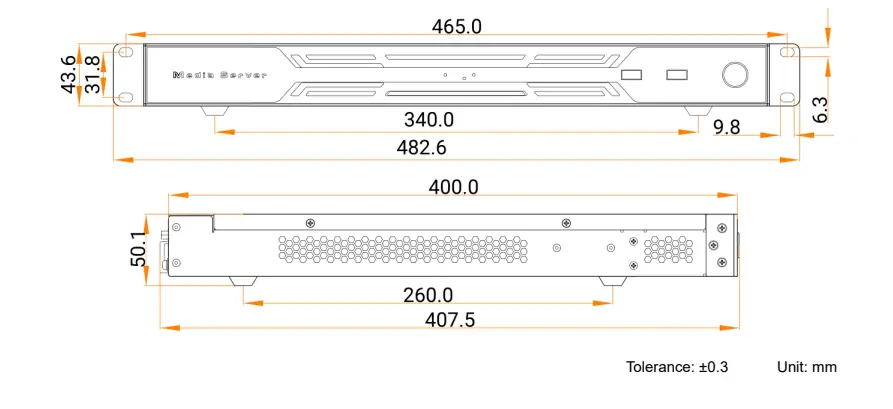
- Compact design fits standard 19-inch racks.
Cons:
- Limited to 4 layers of playback (compared to the ET2S-G’s higher layer count).
- Best suited for smaller projects; may lack scalability for larger installations.
3.2 Novastar ET2S-G
Pros:
- Higher layer count and more advanced features for complex projects.
- Enhanced processing power for larger-scale installations.
- Greater flexibility for multi-screen synchronization.
Cons:
- Higher price point compared to the ET1S-G.
- May be overkill for small-scale applications.
For most users, the ET1S-G Video Media Server strikes the perfect balance between affordability and functionality, especially for small to medium-sized projects.
4. ET1S-G LED Media Server Software Download
The ET1S-G comes pre-installed with Kompass FX1, a feature-rich media playback and control software. However, if you need to reinstall or update the software, follow these steps:
4.1 Steps to Download Kompass FX1
- Visit the official Novastar website at www.novastar.tech.
- Navigate to the Support section and locate the Software Downloads page.
- Search for Kompass FX1 under the ET1S-G Media Server category.
- Download the latest version compatible with your system.
- Follow the installation instructions provided in the user manual.
4.2 Additional Software Features
- NDI Support: Stream content directly from network sources.
- Streaming Media Integration: Play videos from websites or streaming platforms.
- Text Sources: Display customizable text overlays for announcements or branding.
By downloading and installing the latest software updates, you can ensure your ET1S-G LED Media Server operates at peak performance.
5. Novastar ET1S-G Price & Purchasing Considerations
Novastar ET1S-G Controller Price is highly competitive, making it an attractive option for budget-conscious buyers. Priced at approximately $875 USD, it offers excellent value for its features and capabilities.
Factors to Consider Before Purchasing:
- Certifications: Ensure the product meets relevant certifications (e.g., CE, FCC, RoHS) for your region.
- Warranty: NovaStar offers a 3-year warranty on products purchased through authorized distributors.
- Compatibility: Verify that the server is compatible with your existing LED or LCD displays.
For authentic products and full support, purchase directly from NovaStarShop.com or authorized resellers.
6. How to Use Novastar ET1S-G Video Media Server?
Using the ET1S-G Media Server is straightforward, thanks to its intuitive interface and robust software. Here’s a step-by-step guide:
Step 1: Import Media Files
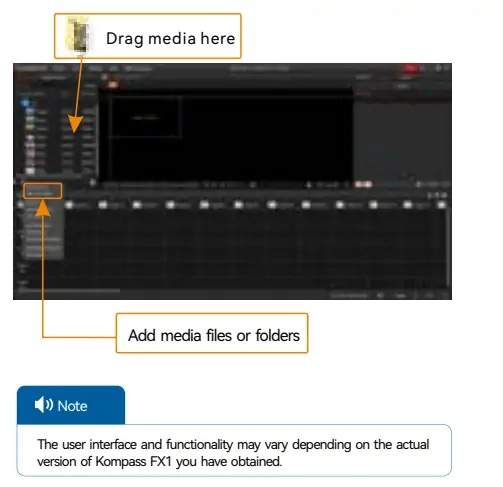
- Drag and drop files into the Media Library or use the import function to add folders.
- Supported formats include MP4, AVI, JPEG, PNG, MP3, and PowerPoint files.
Step 2: Edit Programs
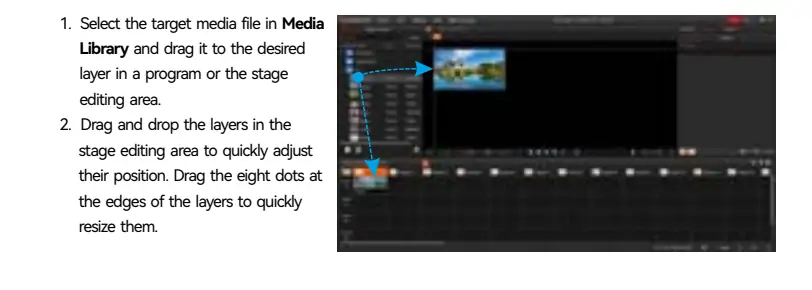
- Drag media files onto the desired layers in the stage editing area.
- Adjust layer positions, sizes, and properties using the visual controls.
Step 3: Play Programs
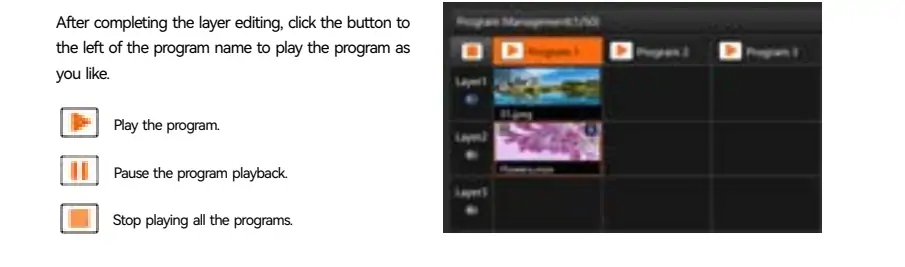
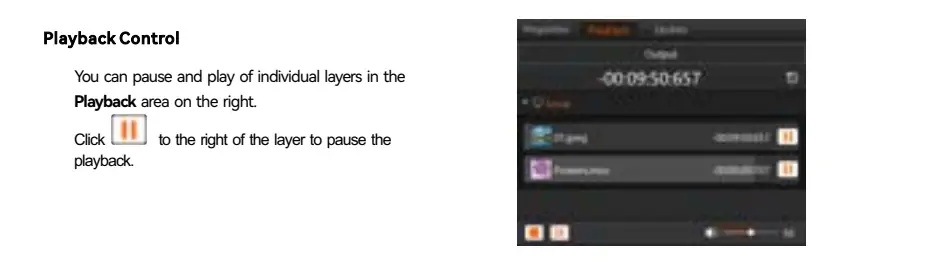
- Use the playback controls to start, pause, or stop programs.
- Enable crossfade transitions for smooth program switching.
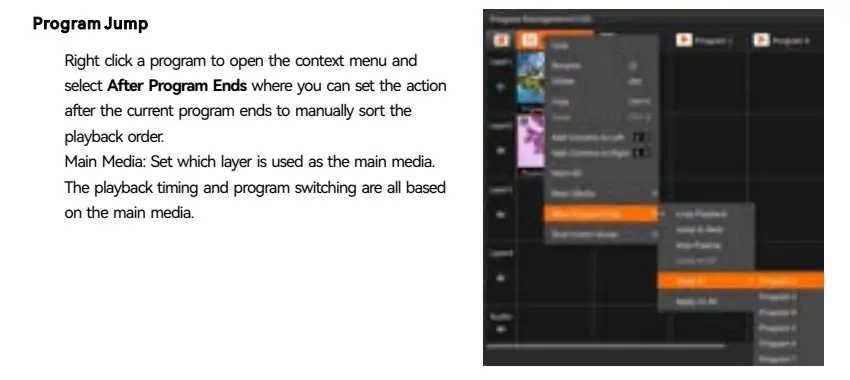
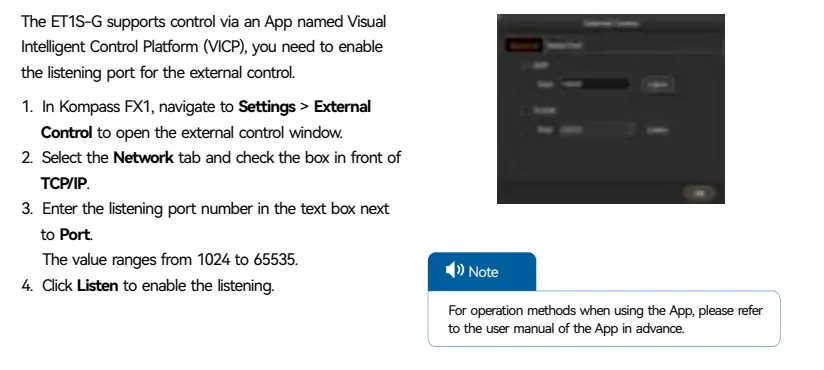
Step 4: Remote Control via VICP
- Configure the Visual Intelligent Control Platform (VICP) for remote playback control.
- Set up TCP/IP listening ports for seamless integration with external apps.
With these simple steps, you can create stunning visual experiences tailored to your needs.
7. FAQs
7. Conclusion
Novastar ET1S-G Media Server is a versatile and cost-effective solution for small-scale LED display screens. With its 4K×2K@60Hz output, intuitive software, and robust hardware, it empowers professionals to create engaging and immersive visual experiences. Whether you’re managing an exhibition, showroom, or conference room, the ET1S-G delivers exceptional performance and ease of use.
Ready to elevate your display projects? Purchase the Novastar ET1S-G today from an authorized distributor and unlock the full potential of your creative displays!
 What is Novastar Vunit 3000? A Complete Beginner’s Guide
 Why Choose Novastar MCTRL660 Pro for Professional LED Walls?
Related Posts
Fill In Your Needs In Detail
Fill in the screen usage scene and size you need in “Content”.You will get a quote.



