Rental LED screens are designed for temporary installation, repeated handling, and transport. Flexible LED screens are designed to follow curved surfaces. These categories overlap only when the complete system supports both jobs. A bendable module is not automatically a rental-ready cabinet, and a curved rental wall may use rigid panels joined at adjustable angles.
Choose rental LED screens around the event’s audience, content, venue, and production schedule. Choose flexible LED screens when the curve contributes to the design and can be built, mapped, maintained, and transported reliably. This guide explains the differences, shows useful calculations, and provides practical checklists for event organizers, production teams, and equipment buyers.
All calculations below are planning examples. Confirm dimensions, load limits, environmental ratings, supported curves, and controller capacity for the exact equipment supplied.
1. What Is a Rental LED Screen?
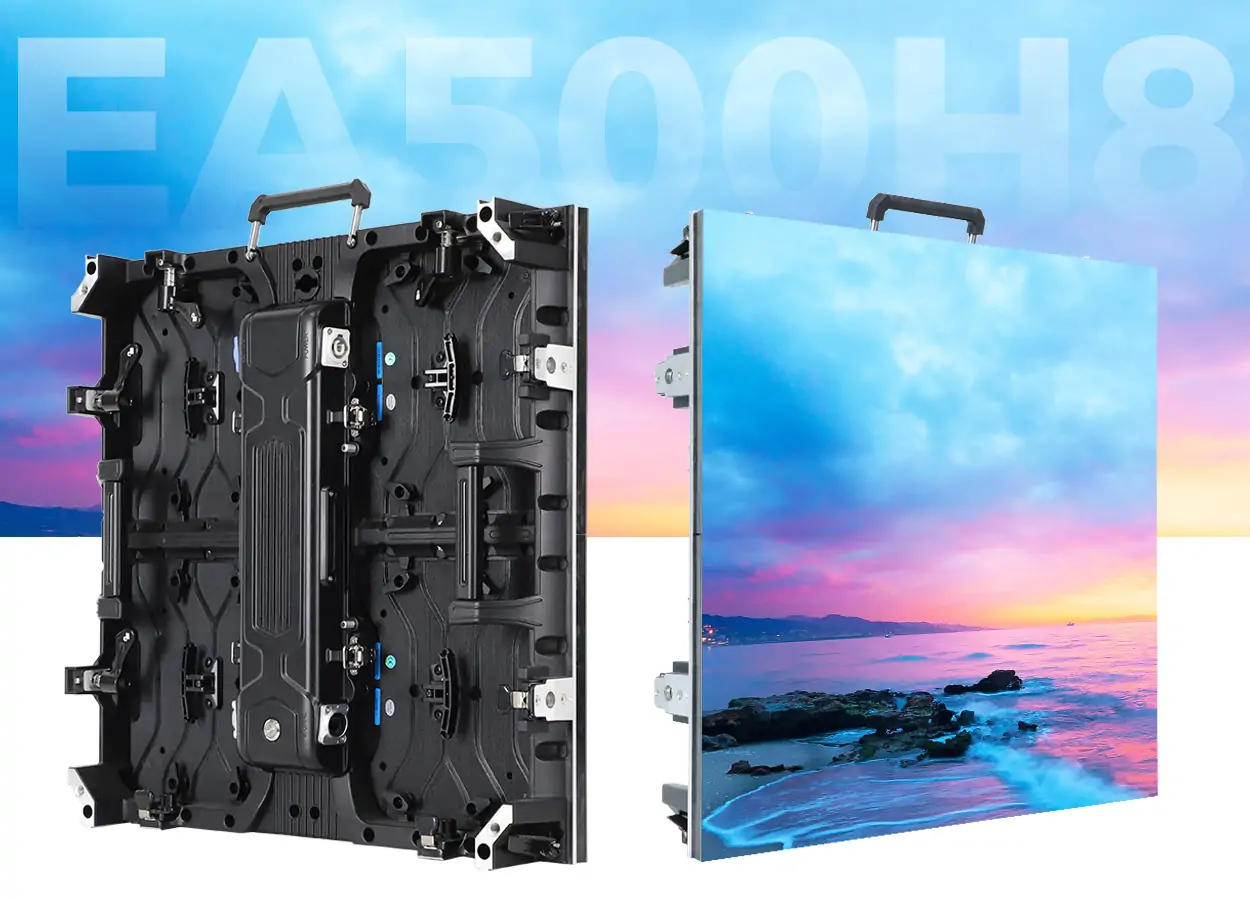
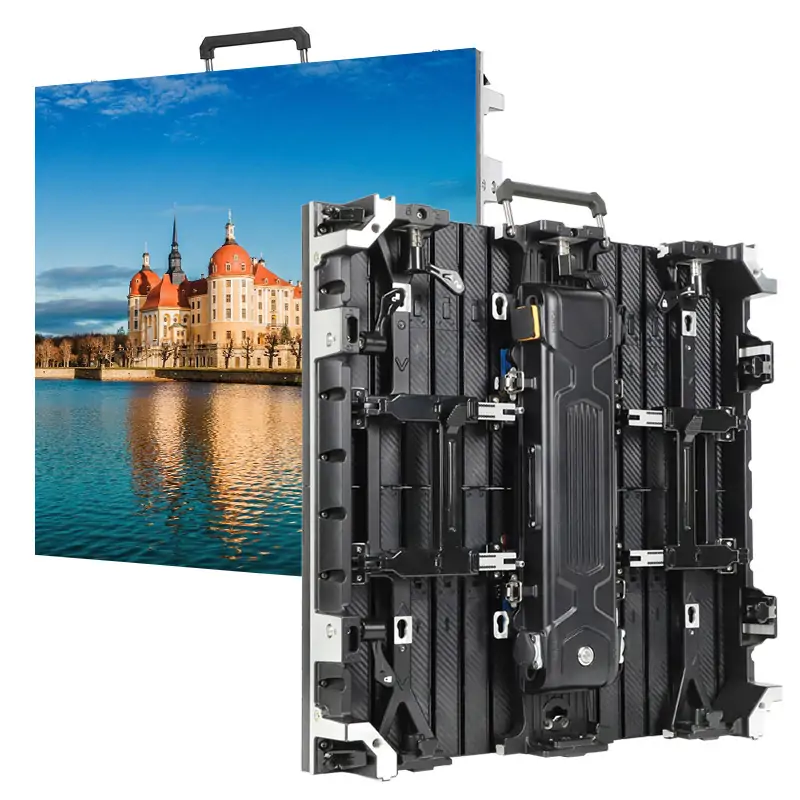
A rental LED screen is a modular direct-view display built for temporary productions. LED modules sit within cabinets that connect to create a larger image. The complete system includes power distribution, receiving cards, a video processor or sending system, signal cabling, and an approved support structure.
“Rental” describes the equipment’s intended use as well as a commercial service. A production company can buy rental LED screens for its inventory; an event organizer can hire that inventory with installation and operating support. Buying cabinets from a manufacturer and hiring an event package are different transactions.
Start with the rental LED display range when comparing equipment families. For a one-off event, also establish who supplies transport, rigging, crew, processing, rehearsal time, and onsite support. Rental LED screens deliver a useful production tool only when those responsibilities are clearly assigned.
2. Features of Rental LED Screens
01. Assembly, handling, and serviceability
Useful rental LED screens combine repeatable cabinet alignment with accessible locks, protected connectors, manageable handling weight, and suitable flight cases. Fast locks can shorten assembly, but they do not remove the need for a trained crew or an approved rigging plan. Inspect corners and alignment surfaces because repeated handling can expose weak mechanical details.
Ask whether modules, power supplies, and receiving cards can be serviced from the front, rear, or both. A screen placed against scenery may make rear access impossible. The repair plan should identify compatible spare parts, safe access, and a realistic replacement procedure before the audience arrives.
02. Image quality and environmental suitability
Rental LED screens should be assessed with real content at the intended brightness. Check cabinet-to-cabinet consistency, dark gradients, fine text, and motion. Different batches or calibration histories can create visible patches even when every cabinet has the same nominal pitch.
Indoor and outdoor rental LED screens have different requirements. Request ratings for the complete installed system, including relevant cabinet faces and connections. A bright display is not necessarily rain-resistant, and an enclosure rating does not establish the wind capacity of its support. Choose the system around the actual exposure.
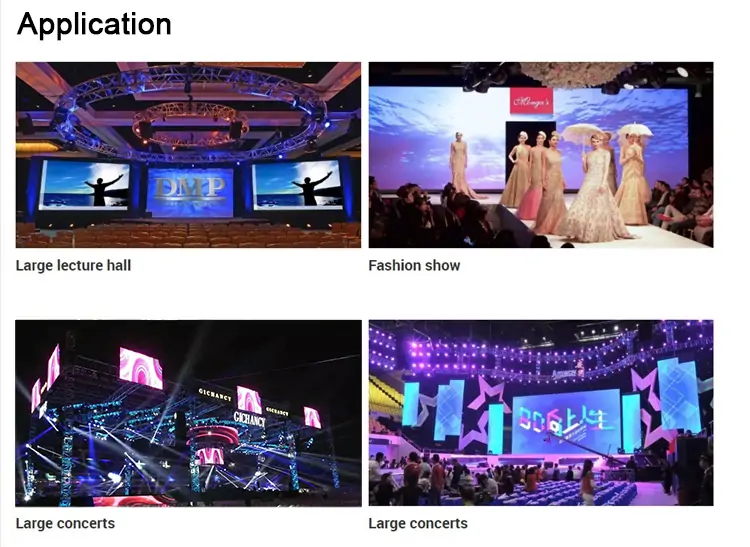
3. Applications of Rental LED Screens
01. Concerts, festivals, and live productions
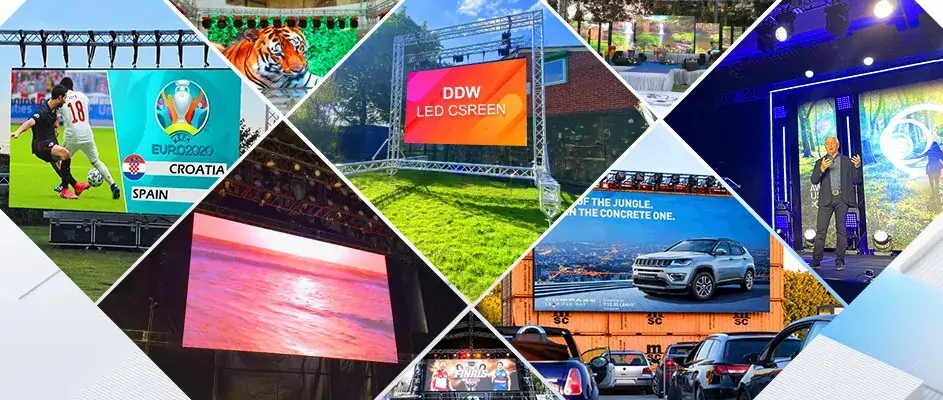
Concert rental LED screens may show live camera close-ups, stage artwork, or sponsor messages. These tasks have different priorities. Live image magnification needs a coordinated camera and signal workflow; decorative backgrounds may emphasize shape and color. Confirm which content must remain readable from the back and sides of the audience.
For outdoor productions, include daylight and evening operating conditions in the brief. Plan brightness changes, weather monitoring, and the responsible person’s shutdown procedure. The screen, stage, audio, and lighting teams should share the final layout and installation schedule.
02. Conferences, exhibitions, and private events
Conference rental LED screens must make slide text, charts, and speaker video readable. Test the smallest essential text instead of judging only a promotional video. A wide stage backdrop may need a dedicated presentation window so standard slides are not stretched across the entire canvas.
At exhibitions, rental LED screens need to fit booth dimensions, access hours, power availability, and neighboring displays. At weddings or ceremonies, check sightlines, camera exposure, and the timing of playback cues. In every case, include rehearsal time and agree on who operates the show files.
03. Sports and public viewing
Rental LED screens can support score information, replays, and fan-zone broadcasts. Separate the needs of spectators from those of broadcast cameras. Keep score graphics simple, check visibility from all intended positions, and confirm content rights and access to the authorized video source before committing to a live screening.
4. What Is a Flexible LED Screen?
A flexible LED screen uses bendable display modules or a purpose-designed flexible assembly to follow a supported curve. Soft modules commonly attach to a shaped backing structure. The complete display still needs mechanical support, power, signal distribution, and a service route.
Flexible LED screens should be distinguished from rigid cabinets with curved locks. The latter produce a curve through a series of angled segments; the module face itself may remain flat. Both approaches can create curved LED walls, but their achievable geometry, handling method, and seam behavior differ.
| System | How the shape is formed | Typical planning priority | Confirm before ordering |
|---|---|---|---|
| Flat rental cabinets | Rigid cabinets align on one plane. | Fast, repeatable assembly and transport. | Cabinet compatibility and approved support. |
| Curved rental cabinets | Adjustable joints connect rigid segments. | Reproducible concave or convex layouts. | Permitted joint angles and locking hardware. |
| Soft flexible modules | Bendable modules follow a shaped substrate. | Smooth creative surfaces and service access. | Minimum radius, bending direction, and supporting frame. |
| Flexible rental system | Purpose-designed assembly supports curves and repeated deployment. | Creative geometry with transport protection. | Approved configurations and repeated-handling procedures. |
Use the flexible LED screen category to identify possible designs, then request drawings. Terms such as “soft,” “curved,” and “flexible rental LED display” should lead to a specific construction and configuration rather than remain marketing labels.
5. Features of Flexible LED Screens
01. Bend radius and supporting geometry
Flexible LED screens have mechanical limits. Ask for the minimum permitted radius, concave and convex limits, supported bending direction, and restrictions on repeated bending. Do not infer an allowable radius from a photograph or force a module to match a tighter structure.
A cylindrical design also needs a complete circumference and a planned closing seam. For illustration, a cylinder with a 1 m radius has a circumference of approximately 6.283 m. The final diameter must accommodate module increments, the support construction, and the approved bend limit. A rectangular module’s ability to bend around a cylinder does not mean it can stretch across every spherical surface.
02. Maintenance, image mapping, and protection
Flexible LED screens may use magnetic front-service modules, but magnets are not a substitute for the specified support and retention system. Check cable clearance, module seating, heat dissipation, and the path for removing a failed part without damaging adjacent LEDs.
The EA-Flex product page describes indoor soft modules, magnetic mounting, and front service. Those are product-family characteristics; verify the exact module and drawing for your project. Flexible LED screens should not be assumed suitable for outdoor exposure or repeated touring merely because their modules bend.
6. Applications of Flexible LED Screens
01. Retail, architecture, museums, and stages
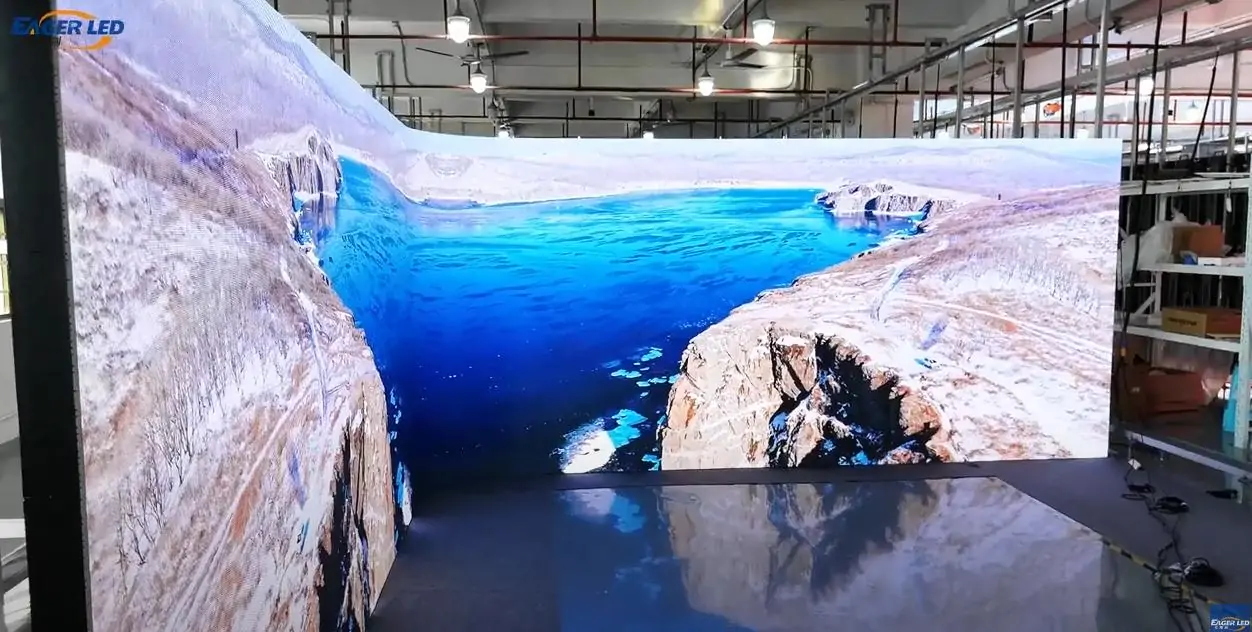
Flexible LED screens can wrap columns, form curved reception displays, or create flowing stage scenery. Their value comes from integrating the image into the space. Review the design with the display both on and off, and establish where power equipment and service openings will sit.
For museum storytelling or product launches, prepare artwork for the actual surface. A logo that looks balanced on a flat monitor may appear compressed from an oblique view. Use a geometry model or representative mockup to identify the main audience position and keep critical text away from difficult curves and closing seams.
02. How to use flexible LED screens for sports event displays
Use flexible LED screens for sports events where a curved feature improves the experience: a fan-zone entrance, presentation stage, sponsor backdrop, or curved indoor information display. Begin by deciding whether the screen carries decorative content, live action, or essential score information.
Next, define the viewing positions and create separate content zones for scores, sponsors, and video. Test the smallest score characters on the real curve. Assign a playback operator, prepare a fallback graphic, and rehearse changes between live feeds and scheduled content. This makes the design usable during a busy event rather than merely attractive in a rendering.
Flexible LED screens are not automatically appropriate as field-side perimeter boards. Where athletes or equipment may contact the installation, use a purpose-designed sports display with the relevant protection and approved mounting. A standard soft module’s flexibility does not establish impact suitability. For outdoor fan zones, select equipment explicitly rated for the exposure.
7. What You Need to Know About Renting Flexible LED Screens
01. Define the complete rental package
When renting flexible LED screens, ask the provider to identify the exact assembly: bendable cabinets, curved rigid cabinets, or soft modules on a custom frame. Confirm who supplies the frame, transport protection, installation crew, processor, content mapping, spares, and dismantling.
Book the full operational window. Delivery, build, testing, rehearsal, show operation, dismantling, and collection may occur on different days. A one-day event does not necessarily mean a one-day equipment booking. Check access restrictions, storage space for cases, and the route between unloading and the stage.
| Line item | What the quotation should state | Common omission |
|---|---|---|
| Screen and shape | Active dimensions, pitch, cabinet count, curve, and native resolution. | Custom frame or curved-lock accessories. |
| Video control | Processor, playback equipment, inputs, and backup method. | Signal conversion, long cable runs, or extra outputs. |
| Labor and access | Build, rehearsal, show, and dismantling hours. | Overtime, overnight access, or venue labor. |
| Transport | Delivery, collection, cases, and handling responsibilities. | Loading restrictions or storage between show days. |
| Support and liability | Onsite coverage, spares, cancellation, damage, and return terms. | Travel costs or limited support outside booked hours. |
02. Compare renting with purchasing
Hiring rental LED screens can make sense when projects vary or use is occasional. Purchasing can suit an established production inventory, but ownership adds storage, transport, maintenance, technicians, spare parts, and utilization risk. Compare equivalent service levels instead of comparing a bare hardware price with a fully staffed rental quote.
For flexible LED screens, include the cost of reusable structures and the time needed to reconfigure them. A shape that works for one venue may not fit the next. Ask whether the proposed assembly can be transported in its operating shape or must be disassembled into protected components.
8. How to Choose the Right Rental LED Screen for Your Event
01. Match size and pixel pitch to the audience
Choose rental LED screens from a measured venue plan. Record the usable stage width and height, closest viewer, farthest viewer, side seating, and obstructions. Audience count alone cannot determine screen size: two venues with the same capacity may have very different sightlines.
Pixel pitch is the center-to-center distance between pixels, normally in millimeters. Smaller pitch provides more pixels within the same area, but the practical benefit depends on content and viewing distance. Treat distance rules as an initial shortlist, then test essential text and graphics. Flexible LED screens require the same evaluation from several angles along the curve.
Calculate native resolution from the actual cabinet pixel count. As a planning approximation, divide active width and height in millimeters by pitch. The examples below use an exact nominal pitch and assume the dimensions can be built; the final cabinet layout may change the result.
| Pixel pitch | Calculated canvas | Total pixels | What to check |
|---|---|---|---|
| 2.5 mm | 2,400 × 1,200 | 2,880,000 | Processor output capacity and the smallest presentation text. |
| 3 mm | 2,000 × 1,000 | 2,000,000 | Scaling and the proposed cabinet dimensions. |
| 4 mm | 1,500 × 750 | 1,125,000 | Whether the audience can read the required detail. |
A processor accepting a 4K input does not turn a lower-resolution wall into a 4K display. Give the creative team the final pixel map, physical aspect ratio, and any separate presentation zones. For flexible LED screens, include the curve and seam positions in that brief.
02. Check brightness and camera performance
Brightness is specified in nits, but maximum brightness alone does not predict the final image. Rental LED screens for daylight need a different assessment from screens behind a speaker in a dark ballroom. Test the intended operating level, stage lighting, dark gradients, and camera exposure together.
Refresh rate is different from content frame rate. Camera artifacts also depend on shutter timing and the panel’s drive behavior. Brompton’s ShutterSync explanation describes why matching LED refresh timing to the camera matters. Its specific feature requires compatible equipment; do not assume it is included with every controller.
For rental LED screens appearing on camera, rehearse with the actual cameras, lenses, shutter settings, processor, and brightness. Check banding, moiré, motion, and low-level detail. Flexible LED screens should also be checked where the surface changes angle relative to the camera.
03. Plan structure, power, and signal distribution
Have the responsible qualified team approve the support for rental LED screens, including the complete load and the permitted configuration. Ground stacking and suspension need different hardware and site checks. Account for access, emergency routes, and maintenance space. Outdoor operation also requires a site-specific weather plan.
Separate energy estimates from electrical capacity. For illustration, an 18 m² screen averaging 200 W/m² over eight hours uses 18 × 200 ÷ 1,000 × 8 = 28.8 kWh. This excludes processors and other production equipment. Electrical distribution must be designed around the supplied system’s maximum requirements and applicable engineering practice, not that illustrative average.
Map the signal chain from cameras or playback computers through switching, processing, and receiving cards. Confirm cable routes, compatible interfaces, pixel capacity, and the recovery plan for each likely failure. An unused spare processor is helpful only if the crew can configure and switch to it in time.
04. Agree on acceptance tests and maintenance
Rental LED screens should pass a documented check before rehearsal ends. For flexible LED screens, inspect module seating and the finished geometry as well as the picture. Keep the approved mapping, calibration, and processor configuration available to the show team.
| Check | Practical test | Record |
|---|---|---|
| Cabinet or module alignment | Inspect seams and display a grid across the final shape. | Approved layout and any agreed tolerances. |
| Image consistency | Show solid colors, grayscale ramps, and actual show content. | Brightness and calibration settings. |
| Audience readability | Read essential text from the worst intended viewing positions. | Approved content versions and sightline notes. |
| Camera output | Record representative shots under show lighting. | Camera and processing settings. |
| Fallback and recovery | Rehearse agreed source switching and playback recovery. | Operator checklist and support contacts. |
After each deployment, inspect rental LED screens for damaged edges, connectors, locks, and pixels before packing. Follow the manufacturer’s cleaning and storage instructions. Flexible LED screens need particular care around bendable circuits and unsupported modules; use the approved handling method instead of folding them to fit an unsuitable case.
9. Evaluating EagerLED Rental and Flexible LED Screens
Compare EagerLED rental LED screens and flexible LED screens using a written project brief. Include venue drawings, dimensions, viewing distances, indoor or outdoor exposure, intended shape, content examples, camera requirements, operating schedule, and installation deadline.
For rental LED screens, request the exact cabinet model, supported accessories, service method, case arrangement, and spare-parts list. For flexible LED screens, also request a dimensioned structure drawing, approved radius, mounting details, and the replacement procedure. The EA-Flex specification document is a useful technical starting point; confirm the version and configuration offered in the quotation.
Clarify whether the proposal is for equipment supply or a complete local rental service. Request written warranty coverage, transport responsibility, lead time, and support arrangements. A manufacturer’s product range does not by itself confirm local rental stock, onsite technicians, or event-date availability.
10. Frequently Asked Questions
01. What is the difference between rental LED screens and flexible LED screens?
Rental LED screens emphasize repeated setup, dismantling, and transport. Flexible LED screens emphasize curved geometry. A product can support both purposes, but soft modules, curved-lock cabinets, and purpose-built flexible rental systems have different mechanical requirements. Confirm the complete assembly.
02. How do I use a flexible LED screen for sports event displays?
Define its role, choose a rated location, map score and sponsor zones, test readability around the curve, and rehearse live-feed changes. Flexible LED screens can suit fan zones and presentation stages. Use purpose-designed equipment for athlete-contact areas or exposed outdoor locations.
03. Can flexible LED screens be used outdoors?
Only when the specific system is approved for that environment. Flexibility does not establish weather protection. Confirm the module, enclosure, connections, supporting structure, and operating limits. Indoor soft modules should not be treated as outdoor rental LED screens.
04. What determines LED screen rental cost?
Dimensions, pitch, shape, duration, processing, transport, crew, support, and venue requirements all affect the quote. Ask for the same scope from each provider. A custom curved frame or restricted installation window can change the total substantially, so generic daily rates are unreliable budgeting evidence.
05. Can rental LED screens form a smooth curve?
Some rental LED screens use adjustable joints between flat cabinets, producing a segmented curve. Flexible LED screens may form a smoother supported surface. The visible result depends on cabinet width, joint angles, bend radius, viewing distance, and alignment. Review the proposed construction and a representative sample.
06. Does a high refresh rate guarantee flicker-free video?
No. Camera shutter timing, panel drive behavior, brightness, and processing also matter. Test the actual production combination before the event. Neither rental LED screens nor flexible LED screens should be approved for filming solely from a headline refresh-rate number.
11. Conclusion
Choose rental LED screens for the production workflow and flexible LED screens for a justified creative shape. Successful projects connect those decisions to viewing distance, readable content, camera performance, support engineering, and a tested recovery plan.
To compare suitable equipment, send EagerLED your event brief and proposed layout. Request an exact configuration, itemized scope, and acceptance criteria before committing. That gives the production team a screen it can install, operate, and maintain with confidence.
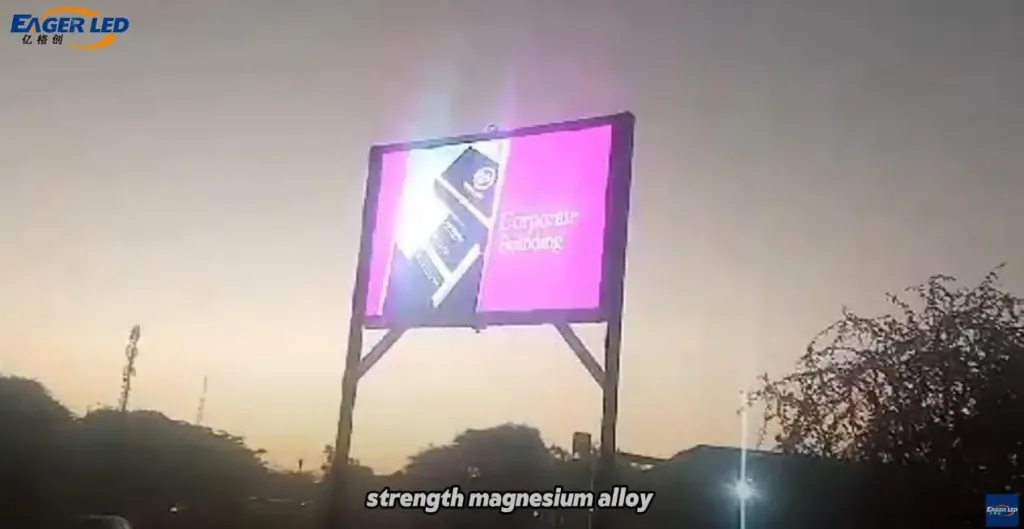 EA960R3 Commercial LED Billboards Feedback from Botswana Clients
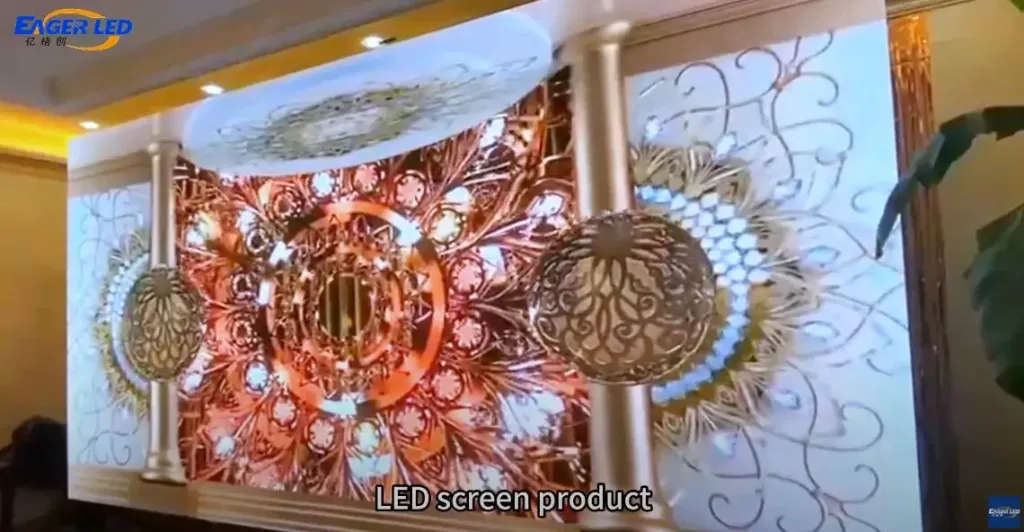 EA500C3 LED Rental Panel Feedback from Czech Customers
Related Posts



Fill In Your Needs In Detail
Fill in the screen usage scene and size you need in “Content”.You will get a quote.