Shortlist a COB control wall manufacturer by demonstrating that critical information remains visible and that stale information can be recognized on the proposed complete system. COB describes LED packaging; it does not establish source freshness, alarm priority, redundancy or an acceptable recovery procedure.
This guide helps enterprise AV buyers in the USA and Canada compare Chinese suppliers for high-end control centers. Use the proposed witness worksheet with your operations team, integrator and manufacturer. It is a purchasing framework, not a claim that a particular product has passed your operational requirements.
- Identify the critical information and who must see it.
- Separate a live picture from verified current data.
- Document the offered source, processing and display chain.
- Agree on acceptance evidence, maintenance responsibilities and unresolved limitations.
1. Define the COB control wall information zones
Start with an operations-approved layout showing the information that must remain visible during normal work and an incident. Identify the operator positions, priority alarm region, source labels, timestamps and any information that must stay visible when another window is enlarged. Do not let an attractive demonstration layout become an undocumented operating requirement.
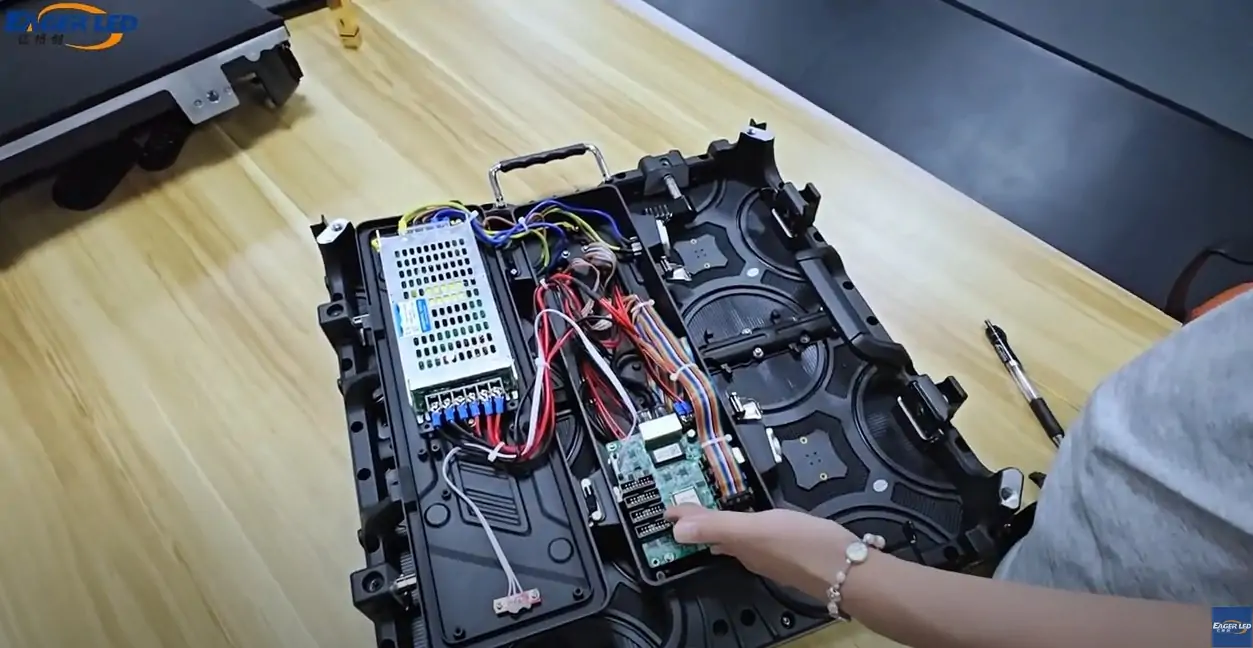
Ask the supplier to distinguish the LED equipment from the software and processing that arrange these regions. The EA600COB3 indoor COB product page describes a display product with front service and a HUB interconnection arrangement. It does not establish the alarm-management behavior of a complete control center.
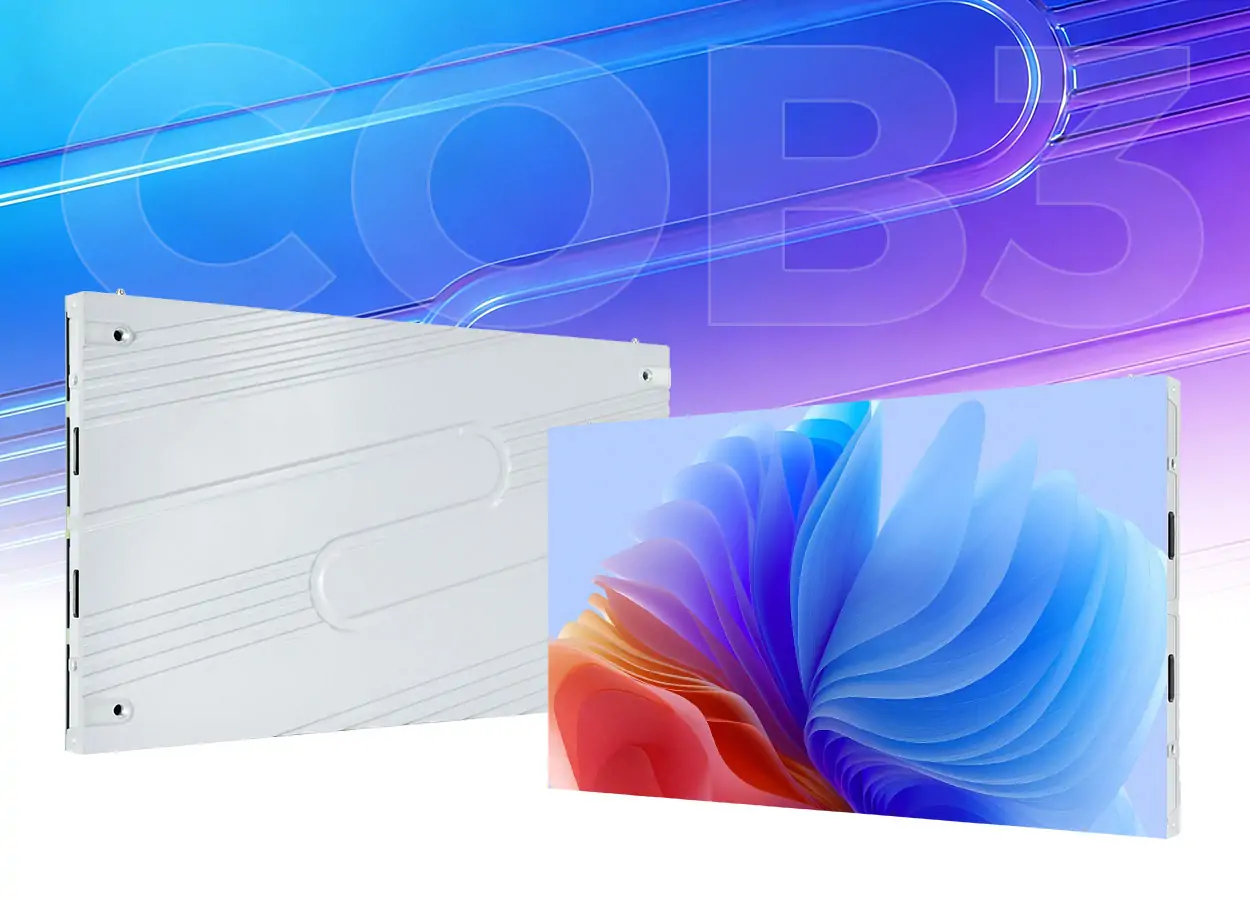
For the COB control wall demonstration, use synthetic data approved for supplier review. Keep confidential feeds and operational credentials out of the demonstration. Record which source, controller, processing application and display configuration are actually present.
2. Use a source and status witness sheet
Agree on observable outcomes before comparing suppliers. A source may continue showing its last valid image after upstream data stops changing. A visible timestamp is useful only if the team understands where it is generated and what its continued movement proves. Ask the responsible system provider to explain each status indicator.
| Purchasing question | Controlled demonstration | Evidence to retain |
|---|---|---|
| Does the priority region remain visible? | Change between agreed layouts and enlarge an ordinary source | Layout revision, priority region and observed obstruction |
| Can operators recognize stale data? | Use a simulated frozen feed with an agreed status behavior | Indicator origin, displayed message and responsible subsystem |
| Is a missing source distinguishable? | Simulate input loss on an isolated demonstration system | Resulting label or image, limitations and recovery steps |
| Is restored information identifiable? | Restore the demonstration source using the agreed procedure | Source identity, layout, status and operator action |
| Can service return the agreed appearance? | Review a supported replacement and calibration demonstration | Part revision, configuration backup and acceptance observations |
The COB control wall worksheet should name the witness, configuration and unresolved items. Any timing requirement must come from the buyer’s operational assessment and be measured by an agreed method; no response-time threshold or performance result is asserted here. Never disconnect equipment from a working critical system merely to reproduce a purchasing exercise.
3. Compare the complete system boundary
Request a diagram from source equipment through transport, processing, sending and receiving equipment to the display. Mark ownership of each part. If redundancy is offered, ask which failure it addresses, which dependencies remain shared and what an operator sees during the change. Two named components alone do not prove an independent backup path.
A COB control wall quotation should separate included equipment, optional equipment and integration supplied by others. Packaging, a HUB board and a thin cabinet do not demonstrate application continuity. Review the COB and GOB packaging explanation for terminology, then return to configuration-specific system evidence.
The company animation below illustrates the EA600COB3 module and interconnection arrangement. Its “wireless connection” label refers to the depicted internal connection design; do not interpret it as Wi-Fi, a redundant signal path or a tested control center recovery function.
Manufacturer animation used to identify construction details. Watch the original EA600COB3 company video.
4. Inspect service and replacement evidence
For a COB control wall, ask how authorized technicians access modules, receiving equipment and power components in the proposed mounting arrangement. Front access to one component does not establish access to everything. Request the tool, clearances, handling procedure and isolation requirements for each service task.
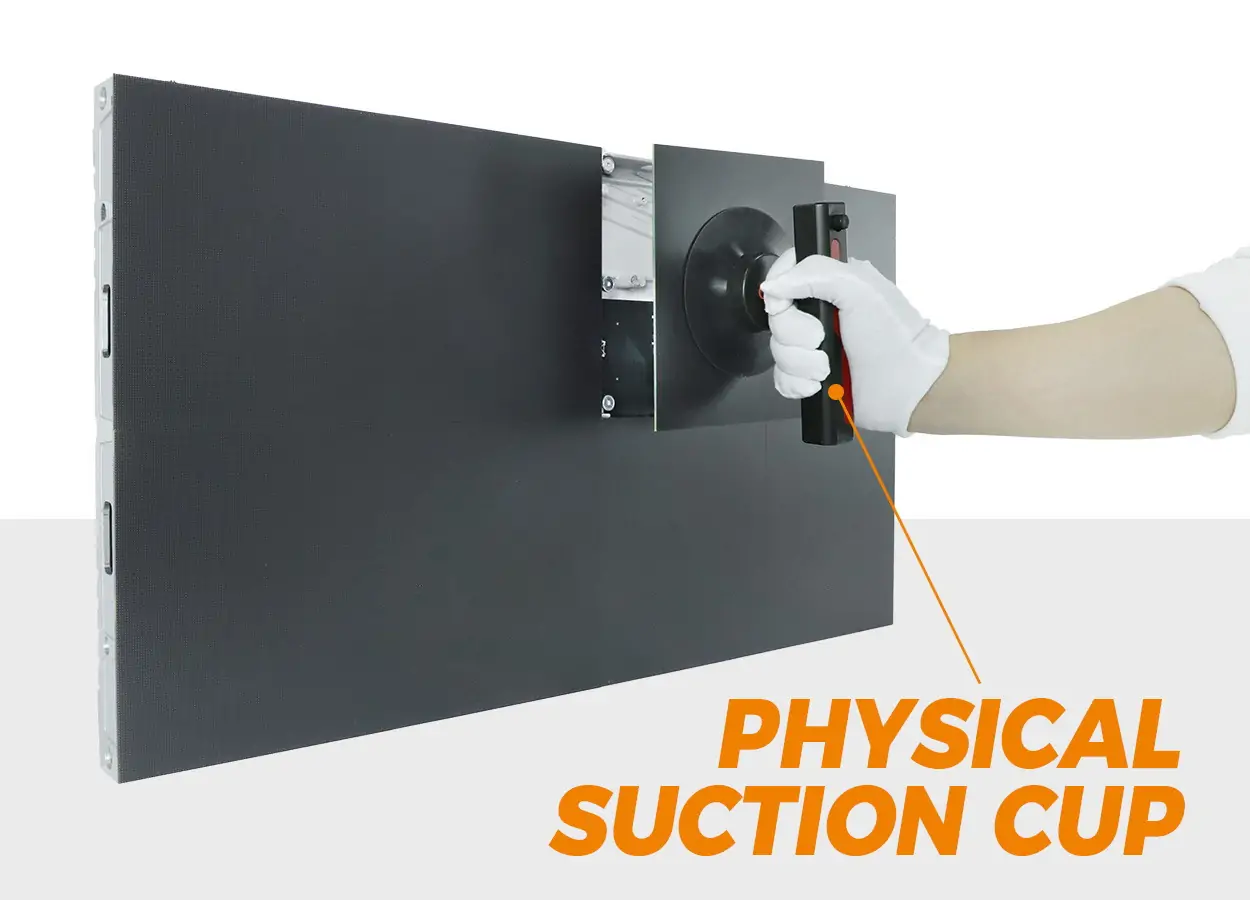
For the COB control wall, record spare module and component identities, compatible revisions, calibration records and the supported configuration backup. Ask the supplier to explain how a later replacement is assessed against the accepted appearance. A spare described only by pixel pitch may not identify all the compatibility conditions.
5. Check supplier records and responsibilities
During a live factory review, ask the manufacturer to identify the quoted assembly and show the relevant production and inspection steps. For the COB control wall shortlist, keep company identity, product evidence and installation references as separate checks. Verify references through an authorized contact rather than treating a promotional photograph as a confirmed project.
Request documentation applicable to the destination and offered configuration, including the issuing body and exact model scope where relevant. Have the responsible local professionals review installation and electrical requirements. Do not infer compliance in the USA or Canada from an unrelated model’s certificate or a general export statement.
Get written warranty scope, claim evidence, spare availability terms, shipping responsibilities, support hours and escalation ownership. Distinguish the manufacturer’s obligations from those of the integrator and the source-system provider. An offered COB control wall should be compared with its documented responsibilities, not an assumed local service promise.
Control center purchasing questions
Does COB packaging guarantee continuous current information?
No. Packaging does not determine whether source data is fresh or whether software preserves a priority region. Verify those behaviors on the offered complete chain with agreed demonstrations.
Can a conference-room product animation prove control center suitability?
It can identify the construction features actually shown. Operational suitability still requires configuration-specific evidence, supported operating conditions and your agreed acceptance checks.
Prepare a control center brief
Send EagerLED the country, room and wall dimensions, operator positions, critical layout, synthetic sample screens, source interfaces, required status behavior, mounting access and integration responsibilities. Request a COB control wall proposal with a source-to-screen diagram and a completed witness plan.
 Outdoor LED Screen Installation Methods: Wall, Pole, Rooftop or Ground
 Visitor Center LED Display: Creative Supplier Checks
Related Posts
Fill In Your Needs In Detail
Fill in the screen usage scene and size you need in “Content”.You will get a quote.