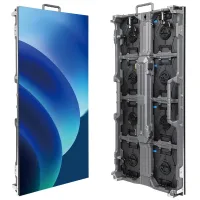
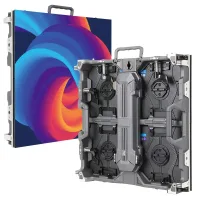
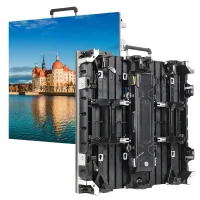
Choose the NovaStar H2, NovaStar H5, NovaStar H9 or NovaStar H15 by the input and output cards your LED project requires. Standard chassis support up to 4/2, 10/3, 15/5 and 30/10 input/output cards respectively. Start with the smallest chassis that fits the verified screen load, source formats, simultaneous layouts and backup plan, then reserve slots for agreed expansion. Enhanced chassis and different sending-card families have separate limits, explained below.
This NovaStar H Series comparison explains how to turn those requirements into a practical equipment schedule. It separates source resolution from LED loading capacity, identifies the checks behind 4K and HDR operation, and explains why a controller price without a card list is incomplete. Whether you are planning an indoor LED screen, a control room or an event installation, use the same sequence: calculate, configure, verify and test.
Specifications below distinguish standard chassis from Enhanced versions and identify the sending-card basis for capacity figures. Manufacturer references were checked on October 12, 2026. Examples are planning illustrations, not completed project claims or guaranteed configurations; final approval should use the exact hardware and firmware being supplied.
1. What Is the NovaStar H Series?
The NovaStar H Series is a modular processing platform for assembling multiple video sources into layouts across one or more displays. Think of the chassis as the frame that holds the selected input and output cards. An input card receives a source; an output card delivers the processed image through the chosen display connection. Those functions must match the rest of your LED system.
Two projects with identical screen dimensions can require different processors. A reception wall showing one presentation has a different source and operating workload from a monitoring wall showing many independent feeds. For a simpler integrated controller, compare the original NovaStar VX400, VX600 and VX1000 against the same requirements. Likewise, a wide stage backdrop can have more pixels than a physically smaller screen, or fewer, depending on pixel pitch.
A NovaStar H2 controller should therefore be evaluated with the same questions as a NovaStar H15: what needs to appear, where must it appear, and how will the operator change it? Define the busiest layout and the failure scenario before selecting equipment. This prevents buying spare capacity in one area while overlooking a limitation elsewhere.
Keep playback responsibilities explicit. The source computer or media server must produce the required content and timing; the processor must accept and arrange it; the receiving system must drive the cabinets correctly. A capable splicer cannot recover detail absent from the source or correct an inaccurate cabinet map by itself.
2. NovaStar H2 vs H5 vs H9 vs H15: Comparison Table
The table compares the standard NovaStar H2, NovaStar H5, NovaStar H9 and NovaStar H15 chassis. Maximum card counts describe available expansion, not necessarily the cards included in a quotation. Loading figures below use the H_20xRJ45 sending-card basis in NovaStar’s official H Series comparison.
| Model | Rack size | Maximum input cards | Maximum output cards | Maximum pixels with H_20xRJ45 cards | Planning priority |
|---|---|---|---|---|---|
| NovaStar H2 | 2U | 4 | 2 | 26 million | Compact rack and limited card requirements |
| NovaStar H5 | 5U | 10 | 3 | 39 million | More inputs without a large chassis |
| NovaStar H9 | 9U | 15 | 5 | 65 million | Additional output regions and source expansion |
| NovaStar H15 | 15U | 30 | 10 | 130 million | Large card schedules and multiple destinations |
Enhanced versions are separate configurations: the official comparison lists ten output cards for H9 Enhanced and sixteen for H15 Enhanced. Other sending-card families produce different loading figures. Specify the complete chassis version and card part numbers rather than treating every H9 or H15 listing as equivalent.
01. When to shortlist NovaStar H2 or H5
Shortlist NovaStar H2 when the verified source, output and backup schedule fits its available slots. Shortlist NovaStar H5 when you need more input flexibility or another output card. For a deeper model-specific reference, see our NovaStar H5 features and specifications guide. Keep this comparison focused on the decision between chassis.
02. When to shortlist NovaStar H9 or H15
Consider NovaStar H9 or NovaStar H15 when the card schedule outgrows the smaller models, or when several display areas must be served from one installation. Reserve realistic expansion slots for an agreed next phase. Choosing the largest chassis without a source and output plan can increase rack, transport and maintenance costs without improving the current image.
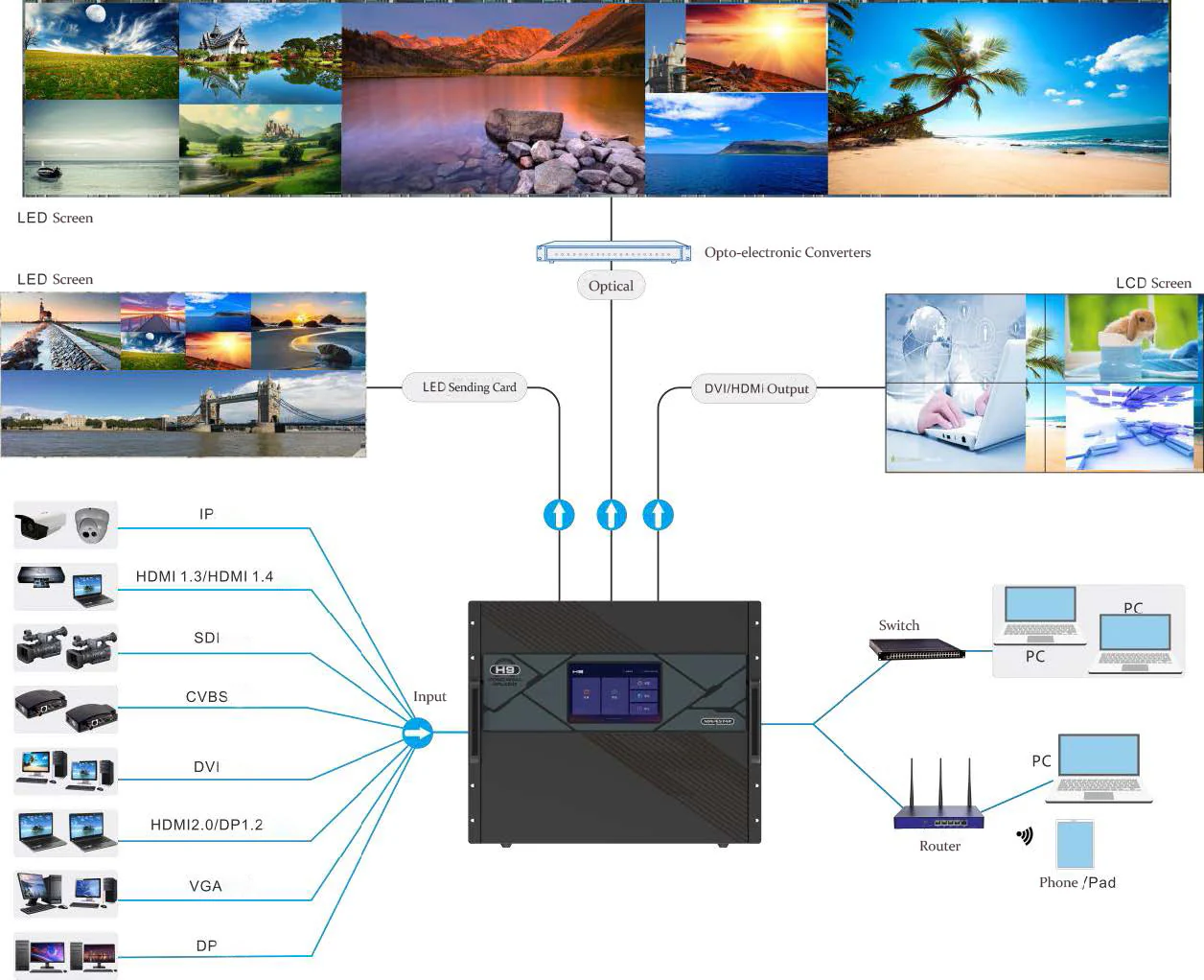
3. NovaStar H Series Input and Output Card Selection
For NovaStar H2 input cards, NovaStar H5 controller configurations and larger systems alike, begin with the connector on each actual source. Write down its output timing and whether it must remain connected during operation. Card slots, physical connectors and simultaneously usable channels are different quantities.
| Project requirement | Card or connection to investigate | What to verify before ordering |
|---|---|---|
| Presentation PCs and media servers | Compatible HDMI or DisplayPort input card | Exact timing, color format, connector generation and simultaneous inputs |
| Broadcast camera or production switcher | Compatible SDI input card | SDI format, frame rate, cable path and source synchronization |
| Network video sources | Compatible IP, NDI or ST 2110 option | Protocol, network design, stream limits and firmware compatibility |
| Direct LED data output | Compatible RJ45 sending card | Receiving cards, port loading, cabinet map and backup topology |
| Long signal route | Compatible fiber sending and receiving equipment | Optical modules, fiber type, connector, distance and conversion hardware |
| Processed video to downstream equipment | Compatible video output card | Destination timing and any separate LED sending stage |
| Operator monitoring | Supported preview arrangement | Required preview hardware, slot allocation and monitor connection |
The card families are listed in NovaStar’s H Series documentation; availability is not a promise that every combination works in every firmware revision. Ask the supplier to confirm the proposed combination in writing. In particular, do not confuse an RJ45 control-network connection with a port carrying LED pixel data.
01. Build a source schedule
Give each source a name, connector, resolution, frame rate and backup partner. Mark whether it appears alone, beside another source, or inside an inset window. A spare laptop used only during servicing is different from a backup player that must switch immediately during a presentation. Include both in the equipment schedule, but describe their operating roles accurately.
02. Build an output and cable schedule
Draw every cabinet chain and label its assigned output. Record cable lengths along the installation route, including service loops and patch panels. For fiber, identify both ends of the link. Avoid a generic distance promise: a reliable route depends on the selected transmitter, receiver, optical modules and cable specification, followed by testing of the installed path.
4. 4K, HDR and Maximum Resolution Explained
The NovaStar H2 is not a 1080p-only processor. Its current manufacturer specification includes 4K input and output options, HDR processing and compatible higher-resolution input options. Read the connector-specific tables before specifying a signal format. A label such as HDMI describes an interface family, not every combination of resolution, frame rate and color depth.
01. Separate three different resolution questions
First, what source timing can the installed input card accept? Second, what output dimensions and load can the selected sending system deliver? Third, how many physical pixels exist on the completed LED wall? A 3840 × 2160 source contains 8,294,400 pixels, but it can be scaled into a smaller display or arranged within a larger canvas.
This distinction matters when comparing NovaStar H2 and NovaStar H5. Moving to a larger chassis is not the automatic solution to every “4K” requirement. You may need a different input card, an adjusted source format, more output ports, or another chassis because the complete configuration no longer fits. Identify the limiting resource first.
02. Specify the complete HDR signal path
For an HDR project, document the content format and expected appearance, then verify the source, input card, processing configuration, receiving cards and LED panels together. The H2 specification, version 1.17.0, identifies HDR10 and HLG and provides connector-specific format tables. Compatibility must be checked at the intended operating settings.
Ask for an acceptance demonstration using gradients, skin tones, small text and bright highlights from your own content. Record the agreed brightness and color settings. A checkbox for HDR support does not by itself describe how the wall will look under your venue’s lighting, or whether the entire signal chain preserves the desired format.
5. Multi-Screen Splicing, 3D and Edge Blending
For a NovaStar H Series installation, screen count alone is an incomplete sizing rule. Plan the pixel dimensions of each destination, the windows displayed simultaneously and the resources required by the busiest preset. A single expansive screen with many windows can be more demanding than several small screens showing simple layouts.
01. Check layers against the real layout
Make a drawing of each important operating scene: presentation, camera plus slides, monitoring mosaic and standby. Mark each independent source window. Ask the supplier to confirm layer availability for the selected source capacities and transitions. Do not interpret a headline maximum layer count as a guarantee that the same number of full-resolution 4K windows can run in every arrangement.
02. Define what “3D” means
A perspective animation on a corner billboard and a stereoscopic display using synchronized glasses have different requirements. Describe the experience precisely. For stereoscopic operation, request an approved list of processing hardware, receiving equipment, emitter and display settings. The NovaStar H2 documentation describes operation with an EMT200 Pro emitter; that is a configuration requirement, not proof that any LED installation becomes stereoscopic.
03. Keep projection blending separate
LED cabinet mapping creates one image across adjacent cabinets. Projector edge blending manages overlapping projected images. Do not specify NovaStar H9 or NovaStar H15 solely on an unverified claim that a larger model automatically adds projector blending. If projection is part of the design, require a demonstration of the exact blending workflow or specify the separate equipment responsible for it.
6. How to Size a NovaStar H Series Controller
A practical NovaStar H Series configuration starts with arithmetic and finishes with a validated wiring diagram. Treat the following as a planning method. It does not replace the loading limits for your selected cards, receiving system, refresh rate and color depth.
01. Calculate the native LED pixel count
Use the actual cabinet pixel matrix wherever possible: wall width in pixels equals cabinet columns multiplied by pixels per cabinet horizontally. Wall height equals cabinet rows multiplied by pixels per cabinet vertically. Multiply those results for the total load. For an early estimate, divide the physical dimensions in millimeters by the pixel pitch in millimeters, then reconcile the result with real cabinet sizes.
Illustration: a 6,000 × 3,000 mm wall at a nominal 2.5 mm pitch has an estimated 2,400 × 1,200 matrix, or 2,880,000 pixels. At 1.25 mm pitch, the same area becomes 4,800 × 2,400, or 11,520,000 pixels. Halving pitch in both directions quadruples the load. Confirm the final cabinet matrix before purchasing the controller.
02. Convert pixels into outputs and slots
Divide the total load by the verified usable capacity of one output only as an initial estimate. Then distribute complete cabinet chains across ports and check width, height and routing restrictions. A mathematically sufficient pixel total can still fail because one chain is overloaded or the screen geometry cannot be mapped as planned.
For example, if your approved operating mode allowed 500,000 pixels per port, a 2,880,000-pixel wall would need at least six ports by division. That number is a hypothetical worksheet assumption, not a NovaStar port specification. The actual cabinet arrangement and backup design may require more. Apply the documented capacity for the selected system.
03. Compare the finished equipment schedules
Now compare NovaStar H2, NovaStar H5, NovaStar H9 and NovaStar H15 against the complete list: input cards, output cards, preview provision, standby sources and growth slots. Reject any configuration that fails one requirement, even if its advertised total pixel capacity looks sufficient. If several pass, compare operating convenience, serviceability and installed cost.
For rental LED display projects, repeat this exercise for the largest planned layout and the most complex show. A processor bought for one easy configuration may not accommodate a later event with different source connectors or additional screen destinations.
7. Expansion, Reliability and Total Project Cost
Expansion should be attached to a realistic project phase. Specify the additional screens, sources or operating scenes you expect, then identify the spare resources needed. Empty slots are useful only when the chassis, card compatibility and downstream receiving system can support the intended addition.
01. Separate redundancy from spare capacity
A spare output does not automatically create failover. Define the failure to be covered: lost source, failed data path, failed sending card, processor failure or interrupted power. Ask how each transition occurs, what the viewer sees and how the operator restores normal service. Document any functions or source types that cannot participate in the chosen backup scheme.
NovaStar’s comparison lists optional redundant power for NovaStar H5, NovaStar H9 and NovaStar H15, while the H2 entry does not list that option. Confirm what is actually included. Even with dual supplies, the installation needs an appropriate power design; two cords connected to the same failed upstream supply do not provide independent power continuity.
02. Compare itemized prices
Request separate lines for chassis version, every card, optical accessories, receiving equipment, cables, rack hardware, configuration, delivery and support. Ask whether spare parts and commissioning are included. This makes a NovaStar H5 price comparable with a NovaStar H9 quotation and exposes where a cheaper offer leaves necessary equipment out.
Also compare maintenance access, rack depth, cooling clearance and transport requirements. For permanent installations, record who owns the configuration backup and who can replace a failed component. For events, include packing, setup time and spare cable availability. These practical costs may matter more than a small difference in chassis price.
8. NovaStar H Series Manuals and Specification Downloads
Use NovaStar’s official H Series downloads for the NovaStar H2 manual, NovaStar H5 specifications, NovaStar H9 datasheet and NovaStar H15 documentation. The download area groups specifications, the user manual, quick-start guides, firmware and release notes by model. Check the revision of the actual file rather than relying on the title of a search result.
Use the specification to confirm hardware limits, the manual to plan configuration, and release notes to identify version changes. Save the approved documents alongside the bill of materials, cabinet map, cable labels and exported configuration. Give this package to the technicians who will operate and maintain the display.
Do not update a working installation immediately before an important show merely because a new firmware file exists. Read the release notes, establish compatibility, back up the configuration and schedule a controlled test. Repeat the critical presets and failure tests after a change, and record the version that passed acceptance.
9. NovaStar H Series Video and Commissioning Checklist
The existing H Series video below offers a visual introduction to the equipment. Use the current model documents and your approved card schedule for purchasing decisions, because a video may show an earlier configuration. During commissioning, verify the delivered system against the design rather than assuming the chassis label proves compatibility.
- Inventory: record chassis revision, firmware and installed card part numbers; compare them with the approved quotation.
- Source test: connect every real source at its intended timing, including backup equipment and adapters.
- Mapping test: display a pixel grid, cabinet labels and edge markers to verify routing, orientation and missing areas.
- Layout test: run the busiest preset and all required transitions; check small text and moving content.
- Timing test: measure the complete camera-to-display path when live-image delay matters. Do not rank latency by chassis size alone.
- Failure test: safely simulate the agreed source or link failure and verify the documented recovery behavior.
- Handover: export the final configuration, label cables and provide an operator procedure with service contacts.
Agree on pass criteria before delivery: what must remain visible, which transitions are acceptable and who signs off each test. A clear acceptance record makes later troubleshooting faster and prevents a normal operating limitation from being mistaken for a new fault.
10. NovaStar H2, H5, H9 and H15 FAQ
01. Does the NovaStar H2 support 4K input?
Yes. The NovaStar H2 supports 4K with compatible input cards; it is not limited to Full HD. Check the exact connector, frame rate, bit depth and chroma format. A 4K source specification and the total pixel capacity of the LED wall describe different parts of the system.
02. What is the main difference between NovaStar H2 and H5?
The NovaStar H2 provides four input-card slots and two output-card slots in 2U. The NovaStar H5 increases those limits to ten and three in 5U. Choose the H5 when the source count, output layout, expansion plan or optional redundant power requirement exceeds an H2 configuration.
03. Should I choose NovaStar H9 or H15?
Compare the required card schedule before choosing. Standard NovaStar H9 and NovaStar H15 chassis support five and ten output cards respectively. Enhanced versions have different limits. A larger chassis is useful when you need more output regions or inputs; it does not automatically improve the appearance of the same correctly configured LED wall.
04. Why do NovaStar H Series pixel capacities differ between websites?
Published figures may refer to different sending cards, standard versus Enhanced chassis, or older documentation. Ask which exact configuration supports the quoted figure. For example, NovaStar lists 26 million pixels for an H2 using H_20xRJ45 sending cards, while its enhanced fiber-card configuration reaches a different maximum. Neither figure is the capacity of an empty chassis.
05. Which NovaStar H2 input cards do I need?
Start with a source list showing connector, resolution, refresh rate and simultaneous use. Match HDMI or DisplayPort computer sources, SDI cameras and network video to their respective compatible cards. Include backup sources and preview requirements in the slot plan, then check the current H2 specification and installed firmware before ordering.
06. How much does a NovaStar H5 controller cost?
A useful NovaStar H5 price must identify the chassis, installed input and output cards, preview hardware, power options, optical accessories and service scope. Request an itemized quotation against your screen drawing. Comparing a bare chassis with a fully configured processor gives a misleading cost difference, even when both listings use the same model name.
07. Can the NovaStar H Series replace a media server?
A video wall splicer routes, scales and combines supported sources. A media server creates or plays the content feeding those inputs. Decide which device handles playback, scheduling, interactive graphics and content storage. Keep that responsibility explicit when specifying a NovaStar H Series system for a showroom, stage or control room.
08. Where can I find the NovaStar H2 manual and H9 datasheet?
Use the model-specific downloads on NovaStar's official H Series page. Match the documentation to the chassis revision, cards and firmware. Save the approved files with the installation records so future technicians can reproduce the configuration instead of relying on an undated specification copied into a quotation.
11. Conclusion: Choose the Configuration Before the Chassis
Choose NovaStar H2, NovaStar H5, NovaStar H9 or NovaStar H15 by the verified configuration your LED project needs. Start with native pixels and source timings, allocate cards and output routes, then check layers, backup arrangements and future expansion. The smallest chassis that satisfies that complete plan may be the most practical choice.
For a project-specific recommendation, send EagerLED your LED wall dimensions, cabinet resolution, source list and installation drawing. Include the intended layouts, cable distances and redundancy requirements. An itemized configuration gives you a much stronger basis for comparing cost and performance than a model name or a maximum-pixel headline alone.
Related Posts




Fill In Your Needs In Detail
Fill in the screen usage scene and size you need in “Content”.You will get a quote.