Choose an indoor rental LED display supplier for a conference ballroom by testing the presentation at the intended room brightness and viewing distances. Ask Chinese manufacturers to show real slides, dark image content, camera shots and a practical service task on the proposed configuration. Then verify that cases, supports and replacement parts can move through the hotel’s actual access route.
- A sample test using the client’s smallest text and representative presentation files.
- Agreed operating settings for the room, presenter lighting and cameras.
- A complete equipment list and service demonstration.
- A delivery plan matched to hotel access, local crew and rehearsal times.

Contents — ballroom procurement review
1. Define the presentation and room
Start with the seating plan, the nearest and farthest viewers, screen position and the content people must read. A corporate presentation with spreadsheets has a different requirement from a decorative awards backdrop. Send representative slides, including the smallest text, fine lines, charts and any embedded video. Ask the supplier to identify the native pixel canvas and demonstrate those files without hiding difficult examples.
Record the usable height below chandeliers or venue structures, the presenter’s location and the stage depth. Include side screens, confidence monitors and cameras if they are part of the job. Decide who prepares the source files and whether the wall must preserve a standard presentation aspect ratio or use a custom canvas.
For a simple inventory illustration, eight 0.5 m-wide cabinets across and four 0.5 m-high rows make a 4 m × 2 m wall using 32 cabinets. That physical 2:1 shape is different from a 16:9 slide. Agree how the presentation will fit before approving the layout. The example is cabinet geometry only; pixel pitch, native resolution, supports and spares still require specification.
2. Use a repeatable supplier demonstration
Send each shortlisted supplier the same test files and observation instructions. Request the quoted cabinet, receiving-card and processor settings. If you cannot attend, use a live demonstration that lets you request close views and changes rather than accepting an edited promotional reel.
| Demonstration | Observe in the intended setup | Keep with the approval |
|---|---|---|
| Small text and charts | Readability at the agreed seats and chosen scaling | Source file, canvas and viewing positions |
| Dark slides and gradients | Shadow detail, colour consistency and seams at show brightness | Brightness, processing settings and visual observations |
| Presenter and camera | Exposure balance, visible artefacts and content framing | Camera model/settings and display configuration |
| Quiet-room operation | Equipment noise near the lectern and microphones | Room conditions, operating state and agreed acceptance method |
| Source change or recovery | Switching procedure and recovery from a representative fault | Operator steps, included equipment and configuration backup |
| Service task | Access, tools, replacement procedure and post-repair image check | Component revision, clearance and spare-part list |
A refresh-rate number alone cannot establish camera compatibility, and a maximum-brightness claim does not describe picture quality at a dimmed setting. Request the demonstration at the brightness intended for the room. If acoustic performance matters, agree a meaningful measurement or listening method with the AV team; do not assume a quiet result from a video with its audio muted.
3. Compare the whole presentation system
Ask for a complete bill of equipment: cabinets, processor, signal converters if needed, power and data cables, support accessories, cases, tools and compatible spares. Confirm the proposed inputs and how a laptop presentation reaches the wall. Name the party responsible for scaling, playback and rehearsal configuration.
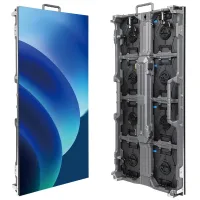
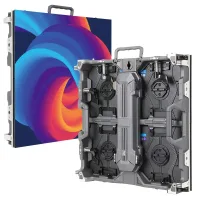
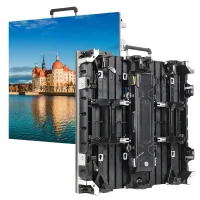
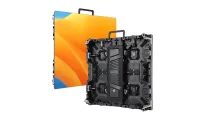
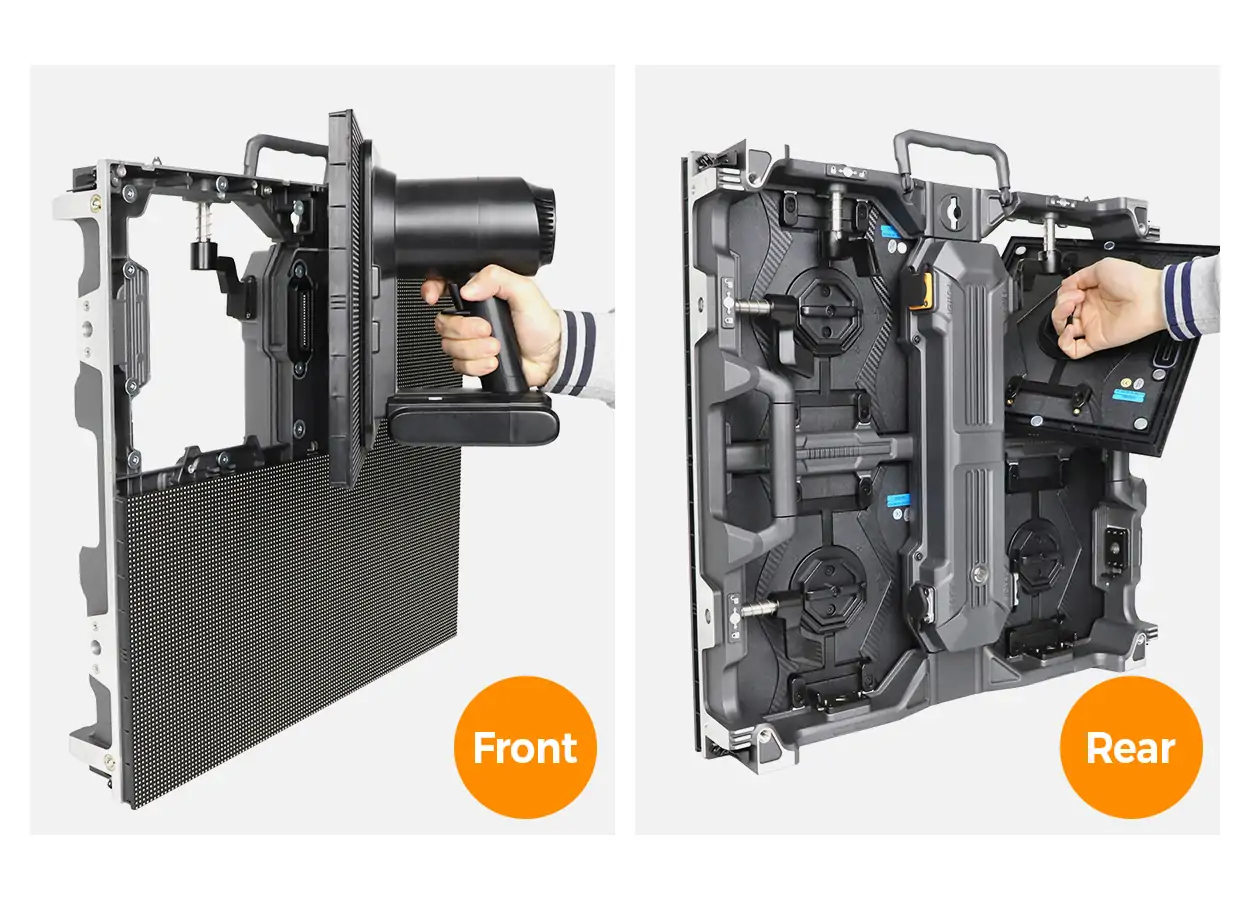
The EA500H9 product page identifies a 500×500 mm rental cabinet, front/rear module service and a detachable power box. Use those as features to inspect, then request the indoor variant’s current specifications. A service feature should be demonstrated with the space and support arrangement available at your event.
Compare equivalent supply scopes and written exclusions. A quote that omits cases, processing or repair parts can appear cheaper while leaving the rental company to source essential items separately. Ask which revisions are interchangeable with your existing fleet, and obtain written confirmation before mixing components.
4. Check hotel access and service space
Walk the delivery route with the venue or local production team. Record the loading bay, doorway openings, lift dimensions and capacity, turns, thresholds and permitted delivery hours. Obtain the supplier’s packed case sizes and gross weights, then check them against that route. Cabinet dimensions alone do not tell you whether a loaded case fits a hotel lift.
Include the storage position for empty cases and a service route behind or in front of the wall. Coordinate supports, cables, stage steps and presenter movement with the approved venue plan. Have the responsible qualified team approve the complete support and electrical arrangement.
For multi-venue work in Latin America, record each destination and installation team’s requirements rather than treating a fleet’s first delivery as proof of universal suitability. Ask the supplier for the exact documentation needed by the importing party and local project team. Confirm compatibility with the venue’s electrical service using the actual equipment specifications.
5. Confirm acceptance and show support
Verify the contracting company and factory, and request evidence linked to the proposed indoor cabinet configuration. Distinguish a witnessed sample from a customer case and request permission or supporting details before relying on a claimed reference. Avoid making an unverified client list part of your supplier score.
Put the approved files, settings, cabinet revisions and demonstration observations into the acceptance package. Define how production inspection checks the final order against that package, who approves substitutions and how failed items are corrected before shipment.
Agree technical support hours around local load-in and rehearsal. Name the person who diagnoses a problem, the local operator who can replace parts and the party paying repair freight. Ask about the continuity of replacement modules and configuration files. Warranty duration is only one part of that support plan.
Use the rental LED display overview to compare relevant product families, then evaluate the supplier against your room test and logistics brief.
6. Prepare the quotation brief
Send: city and hotel; event and rehearsal dates; seating plan; screen dimensions and height limit; example slides; closest/farthest viewers; lighting and cameras; loading and lift constraints; support method; service space; and your existing fleet details.
Request an indoor configuration, complete equipment package, packed dimensions and a witnessed presentation demonstration.
The EA500H9 photographs are product references. The demonstration worksheet is a buyer’s planning tool, not a report of a completed test or a price quotation.
 Convex Rental LED Stages: Supplier Checks for Designers
 Outdoor Rental LED Displays: Festival Supplier Checks
Related Posts



Fill In Your Needs In Detail
Fill in the screen usage scene and size you need in “Content”.You will get a quote.